
1. Inleiding
Bedankt voor uw aankoopasing the VTech XS1050 Cordless Phone. This manual provides essential information for setting up, operating, and maintaining your new phone. Please read it thoroughly to ensure proper use and to take full advantage van zijn kenmerken.

Figure 1: VTech XS1050 Cordless Phone and Base Unit
This image shows the VTech XS1050 cordless phone handset resting in its white base unit. The handset features a digital display and a numeric keypad. The base unit also has controls for the answering machine.
2. Instellen
2.1 Pakketinhoud
Controleer voordat u begint of alle items aanwezig zijn:
- VTech XS1050 Handset
- VTech XS1050 Base Unit
- Voedingsadapter voor basisunit
- Telefoonlijnsnoer
- 2 x Product-Specific Batteries (included)
- Gebruikershandleiding (dit document)
2.2 Batterij installatie
- Open het deksel van het batterijcompartiment aan de achterkant van de handset.
- Insert the two supplied batteries, observing the correct polarity (+ and -).
- Sluit het batterijklepje goed.
2.3 De basiseenheid aansluiten
- Connect the power adapter to the base unit and plug it into a wall outlet.
- Connect one end of the telephone line cord to the base unit and the other end to your telephone wall jack.
2.4 Initiële kosten
Place the handset on the base unit. The battery indicator on the handset display will show charging. Allow the handset to charge for at least 16 hours before initial use to ensure optimal battery performance.
3. Gebruiksaanwijzing
3.1 Bellen en gebeld worden
- Een telefoontje plegen: Pick up the handset, dial the number, and press the Telefoongesprek knop.
- Een oproep ontvangen: Wanneer de telefoon overgaat, drukt u op de Telefoongesprek knop.
- Een gesprek beëindigen: Druk op de Einde gesprek Druk op de knop of plaats de handset terug op het basisstation.
3.2 Het antwoordapparaat gebruiken
The VTech XS1050 features a digital answering machine with up to 30 minutes of recording time.
- Berichten afspelen: Druk op de Toneelstuk knop op het basistoestel.
- Een begroeting opnemen: Refer to the detailed instructions in the full manual for custom greeting setup.
3.3 Handsfree speakerphone
To activate the hands-free speakerphone during a call, press the Luidspreker button on the handset. Press it again to switch back to handset mode.

Figure 2: Hands-Free Speakerphone Function
This image shows a person in a kitchen setting, using the VTech XS1050 handset on speakerphone mode while performing other tasks, indicating the convenience of the hands-free function.
3.4 Volume-aanpassing
Gebruik tijdens een gesprek de Volume omhoog En Volume omlaag buttons on the side of the handset to adjust the earpiece volume. The base unit also has volume controls for the speakerphone and answering machine playback.
3.5 Telefoonboek en snelkiezen
- Telefoonboek: Store up to 100 names and numbers. Access and manage entries via the handset menu.
- Sneltoets: Assign frequently called numbers to 8 dedicated speed dial keys for quick access.
3.6 Caller ID and Call History
The phone displays caller information (if available from your service provider) and stores a history of the last 20 incoming calls.

Figure 3: Caller ID and Call History Display
This image illustrates the handset's display showing multiple entries in the call history, including caller names and numbers, demonstrating the caller ID and call waiting features.
3.7 Conference Function
The intercom/hands-free function allows multiple users to participate in a conversation simultaneously, facilitating three-way conference calls.

Figure 4: Three-Way Conference Call
This image depicts three individuals engaged in separate phone conversations, symbolizing the three-way conference call capability of the VTech XS1050.
3.8 Alarm and Mute Function
The handset includes an alarm function for reminders and a mute function to temporarily silence your microphone during a call.

Figure 5: Alarm and Mute Function Icons
This image shows the VTech XS1050 handset on a table, with graphic overlays of an alarm clock and a muted speaker icon, illustrating the alarm and mute functionalities.
4. Belangrijkste kenmerken
4.1 volume Ampverliezer
The VTech XS1050 features an integrated volume amplifier that boosts incoming sound and voice for enhanced clarity and volume. This feature is particularly beneficial for users with hearing impairments or those who prefer a louder audio experience.

Figure 6: Volume Amplifier in Action
This image visually represents the volume amplification feature, showing sound waves emanating from the handset and an ear icon with a plus sign, indicating increased audio output for clearer conversations.
4.2 Digitale antwoordmachine
Record and store incoming calls when you are unavailable. The digital answering machine offers a maximum storage duration of 30 minutes, ensuring you don't miss important messages.
4.3 Backlit Screen and Keypad
The handset features a backlit screen and keypad, providing improved visibility in low-light conditions and enhancing ease of use.

Figure 7: Backlit Screen and Keypad
This image highlights the illuminated display and keys of the VTech XS1050 handset, demonstrating its backlit feature for better visibility in dim environments.
4.4 Lange batterijduur
Enjoy extended conversations with up to 18 hours of talk time on a single charge, ensuring your phone is ready when you need it.

Figure 8: Up to 18 Hours Battery Life
This image features a woman talking on the VTech XS1050 handset, with a graphic overlay indicating '18 hours' talk time, emphasizing the product's long battery endurance.
4.5 Adjustable Ringtone Volume and Melodies
Customize your phone experience by adjusting the ringtone volume and choosing from various melodies to suit your preference.

Figure 9: Adjustable Ringtone Settings
This image shows the VTech XS1050 handset with graphic icons representing a bell (ringtone) and musical notes, indicating the ability to adjust ringtone volume and select melodies.
4.6 Multilingual Help Messages
The phone supports multilingual help messages, providing assistance in various languages for user convenience.
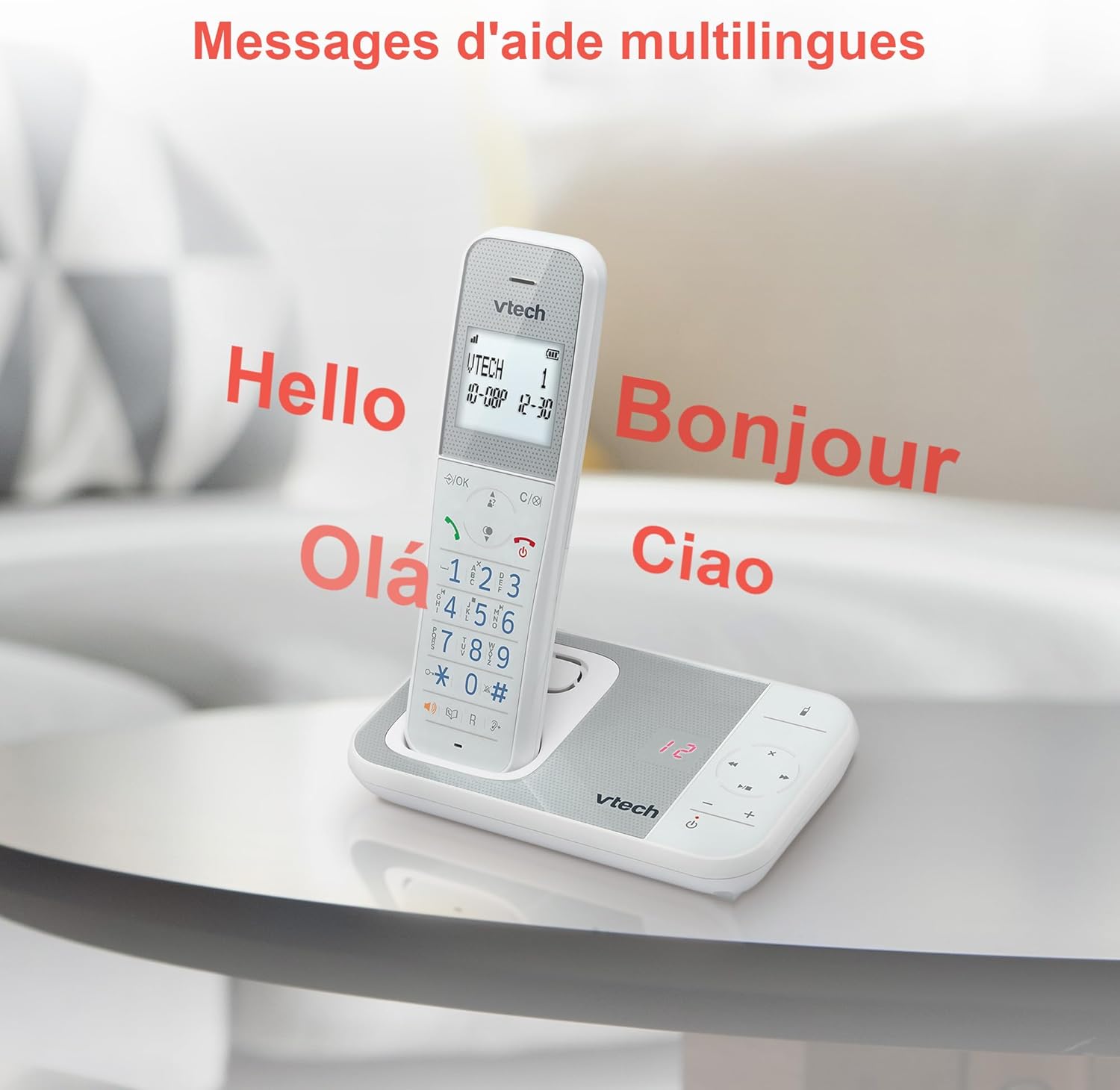
Figure 10: Multilingual Help Messages
This image displays the VTech XS1050 handset with various greetings like 'Hello', 'Bonjour', 'Olá', and 'Ciao' floating around it, illustrating the multilingual support feature.
5. Onderhoud
5.1 Reinigen
Veeg de telefoon en het basisstation schoon met een zachte, droge doek.amp Gebruik een doek. Gebruik geen schurende reinigingsmiddelen of oplosmiddelen. Zorg ervoor dat er geen vloeistof in de openingen van de telefoon terechtkomt.
5.2 Batterijonderhoud
- Always use the supplied batteries.
- Als de telefoon gedurende langere tijd niet wordt gebruikt, verwijder dan de batterijen om lekkage te voorkomen.
- Gooi oude batterijen op een verantwoorde manier weg, volgens de plaatselijke voorschriften.
6. Probleemoplossing
If you experience issues with your VTech XS1050, please refer to the following common problems and solutions:
| Probleem | Mogelijke oorzaak | Oplossing |
|---|---|---|
| Geen kiestoon | Het telefoonsnoer is niet goed aangesloten. | Zorg ervoor dat het telefoonsnoer stevig is aangesloten op het basisstation en de wandcontactdoos. |
| Telefoon gaat niet aan | Batteries are not charged or incorrectly installed. | Check battery polarity and ensure the handset is properly seated on the base unit for charging. Verify power adapter connection. |
| Slechte geluidskwaliteit | Interferentie van andere elektronische apparaten. | Move the base unit or handset away from other electronic devices such as TVs, computers, or microwaves. |
| Het antwoordapparaat neemt niet op. | Memory full or answering machine is off. | Delete old messages to free up space. Ensure the answering machine function is activated. |
7. Specificaties
| Functie | Detail |
|---|---|
| Merk | VTech |
| Model | XS1050 |
| Kleur | Wit |
| Telefoontype | Draadloos (DECT) |
| Aantal batterijen | 2 (Product Specific - Included) |
| Materiaal | Plastic |
| Energiebron | Op batterijen |
| Kiezertype | Enkel toetsenbord |
| Artikelafmetingen (L x B x H) | 18.5 x 15.1 x 6.6 centimeter |
| Type antwoordapparaat | Digitaal |
| Artikelgewicht | 400 gram |
| Capaciteit van het antwoordapparaat | Tot 30 minuten |
| Telefoonboekcapaciteit | 100 namen en nummers |
| Belgeschiedenis | 20 inzendingen |
| Praattijd | Tot 18 uur |
8. Garantie en ondersteuning
8.1 Garantie-informatie
For detailed warranty information, please refer to the warranty card included with your product or visit the official VTech webwebsite. Bewaar uw aankoopbewijs als bewijs van aankoop.
8.2 Klantenservice
If you require further assistance or have questions not covered in this manual, please contact VTech customer support. Contact details can typically be found on the VTech webwebsite of in de productverpakking.