
1. Inleiding
Thank you for choosing the Zeblaze Crystal 3 Smartwatch. This manual provides essential information for setting up, operating, maintaining, and troubleshooting your device. Please read it carefully to ensure proper use and optimal performance.
2. Product voorbijview
The Zeblaze Crystal 3 is a versatile smartwatch designed for fitness tracking and daily use. It features a vibrant HD color display and high-precision sensors to monitor various health metrics.
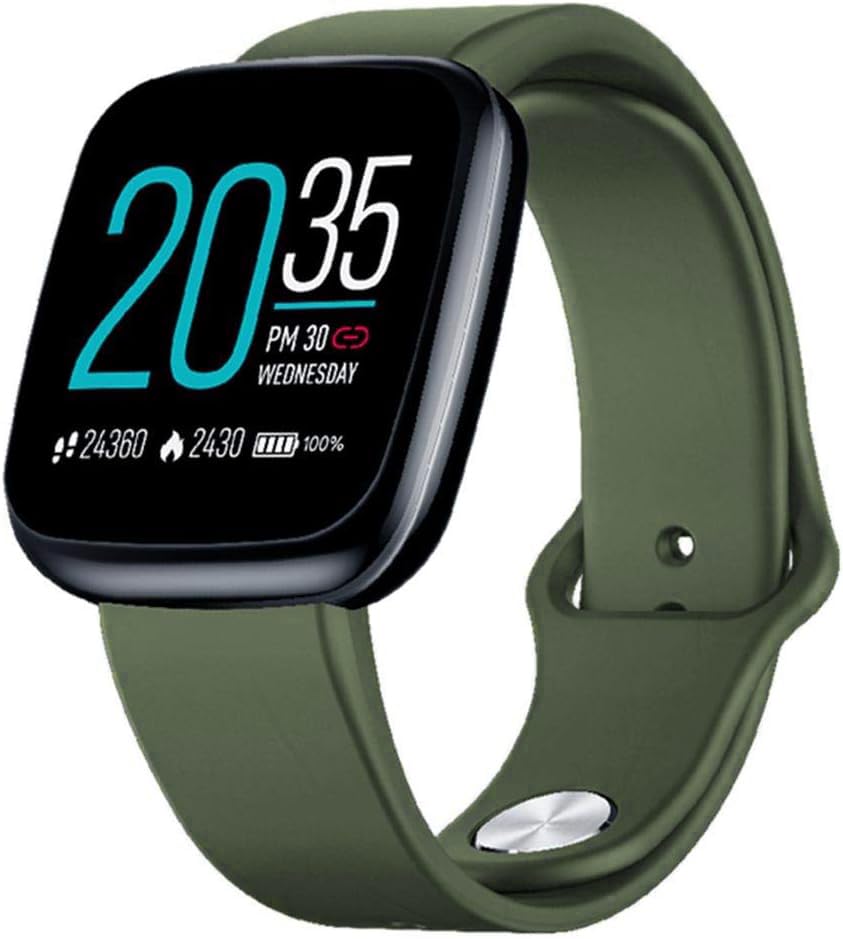
Image: Zeblaze Crystal 3 Smartwatch, showing the main display and green strap.
Belangrijkste kenmerken:
- 1.3-inch HD Color Screen: A vibrant IPS display with 240x240 pixel resolution for clear visuals.
- Hoge precisiesensoren: Equipped with a heart rate sensor, proximity sensor, and accelerometer for accurate data collection.
- IP67 waterbestendigheid: Designed to withstand daily water exposure, such as splashes and rain.
- Lange batterijduur: Up to 7 days of use on a single 2-hour charge, thanks to its 200 mAh battery.
- Activiteiten volgen: Monitors steps, distance, calories burned, and supports various sports modes.
- Gezondheidsmonitoring: Includes heart rate and sleep tracking.
- Smartphone-compatibiliteit: Works with Android 4.4 or newer and iOS 8.0 or newer devices.
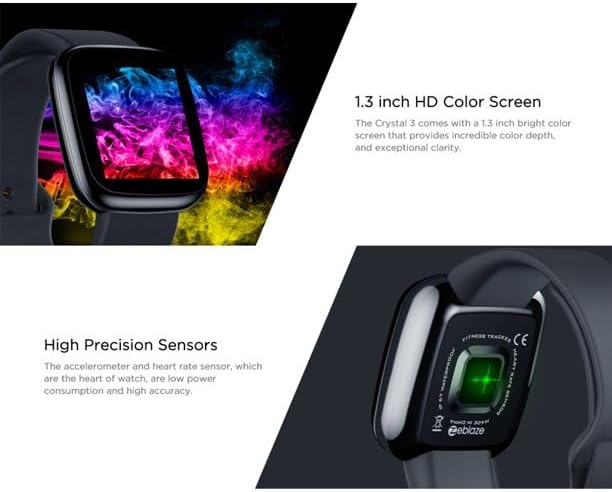
Image: Close-up of the 1.3-inch HD color screen and the high-precision heart rate sensor on the back of the watch.
3. Instellen
3.1 De smartwatch opladen
Before first use, fully charge your Zeblaze Crystal 3. Connect the charging cable to the watch's charging port and a USB power source (e.g., computer USB port or a 5V/1A USB adapter). A full charge typically takes about 2 hours.
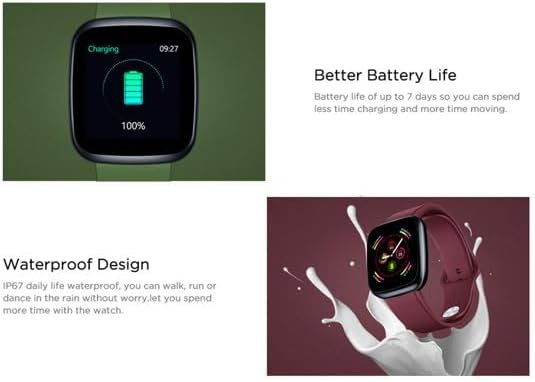
Image: Illustration showing how to connect the smartwatch to a USB port for charging.
3.2 App-installatie en koppeling
- Download de app: Zoeken naar the official Zeblaze companion app on your smartphone's app store (Google Play Store for Android or Apple App Store for iOS).
- Account aanmaken: Open de app en volg de instructies op het scherm om een account aan te maken of in te loggen.
- Apparaat koppelen: Ensure Bluetooth is enabled on your smartphone. In the app, navigate to the device pairing section and select "Zeblaze Crystal 3" from the list of available devices. Confirm the pairing request on both your phone and the smartwatch.
- Profile Instellen: Voltooi je persoonlijke profielfile within the app to ensure accurate tracking of health and fitness data.
4. Gebruiksaanwijzing
4.1 Basisnavigatie
- Activeer scherm: Til uw pols op of druk op de knop aan de zijkant om het scherm te activeren.
- Veeg omhoog/omlaag: Toegang tot meldingen of snelle instellingen.
- Veeg naar links/rechts: Navigate through different functions and widgets (e.g., heart rate, activity data, weather).
- Kraan: Selecteer een item of bevestig een actie.
- Lang ingedrukt houden: On the main watch face, long press to change watch faces.
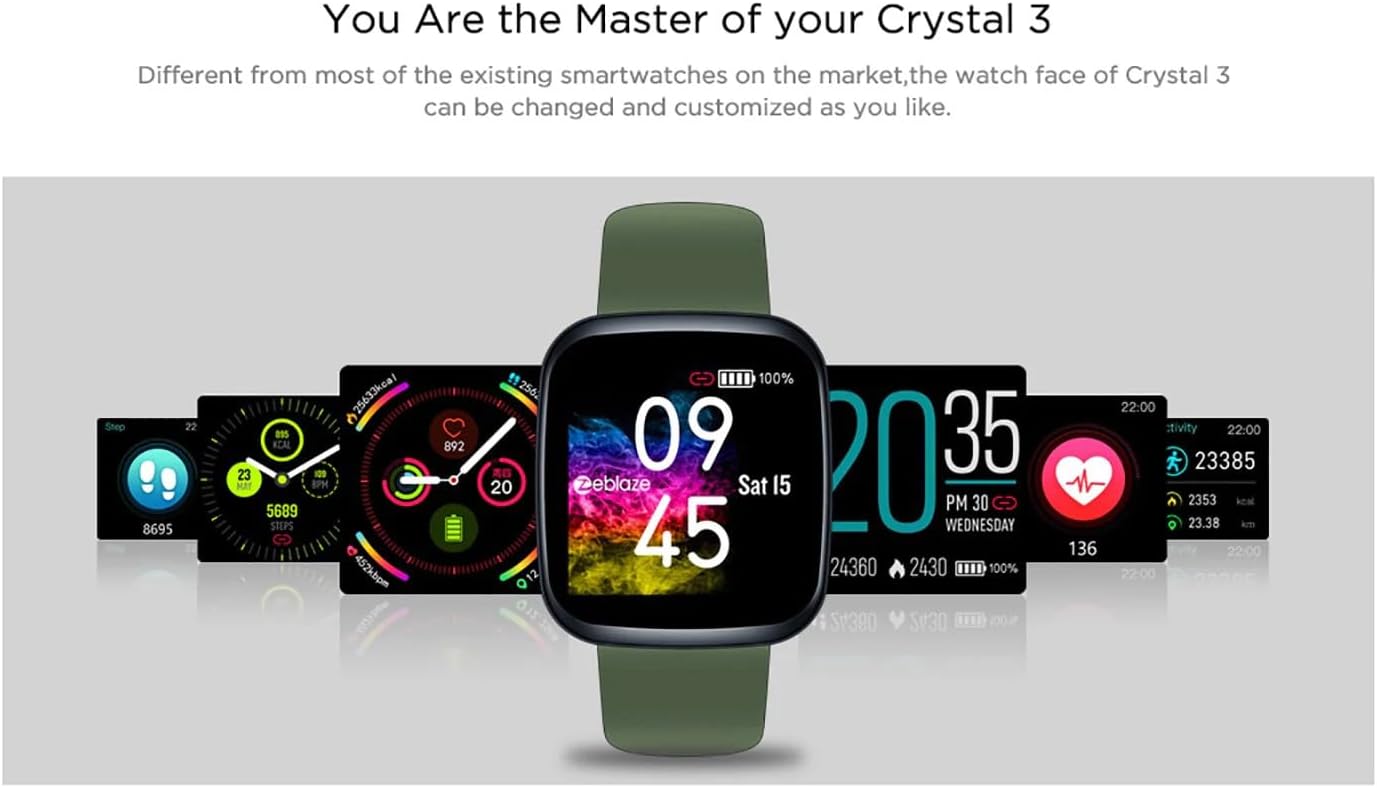
Image: The Zeblaze Crystal 3 displaying different customizable watch faces and data screens.
4.2 Activiteiten volgen
The smartwatch automatically tracks your daily steps, distance, and calories burned. You can view this data directly on the watch or in more detail within the companion app.
4.3 Hartslagmeting
The built-in heart rate sensor continuously monitors your heart rate. Ensure the watch is worn snugly on your wrist for accurate readings. View your current and historical heart rate data in the app.
4.4 Slaapmonitoring
Wear the smartwatch to bed to track your sleep patterns. The device records sleep duration and quality, which can be reviewed in the app to help you understand and improve your sleep habits.
5. Onderhoud
5.1 Het apparaat reinigen
Reinig je smartwatch en bandje regelmatig om huidirritatie te voorkomen en de functionaliteit te behouden. Gebruik een zachte, droge doek.amp Gebruik een doek om het scherm en de band schoon te vegen. Vermijd het gebruik van agressieve chemicaliën of schurende materialen.
5.2 Waterbestendigheid (IP67)
The Zeblaze Crystal 3 is IP67 water-resistant, meaning it is protected against dust and can withstand immersion in water up to 1 meter for up to 30 minutes. It is suitable for daily use, such as washing hands, rain, or light splashes. It is not recommended for swimming, showering with hot water, or diving.

Image: Illustration highlighting the waterproof design of the Zeblaze Crystal 3 Smartwatch.
5.3 Batterijonderhoud
- Vermijd extreme temperaturen, aangezien deze de levensduur van de batterij kunnen verkorten.
- Laat het apparaat niet gedurende langere tijd volledig ontladen.
- Gebruik uitsluitend de meegeleverde oplaadkabel of een gecertificeerd equivalent.
6. Probleemoplossing
6.1 Apparaat gaat niet aan
- Zorg ervoor dat het apparaat volledig is opgeladen. Sluit het minstens 30 minuten aan op de oplader.
- Probeer de zijknop 10-15 seconden ingedrukt te houden om een herstart af te dwingen.
6.2 Koppelen met smartphone mislukt
- Make sure Bluetooth is enabled on your phone and the smartwatch is within range.
- Start zowel je smartphone als je smartwatch opnieuw op.
- Controleer of de app is bijgewerkt naar de nieuwste versie.
- Forget the device from your phone's Bluetooth settings and try pairing again through the app.
6.3 Inaccurate Heart Rate/Activity Data
- Zorg ervoor dat het horloge goed om uw pols zit, niet te strak en niet te los.
- Maak de sensor aan de achterkant van het horloge schoon.
- Update the smartwatch firmware via the companion app if an update is available.
7. Specificaties
| Functie | Detail |
|---|---|
| Merk | Zeblaze |
| Modelnaam | Crystal 3 |
| Weergave | 1.3-inch IPS-kleurenscherm |
| Oplossing | 240*240 pixels |
| Sensoren | Heart Rate Sensor, Proximity Sensor, Accelerometer |
| Waterbestendigheid | IP67 |
| Batterijcapaciteit | 200mAh |
| Oplaadtijd | Ongeveer 2 uur |
| Levensduur van de batterij | Tot 7 dagen |
| Verenigbaarheid | Android 4.4+ / iOS 8.0+ |
| Afmetingen | 4.05 x 3.55 x 1.2 cm (1.59 x 1.39 x 0.47 inch) |
| Gewicht | 27 gram (0.95 ons) |
| Connectiviteit | Bluetooth (for app pairing), USB (for charging) |
| Speciale kenmerken | Activity Tracker, Heart Rate Monitor, Sleep Monitor |
8. Garantie en ondersteuning
For warranty information and customer support, please refer to the documentation included with your purchase or visit the official Zeblaze website. If you encounter any issues not covered in this manual, please contact Zeblaze customer service for assistance.