
Invoering
The Uncaged Ergonomics Cube Power Strip is designed to provide a compact and efficient power solution for your devices. This power strip features multiple AC outlets, USB-A ports, and a USB-C port, all integrated with surge protection and a convenient on/off switch. Its space-saving design and 10-foot extension cord offer flexibility for various environments, from home offices to entertainment systems.
Producteigenschappen
The Cube Power Strip offers a range of features to enhance your charging experience:
- Meerdere verkooppunten: Equipped with 5 AC outlets, 3 USB-A ports (5V/2.4A), and 1 fast-charging USB-C port (20W) to power up to 9 devices simultaneously.
- Overspanningsbeveiliging: Integrated 320J surge protection safeguards your devices from power fluctuations.
- Long Extension Cord: A 10-foot heavy-duty 18 AWG copper wire cable provides ample bereik.
- Ruimtebesparend ontwerp: Compact cube shape with non-blocking outlets and a 45-degree right-angled flat plug.
- Monteerbaar: Features mounting slots and anti-slip pads for secure placement on surfaces or walls.
- Aan/uit-schakelaar: A master on/off switch for easy power control.
- 8-Point Safety System: Includes over-current, over-temperature, short-circuit, grounded, surge, overload, fire-resistance, and over-voltage bescherming.

The Uncaged Ergonomics Cube Power Strip, showing its compact design and multiple outlets.

An illustration highlighting the power strip's capacity to charge up to 9 devices simultaneously, with 5 AC outlets, 3 USB-A ports, and 1 USB-C port.
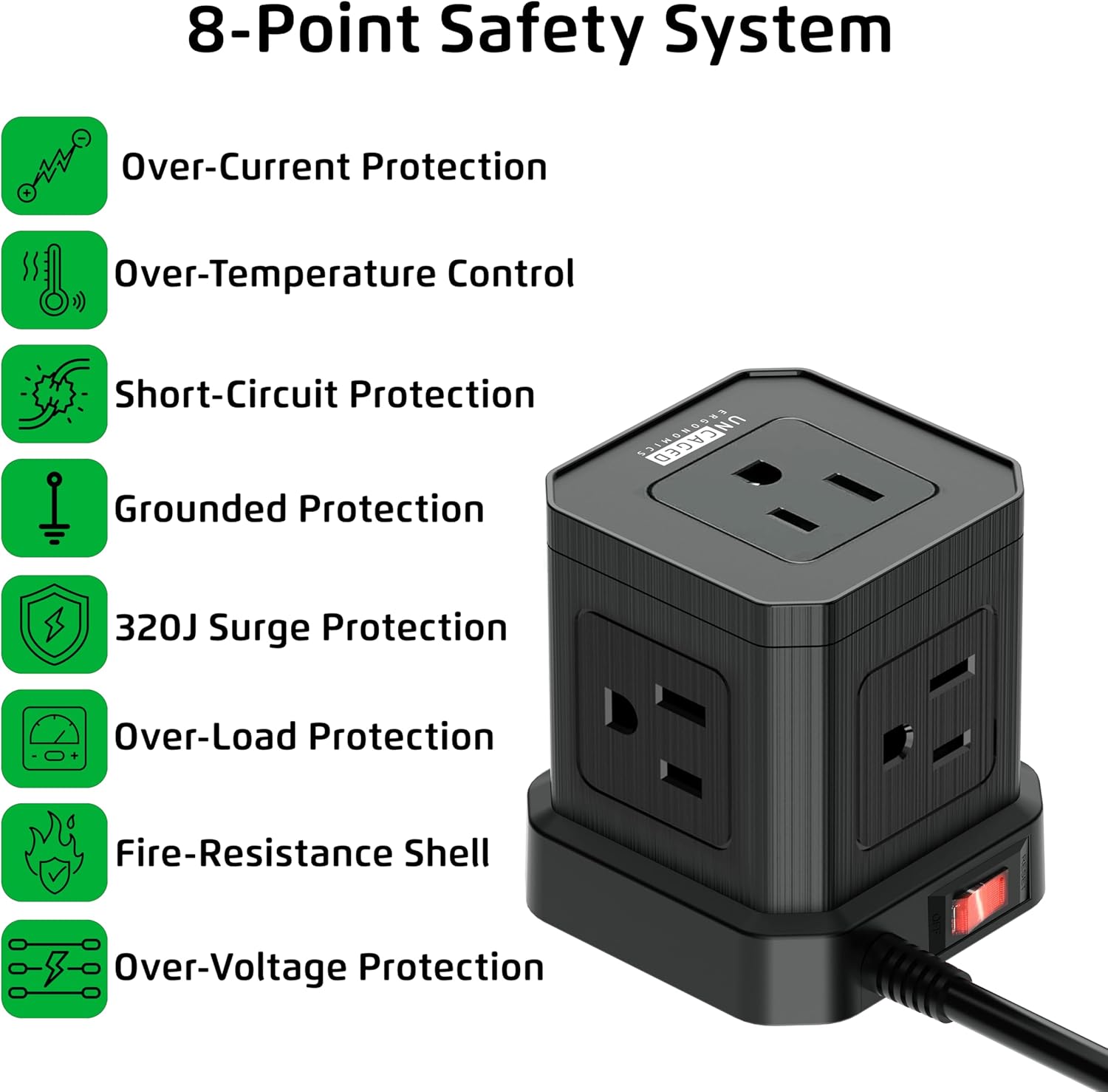
This image details the eight safety features integrated into the power strip, including over-current, over-temperature, short-circuit, grounded, surge, overload, fire-resistance, and over-voltage bescherming.

The power strip features a 45-degree right-angled flat plug, designed to fit flush against walls and furniture, saving space.

A 'before and after' comparison showing how the Cube Power Strip helps organize cables and reduce clutter compared to a messy setup.
Installatie-instructies
- Pak het apparaat uit: Carefully remove the Cube Power Strip from its packaging. Inspect for any damage.
- Kies een locatie: Select a suitable location for the power strip. Consider proximity to devices needing power and the length of the 10-foot cord.
- Steek de stekker in een stopcontact: Insert the 45-degree right-angled flat plug into a standard 120V AC wall outlet. Ensure the connection is secure.
- Montage (optioneel): If desired, use the integrated mounting slots on the bottom of the power strip to secure it to a wall or desk surface. Screws or adhesive strips (not included) can be used for this purpose. The anti-slip pads provide stability if placed on a flat surface.

The underside of the power strip, featuring anti-slip rubber feet for stability, mounting slots for wall installation, and a convenient on/off power switch.
Gebruiksaanwijzing
- Aan/uit: Use the red on/off switch located on the side of the power strip to control the power supply to all connected devices. Press 'ON' to supply power and 'OFF' to cut power.
- Apparaten op netstroom aansluiten: Plug your AC-powered devices into any of the 5 available AC outlets. The non-blocking design allows for larger adapters.
- USB-apparaten aansluiten: Plug your USB-A compatible devices into the 3 USB-A ports for standard charging. For faster charging, use the dedicated USB-C port for compatible devices.
- Monitor opladen: Ensure devices are charging correctly. The power strip's surge protection indicator (if present, typically a small LED) will confirm active protection.
Een ambtenaar overview video demonstrating the features and benefits of the Uncaged Ergonomics Cube Power Strip, including its multiple outlets, USB ports, and compact design.
Veiligheidsinformatie
Your Uncaged Ergonomics Cube Power Strip is built with an 8-Point Safety System to ensure the protection of your devices and your safety:
- Overstroombeveiliging: Voorkomt schade door overmatige stroomsterkte.
- Oververhittingsbeveiliging: Controleert en reguleert de interne temperatuur om oververhitting te voorkomen.
- Kortsluitingsbeveiliging: Schakelt automatisch de stroom uit bij kortsluiting.
- Grounded Protection: Ensures a safe path for electrical current in case of a fault.
- Overspanningsbeveiliging van 320 J: Absorbs sudden voltage spikes to protect connected electronics.
- Bescherming tegen overbelasting: Prevents damage when total power draw exceeds the rated capacity (1250W).
- Fire-Resistance Shell: Constructed with fire-resistant materials for added safety.
- Overvoltage Bescherming: Shields devices from excessive voltage.
Belangrijke veiligheidsmaatregelen:
- Overschrijd de maximale belasting van 1250W niet.
- Use indoors only. Avoid exposure to moisture or wet conditions.
- De stekkerdoos mag niet worden gedemonteerd of gewijzigd.
- Buiten bereik van kinderen houden.
Onderhoud
To ensure the longevity and optimal performance of your Cube Power Strip, follow these maintenance guidelines:
- Schoonmaak: Disconnect the power strip from the wall outlet before cleaning. Use a soft, dry cloth to wipe the exterior. Do not use liquid cleaners or abrasive materials.
- Opslag: Bewaar de stekkerdoos, wanneer deze gedurende langere tijd niet in gebruik is, op een koele, droge plaats, uit de buurt van direct zonlicht en vocht.
- Inspectie: Periodically inspect the power cord and the power strip for any signs of damage, such as frayed wires, cracks, or loose connections. If damage is found, discontinue use immediately.
Probleemoplossing
If you encounter issues with your Cube Power Strip, refer to the following common problems and solutions:
| Probleem | Mogelijke oorzaak | Oplossing |
|---|---|---|
| Apparaten krijgen geen stroom | Power switch is off; Power strip not plugged in; Wall outlet not working; Overload protection tripped. | Ensure the on/off switch is in the 'ON' position. Verify the power strip is securely plugged into a live wall outlet. Check the wall outlet with another device. Reduce the number of connected devices to prevent overload. |
| USB-poorten laden niet op | Device not compatible; Cable issue; Power strip is off. | Ensure your device is compatible with USB charging. Try a different USB cable. Confirm the power strip is turned on. |
| Surge protection indicator off | Surge protection has been compromised. | If the surge protection indicator light is off, the surge protection feature may no longer be active. Replace the power strip to ensure continued protection. |
Specificaties
| Functie | Detail |
|---|---|
| Merk | Ongecamoufleerde ergonomie |
| Modelnummer | PC-B-C |
| Kleur | Zwart |
| Totaal stopcontacten | 9 (5 AC, 3 USB-A, 1 USB-C) |
| Stopcontacten | 5 |
| USB-A-poorten | 3 (5V/2.4A) |
| USB-C-poort | 1 (20W Fast Charging) |
| Deeltage | 120 Volt |
| Maximale stroom | 11 Amps |
| Vermogensclassificatie | 1250W |
| Overspanningsbeveiligingsclassificatie | 320 Joule |
| Kabellengte | 10 voet |
| Kabeltype | Heavy-duty 18 AWG Copper Wire |
| Stekkertype | Type A - 2 pin (North American), 45-degree flat plug |
| Behuizingsmateriaal | Copper, Plastic, Rubber |
| Aanbevolen gebruik | Binnen |
| UPC | 810150310016 |
Garantie en ondersteuning
Uncaged Ergonomics products are designed for reliability and performance. For specific warranty information and customer support, please refer to the documentation included with your purchase or visit the official Uncaged Ergonomics website. If you have any questions or require assistance, please contact our customer service team.