
1. Inleiding
This manual provides detailed instructions for the assembly, operation, and maintenance of your ErGear EGESD63B electric standing desk. Please read this manual thoroughly before assembly and use to ensure proper function and safety. Keep this manual for future reference.

Image 1.1: The ErGear EGESD63B electric standing desk in a typical office setup.
2. Veiligheidsinformatie
Om een veilige werking te garanderen en letsel of schade te voorkomen, dient u de volgende veiligheidsrichtlijnen in acht te nemen:
- Do not exceed the weight limit of 250 pounds (113 kg) on the desktop.
- Ensure the desk is properly anchored to the floor to prevent tipping, especially when at maximum height.
- Avoid use near water or in humid conditions to prevent electrical hazards.
- Houd kinderen en huisdieren uit de buurt van het bureau tijdens gebruik.
- Zorg ervoor dat er geen obstakels in de weg staan tijdens het verstellen van de hoogte van het bureau.
- Gebruik uitsluitend de meegeleverde voedingsadapter en componenten.
3. Inhoud van het pakket
Verify that all components are present and undamaged before beginning assembly. If any parts are missing or damaged, contact ErGear customer service.
- Desktop (One-piece)
- Bureaupoten (2)
- Crossbar/Frame
- Bedieningspaneel
- Voedingsadapter en kabel
- Kabelbeheerlade
- Hardware Kit (screws, bolts, washers)
- Montagegereedschappen
- Gedetailleerde gebruiksaanwijzing
4. Opstelling en montage
Assembly requires one person and includes all necessary tools. Follow these general steps for setup:
- Componenten uitpakken: Haal alle onderdelen voorzichtig uit de verpakking en leg ze op een schone, zachte ondergrond om krassen te voorkomen.
- Het bureauframe in elkaar zetten: Attach the desk legs to the crossbar according to the diagrams in the detailed manual. Ensure all screws are tightened securely.
- Bureaublad koppelen: Place the one-piece desktop upside down on the soft surface. Carefully align the assembled frame with the pre-drilled holes on the desktop and secure it using the provided screws. The one-piece desktop design simplifies this step, allowing for faster installation.
- Install Control Panel and Cable Management: Mount the control panel to the underside of the desktop in the designated area. Attach the cable management tray.
- Bedrading aansluiten: Connect the motor cables from the legs to the control box, and then connect the control panel to the control box. Finally, connect the power adapter to the control box and plug it into a power outlet.
- Initial Power-On and Calibration: Refer to the detailed manual for initial power-on and calibration steps, which typically involve pressing and holding a button to reset the desk to its lowest position.
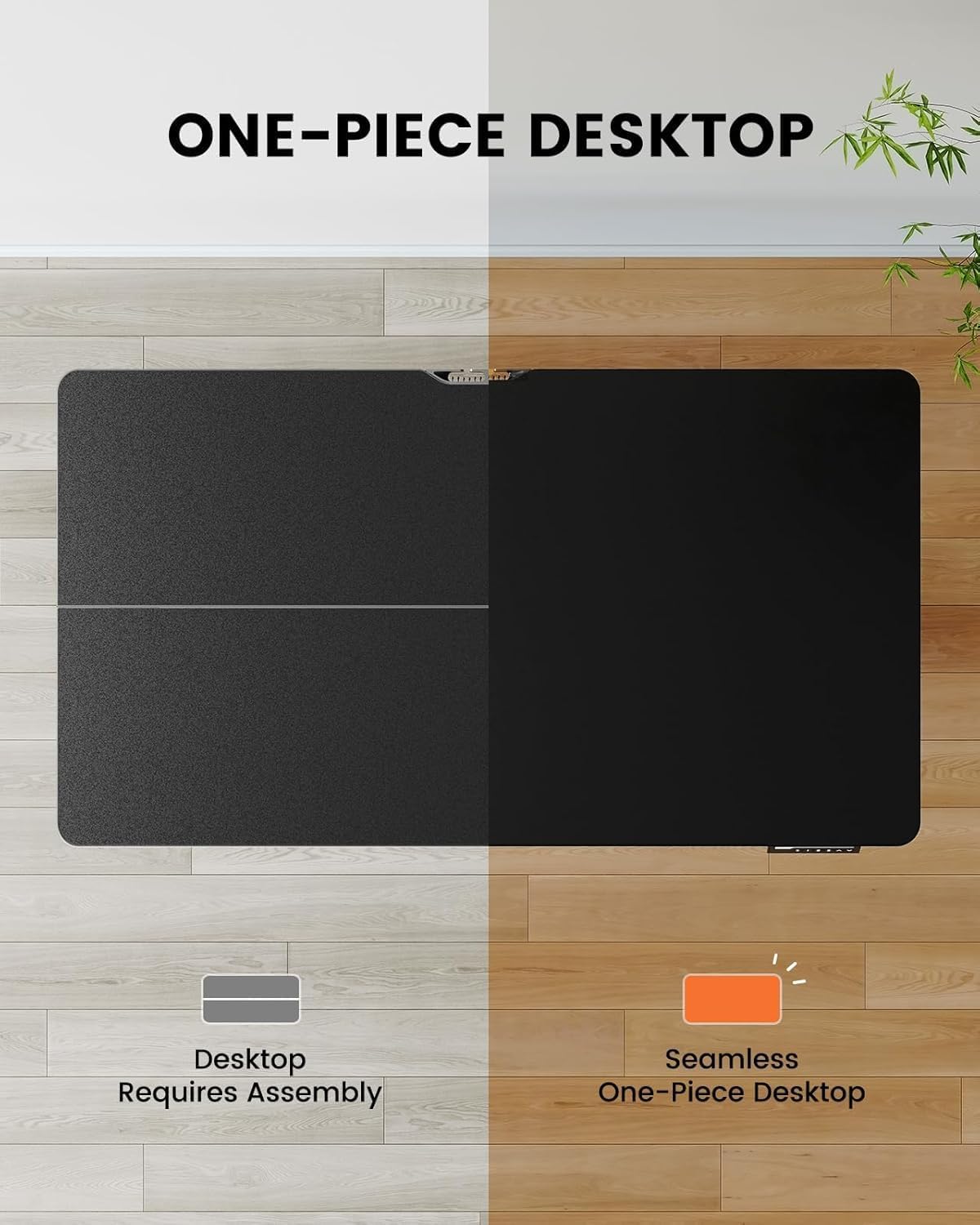
Image 4.1: Hassle-free assembly with the one-piece desktop.

Image 4.2: The ErGear EGESD63B features a seamless one-piece desktop for easier setup.
5. Gebruiksaanwijzing
Your ErGear EGESD63B electric standing desk is designed for easy height adjustment to switch between sitting and standing positions.
5.1. Hoogte aanpassen
- Omhoog/omlaag-knoppen: Use the ▲ (Up) and ▼ (Down) buttons on the control panel to smoothly raise or lower the desk to your desired height. The desk adjusts from 27.9 inches to 46.9 inches.
5.2. Geheugenpresets
The control panel features three memory preset buttons (1, 2, 3) to store and recall your preferred sitting and standing heights.
- Een voorinstelling instellen: Adjust the desk to your desired height using the Up/Down buttons. Press the 'M' button, then immediately press one of the number buttons (1, 2, or 3) to save the current height to that preset. The display will show 'S-' followed by the number to confirm.
- Een preset oproepen: Druk simpelweg op de bijbehorende cijferknop (1, 2 of 3). Het bureau beweegt automatisch naar de opgeslagen hoogte.

Image 5.1: Adjust the desk for sit and stand comfort.
6. Onderhoud
Regular maintenance helps ensure the longevity and smooth operation of your standing desk.
- Schoonmaak: Veeg het bureaublad en het frame schoon met een zachte, damp doek. Vermijd agressieve chemicaliën of schurende reinigingsmiddelen.
- Controleer verbindingen: Periodically check all screws and electrical connections to ensure they are secure. Tighten any loose screws.
- Kabelbeheer: Ensure cables are neatly organized within the cable management tray to prevent snagging during height adjustments.
7. Probleemoplossing
If you encounter issues with your ErGear EGESD63B desk, refer to the following common troubleshooting steps:
- Bureau beweegt niet:
- Controleer of de stroomkabel goed is aangesloten op zowel het bureau als het stopcontact.
- Zorg ervoor dat er geen obstakels zijn die de beweging belemmeren.
- Perform a reset: Unplug the power for 10 seconds, then plug it back in. Press and hold the 'Down' button until the desk reaches its lowest point and slightly rebounds.
- Foutcodes op het display:
- If an error code appears, refer to the detailed manual for specific code meanings and solutions. Often, a reset (as described above) can resolve minor errors.
- Ongelijke beweging:
- Zorg ervoor dat het bureau op een vlakke ondergrond staat.
- Check that all frame connections are tight.
If problems persist after attempting these steps, contact ErGear customer support for assistance.
8. Specificaties
| Functie | Specificatie |
|---|---|
| Merk | ErGear |
| Model | EGESD63B |
| Afmetingen bureaublad (L x B) | 40 x 24 cm (101.6 x 61 inch) |
| Hoogteverstellingsbereik | 27.9 - 46.9 inch (70.9 - 119.1 cm) |
| Draagvermogen | 250 kg (113 lbs) |
| Motortype | Elektromotor |
| Aantal hoogteposities | 3 (Geheugenvoorinstellingen) |
| Bureaubladmateriaal | Technisch hout |
| Framemateriaal | Roestvrij staal |
| Kleur | Zwart |
| Montage vereist | Yes, with included tools |

Image 8.1: Product dimensions of the ErGear EGESD63B desk.
9. Garantie en ondersteuning
ErGear provides a comprehensive warranty for your EGESD63B electric standing desk:
- 2 jaar beperkte garantie: Covers the motor, controller, and cables.
- 5 jaar beperkte garantie: Covers the desktop, frame, and other parts.
For warranty claims, technical support, or any questions regarding your product, please contact ErGear customer service through their official website or the retailer where the product was purchased. Please have your model number (EGESD63B) and proof of purchase ready.