
Invoering
Bedankt voor uw aankoopasing the MUSE M-19 GL Alarm Clock Radio. This manual provides essential information for the safe and efficient operation of your device. Please read it thoroughly before use and retain it for future reference.
Veiligheidsinstructies
- Stel het apparaat niet bloot aan regen of vocht om brand of elektrische schokken te voorkomen.
- Zorg voor goede ventilatie. Blokkeer geen ventilatieopeningen.
- Plaats het apparaat op een stabiele, vlakke ondergrond.
- Plaats het apparaat niet in de buurt van warmtebronnen zoals radiatoren, warmteroosters, kachels of andere apparaten (waaronder ampwarmtebronnen) die warmte produceren.
- Gebruik uitsluitend de door de fabrikant gespecificeerde hulpstukken/accessoires.
- Haal de stekker van dit apparaat uit het stopcontact tijdens onweer of wanneer u het apparaat gedurende langere tijd niet gebruikt.
- Laat alle onderhoudswerkzaamheden over aan gekwalificeerd onderhoudspersoneel.
- Dispose of batteries responsibly. Do not expose batteries to excessive heat.
Inhoud van het pakket
- MUSE M-19 GL Alarm Clock Radio
- Wisselstroomadapter
- Gebruiksaanwijzing
Product voorbijview
The MUSE M-19 GL is a compact alarm clock radio featuring a clear 1.8-inch LCD display. It includes an FM tuner and multiple alarm functions, designed for bedside use.
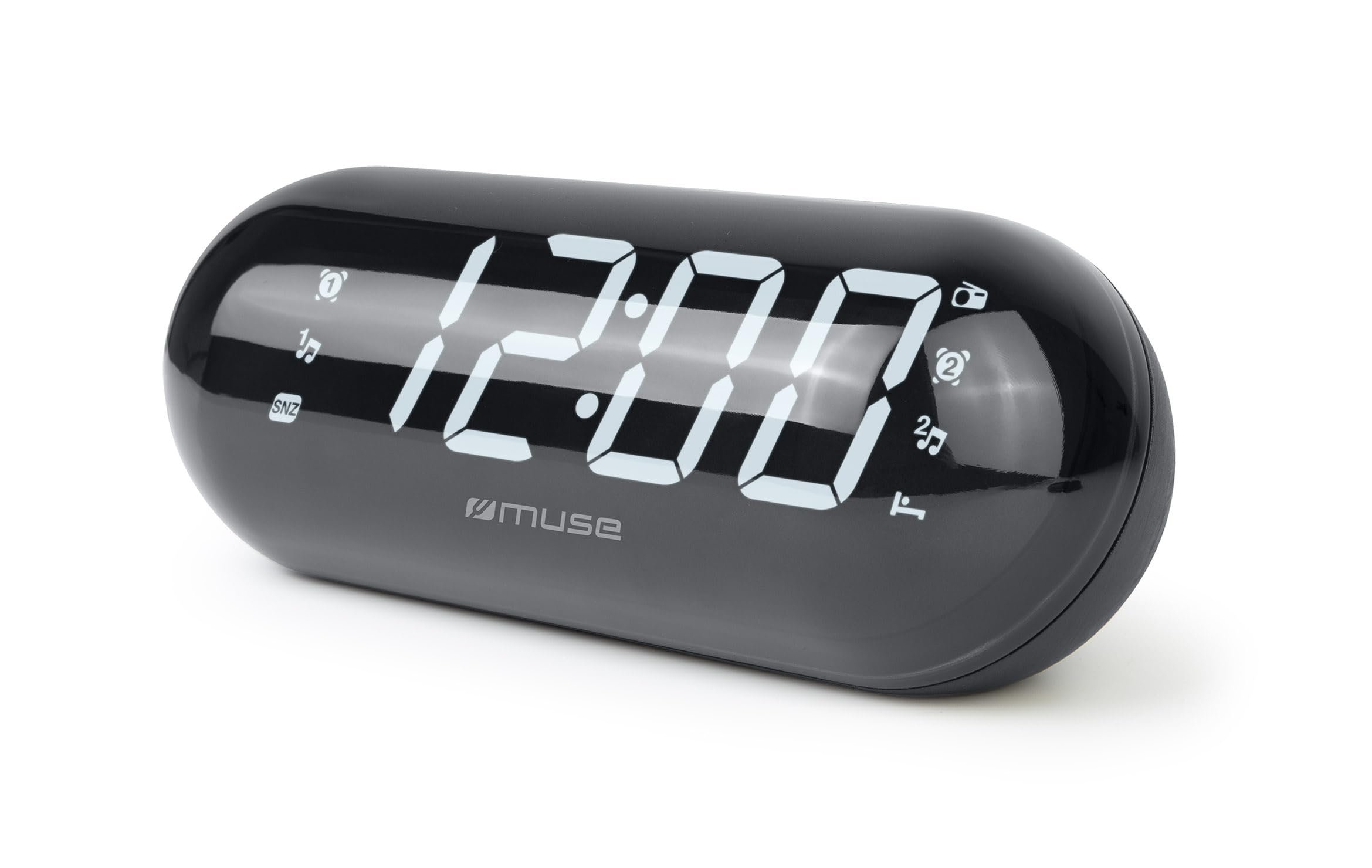
Image: The MUSE M-19 GL Alarm Clock Radio with its digital display showing '12:00', positioned on a wooden bedside table next to a bed.
Familiarize yourself with the buttons and display indicators for optimal use. Specific button functions will be detailed in the 'Operating' section.
Instellen
1. Het apparaat van stroom voorzien
- Wisselstroom: Connect the provided AC power adapter to the DC IN jack on the back of the unit, then plug the adapter into a standard wall outlet. The display will light up.
- Batterij backup: For time and alarm settings retention during a power outage, insert 2 x AAA batteries (not included) into the battery compartment on the bottom of the unit. Ensure correct polarity (+/-).
2. De tijd instellen
- Houd de TIJD INSTELLEN button (location may vary, refer to device diagram if available) until the hour digits flash.
- Gebruik de UUR En MINUUT knoppen om de tijd aan te passen.
- Pers TIJD INSTELLEN Bevestig nogmaals en verlaat de modus voor het instellen van de tijd.
Bediening
1. Radiobediening (FM-tuner)
- Aan/uitzetten: Druk op de RADIO AAN/UIT knop om de radio aan of uit te zetten.
- Frequentie afstemmen: Gebruik de STEUN + or TOON - buttons to manually adjust the FM frequency. Press and hold for automatic scanning to the next available station.
- Voorinstellingen instellen: Om een zender op te slaan, stemt u af op de gewenste frequentie en houdt u vervolgens de knop ingedrukt. VOORINSTELLING knop totdat het voorkeuzenummer knippert. Gebruik STEUN + or TOON - om een voorkeuzenummer (1-20) te selecteren en druk vervolgens op VOORINSTELLING nogmaals ter bevestiging.
- Voorinstellingen oproepen: Druk kort op de VOORINSTELLING knop om door opgeslagen zenders te bladeren.
2. Alarmfuncties
The M-19 GL features dual alarms (Alarm 1 and Alarm 2).
- Een alarm instellen:
- Houd de ALARM 1 or ALARM 2 knop totdat de uurcijfers knipperen.
- Gebruik de UUR En MINUUT knoppen om de gewenste alarmtijd in te stellen.
- Druk op de ALARM 1 or ALARM 2 button again to select the alarm source (Buzzer or Radio). An indicator will appear on the display.
- Druk op de ALARM 1 or ALARM 2 Druk nogmaals op de knop om te bevestigen en het alarm te activeren.
- Snooze-functie: Als het alarm afgaat, drukt u op de SNOOZEN knop om het tijdelijk uit te schakelen gedurende ongeveer 9 minuten.
- Stopalarm: Om het alarm voor de dag uit te schakelen, drukt u op de ALARM AAN / UIT knop. Het alarmpictogram verdwijnt van het scherm.
- Disable Alarm Permanently: Druk op de ALARM AAN / UIT button repeatedly until the alarm icon for the respective alarm (1 or 2) is no longer displayed.
Onderhoud
Schoonmaak
Veeg het apparaat af met een zachte, droge doek. Gebruik geen schurende reinigingsmiddelen of oplosmiddelen, aangezien deze de afwerking kunnen beschadigen.
Batterij vervangen
If the time display is blank or incorrect after a power outage, the backup batteries may need replacement. Open the battery compartment on the bottom of the unit, remove the old AAA batteries, and insert new ones, observing correct polarity.
Probleemoplossing
| Probleem | Mogelijke oorzaak | Oplossing |
|---|---|---|
| Geen stroom/scherm uit | De netadapter is niet aangesloten of de stroom is uitgeschakeld.tage. | Ensure AC adapter is securely plugged in. Check power outlet. Replace backup batteries if needed. |
| Radio-ontvangst is slecht | Zwak signaal of antenne niet uitgeschoven. | Trek de FM-draadantenne volledig uit. Plaats het apparaat opnieuw voor een betere ontvangst. |
| Wekker klinkt niet | Alarm niet ingesteld of volume te laag. | Verify alarm time and activation (alarm icon on display). Increase radio volume if alarm source is radio. |
| De tijd klopt niet | Time not set or backup batteries are depleted. | Reset the time. Replace backup batteries. |
Specificaties
- Model: M19GL
- Weergave: 1.8-inch LCD, Digital
- Radiotuner: FM with 20 Presets
- Energiebron: AC (main), 2 x AAA batteries (backup, not included)
- Afmetingen (L x B x H): 15 x 3.81 x 10 cm (5.9 x 1.5 x 3.9 inch)
- Gewicht: 300 gram (0.66 lbs)
- Materiaal: Plastic (structure), LCD (display)
- Kleur: Zwart
- Speciale kenmerken: Alarm, Snooze, Integrated Speaker
Garantie en ondersteuning
This MUSE M-19 GL Alarm Clock Radio comes with a twee jaar garantie Garantie tegen fabricagefouten vanaf de aankoopdatum. Bewaar uw aankoopbewijs voor garantieclaims.
For technical support or warranty inquiries, please refer to the contact information provided with your purchase documentation or visit the official Muse webplaats.