
1. Inleiding
Bedankt voor uw aankoopasing the MUSE M-15 Alarm Clock Radio. This manual provides essential information for the safe and efficient operation of your device. Please read it thoroughly before use and retain it for future reference.
2. Veiligheidsinformatie
- Energiebron: Use only the specified battery type (1 AA battery). Ensure correct polarity when inserting batteries.
- Water en vocht: Do not expose the device to water, rain, or excessive moisture. Avoid placing it near liquids.
- Warmte: Houd het apparaat uit de buurt van warmtebronnen zoals radiatoren, warmteroosters, kachels of andere apparaten (inclusief ampwarmtebronnen) die warmte produceren.
- Schoonmaak: Alleen reinigen met een droge doek. Gebruik geen vloeibare reinigingsmiddelen of reinigingsmiddelen in spuitbussen.
- Onderhoud: Probeer dit product niet zelf te onderhouden. Laat al het onderhoud over aan gekwalificeerd onderhoudspersoneel.
- Beschikbaarheid: Gooi batterijen en het apparaat weg volgens de plaatselijke voorschriften. Gooi batterijen niet in vuur.
3. Product voorbijview
Familiarize yourself with the components of your MUSE M-15 Alarm Clock Radio.
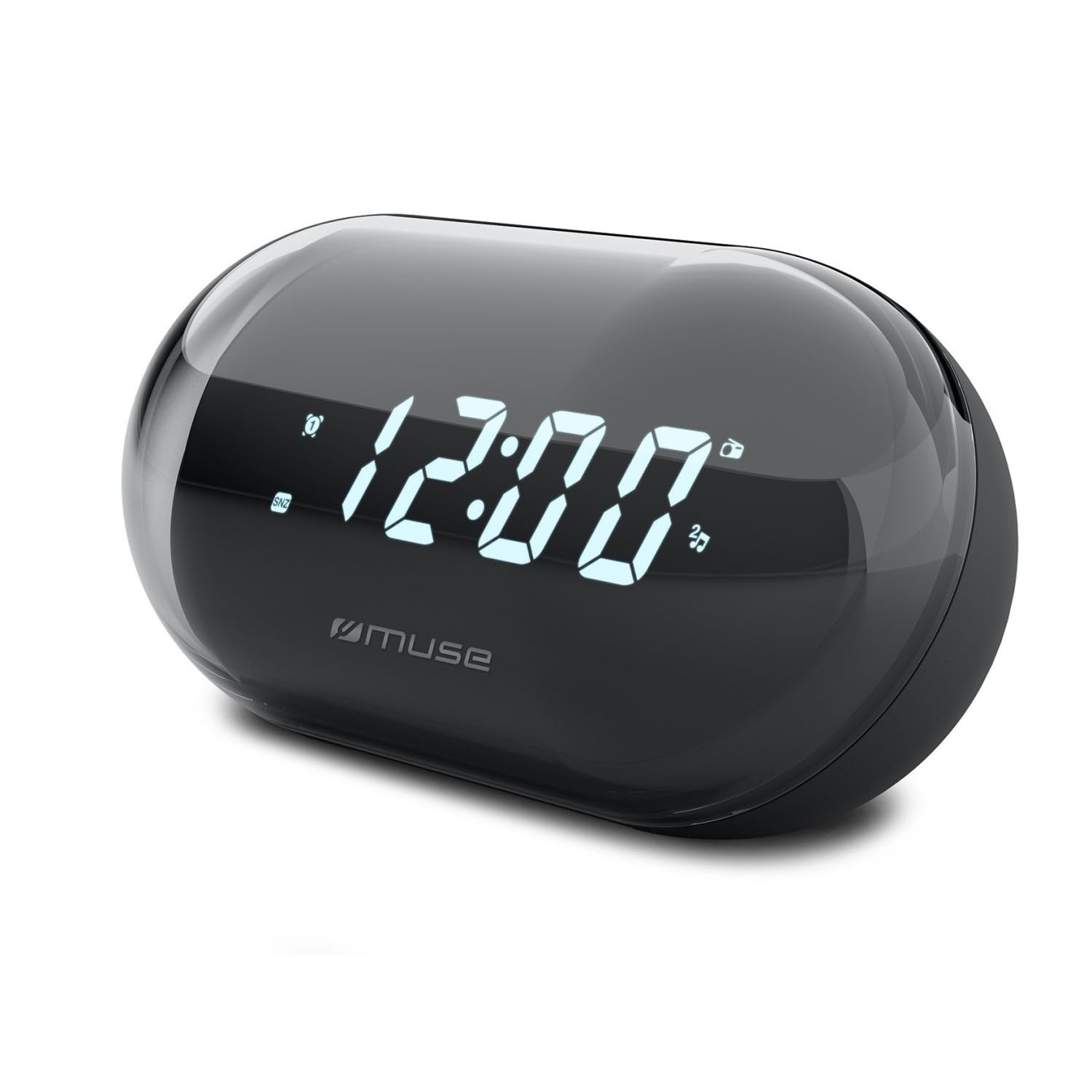
Afbeelding: Voorzijde view of the MUSE M-15 Alarm Clock Radio, showing the digital display and control buttons.
Bediening en functies:
- Digitaal beeld: Toont de tijd, alarmstatus en radiofrequentie.
- Knop Tijd instellen: Wordt gebruikt om de huidige tijd aan te passen.
- Alarminstelknop: Wordt gebruikt om het alarm in te stellen en te activeren/deactiveren.
- Tuning Buttons (+/-): Used to adjust radio frequency.
- Volumeregeling: Past het audio-uitvoerniveau aan.
- Power / Mode-knop: Turns the device on/off and switches between radio and clock modes.
- Snooze knop: Schakelt tijdelijk het alarm uit.
- Batterijcompartiment: Located on the back, for 1 AA battery.
4. Instellen
4.1 Batterij installatie
- Zoek het batterijklepje aan de achterkant van het apparaat.
- Schuif of til het deksel op om het compartiment te openen.
- Insert one (1) AA battery, ensuring the correct polarity (+ and -) matches the diagram inside the compartment.
- Plaats het deksel van het batterijcompartiment veilig terug.
Note: The MUSE M-15 is battery-powered and does not require an external power adapter.
5. Gebruiksaanwijzing
5.1 De tijd instellen
- Houd in de klokmodus de . ingedrukt Tijdinstelknop until the hour digits begin to flash.
- Gebruik de Tuning Buttons (+/-) om het uur aan te passen. Druk op de Tijdinstelknop om het uur te bevestigen en naar de minuten te gaan.
- Gebruik de Tuning Buttons (+/-) om de minuten aan te passen. Druk op de Tijdinstelknop one more time to save the time and exit time setting mode.
5.2 Het alarm instellen
- Houd de Alarm instellen knop until the alarm hour digits begin to flash.
- Gebruik de Tuning Buttons (+/-) to adjust the alarm hour. Press the Alarm instellen knop nogmaals om te bevestigen en naar de minuten te gaan.
- Gebruik de Tuning Buttons (+/-) to adjust the alarm minutes. Press the Alarm instellen knop Nog een keer om de alarmtijd te bewaren.
- To activate or deactivate the alarm, briefly press the Alarm instellen knop. An alarm icon will appear on the display when activated.
5.3 Using the Radio
- Druk op de Aan/uit-/modusknop to switch to radio mode. The display will show the radio frequency.
- Gebruik de Tuning Buttons (+/-) Om handmatig af te stemmen op de gewenste radiozender.
- Pas het volume aan met de Volumeregeling.
- Om de radio uit te zetten, drukt u op de Aan/uit-/modusknop again to return to clock mode or turn off the device.
5.4 Snooze-functie
Als het alarm afgaat, drukt u op de Snooze knop to temporarily silence the alarm for a few minutes. The alarm will sound again after the snooze period ends.
6. Onderhoud
6.1 Reinigen
Wipe the exterior of the device with a soft, dry cloth. Do not use abrasive cleaners, waxes, or solvents as they may damage the finish.
6.2 Batterij vervangen
When the display dims or the device functions become erratic, it is time to replace the battery. Follow the battery installation steps in Section 4.1.
7. Probleemoplossing
| Probleem | Mogelijke oorzaak | Oplossing |
|---|---|---|
| Apparaat gaat niet aan. | Batterij is leeg of verkeerd geplaatst. | Replace the AA battery or check its polarity. |
| Het alarm gaat niet af. | Het alarm is niet geactiveerd of het volume is te laag. | Zorg ervoor dat het alarmpictogram op het display zichtbaar is. Verhoog het volume. |
| Slechte radio-ontvangst. | Zwak signaal of interferentie. | Reposition the device or extend the antenna (if applicable). Try tuning to a stronger station. |
| Tijd-/alarminstellingen gereset. | Het batterijvermogen is te laag. | Vervang de AA-batterij. |
8. Specificaties
- Model: MUSE M-15
- Productafmetingen (L x B x H): 15 x 3.81 x 10 cm (5.9 x 1.5 x 3.9 inch)
- Gewicht: 300 gram (0.66 lbs)
- Energiebron: 1 x AA-batterij (niet inbegrepen)
- Weergavetype: Digitaal
- Functies: Alarm, Radio, Digital Time Display
- Montagetype: Tafelmontage
9. Garantie en ondersteuning
This product is covered by a standard manufacturer's warranty. For detailed warranty information, please refer to the warranty card included with your purchase or visit the official MUSE webplaats.
For technical support, troubleshooting assistance, or spare parts inquiries, please contact MUSE customer service through their official webwebsite of de contactgegevens die op de verpakking van uw product staan.
Please have your model number (M-15) and purchase date available when contacting support.