
Invoering
Thank you for choosing the Deerma DEM-T30W Cordless Stick Vacuum Cleaner. This manual provides important information regarding the safe operation, maintenance, and troubleshooting of your new appliance. Please read it thoroughly before use and keep it for future reference.
Veiligheidsinformatie
- Lees alle instructies voordat u het apparaat gebruikt.
- Dit apparaat is uitsluitend voor huishoudelijk gebruik. Niet buitenshuis of op natte oppervlakken gebruiken.
- Laat kinderen de stofzuiger niet bedienen. Zorgvuldig toezicht is noodzakelijk wanneer u de stofzuiger in de buurt van kinderen gebruikt.
- Zuig geen ontvlambare of brandbare vloeistoffen op, zoals benzine, of gebruik ze niet in ruimtes waar ze aanwezig kunnen zijn.
- Ruim geen brandende of rokende voorwerpen op, zoals sigaretten, lucifers of hete as.
- Niet gebruiken zonder de stofbak en/of filters.
- Schakel het apparaat uit voordat u de accu aansluit of loskoppelt, of voordat u onderhoud uitvoert.
- Gebruik uitsluitend door de fabrikant aanbevolen hulpstukken.
- Houd haar, losse kleding, vingers en alle lichaamsdelen uit de buurt van openingen en bewegende delen.
- Bewaar het apparaat binnenshuis op een koele, droge plaats.
Inhoud van het pakket
Please check the contents of the box to ensure all items are present and in good condition:
- Deerma DEM-T30W Main Unit (Motor and Dustbin Assembly)
- Verlengstuk
- Gemotoriseerde vloerborstel
- Spleetmondstuk
- 2-in-1 Penseel
- Wall Mount / Charging Dock
- Stroomadapter
- Gebruiksaanwijzing
Product voorbijview
Familiarize yourself with the main components of your Deerma DEM-T30W vacuum cleaner.
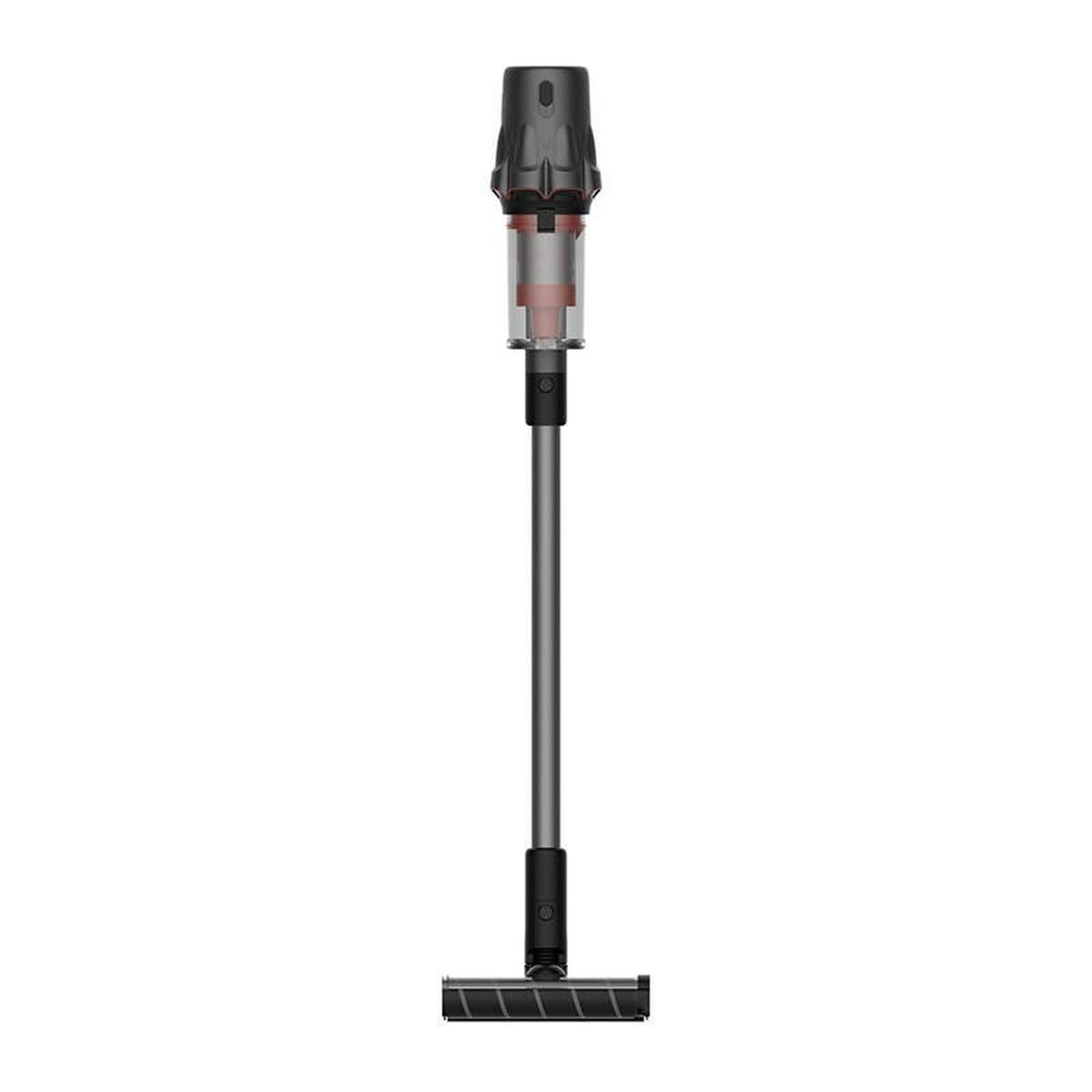
Image: The Deerma DEM-T30W Cordless Stick Vacuum Cleaner, showcasing its sleek design and main components. This image displays the main unit, extension wand, and floor brush assembled.
- Hoofdeenheid: Bevat de motor, de stofbak en het bedieningspaneel.
- Vuilnisbak: Collects dust and debris. Easily detachable for emptying.
- Filtersysteem: Multi-stage filtration, including a cyclonic filter and washable HEPA filter.
- Verlengstuk: Hiermee verbindt u de hoofdeenheid met de vloerborstel of andere hulpstukken voor een groter bereik.
- Gemotoriseerde vloerborstel: Equipped with a rotating brush bar for effective cleaning on various floor types.
- Batterijpakket: Rechargeable lithium-ion battery, integrated into the main unit.
- Aan/uit-knop: Hiermee wordt de stofzuiger aan/uit gezet.
- Moduskiezer: Adjusts suction power (if applicable).
Instellen
Montage
- Bevestig de verlengbuis: Steek het bovenste uiteinde van de verlengbuis in het hoofdapparaat totdat het stevig vastklikt.
- Bevestig de vloerborstel: Insert the bottom end of the extension wand into the motorized floor brush until it clicks securely.
- Accessoires installeren: For handheld use, attach the crevice tool or 2-in-1 brush tool directly to the main unit. For extended reach, attach them to the extension wand.
De batterij opladen
Before first use, fully charge the battery. The battery capacity is 2500 mAh.
- Sluit de voedingsadapter aan op de oplaadpoort van het hoofdapparaat of de muurbeugel.
- Sluit de stroomadapter aan op een stopcontact.
- The charging indicator lights will illuminate, showing the charging status.
- Once fully charged, the indicator lights will change (e.g., turn solid green or turn off). Unplug the charger.
Opmerking: It is normal for the battery and charger to become slightly warm during charging.
Gebruiksaanwijzing
De stofzuiger starten
- Zorg ervoor dat de batterij voldoende is opgeladen.
- Druk op de aan/uit-knop op het hoofdapparaat om de stofzuiger in te schakelen.
- The vacuum will start in standard suction mode.
Zuigkracht aanpassen
If your model supports multiple suction modes:
- Press the mode selector button (if available) to switch between different suction levels (e.g., Eco, Standard, Max).
- Use lower power for light cleaning and longer battery life, and higher power for stubborn dirt.
Bijlagen gebruiken
- Gemotoriseerde vloerborstel: Ideal for carpets and hard floors. The rotating brush helps lift embedded dirt.
- Kierenzuigmond: Ideaal voor smalle openingen, hoeken en randen.
- 2-in-1 penseeltool: Gebruik de borstel voor delicate oppervlakken, zoals bekleding of gordijnen, en het mondstuk voor algemeen afstoffen.
Stopping the Vacuum Cleaner
Druk nogmaals op de aan/uit-knop om de stofzuiger uit te schakelen.
Onderhoud
Regelmatig onderhoud zorgt ervoor dat uw stofzuiger optimaal presteert en langer meegaat.
De prullenbak legen
Leeg de stofbak na elk gebruik of wanneer de MAX-vullijn is bereikt.
- Zorg ervoor dat de stofzuiger is uitgeschakeld.
- Druk op de knop voor het ontgrendelen van de stofbak om de stofbak los te maken van het hoofdtoestel.
- Hold the dustbin over a trash can and press the bottom release latch to open the dustbin flap and empty its contents.
- Sluit de klep en bevestig de stofbak weer aan het hoofdtoestel totdat deze vastklikt.
Filters schoonmaken
Clean the filters regularly (e.g., monthly, or more often with heavy use) to maintain suction power. The filter type is Cyclon.
- Turn off the vacuum cleaner and detach the dustbin.
- Remove the filter assembly from the dustbin. This typically includes a mesh filter and a HEPA filter.
- Tik de filters zachtjes boven een vuilnisbak om los stof te verwijderen.
- Spoel de filters af onder koud stromend water tot het water helder is. Gebruik geen afwasmiddel.
- Laat de filters minimaal 24 uur volledig aan de lucht drogen voordat u ze weer in elkaar zet. Gebruik geen föhn of andere verwarmingsapparaten.
- Once completely dry, reassemble the filters and place them back into the dustbin, then reattach the dustbin to the main unit.
De borstelbalk schoonmaken
Controleer de gemotoriseerde vloerborstel regelmatig op vastzittend haar of vuil.
- Schakel de stofzuiger uit en verwijder de vloerborstel.
- Locate the brush bar release mechanism (usually a latch or screw).
- Remove the brush bar.
- Gebruik een schaar of een schoonmaakmiddel om vastzittende haren of vezels te verwijderen.
- Reinsert the brush bar and secure it in place.
Probleemoplossing
Als u problemen ondervindt met uw stofzuiger, raadpleeg dan de volgende veelvoorkomende problemen en oplossingen:
| Probleem | Mogelijke oorzaak | Oplossing |
|---|---|---|
| Stofzuiger gaat niet aan. | Batterij is niet opgeladen. | Laad de batterij volledig op. |
| Batterij niet goed geplaatst. | Zorg ervoor dat het accupakket stevig vastgeklikt zit. | |
| Lage zuigkracht. | De vuilnisbak is vol. | Leeg de vuilnisbak. |
| Filters zijn verstopt. | Reinig of vervang de filters. Zorg ervoor dat ze volledig droog zijn voordat u ze terugplaatst. | |
| Slang of sproeikop is verstopt. | Check for and remove any blockages in the extension wand, floor brush, or main unit intake. | |
| Borstelbalk draait niet. | Brush bar is tangled with hair or debris. | Clean the brush bar as described in the Maintenance section. |
| Vloerborstelopzetstuk niet goed aangesloten. | Zorg ervoor dat de vloerborstel goed op de verlengbuis is bevestigd. | |
| Korte batterijduur. | Batterij niet volledig opgeladen. | Zorg ervoor dat de batterij volledig is opgeladen voordat u het apparaat gebruikt. |
| Using Max power mode continuously. | Use standard or eco mode for longer run time. |
Als het probleem blijft bestaan nadat u deze oplossingen hebt geprobeerd, neem dan contact op met de klantenservice van Deerma.
Specificaties
| Functie | Specificatie |
|---|---|
| Modelnummer | DEM-T30W |
| Merk | Hertenhuid |
| Stroom | 240 Watt |
| Deeltage | 240 Volt |
| Batterijcapaciteit | 2500mAh |
| Geluidsniveau | 82 decibel |
| Afmetingen (L x B x H) | 19.5x33x75cm |
| Artikelgewicht | 4.68 kilogram |
| Filtertype | Cycloon |
| Oppervlakte aanbeveling | harde vloer, tapijt |
| Energiebron | Op batterijen |
| Snoerloos | Ja |
Garantie en ondersteuning
Specific warranty details for the Deerma DEM-T30W are not provided in this manual. Please refer to the warranty card included with your product or visit the official Deerma website voor gedetailleerde garantie-informatie en algemene voorwaarden.
For technical support, spare parts, or service inquiries, please contact Deerma customer service through their official channels. Have your model number (DEM-T30W) and purchase date ready when contacting support.