
1. Inleiding
The UGREEN USB C to DisplayPort 2.1 Cable is designed to connect devices with a USB Type-C or Thunderbolt 4/3 port to a DisplayPort-enabled monitor, providing high-resolution video and audio transmission. This cable supports advanced display technologies for an immersive visual experience.
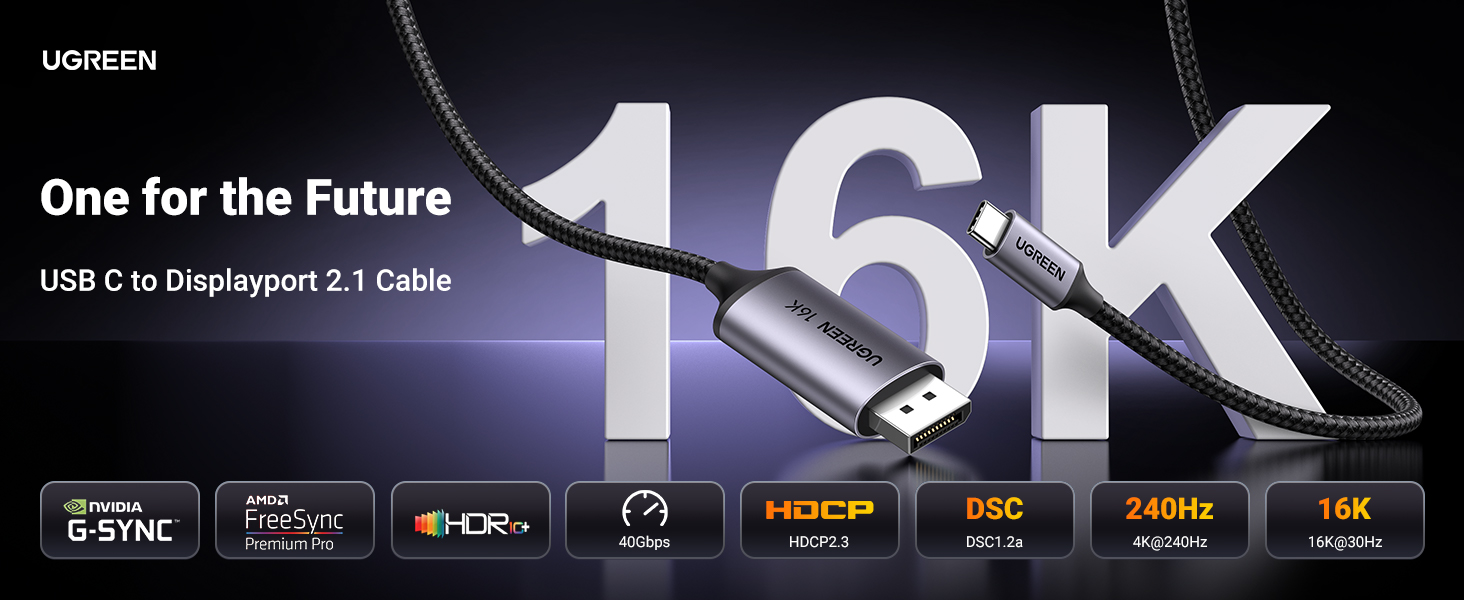
Image: UGREEN USB C to DisplayPort 2.1 Cable connecting a laptop to an external monitor.
2. Belangrijkste kenmerken
- Ondersteuning voor hoge resolutie: Supports 16K@30Hz, backward compatible with 8K@120Hz, 4K@240Hz, and 2K@480Hz for exceptional visual clarity.
- Hoge bandbreedte: Features DisplayPort 2.1 with a maximum bandwidth of 40 Gbps, ensuring stable signal transmission and eliminating screen flickering.
- Geavanceerde videotechnologieën: Supports HDR (High Dynamic Range), HDCP2.3, VRR (Variable Refresh Rate), ALLM (Auto Low Latency Mode), eARC, DTS, and Dolby for an immersive audio-visual experience.
- Multi-Video Modes: Allows for Mirror, Extend, and Clamshell modes. Supports Multi-Stream Transport (MST) for daisy-chaining multiple monitors.
- Duurzame constructie: Constructed with a braided nylon cable for enhanced durability and strain relief, and a premium aluminum alloy case for superior heat dissipation.
- Plug en Play: No additional drivers or software installation required for operation.

Image: Table comparing features of DisplayPort 2.1/2.0, DP 1.4, and DP 1.2, highlighting resolution, HDR, HDCP, DSC, and bandwidth.
3. Installatie-instructies
- USB-C aansluiten: Plug the USB-C end of the cable into your source device (e.g., laptop, smartphone, tablet). Ensure your device's USB-C port supports "DP Alt Mode" or is a Thunderbolt 3/4 port.
- DisplayPort aansluiten: Insert the DisplayPort end of the cable into the DisplayPort input on your monitor or display device.
- Inschakelen: Ensure both your source device and display are powered on. The display should automatically detect the video signal.

Image: Diagram illustrating compatible USB-C port types (Thunderbolt Full Function, DP Alt Mode, Data Transfer + DP Alt Mode) and incompatible types (Data Transfer Only, Charging Only).
4. Bedrijfsmodi:
The UGREEN USB C to DisplayPort 2.1 Cable supports various display modes to suit your needs:
- Spiegelmodus: Duplicates the content of your source device's screen onto the external display. Ideal for presentations or sharing content.
- Modus uitbreiden: Expands your desktop workspace across the external display, allowing you to view different content on each screen.
- Klapmodus: Enables a laptop to operate with its lid closed while connected to an external monitor, keyboard, and mouse, effectively turning your laptop into a desktop setup.
- Meerstroomtransport (MST): If your source device and monitors support MST, you can daisy-chain multiple DisplayPort monitors from a single DisplayPort output for an expanded multi-display setup.

Image: Visual representation of Mirror Mode, Extend Mode, and Clamshell Mode for connecting a laptop to an external monitor.
5. Compatibiliteit
This cable is compatible with a wide range of devices that feature a USB-C port with video output functionality (DP Alt Mode) or Thunderbolt 3/4 ports. It connects to any display device with a DisplayPort input.
Compatibele bronapparaten:
- Smartphones: iPhone 17 Pro Max/17 Pro/Air/17/16 Pro Max/16 Pro/16 Plus/16, Galaxy S26/25 Ultra, Note 20, LG V40.
- Laptops/pc's: Mac Mini M4/M4 Pro, MacBook Pro 2023/Air 2024, XPS 17/15/13, Dell, HP Chromebook x360, Surface Book 3/2.
- Tabletten: iPad Pro/Air 2024, Samsung Tablet S9, Valve Steam Deck.
Compatible Display Devices:
- Monitors with DisplayPort input (e.g., Odyssey G8 G9).
- HDTVs with DisplayPort input.
- Graphic cards with DisplayPort output (e.g., Nvidia RTX 5090, AMD Radeon RX 7900).
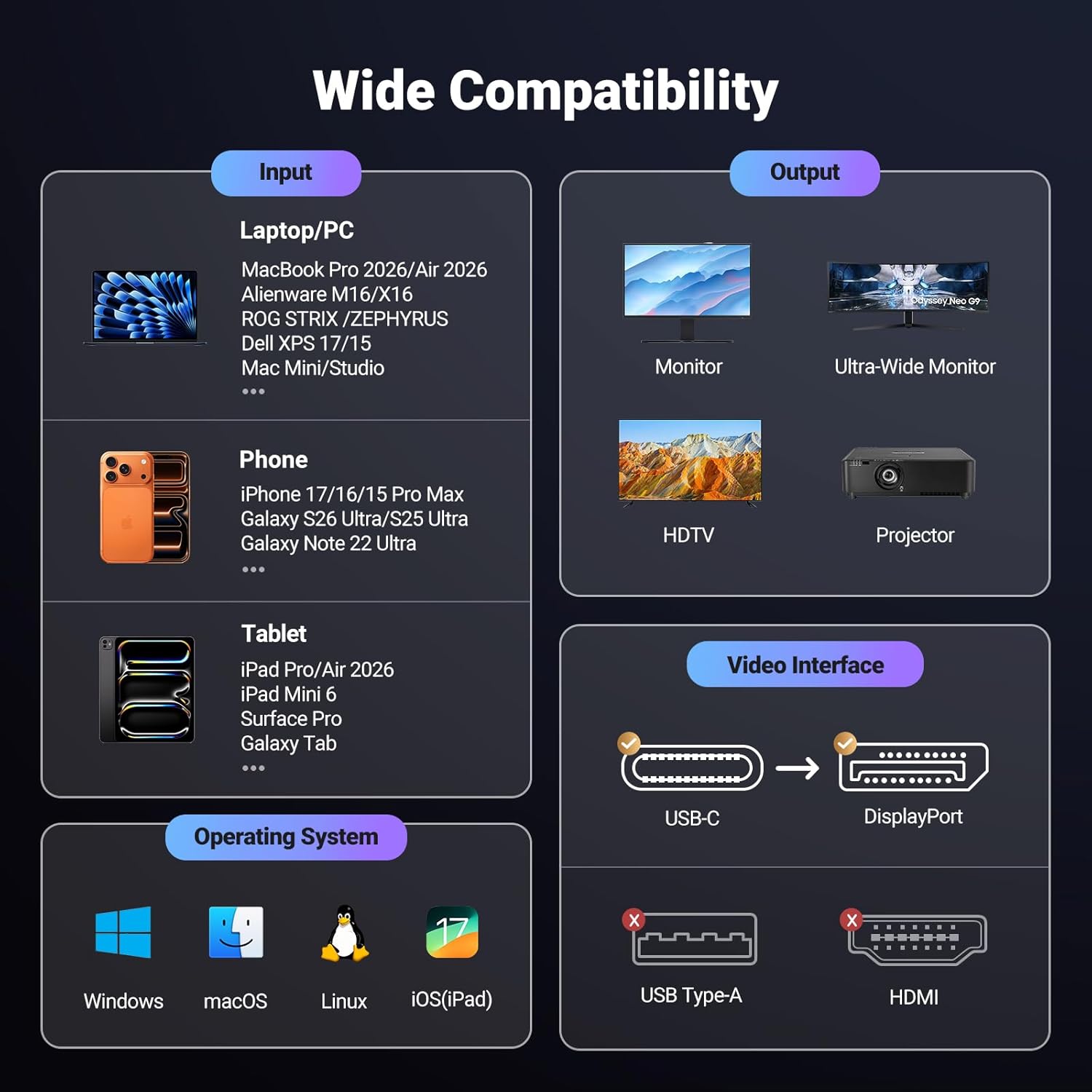
Image: Infographic detailing input devices (laptops, phones, tablets) and output devices (monitors, HDTVs, projectors) compatible with the UGREEN USB C to DisplayPort cable.
6. Specificaties
| Merk | ONGrEEN |
| Model | 40610950348862 |
| Aansluitingstype | USB Type-C, DisplayPort |
| Kabeltype | Braided Net |
| Resolutie Ondersteuning | 16K@30Hz, 8K@120Hz, 4K@240Hz, 2K@480Hz |
| Bandbreedte | 40 Gbps |
| Speciale kenmerken | HDR, HDCP2.3, VRR, ALLM, eARC, DTS, Dolby, DSC 1.2a |
| Materiaal | Aluminum and Braided Nylon |
| Lengte | 6.6 voet |
| Kleur | Grijs |
| Artikelgewicht | 0.11 kilogram |
| Certificering | RoHS |
7. Onderhoud
To ensure the longevity and optimal performance of your UGREEN USB C to DisplayPort 2.1 Cable, follow these maintenance guidelines:
- Schoonmaak: Keep the cable and its connectors clean and free from dust and debris. Use a soft, dry cloth for cleaning.
- Behandeling: Avoid sharp bends, kinks, or excessive pulling on the cable, especially near the connectors, to prevent internal wire damage.
- Opslag: Rol de kabel losjes op wanneer u hem niet gebruikt en bewaar hem op een koele, droge plaats, uit de buurt van direct zonlicht en extreme temperaturen.
- Verbinding: Pak de connectorbehuizing altijd vast wanneer u de kabel aansluit of loskoppelt, en trek niet aan de kabel zelf.

Image: Durability features of the UGREEN cable, highlighting its robust construction.
8. Probleemoplossing
If you encounter issues with your UGREEN USB C to DisplayPort 2.1 Cable, please refer to the following common solutions:
- Geen weergave/zwart scherm:
- Ensure both your source device and monitor are powered on.
- Verify that the USB-C port on your source device supports "DP Alt Mode" or is a Thunderbolt 3/4 port. Not all USB-C ports support video output.
- Check that the cable is securely connected to both the source device and the monitor.
- Try connecting to a different DisplayPort input on your monitor, if available.
- Start uw bronapparaat opnieuw op.
- Flickering/Unstable Image:
- Ensure the cable connections are firm and not loose.
- Verlaag de resolutie of verversingsfrequentie in de weergave-instellingen van je apparaat om te zien of de stabiliteit verbetert.
- Update your graphics drivers on your source device to the latest version.
- Geen audio:
- Check the audio output settings on your source device to ensure audio is directed to the DisplayPort.
- Verify the audio settings on your monitor.
9. Officiële productvideo
Video: Een officiële UGREEN-videoshowasing the features and benefits of the DisplayPort 2.1 cable, including universal device connection, fast 40Gbps transfer, multi-screen display support, and durable construction.
10. Garantie en ondersteuning
For detailed warranty information, product registration, or technical support, please visit the official UGREEN website or contact UGREEN customer service directly. Contact information can typically be found on the product packaging or the UGREEN official webplaats.