
1. Inleiding
Thank you for choosing the FLEXISPOT L-Shaped Electric Standing Desk. This manual provides essential information for the safe assembly, operation, and maintenance of your new desk. Please read these instructions carefully before use and retain them for future reference. This desk is designed to provide a versatile and ergonomic workspace, allowing seamless transitions between sitting and standing positions.
2. Veiligheidsinstructies
Om een veilige werking te garanderen en letsel of schade te voorkomen, dient u de volgende veiligheidsrichtlijnen in acht te nemen:
- Zorg ervoor dat alle componenten vóór gebruik stevig vastzitten.
- Houd kinderen en huisdieren uit de buurt van het bureau tijdens gebruik.
- Do not place hands or other body parts near moving parts of the desk frame.
- Avoid overloading the desk. The maximum load capacity is 80 kg.
- Ga niet op het bureau zitten of staan.
- Only use the desk indoors in a dry environment.
- Schakel de stroom uit voor reiniging of onderhoud.
- If any parts are damaged or missing, contact customer support immediately. Do not attempt to repair the desk yourself.
3. Inhoud van het pakket
Please verify that all parts are present and undamaged before beginning assembly. Refer to the assembly diagram for a complete list of components.
- L-Shaped Desktop (2 parts)
- 4-Leg Frame (Dual Motor Mechanism)
- Intelligent bedieningspaneel
- Stroomadapter en kabels
- Montagemateriaal (schroeven, gereedschap, enz.)
- Gebruiksaanwijzing
4. Opstelling en montage
Voor de montage zijn doorgaans twee personen nodig. Volg deze stappen zorgvuldig:
- Componenten uitpakken: Haal alle onderdelen voorzichtig uit de verpakking en leg ze op een zachte, schone ondergrond om krassen te voorkomen.
- Assemble the 4-Leg Frame: Connect the frame components according to the included diagram. Ensure all bolts are tightened securely. The 4-leg design provides enhanced stability.
- Install Dual Motor Mechanism: The dual motor system is integrated into the frame. Ensure all motor connections are secure. This mechanism allows for smooth and precise height adjustments.
- Bureaubladpanelen bevestigen: Carefully place the two desktop panels onto the assembled frame. Align the pre-drilled holes and secure the desktop to the frame using the provided screws. The L-shaped design offers ampde werkruimte.
- Bedieningspaneel monteren: Attach the intelligent control panel to the underside of the desktop in an easily accessible location. Connect the control panel cable to the main control box.
- Sluit stroom aan: Plug the power adapter into the control box, then plug the power cord into a standard electrical outlet.
- Eerste reset: After connecting power, perform an initial reset. Press and hold the 'Reset' button (usually marked with a circular arrow) until the desk reaches its lowest position and then slightly rises. This calibrates the desk.
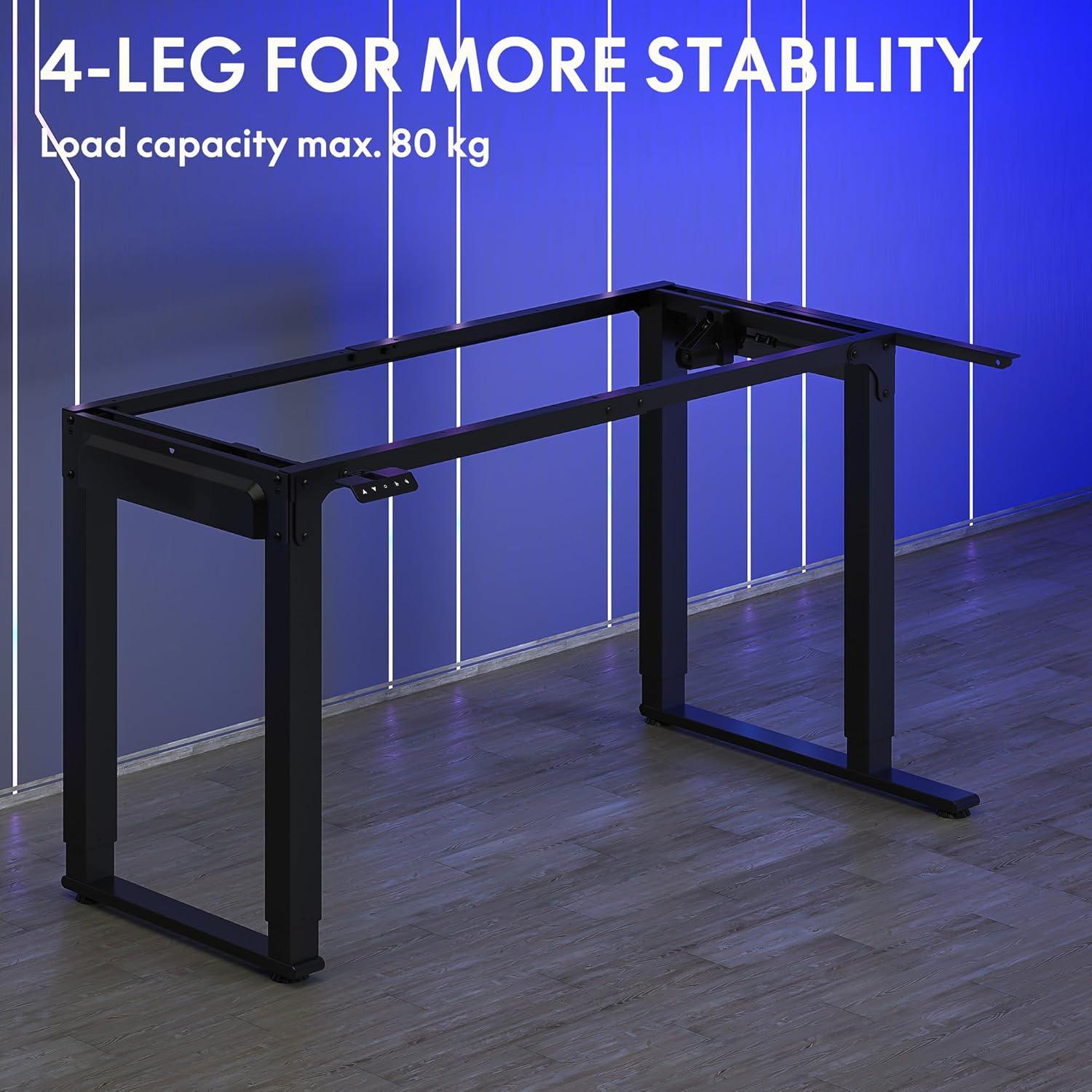
Image: The robust 4-leg frame provides superior stability for the L-shaped standing desk.

Image: Detail of the dual-motor mechanism, ensuring accurate and smooth height positioning.
5. Gebruiksaanwijzing
Your FLEXISPOT L-Shaped Electric Standing Desk features an intelligent control panel for easy height adjustment and memory presets.
5.1 Functies van het bedieningspaneel

Image: The intelligent control panel with clearly labeled buttons for desk operation.
- Omhoog/omlaag-knoppen (▲ / ▼): Press and hold to continuously adjust the desk height up or down. Release to stop at the desired height.
- Reset Button (↺): Used for initial calibration or to reset the desk if an error occurs. Press and hold until the desk moves to its lowest point and slightly rises.
- Sitting Preset Button (👭): Press to automatically move the desk to your programmed sitting height.
- Standing Preset Button (👭 with upward arrow): Press to automatically move the desk to your programmed standing height.
5.2 Geheugenvoorinstellingen instellen
To save your preferred sitting or standing height:
- Pas de hoogte van het bureau aan met de omhoog-/omlaagknoppen.
- Press and hold the desired preset button (Sitting or Standing) for approximately 3-5 seconds until you hear a beep or see the display flash. This indicates the height has been saved.

Image: The desk can be adjusted from a minimum height of 72cm to a maximum of 117cm.

Image: The spacious L-shaped desktop (180cm x 110cm) provides ample room for multiple computers and accessories.
6. Onderhoud
Regelmatig onderhoud zorgt voor een lange levensduur en optimale prestaties van uw bureau.
- Schoonmaak: Veeg het bureaublad en het frame schoon met een zachte, damp doek. Vermijd agressieve chemicaliën of schurende reinigingsmiddelen.
- Inspectie: Controleer regelmatig alle schroeven en verbindingen op goede vastheid. Draai ze indien nodig opnieuw vast.
- Kabelbeheer: Ensure power cables and other device cables are properly managed to prevent entanglement or damage during height adjustments.
- Motoronderhoud: The dual motors are designed for durability. Avoid obstructing the desk's movement or exceeding the weight limit to prevent strain on the motors.

Image: The desk features safe and stylish rounded corners.
7. Probleemoplossing
Als je problemen ondervindt met je bureau, raadpleeg dan de volgende veelvoorkomende problemen en oplossingen:
| Probleem | Mogelijke oorzaak | Oplossing |
|---|---|---|
| Het bureau beweegt niet. | Power cable disconnected; Control panel cable loose; Overload protection activated. | Check power connections; Ensure control panel cable is secure; Reduce weight on desk and perform a reset. |
| Het bureau beweegt onregelmatig of maakt vreemde geluiden. | Unbalanced load; Loose connections; Obstruction. | Distribute weight evenly; Check and tighten all frame connections; Remove any obstructions. Perform a reset. |
| De hoogtevoorinstellingen werken niet. | Voorinstellingen niet correct opgeslagen. | Re-save the desired height by holding the preset button until confirmation. |
| Bureau stopt midden in de beweging. | Overload protection; Overheating protection. | Reduce weight on the desk. Allow the desk to cool down for 20-30 minutes if it has been used continuously. |
If the problem persists after attempting these solutions, please contact FLEXISPOT customer support.
8. Specificaties
| Functie | Detail |
|---|---|
| Modelnummer | QS2LB-1811 |
| Merk | FLEXISPOT |
| Bureautype | L-vormig elektrisch sta-bureau |
| Motortype | Dubbele motor |
| Kadertype | 4-Leg Frame |
| Hoogteverstellingsbereik | 72 cm tot 117 cm |
| Afmetingen bureaublad (L x B) | 180 cm x 110 cm |
| Maximale laadcapaciteit | 80 kg |
| Geluidsniveau | < 50 dB |
| Materiaal | Gelegeerd staal (frame) |
| Kleur | Zwart |
| Artikelgewicht | 30 kilogram |
9. Garantie en ondersteuning
FLEXISPOT products are designed for quality and durability. For specific warranty information, please refer to the warranty card included with your purchase or visit the official FLEXISPOT website. If you require technical assistance, have questions about assembly, or need to report a missing/damaged part, please contact FLEXISPOT customer support directly. Ensure you have your model number (QS2LB-1811) and purchase details available when contacting support.
Contactgegevens: Please refer to the contact details provided on the FLEXISPOT official webRaadpleeg de website of uw aankoopdocumentatie voor de meest actuele informatie over ondersteuningskanalen.