
Invoering
This manual provides detailed instructions for the operation and maintenance of your Cuifati Portable Cassette Player with Auto Reverse. Please read this manual thoroughly before using the device to ensure proper functionality and to maximize your listening experience.
Inhoud van het pakket
Controleer of alle hieronder vermelde artikelen in uw pakket zitten:
- 1 x Cuifati Portable Cassette Player
- 1 x Hoofdtelefoon
- 1 x USB-voedingskabel
- 1 x Gebruikershandleiding
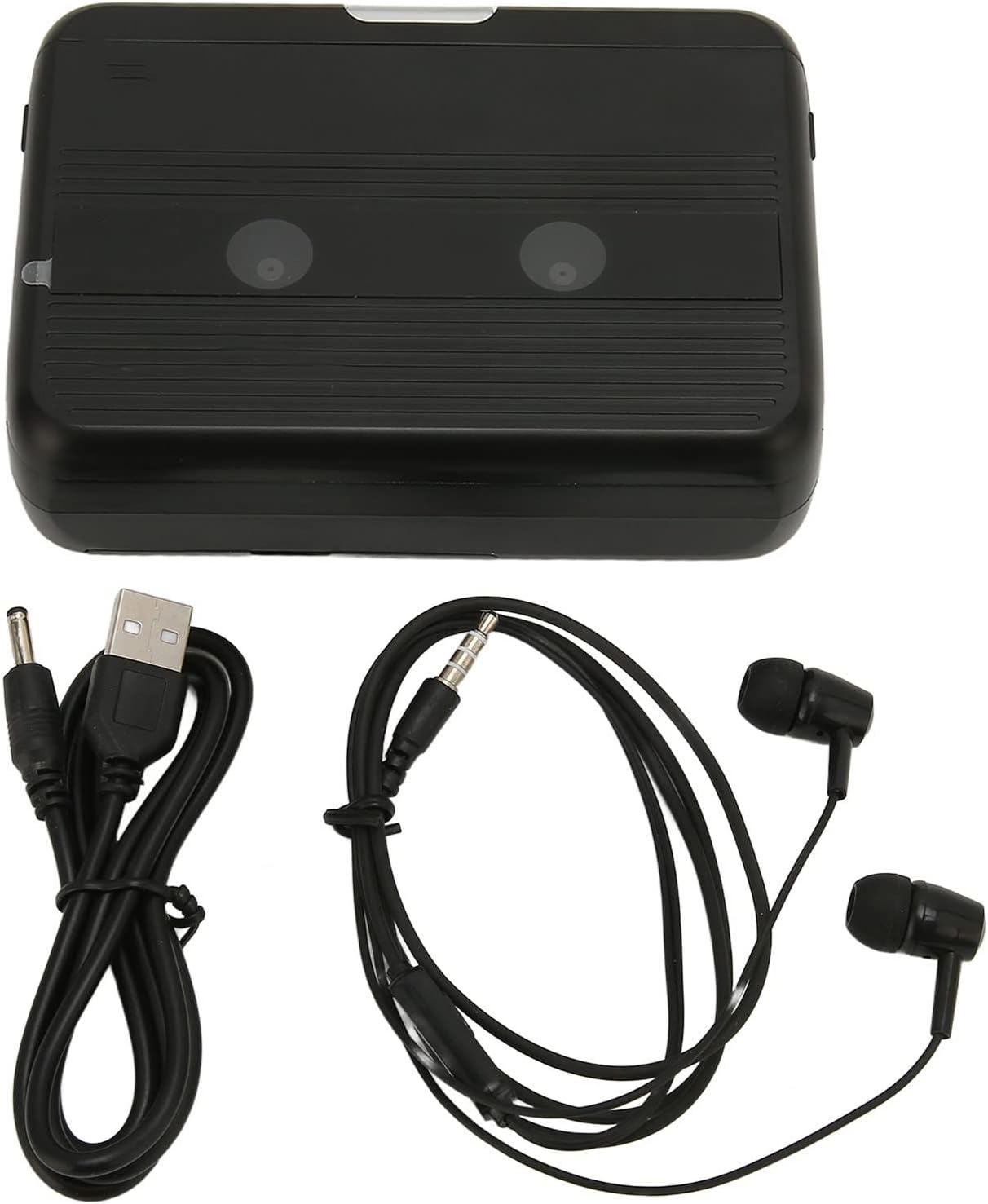
The Cuifati Portable Cassette Player shown alongside its included USB power cord and wired headphones.
Product voorbijview
Maak uzelf vertrouwd met de verschillende onderdelen en bedieningselementen van uw cassettespeler.
Voorkant View (Open)
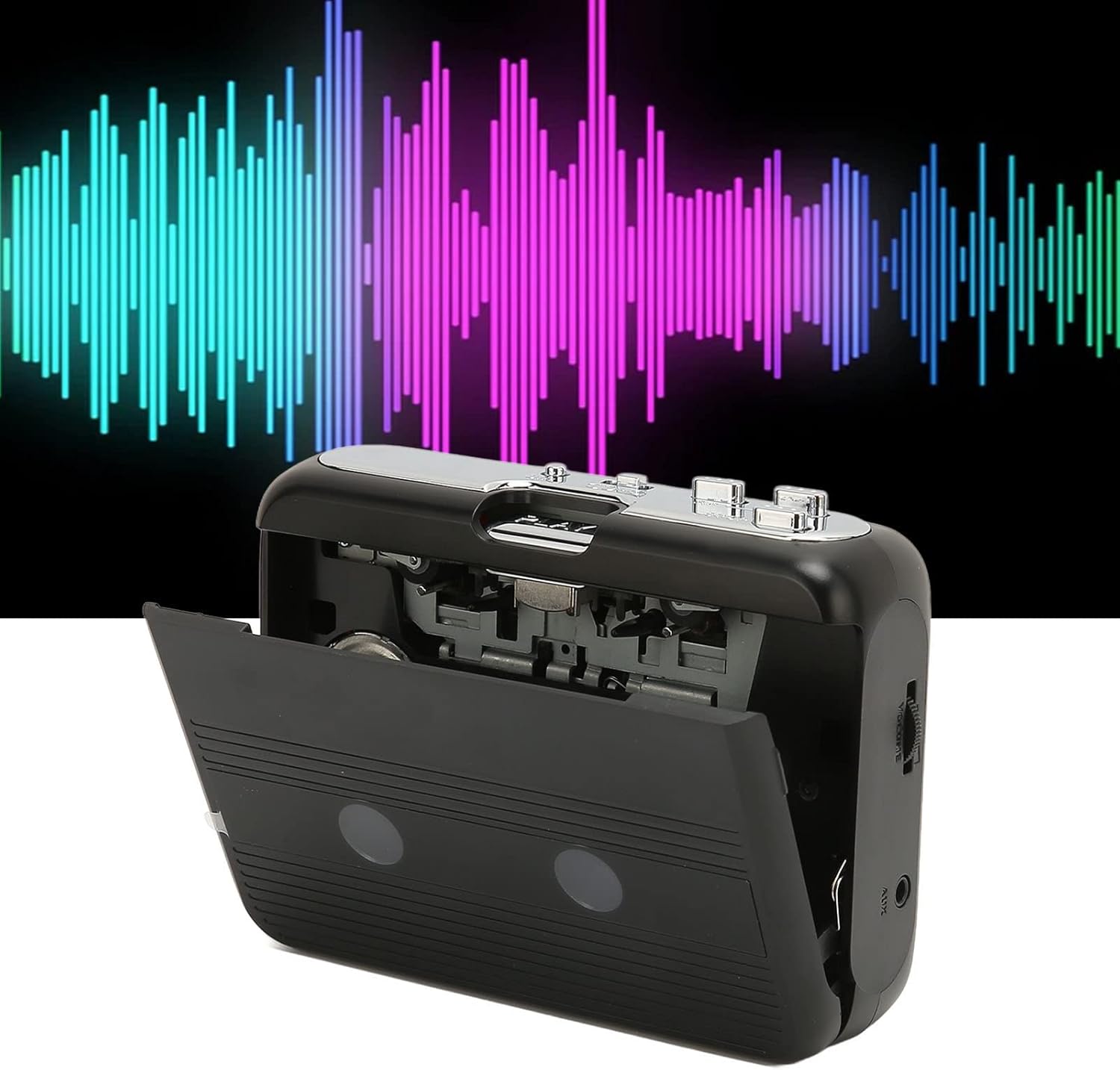
Voorkant view of the Cuifati Portable Cassette Player with the cassette compartment door open, revealing the tape mechanism.
Voorkant View (Gesloten)
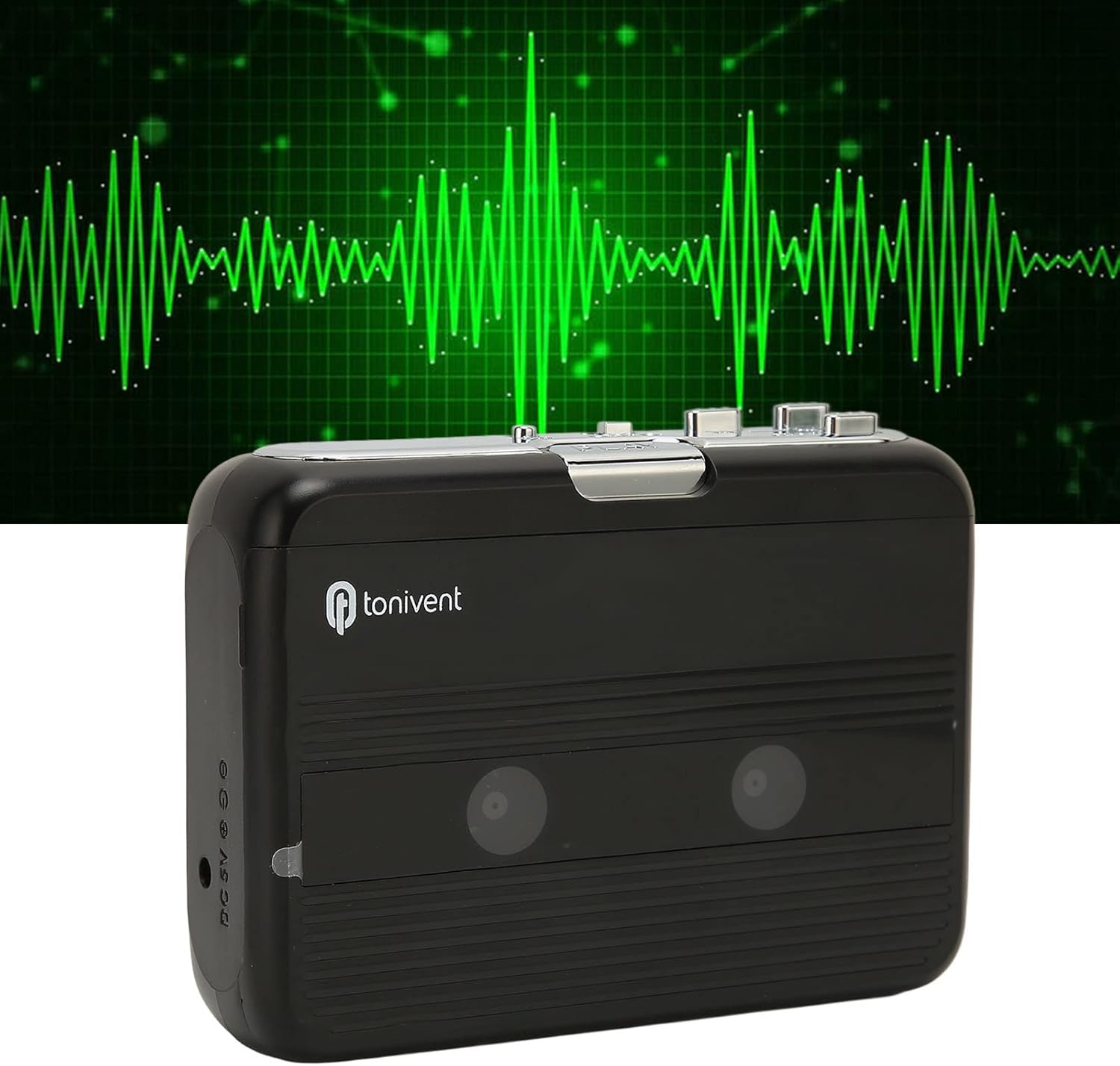
Voorkant view of the Cuifati Portable Cassette Player with the cassette compartment door closed.
Cassette Mechanism

Van dichtbij view of the cassette player's internal mechanism, showing the tape heads and rollers.
Kant View (Bedieningselementen en poorten)

Kant view of the cassette player, highlighting the volume control wheel and the AUX output port.
Belangrijkste bedieningselementen:
- Afspeelknop: Start het afspelen van de cassette.
- Stop knop: Stopt de weergave.
- Snel vooruitspoelen (FF)-knop: De band wordt snel doorgespoeld.
- Terugspoelknop (REW): Spoelt de band snel terug.
- Auto Reverse Button: Changes tape direction during playback.
- Volumeregelwiel: Past het audio-uitgangsniveau aan.
- FM/Tape Switch: Selects between FM radio and cassette playback mode.
- Headphone/AUX Output Jack: Connects headphones or external audio devices.
- DC 5V-ingang: Voor USB-voeding.
Instellen
Stroomvoorziening
The cassette player can be powered by two (2) AA batteries or via a USB power supply.
- Batterij installeren:
- Open het klepje van het batterijcompartiment aan de achterkant van het apparaat.
- Plaats twee AA-batterijen en let daarbij op de juiste polariteit (+/-) zoals aangegeven in het batterijvak.
- Sluit het batterijklepje goed.
- USB-voedingsaansluiting:
- Connect the small end of the included USB power cord to the DC 5V input port on the cassette player.
- Sluit het standaard USB-uiteinde aan op een USB-voedingsadapter (niet meegeleverd) of op de USB-poort van een computer.
Een cassettebandje plaatsen
- Open voorzichtig het klepje van het cassettecompartiment.
- Insert a cassette tape with the exposed tape facing upwards and the side you wish to play facing the front.
- Close the cassette compartment door until it clicks securely.
Gebruiksaanwijzing
Cassettes afspelen
- Zorg ervoor dat er een cassettebandje goed is geplaatst.
- Set the FM/Tape switch to the "Tape" position.
- Druk op de Toneelstuk knop om het afspelen te starten.
- Pas de Volumeregeling wiel op het door u gewenste luisterniveau.
- Om het afspelen te stoppen, drukt u op de Stop knop.
- Druk op de om snel vooruit te spoelen FF knop. Om terug te spoelen, druk op de REW knop. druk op Stop to disengage.
Auto Reverse Function
The player features an auto-reverse function, allowing the tape to play in both directions without needing to manually flip the cassette.
- Druk tijdens het afspelen op de Automatisch achteruitrijden button to switch the tape direction. The player will automatically reverse and continue playing the other side of the tape.
De FM-radio gebruiken
- Set the FM/Tape switch to the "FM" position.
- Use the tuning dial (if present, otherwise the FF/REW buttons might serve as tuning) to scan for FM radio stations.
- Pas de Volumeregeling wiel op het door u gewenste luisterniveau.
Using the Built-in Speaker
The device includes a built-in speaker for direct audio output. No special action is required; audio will play through the speaker unless headphones are connected.
Connecting Headphones or External Audio Devices
For private listening or connecting to external speakers, use the 3.5mm headphone/AUX output jack.
- Plug the included headphones or your own 3.5mm audio cable into the Headphone/AUX Output Jack.
- When headphones are connected, audio will automatically switch from the built-in speaker to the headphones.

A person listening to music with headphones, illustrating the headphone usage.
Onderhoud
Proper care ensures the longevity and optimal performance of your cassette player.
- Schoonmaak: Gebruik een zachte, droge doek om de buitenkant van het apparaat schoon te maken. Gebruik geen vloeibare reinigingsmiddelen of schuurmiddelen.
- Tapekoppen: Periodically clean the tape heads with a specialized cassette head cleaner to maintain sound quality.
- Opslag: Verwijder de batterijen wanneer u het apparaat langere tijd niet gebruikt om lekkage te voorkomen. Bewaar het apparaat op een koele, droge plaats, uit de buurt van direct zonlicht en extreme temperaturen.
- Vermijd stof: Keep the cassette compartment closed when not in use to prevent dust accumulation.
Probleemoplossing
If you encounter issues with your cassette player, refer to the following common problems and solutions:
| Probleem | Mogelijke oorzaak | Oplossing |
|---|---|---|
| Geen stroom | Dead batteries; USB cable not connected; faulty power source. | Replace batteries; ensure USB cable is securely connected to a working power source. |
| Geen geluid uit de luidspreker/koptelefoon. | Volume too low; headphones not fully plugged in; FM/Tape switch in wrong position; dirty tape heads. | Increase volume; ensure headphones are fully inserted; set switch to correct mode (Tape/FM); clean tape heads. |
| Poor sound quality (cassette) | Dirty tape heads; worn-out tape; incorrect tape insertion. | Clean tape heads; try a different tape; re-insert tape correctly. |
| FM radio static/poor reception | Zwak signaal; interferentie. | Relocate the player to an area with better reception; try adjusting the player's orientation. |
| Tape not playing/moving | Tape jammed; mechanism issue; tape not inserted correctly. | Check for tape jams; ensure tape is inserted correctly; if issue persists, contact support. |
Specificaties
| Functie | Detail |
|---|---|
| Merk | Cuifati |
| Modelnummer | Cuifatibi73wk0z4p |
| ASIN | B0CDD42V9J |
| Stroomvoorziening | 2 x AA Batteries or USB DC 5V |
| Functies | Cassette Playback, Auto Reverse, FM Radio, Built-in Speaker, Headphone Output |
| Audio-uitgang | 3.5mm Headphone/AUX Jack |
| Artikelgewicht | 10.3 ons |
Belangrijke veiligheidsinformatie
- Stel het apparaat niet bloot aan water, vocht of extreme temperaturen.
- Zorg ervoor dat u het apparaat niet laat vallen en blootstelt aan sterke schokken.
- Probeer het apparaat niet zelf te demonteren of te repareren. Laat alle onderhoudswerkzaamheden over aan gekwalificeerd personeel.
- Gooi batterijen op verantwoorde wijze weg, volgens de plaatselijke voorschriften.
- Langdurig luisteren naar een hoog volume kan gehoorschade veroorzaken. Stel het volume in op een veilig niveau.
Garantie en ondersteuning
Voor garantie-informatie of technische ondersteuning kunt u de documentatie raadplegen die u bij aankoop hebt ontvangen of contact opnemen met uw winkelier. Bewaar uw aankoopbewijs.