
1. Inleiding
Thank you for choosing the EVOLAND Vibration Platform Fitness machine. This manual provides essential information for the safe and effective operation, maintenance, and troubleshooting of your new fitness equipment. Please read this manual thoroughly before use and keep it for future reference.
2. Veiligheidsrichtlijnen
WARNING: Consult your physician before starting any new exercise program, especially if you have pre-existing medical conditions. Do not use if pregnant, have a pacemaker, or suffer from severe osteoporosis, epilepsy, or acute thrombosis.
- Ensure the platform is placed on a stable, level surface.
- Houd kinderen en huisdieren uit de buurt van de machine als deze in werking is.
- Overschrijd het maximale draagvermogen van 150 kg (330 lbs) niet.
- Houd je altijd vast aan een stabiele steun als je je onstabiel voelt tijdens het sporten.
- Haal de stekker van het apparaat uit het stopcontact wanneer u het niet gebruikt of voordat u het schoonmaakt.
- Gebruik het apparaat niet als het netsnoer of de stekker beschadigd is.
3. Inhoud van het pakket
Vink het vakje aan voor de volgende items:
- 1 x EVOLAND Vibration Platform
- 2 x weerstandsbanden
- 1 x Afstandsbediening
- 1 x Power Cord
- 1 x Gebruikershandleiding
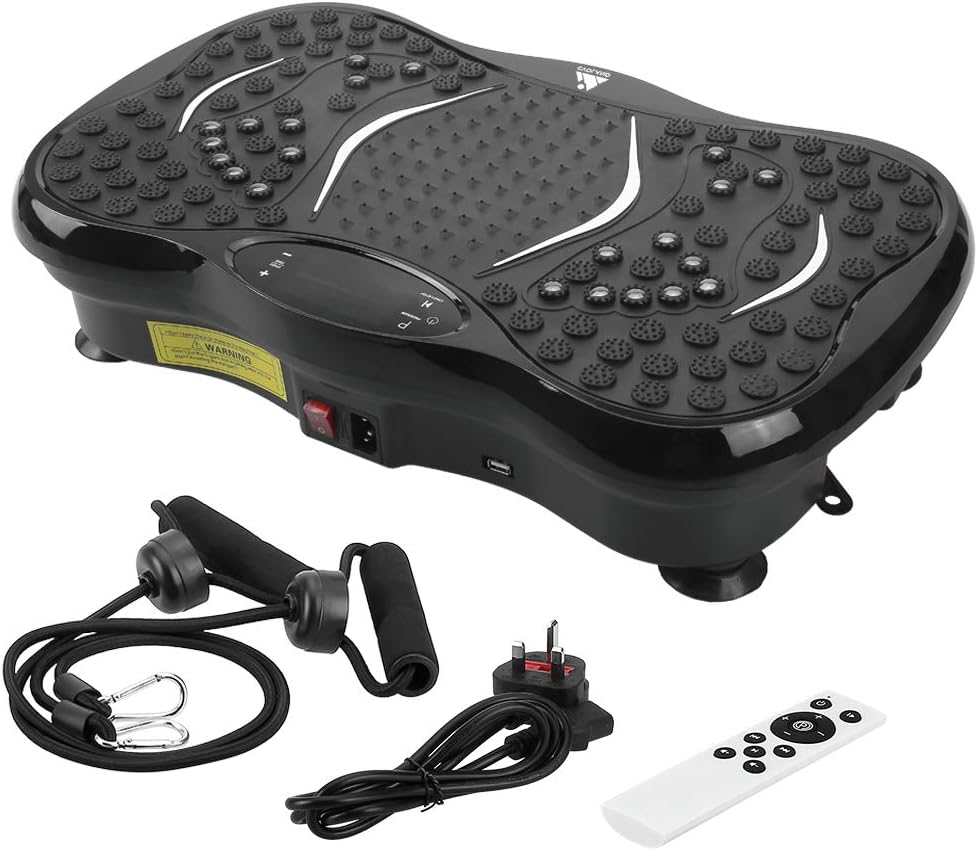
Image: All components included in the EVOLAND Vibration Platform package.
4. Product voorbijview en componenten
Familiarize yourself with the main parts of your vibration platform:
- Trillingsplatform: Main unit with textured surface for foot placement.
- LCD-scherm: Shows time, speed, program, and Bluetooth status.
- Configuratiescherm: Buttons for power, program selection, speed adjustment.
- Aan / uit schakelaar: Bevindt zich aan de zijkant van het toestel.
- Stroomingang: Voor het aansluiten van het netsnoer.
- Bevestigingspunten voor weerstandsbanden: Rings on the bottom for resistance bands.
- Bluetooth Speaker: Geïntegreerd voor audioweergave.

Image: Close-up of the control panel, power switch, and USB port on the vibration platform.

Afbeelding: Overview of the vibration platform showing its dimensions and included accessories like the remote control, power plug, and resistance bands.
5. Instellen
Follow these steps to set up your EVOLAND Vibration Platform:
- Attach Resistance Bands: If desired, fasten the two resistance bands to the rings located on the bottom of the platform.
- Sluit stroom aan: Plug the power cord into the power inlet on the platform, then plug the other end into a standard wall outlet.
- Inschakelen: Locate the main power switch on the side of the unit and flip it to the 'ON' position. The LCD display will illuminate.

Image: Visual guide demonstrating how to attach resistance bands, connect the power cord, and turn on the unit.
6. Gebruiksaanwijzing
6.1. Basisbediening
- Aan/uit: Use the main power switch on the side or the power button on the remote/control panel.
- Starten/Stoppen: Press the 'START/STOP' button on the control panel or remote to begin or pause vibration.
- Snelheid aanpassen: Use the '+' and '-' buttons to increase or decrease the vibration intensity (99 levels available).
- Tijd instellen: The machine has an automatic timer (1-15 minutes adjustable).
6.2. Programs and Modes
The platform offers 5 pre-set programs (P1-P5) and a manual mode:
- Handmatige modus: Allows you to manually adjust speed and time.
- Pre-set Programs (P1-P5): Each program offers a unique combination of vibration patterns and intensity changes. Press the 'PROGRAM' button to cycle through them.
6.3. Bluetooth-connectiviteit
Om uw apparaat via Bluetooth te verbinden:
- Ensure the vibration platform is powered on.
- Schakel Bluetooth in op uw smartphone, tablet of ander apparaat.
- Zoeken naar 'EVOLAND' or a similar device name in your device's Bluetooth settings.
- Pair with the platform. Once connected, you can play music through the integrated speaker.
6.4. De afstandsbediening gebruiken
The remote control provides convenient access to all functions:
- Aan/uit
- Starten/Stoppen
- Programmaselectie
- Speed Adjustment (+/-)
- Music Playback Controls (if applicable)

Afbeelding: Overview of the LCD display and the remote control, highlighting various functions and buttons.
7. Richtlijnen voor oefeningen
The EVOLAND Vibration Platform can be used for various exercises to target different muscle groups. A typical session of 10-15 minutes is recommended.
- Staand: Stand with feet shoulder-width apart, knees slightly bent. Adjust foot position for different intensity levels (wider stance for more intense vibration).
- Kniebuigingen: Perform squats while standing on the platform to engage leg and glute muscles.
- Push-ups: Place hands on the platform for an intensified upper body workout.
- Het gebruik van weerstandsbanden: Attach the bands and perform exercises like bicep curls, tricep extensions, or shoulder presses while standing on the platform.
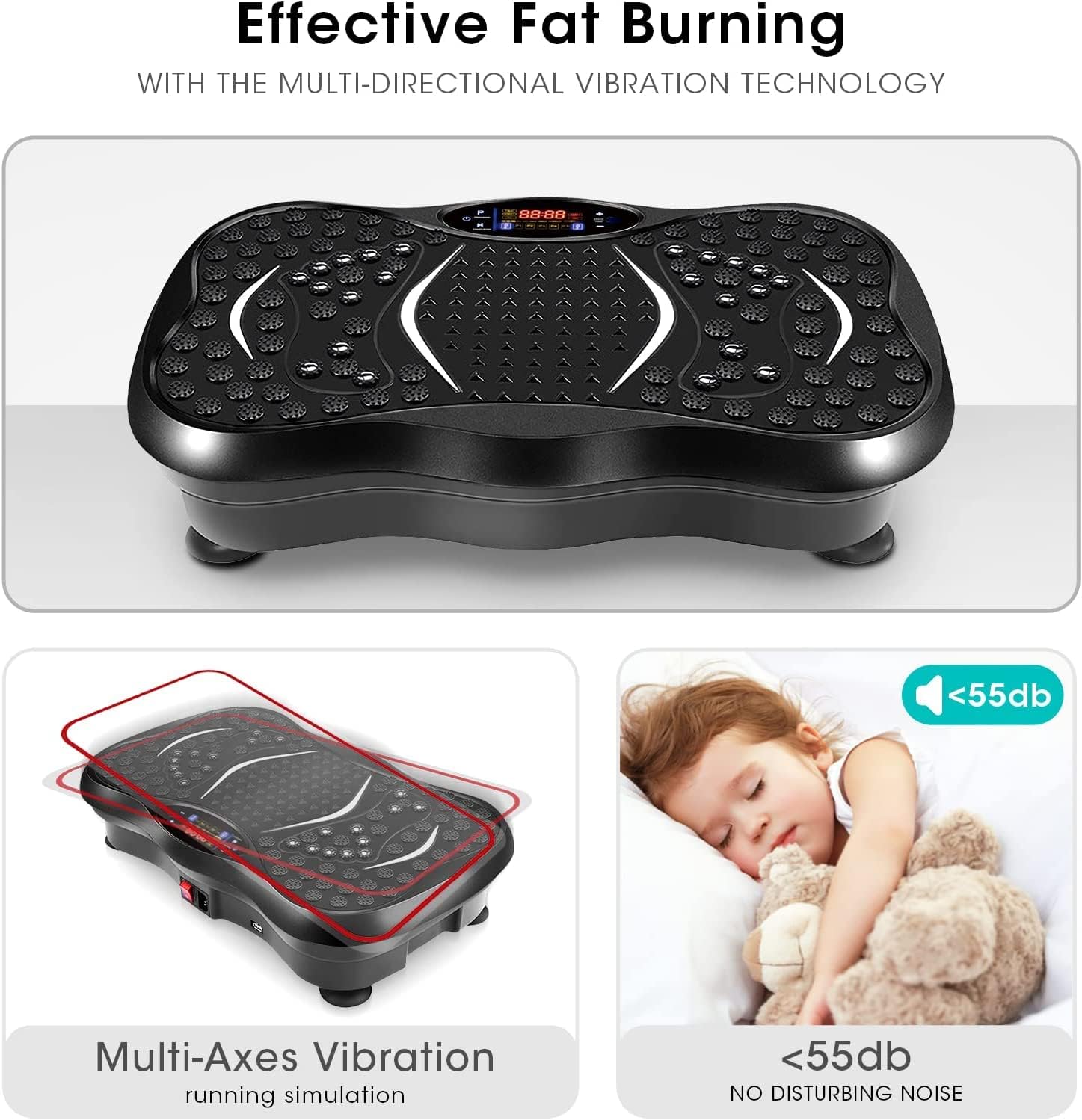
Image: A user demonstrating an exercise on the vibration platform while utilizing the included resistance bands for an upper body workout.
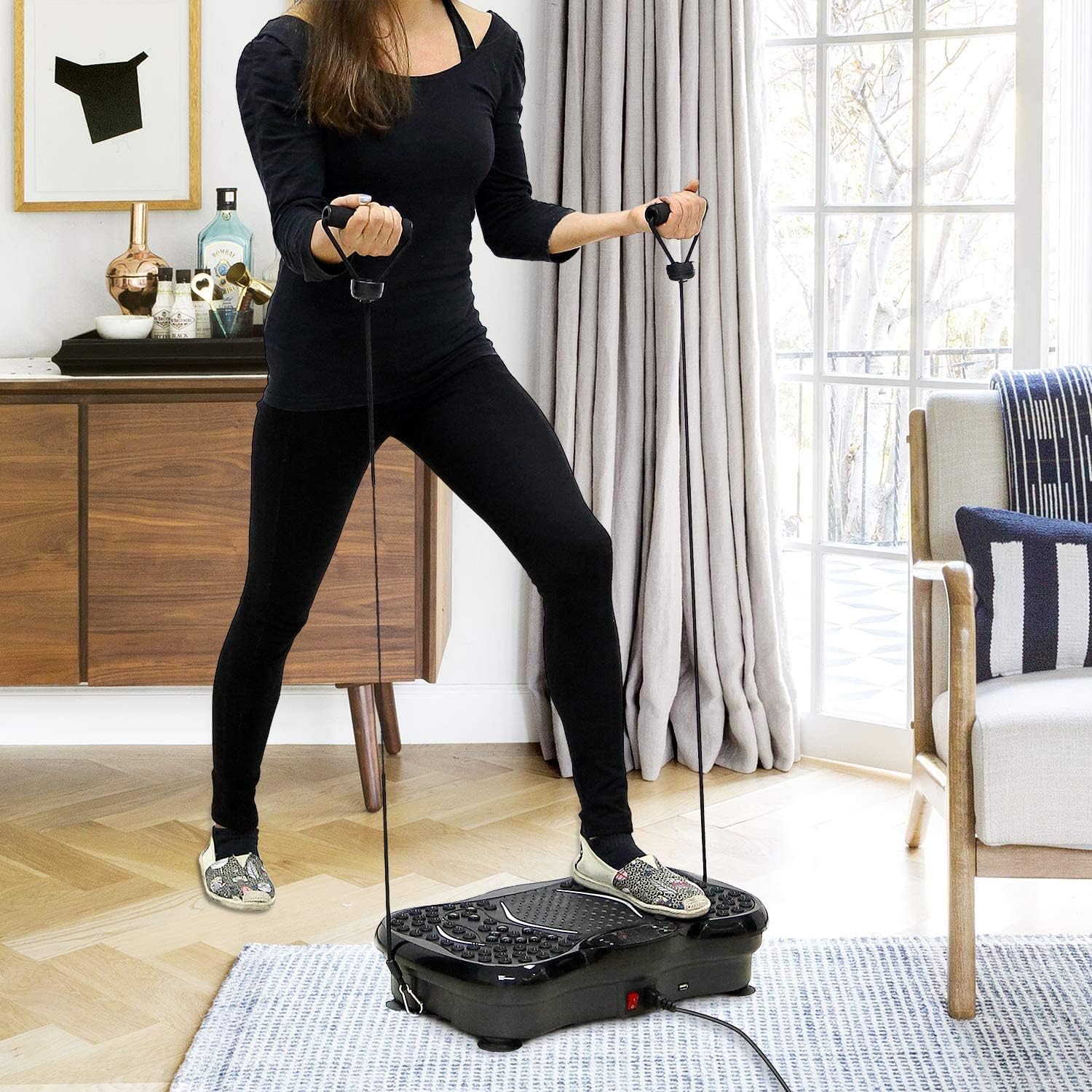
Image: Illustrates the potential benefits of using the vibration platform, comparing 15 minutes of vibration to the equivalent of other common exercises like riding, swimming, running, yoga, push-ups, and sit-ups.
8. Onderhoud
- Schoonmaak: Veeg het oppervlak van het platform af met een zachte, droge doek.amp cloth. Do not use abrasive cleaners or solvents. Ensure the machine is unplugged before cleaning.
- Opslag: Bewaar de machine op een koele, droge plaats, uit de buurt van direct zonlicht en vocht.
- Inspectie: Controleer regelmatig het netsnoer en alle aansluitingen op tekenen van slijtage of beschadigingen.
9. Probleemoplossing
If you encounter any issues, refer to the table below:
| Probleem | Mogelijke oorzaak | Oplossing |
|---|---|---|
| Machine gaat niet aan | Power cord not properly connected; Main power switch off; Power outlet issue. | Ensure power cord is securely plugged in; Flip main power switch to 'ON'; Test power outlet with another device. |
| Geen trillingen | Machine is paused; Program not selected; Speed set to 0. | Press 'START/STOP'; Select a program or adjust speed using '+' button. |
| Bluetooth maakt geen verbinding | Bluetooth on device is off; Incorrect device selected. | Ensure Bluetooth is enabled on your device; Select the correct 'EVOLAND' device from the list. |
| Ongebruikelijk geluid tijdens bedrijf | Losse onderdelen; Oneffen oppervlak. | Check for any loose parts; Ensure the platform is on a flat, stable surface. If noise persists, discontinue use and contact support. |

Image: Highlights the multi-axes vibration technology and the quiet operation (below 55dB) of the EVOLAND Vibration Platform, indicating a smooth user experience.
10. Specificaties
| Merk | EVOLAND |
| Model | B0CCXMG7XT |
| Weergavetype | LCD |
| Materiaalsoort | Acrylonitril-butadieen-styreen (ABS), metaal |
| Meegeleverde componenten | Trilplatform |
| Productafmetingen (L x B x H) | 57.4 x 41.91 x 16.51 cm (22.6 x 16.5 x 6.5 inch) |
| Gewicht | 8.54 kg (18.8 lbs) |
| Kleur | Zwart |
| Maximaal gewichtsadvies | 150 kg (330 lbs) |
| Controletype | Afstandsbediening |
| Stroom | 200W |
| Deeltage | 220V |
| Snelheidsniveaus | 1-99 |
| Modi | Automatic + 5 Manual Programs |
| Automatische timing | 1-15 minuten instelbaar |
11. Garantie en ondersteuning
EVOLAND products are manufactured to high-quality standards. For warranty information or technical support, please refer to the contact details provided with your purchase documentation or visit the official EVOLAND website. Please have your model number (B0CCXMG7XT) ready when contacting support.