
Invoering
Welcome to your VTech VT680 Cordless Phone. This manual provides essential information for setting up, operating, and maintaining your new phone. The VTech VT680 is a DECT 6.0 cordless phone designed for reliable fixed-line communication.
Key features include Caller ID, a log of the last 10 received calls, a reminder alarm, and a 20-contact phonebook.

Image: VTech VT680 Cordless Phone handset and base unit positioned on a desk in a home office environment, alongside office supplies.
Inhoud van het pakket
Controleer of uw pakket de volgende artikelen bevat:
- VTech VT680 Cordless Handset
- Oplaadbasis
- Stroomadapter
- Telefoonlijnsnoer
- 2 oplaadbare AAA-batterijen
- Gebruikershandleiding (dit document)
Instellen
1. Batterij installatie
Stap 1: Zoek het batterijvak aan de achterkant van de handset.
Stap 2: Plaats de twee oplaadbare AAA-batterijen en let daarbij op de juiste polariteit (+ en -), zoals aangegeven in het batterijcompartiment.
Stap 3: Sluit het batterijklepje goed.

Afbeelding: Achterkant view of the VTech VT680 cordless phone handset, showing the battery compartment area.
2. Basiseenheidverbinding
Stap 1: Connect one end of the telephone line cord to the TEL LINE jack on the back of the charging base.
Stap 2: Sluit het andere uiteinde van het telefoonsnoer aan op de telefoonaansluiting in de muur.
Stap 3: Connect the small end of the power adapter to the POWER jack on the back of the charging base.
Stap 4: Sluit het grote uiteinde van de stroomadapter aan op een standaard stopcontact.

Afbeelding: Side profile of the VTech VT680 cordless phone handset docked in its charging base, illustrating its compact design.
3. Eerste keer opladen
Place the handset on the charging base. The handset display will show a charging indicator. Allow the handset to charge for at least 12 hours before initial use to ensure optimal battery performance and longevity.

Afbeelding: Voorzijde view of the VTech VT680 cordless phone handset docked in its charging base, displaying the screen and keypad.
Gebruiksaanwijzing
Een oproep doen
- Neem de hoorn op of druk op TELEFOON knop.
- Kies het gewenste telefoonnummer met behulp van het toetsenbord.
- Druk op de TELEFOON toets nogmaals om het gesprek te beëindigen.
Een oproep beantwoorden
Wanneer de telefoon overgaat, neem dan de hoorn op of druk op de TELEFOON knop.
Beller-ID gebruiken
When a call comes in, the caller's name and number will appear on the handset display (requires subscription to Caller ID service from your telephone provider).
opnieuwview het oproepoverzicht, druk op de OPROEP LOG knop. Gebruik de UP En OMLAAG arrow buttons to scroll through the last 10 received calls.
Telefoonboek
Het telefoonboek kan maximaal 20 contacten opslaan.
Een contactpersoon toevoegen
- Druk op de MENU knop.
- Ga naar "Telefoonboek" en selecteer "Nieuwe vermelding toevoegen".
- Enter the contact's name and phone number using the keypad.
- Pers REDDEN om de invoer op te slaan.
Making a Call from Phonebook
- Druk op de TELEFOONBOEK knop.
- Gebruik de UP En OMLAAG arrow buttons to find the desired contact.
- Druk op de TELEFOON button to dial the contact.
Setting a Reminder Alarm
- Druk op de MENU knop.
- Navigate to "Alarm" or "Reminders" in the menu.
- Set the desired time and activate the alarm function.
- Pers REDDEN bevestigen.
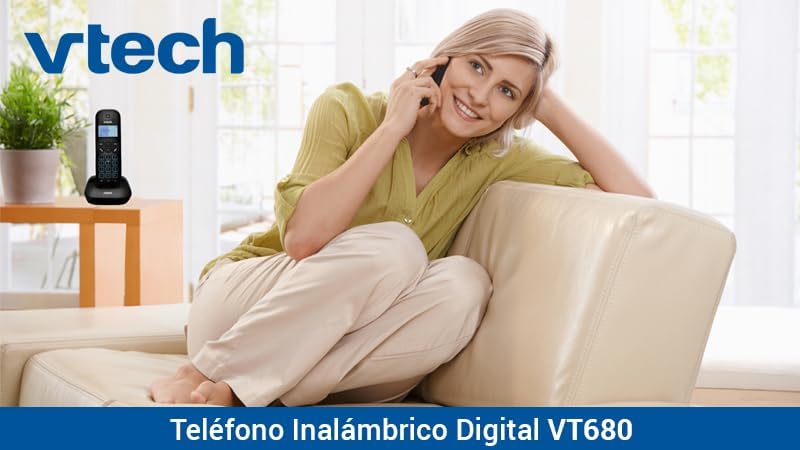
Image: A woman comfortably seated on a couch, engaged in a phone conversation using the VTech VT680 cordless phone.
Onderhoud
Schoonmaak
Veeg de handset en het basisstation af met een zachte, licht vochtige doek.amp cloth. Do not use harsh cleaning agents, abrasive materials, or excessive liquid, as these can damage the device.
Batterijverzorging
Use only the specified AAA rechargeable batteries. Replace batteries when they no longer hold a charge effectively or if you notice a significant decrease in talk time.
Probleemoplossing
If you encounter any issues with your VTech VT680 Cordless Phone, please refer to the table below for common problems and their solutions.
| Probleem | Oplossing |
|---|---|
| Geen kiestoon | Ensure the telephone line cord is securely connected to both the base unit and the telephone wall jack. Verify the power adapter is properly connected to the base unit and a working electrical outlet. |
| Handset laadt niet op | Ensure the handset is correctly seated in the charging cradle. Verify the power adapter is plugged in. Clean the charging contacts on both the handset and base unit with a dry cloth. |
| Slechte gesprekskwaliteit of ruis. | Move closer to the base unit. Check for interference from other electronic devices (e.g., Wi-Fi routers, microwaves). Try relocating the base unit. |
| Nummerweergave werkt niet | Ensure you are subscribed to Caller ID service from your telephone service provider. Contact your provider to confirm the service is active. |
Specificaties
Technische specificaties
- Merk: VTech
- Model: VT680
- Telefoontype: Cordless, DECT 6.0 Technology
- Kleur: Zwart
- Materiaal: Plastic
- Energiebron: Battery operated (2 AAA rechargeable batteries included)
- Dimensions (Handset on Base): Ongeveer 16.8 x 7.8 x 15.8 cm
- Gewicht: Ongeveer 680 g
- Functies: Caller ID, 10-call log, Reminder Alarm, 20-contact Phonebook
- Lijnwerking: Enkellijnsbediening
Garantie en ondersteuning
For detailed warranty information, technical support, or to register your product, please visit the official VTech website or contact VTech customer service. Specific warranty terms and support options may vary by region.