
Invoering
Thank you for choosing the A4 TECH 2DRUMTEK B25 True Wireless Earbuds. These earbuds feature advanced Bluetooth 5.2 technology for stable connectivity, Hybrid Active Noise Cancelling for an immersive audio experience, and an IPX4 rating for water and dust resistance, making them suitable for active lifestyles. The M.O.C.I (Mycelium of Carbon IT) hybrid diaphragm ensures clear highs, balanced mids, and deep bass. This manual provides detailed instructions for setup, operation, maintenance, and troubleshooting to help you get the most out of your device.
Inhoud van het pakket
- 2DRUMTEK B25 True Wireless Earbuds (Left and Right)
- Oplaadcase
- Oplaadkabel
- Gebruiksaanwijzing
Product voorbijview
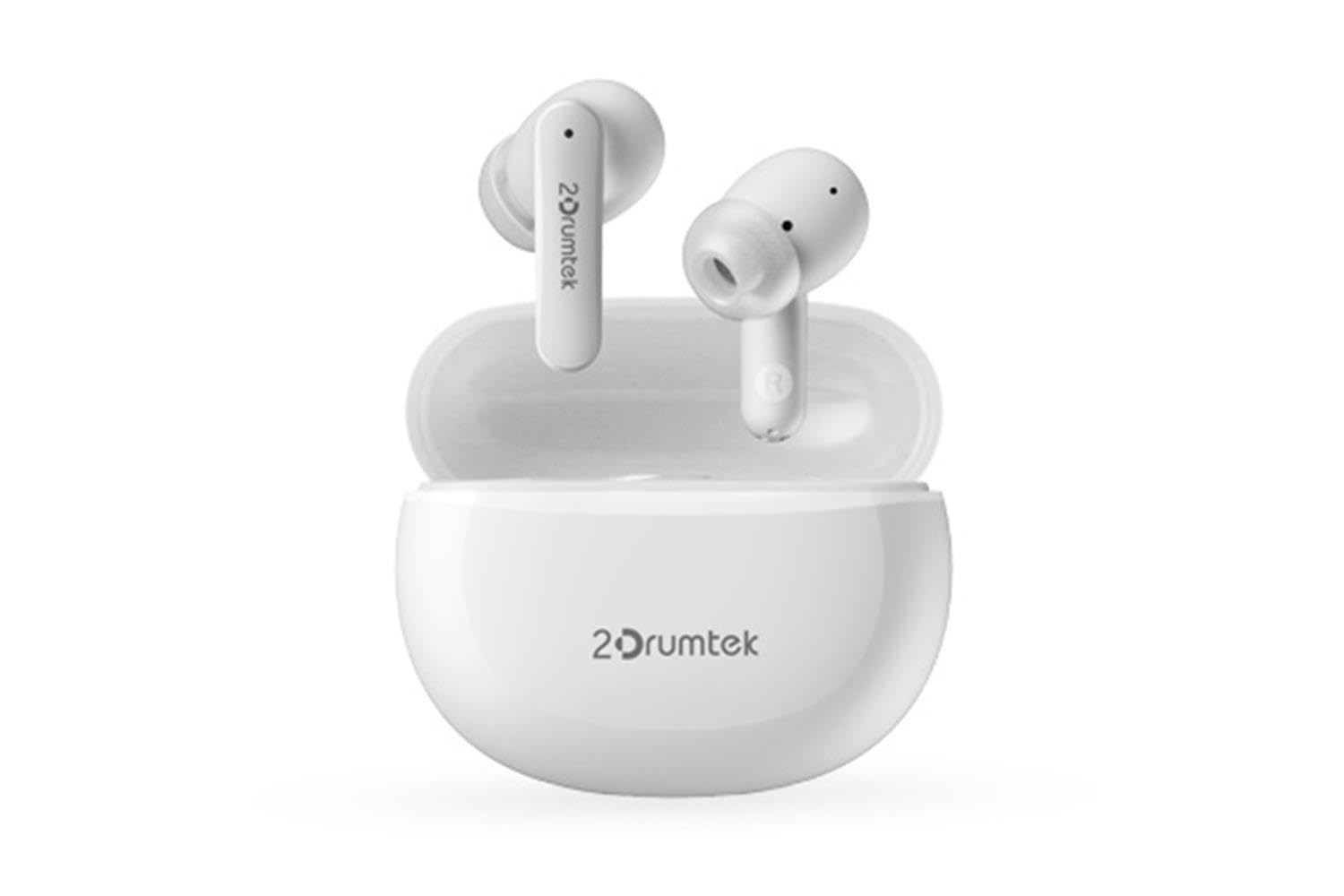
Image: A pair of white A4 TECH 2DRUMTEK B25 True Wireless Earbuds, showing their in-ear design and the '2Drumtek' branding on the stems.
The 2DRUMTEK B25 earbuds feature an ergonomic in-ear design. Each earbud includes a touch control area for various functions, a microphone for calls and voice assistant, and charging contacts at the bottom of the stem. An LED indicator provides status updates for pairing and battery life.
Instellen
1. De oordopjes en de oplaadcase opladen
Before first use, fully charge the earbuds and the charging case. Place the earbuds into the charging case. Connect the charging cable to the case and a USB power source. The LED indicators on the case and earbuds will show charging status. A full charge provides up to 5 hours of playback for the earbuds, with an additional 15 hours from the charging case.
2. Eerste koppeling
- Open de oplaadcase. De oordopjes gaan automatisch in de koppelingsmodus.
- Schakel Bluetooth in op uw apparaat (smartphone, tablet, pc).
- Zoeken naar available Bluetooth devices and select "2DRUMTEK B25".
- Once connected, you will hear a confirmation tone, and the LED indicator on the earbuds will change.
3. Automatische herverbinding
After the initial pairing, the earbuds will automatically connect to your previously paired device when you open the charging case and take them out, provided Bluetooth is enabled on your device.
Gebruiksaanwijzing
1. Aan/uit
- Inschakelen: Open de oplaadcassette en de oordopjes worden automatisch ingeschakeld.
- Uitschakelen: Plaats de oordopjes terug in de oplaadcase en sluit het deksel. Ze worden automatisch uitgeschakeld.
2. Music Playback (Touch Control)
- Afspelen/Pauzeren: Tik één keer op een van de oordopjes.
- Volgend nummer: Dubbeltik op het rechteroordopje.
- Vorig nummer: Dubbeltik op het linkeroordopje.
3. Gespreksbeheer (aanraakbediening)
- Oproep beantwoorden/beëindigen: Tik één keer op een van de oordopjes.
- Oproep afwijzen: Houd een van beide oordopjes 2 seconden ingedrukt.
4. Voice Assistant (Touch Control)
Triple tap on either earbud to activate your device's voice assistant (e.g., Siri, Google Assistant, Amazon Alexa).
5. Actieve ruisonderdrukking (ANC)
The earbuds feature Hybrid Active Noise Cancelling. Refer to the specific touch control gestures in the quick start guide for activating and deactivating ANC mode, as these can vary.
Onderhoud
- Schoonmaak: Regularly clean the earbuds, especially the ear tips and charging contacts, with a soft, dry cloth. Avoid using harsh chemicals or abrasive materials.
- Opslag: Wanneer u de oordopjes niet gebruikt, kunt u ze in de oplaadcase opbergen om ze te beschermen tegen stof en beschadigingen.
- Water- en stofbestendigheid (IPX4): The earbuds are rated IPX4, meaning they are resistant to splashing water and sweat from any direction. They are suitable for workouts and outdoor activities but should not be submerged in water. Ensure the earbuds are dry before placing them back in the charging case to prevent damage.
- batterij zorg: Om de levensduur van de batterij te verlengen, moet je voorkomen dat de oordopjes vaak volledig leeglopen. Laad ze regelmatig op, ook als je ze niet constant gebruikt.
Probleemoplossing
- Oordopjes koppelen niet: Zorg ervoor dat beide oordopjes opgeladen zijn. Plaats ze terug in de case, sluit het deksel en open het vervolgens weer om de koppelingsmodus te hervatten. Controleer de Bluetooth-instellingen van uw apparaat en probeer opnieuw verbinding te maken.
- Slechts één oordopje werkt: Ensure both earbuds are charged. Try resetting the earbuds by placing them in the case and then taking them out. Re-pair with your device if necessary.
- Geen geluid: Check the volume level on your connected device. Ensure the earbuds are properly paired and connected.
- Problemen met opladen: Zorg ervoor dat de oplaadkabel goed is aangesloten op zowel het oplaadhoesje als de stroombron. Reinig de oplaadcontacten op de oordopjes en in het oplaadhoesje.
- Slechte geluidskwaliteit: Ensure the earbuds are properly seated in your ears. Try different ear tip sizes for a better seal.
Specificaties
| Functie | Beschrijving |
|---|---|
| Modelnaam | 2DRUMTEK B25 |
| Connectiviteitstechnologie | Draadloos (Bluetooth 5.2) |
| Ruisonderdrukking | Hybride actieve ruisonderdrukking |
| Waterbestendigheidsniveau | IPX4 (waterbestendig) |
| Plaatsing van de oren | In-oor |
| Controletype | Aanraakbediening |
| Compatibele apparaten | PCs, Laptops, Mobile Phones, Tablets, Other Bluetooth Devices |
| Materiaal | Plastic, Metal, Carbon Fiber |
| Batterijduur (oordopjes) | Tot 5 uur per oplaadbeurt |
| Totale speeltijd (met koffer) | Tot 20 uur |
Veiligheidsinformatie
- Het product niet demonteren of wijzigen.
- Bescherm tegen extreme temperaturen en direct zonlicht.
- Vermijd blootstelling van het product aan vuur of hoge temperaturen.
- Gebruik de oordopjes niet gedurende langere tijd op een te hoog volume om gehoorschade te voorkomen.
- Buiten bereik van kinderen en huisdieren houden.
Garantie en ondersteuning
This product comes with a standard manufacturer's warranty. For detailed warranty information, please refer to the warranty card included in your package or visit the official A4 TECH website. If you encounter any issues or require technical assistance, please contact A4 TECH customer support through their official channels. Please have your model number (B25) and proof of purchase ready when contacting support.