
Invoering
Thank you for choosing the Recci REP-W42 TWS Bluetooth In-Ear Earbuds. These wireless earbuds are designed to provide a high-quality audio experience with advanced features such as a 13mm audio unit, Bluetooth 5.2 connectivity, and intuitive touch controls. This manual will guide you through the setup, operation, and maintenance of your new earbuds to ensure optimal performance and longevity.
Product voorbijview
The Recci REP-W42 earbuds, also known as 'Bounty Hunter' series, combine a smooth finish with eye-catching precision plating for a sleek design. They feature a large 13mm audio unit for 3D low-frequency flexibility and clear sound. With Bluetooth 5.2, they offer stable and high-speed wireless transmission, coupled with strong battery life and sensitive smart touch operation.
Belangrijkste kenmerken:
- Bounty Hunter Wireless Earbuds design.
- Smooth finish with eye-catching precision plating.
- Large 13mm audio unit with 3D low-frequency flexibility for clear sound.
- Smooth and sensitive smart touch operation.
- Strong wireless Bluetooth 5.2 battery life with high-speed transmission.
Productcomponenten:
- Recci REP-W42 TWS Earbuds (Left and Right)
- Draadloze oplaadcase
- Oordopjes (verschillende maten voor optimale pasvorm)
- Oplaadkabel
- Gebruiksaanwijzing
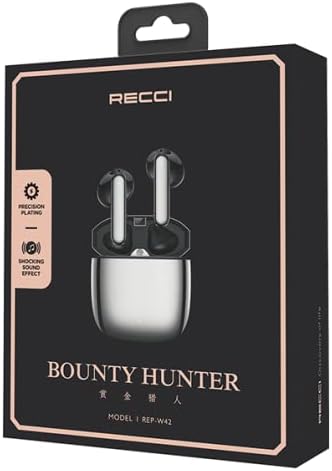
Figuur 1: The Recci REP-W42 TWS Earbuds packaging, showcasing the product and its model number.
Instellen
1. De oordopjes en het hoesje opladen:
- Plaats beide oordopjes in de oplaadcassette.
- Sluit de oplaadkabel aan op de oplaadpoort van de behuizing en op een stroombron.
- The indicator light on the charging case will show the charging status. A full charge is indicated when the light turns solid or off, depending on the model.
- Ensure the earbuds and case are fully charged before first use for optimal battery performance.

Figuur 2: Illustration of the earbuds and charging case, highlighting battery life: approximately 65 days standby, 5 hours music, 3.5 hours call, and 1.5 hours charging time.
2. Koppelen met een apparaat:
- Open de oplaadcase. De oordopjes gaan automatisch naar de koppelingsmodus, wat wordt aangegeven door een knipperend ledlampje op de oordopjes.
- Schakel Bluetooth in op uw apparaat (smartphone, tablet, laptop).
- Zoeken naar available Bluetooth devices and select "REP-W42" from the list.
- Once connected, the LED indicator on the earbuds will stop flashing or turn off.
- Zodra u de oordopjes uit het doosje haalt, maken ze automatisch opnieuw verbinding met het laatst gekoppelde apparaat, mits Bluetooth op het apparaat is ingeschakeld.
Gebruiksaanwijzing
The Recci REP-W42 earbuds feature sensitive touch controls for easy management of audio playback and calls.
Aanraakbedieningen:
| Actie | Functie |
|---|---|
| Eén keer tikken (linker-/rechteroordopje) | Muziek afspelen/pauzeren, gesprek beantwoorden/beëindigen |
| Dubbeltik (rechter oordopje) | Volgende nummer |
| Dubbeltik (linker oordopje) | Vorig nummer |
| Triple Tap (linker-/rechteroordopje) | Activeer spraakassistent |
| Lang indrukken (linker/rechter oordopje, 2 seconden) | Oproep afwijzen |
| Lang indrukken (linkeroordopje) | Volume omlaag |
| Lang indrukken (rechteroordopje) | Volume omhoog |
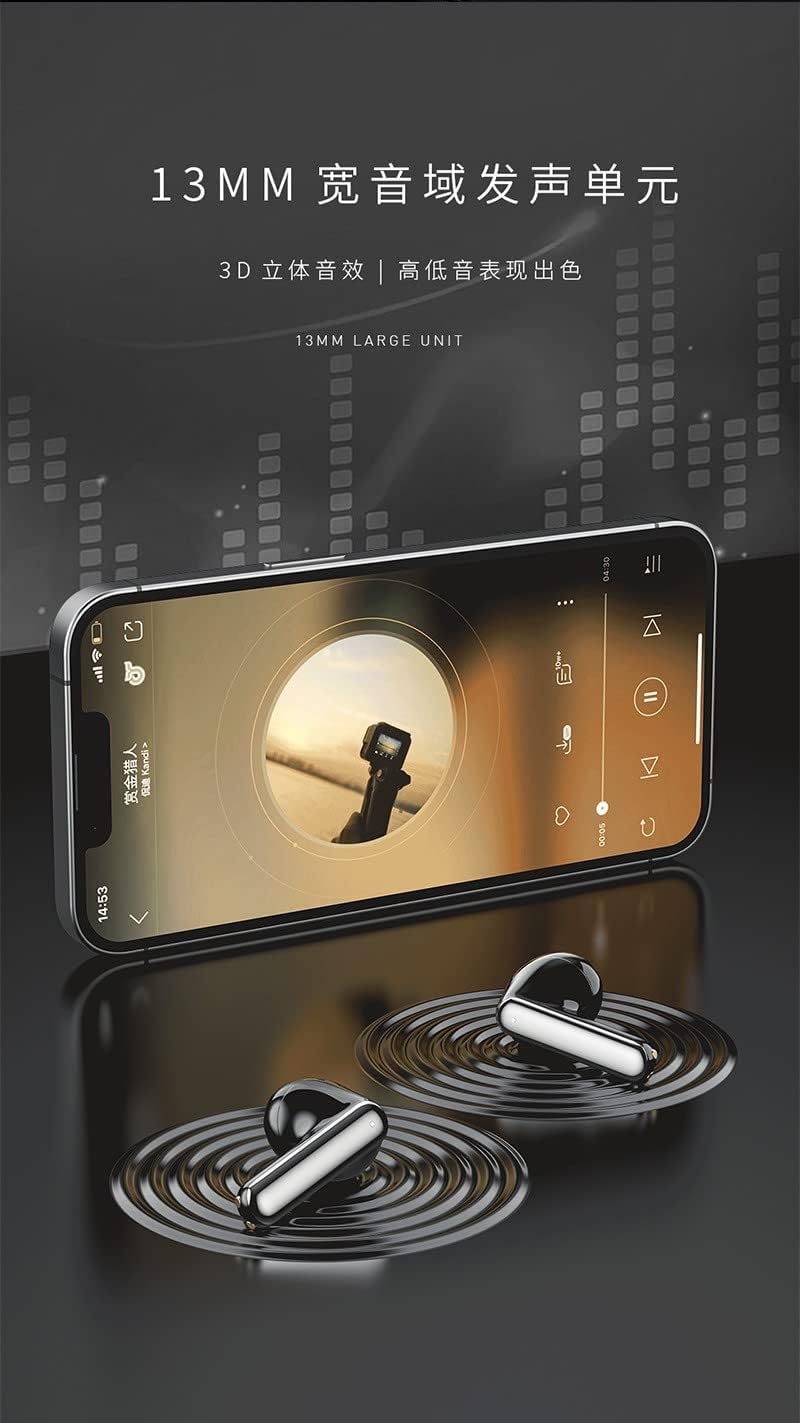
Figuur 3: The Recci REP-W42 earbuds delivering audio, emphasizing the 13mm large unit for enhanced sound quality.
Onderhoud
Schoonmaak:
- Maak de oordopjes en de oplaadcase regelmatig schoon met een zachte, droge, pluisvrije doek.
- Gebruik geen schuurmiddelen, alcohol of chemische oplosmiddelen.
- Verwijder voorzichtig eventueel oorsmeer of vuil van de oordopjes en het luidsprekergaas met een klein, zacht borsteltje of een wattenstaafje.
Opslag:
- Wanneer u de oordopjes niet gebruikt, kunt u ze het beste in de oplaadcase bewaren. Zo worden ze beschermd en blijven ze opgeladen.
- Bewaren op een koele, droge plaats, uit de buurt van extreme temperaturen en direct zonlicht.
batterij zorg:
- Zorg ervoor dat de batterij niet te vaak volledig ontladen wordt.
- Laad de oordopjes regelmatig op, ook als u ze langere tijd niet gebruikt, om de levensduur van de batterij te verlengen.
Probleemoplossing
| Probleem | Mogelijke oplossing |
|---|---|
| Oordopjes koppelen niet |
|
| Geen geluid uit één oordopje |
|
| Oordopjes laden niet op |
|
| Slechte geluidskwaliteit |
|
Specificaties
Below are the technical specifications for the Recci REP-W42 TWS Bluetooth In-Ear Earbuds.
| Functie | Detail |
|---|---|
| Merknaam | Algemeen |
| Modelnaam | Recci REP-W42 TWS Earbud |
| Kleur | Zilver |
| Plaatsing van de oren | In het oor |
| Vormfactor | In het oor |
| Geluidsbeheersing | Geluidsisolatie |
| Connectiviteitstechnologie | Draadloze |
| Draadloze communicatietechnologie | Bluetooth |
| Meegeleverde componenten | Eartip, Wireless Charging Case |
| Leeftijdscategorie Beschrijving | Volwassen |
| Aantal artikelen | 1 |
| Fabrikant | Algemeen |
| Earbud Shape | Afgeronde punten |
| Controletype | Stembediening |
| Controlemethode | Aanraken |
| Audiostuurprogrammatype | Dynamic Driver |
| Materiaal | Plastic |
| Specifieke toepassingen voor het product | Muziek |
| Aanbevolen toepassingen voor het product | Muziek |
| Compatibele apparaten | Desktops, laptops, smartphones, tablets |
| Kabelfunctie | Kabelvrij |
| Waterbestendigheidsniveau | Niet waterbestendig |
| Speciale kenmerken | Lichtgewicht |

Figuur 4: Gedetailleerd view of the 13mm dynamic driver, illustrating its components for enhanced audio performance.

Figuur 5: Representation of the Bluetooth 5.2 chip, ensuring stable and compatible wireless connectivity.
Garantie en ondersteuning
Specific warranty information for the Recci REP-W42 TWS Bluetooth In-Ear Earbuds is not provided in the product details. Please refer to the warranty card included in your product packaging or contact the retailer/manufacturer directly for details regarding warranty coverage and customer support.
For technical assistance or further inquiries, please reach out to the customer service department of your purchase point.