
Invoering
Thank you for choosing the LC-dolida Bluetooth Headband Headphones. This manual provides detailed instructions on how to set up, operate, and maintain your device. Please read this manual thoroughly before use to ensure optimal performance and longevity of your product.
Inhoud van het pakket
Controleer het pakket op de volgende items:
- LC-dolida Bluetooth Headband Headphones (Model LC001)
- USB-oplaadkabel
- Gebruiksaanwijzing
Als er items ontbreken of beschadigd zijn, neem dan contact op met de klantenservice.
Product voorbijview
The LC-dolida Bluetooth Headband Headphones (Model LC001) are designed for versatile use, combining a comfortable headband with integrated audio technology. They are suitable for various activities including sleep, sports, and general audio listening.

Afbeelding: Voorzijde view of the LC-dolida Bluetooth Headband Headphones, highlighting the control panel.
Belangrijkste kenmerken:
- 3-in-1 ontwerp: Functions as a sports headband, sleep mask, and Bluetooth headphones.
- Comfortabel materiaal: Made from highly elastic, breathable, and sweat-wicking fabric.
- Ultra-Thin Speakers: Designed for comfort, especially for side sleepers, with adjustable positioning.
- Bluetooth 5.2-connectiviteit: Provides stable connections and clear audio.
- Ingebouwde microfoon: Maakt handsfree bellen mogelijk.

Image: Visual representation of the headband's material properties: soft, sweat-absorbing, elastic, and breathable.

Image: Depiction of the headband's comfort for side sleepers, highlighting the super thin speakers and zero pressure design.
Instellen
1. Eerste keer opladen
- Connect the provided USB charging cable to the charging port on the headband.
- Sluit het andere uiteinde van de USB-kabel aan op een USB-stroomadapter (niet meegeleverd) of op een USB-poort van een computer.
- The LED indicator light will illuminate during charging.
- Een volledige lading duurt doorgaans 1-2 uur. De led-indicator verandert van kleur of gaat uit zodra het opladen is voltooid.

Image: Visual guide for charging time (2 hours) and approximate playtime (14 hours).
2. Bluetooth-koppeling
- Zorg ervoor dat de hoofdband volledig is opgeladen.
- Press and hold the Power button on the control panel until the LED indicator light flashes blue and red, indicating pairing mode.
- Schakel Bluetooth in op uw apparaat (smartphone, tablet, enz.) en zoek naar beschikbare apparaten.
- Select "LC-dolida" from the list of devices.
- Zodra de verbinding tot stand is gebracht, brandt de LED-indicator doorgaans blauw of knippert hij langzaam blauw.
- Automatisch opnieuw verbinden: After the initial pairing, the headband will automatically attempt to connect to the last paired device when powered on, provided the device's Bluetooth is active and within range.
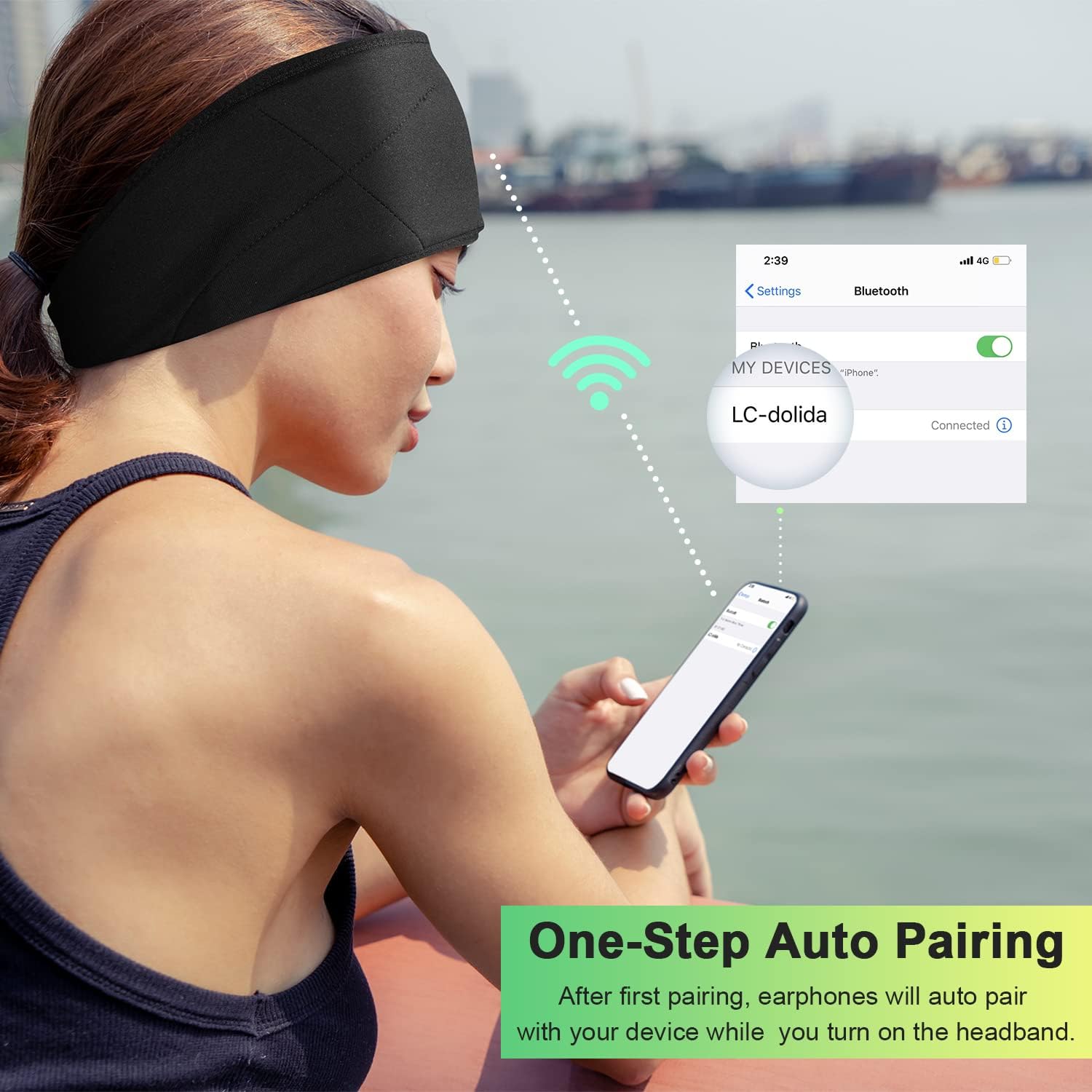
Image: Illustration of the one-step auto pairing process with a smartphone.

Image: Visual confirmation of strong compatibility with various Bluetooth-enabled devices (Android, iOS, Windows).
Gebruiksaanwijzing
Functies van het bedieningspaneel
The control panel on the headband allows you to manage power, music playback, and calls.
- Aan/uit: Press and hold the Power button (center button) for approximately 3 seconds.
- Muziek afspelen/pauzeren: Druk eenmaal op de aan/uit-knop.
- Volume omhoog: Druk op de "+" knop.
- Volume verminderen: Druk op de "-" knop.
- Volgende nummer: Houd de knop "+" 2 seconden ingedrukt.
- Vorig nummer: Houd de "-" knop 2 seconden ingedrukt.
- Oproep beantwoorden/beëindigen: Druk eenmaal op de aan/uit-knop.
- Oproep afwijzen: Houd de aan/uit-knop 2 seconden ingedrukt.
- Laatste nummer opnieuw kiezen: Druk twee keer op de aan/uit-knop.

Image: Visual highlighting of the HIFI music and HD stereo sound capabilities.
Luidsprekeraanpassing
The ultra-thin speakers inside the headband can be gently moved to align with your ears for optimal sound and comfort. Simply slide them within the fabric casing to find your preferred position.
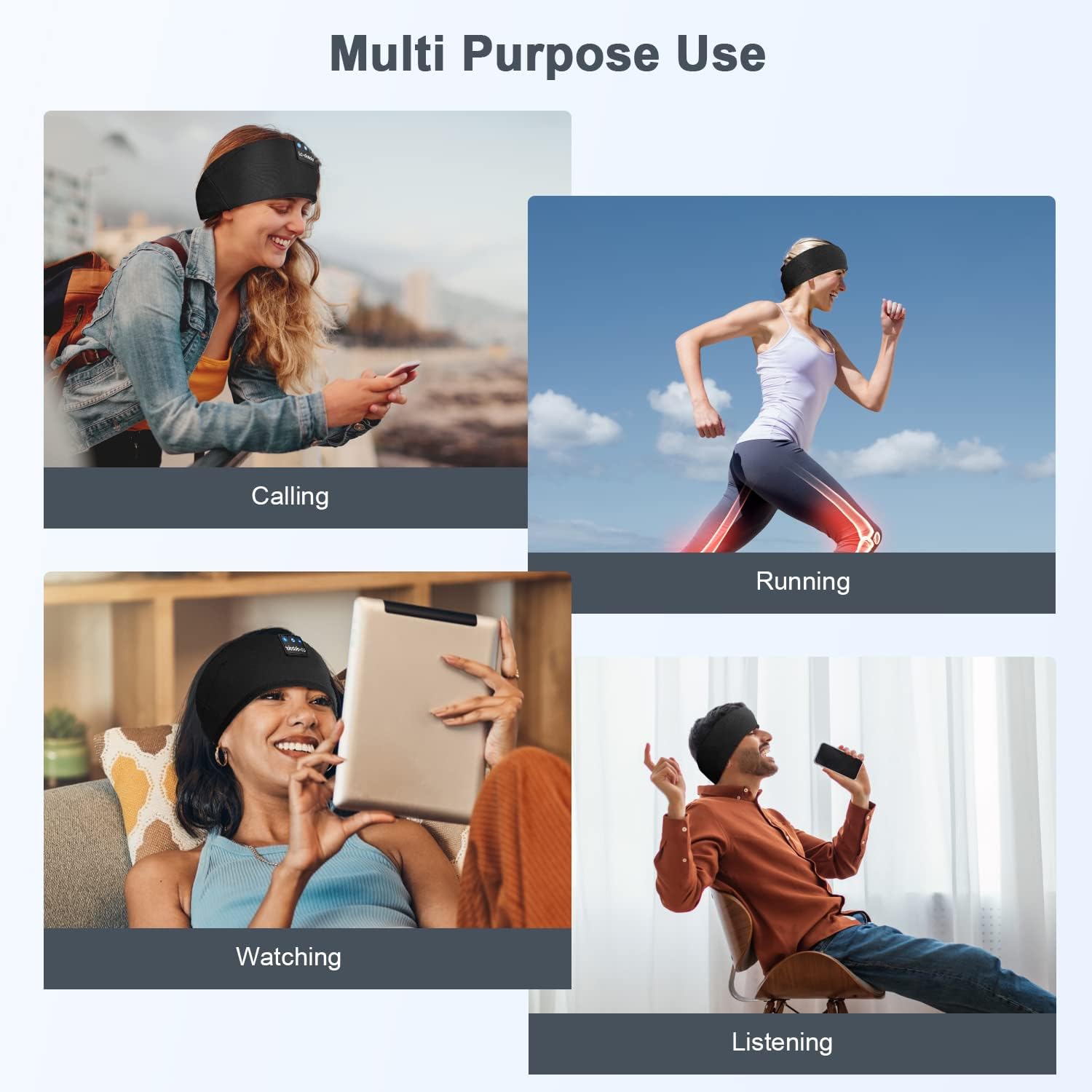
Afbeelding: Examples of multi-purpose use, including hands-free calling, running, watching media, and general listening.
Onderhoud
Het hoofdbandje schoonmaken
- Before cleaning, ensure the headband is powered off and disconnected from any charging source.
- Gently remove the electronic module (control panel and speakers) from the fabric headband.
- The fabric headband can be hand-washed with mild soap and cold water. Do not machine wash or tumble dry.
- Allow the fabric headband to air dry completely before reinserting the electronic module.
- Wipe the electronic module with a dry, soft cloth. Do not immerse it in water.
Opslag
- Store the headband in a cool, dry place away from direct sunlight and extreme temperatures.
- Avoid placing heavy objects on the headband to prevent damage to the speakers or internal components.
Probleemoplossing
| Probleem | Mogelijke oorzaak | Oplossing |
|---|---|---|
| Headband does not power on. | Batterij bijna leeg. | Charge the headband for 1-2 hours. |
| Kan geen koppeling maken met het apparaat. | Bluetooth is off on your device; headband is not in pairing mode; device is too far. | Ensure Bluetooth is enabled on your device. Put the headband into pairing mode (flashing blue/red LED). Move device closer to the headband. |
| Geen geluid of zacht volume. | Volume too low on headband or device; speakers misaligned; connection issue. | Increase volume on both the headband and your device. Adjust speaker position within the headband. Re-pair the device. |
| Onderbroken verbinding. | Apparaat te ver weg; storing; lege batterij. | Move closer to your device. Avoid strong electromagnetic interference. Charge the headband. |
| Microfoon werkt niet. | Microphone blocked; device settings. | Ensure the microphone area is clear. Check your device's audio input settings. |
Als u problemen ondervindt die hier niet worden vermeld, raadpleeg dan het gedeelte Garantie en ondersteuning voor hulp.
Specificaties
| Modelnaam | LC001 |
| Connectiviteitstechnologie | Draadloos (Bluetooth) |
| Bluetooth-versie | 5.2 |
| Bluetooth-bereik | 45 voet |
| Audiostuurprogrammatype | Dynamic Driver |
| Frequentiebereik | 20Hz - 20,000Hz |
| Levensduur van de batterij | Tot 13 uur (afspeeltijd) |
| Oplaadtijd | 1-2 uur |
| Controletype | Media Control (Buttons) |
| Waterbestendigheidsniveau | Niet waterbestendig |
| Artikelgewicht | 2.89 ons |
| Pakket afmetingen | 7.95 x 3.98 x 0.94 inch |
Opmerking: Specificaties kunnen zonder voorafgaande kennisgeving worden gewijzigd.
Garantie en ondersteuning
Fabrieksgarantie
This LC-dolida product comes with a one-year manufacturer's warranty from the date of purchase, covering defects in materials and workmanship under normal use.
Additionally, a 30-day satisfaction guarantee allows for a refund within 30 days of purchase if you are not satisfied with the product.
Klantenservice
For any questions, technical assistance, or warranty claims, please contact our after-sales team via email. We aim to provide a satisfactory solution within 6 hours.
Please visit the official LC-dolida webwebsite of uw aankoopplatform voor specifieke contactgegevens.