
Invoering
This manual provides essential information for the safe and efficient operation of your DASH Everyday Electric Cooktop. Please read all instructions carefully before first use and retain this manual for future reference.
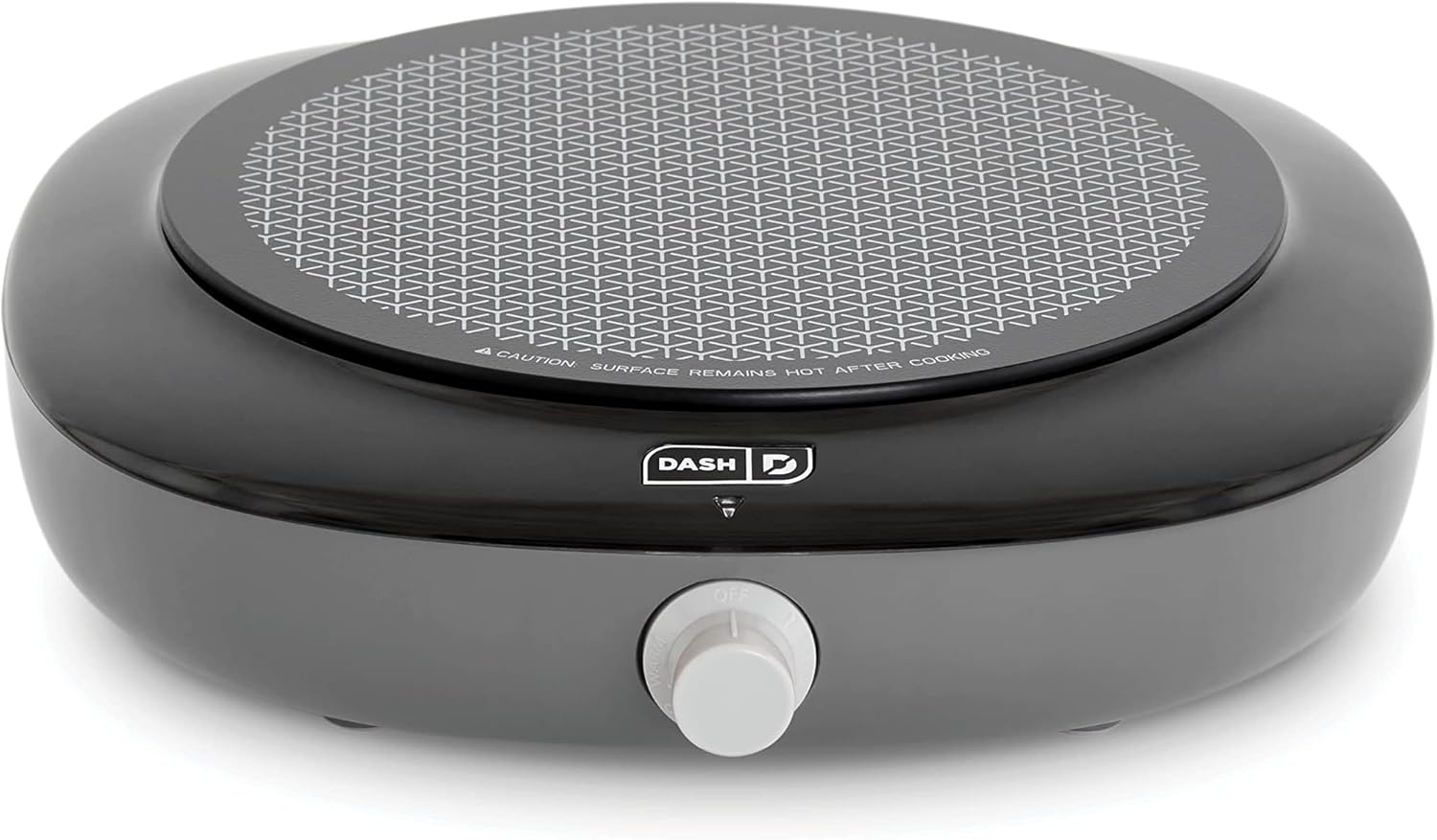
Image: The DASH Everyday Electric Cooktop in Graphite, showcasing its sleek design and single heating surface.
Belangrijke veiligheidsmaatregelen
To prevent personal injury or property damage, always follow basic safety precautions when using electrical appliances.
- Lees alle instructies.
- Raak geen hete oppervlakken aan. Gebruik handgrepen of knoppen.
- Om elektrische schokken te voorkomen, mag u het snoer, de stekker of het apparaat niet onderdompelen in water of een andere vloeistof.
- Wanneer een apparaat door of in de buurt van kinderen wordt gebruikt, is nauwlettend toezicht noodzakelijk.
- Haal de stekker uit het stopcontact wanneer u het niet gebruikt en voordat u het schoonmaakt. Laat het afkoelen voordat u onderdelen aanbrengt of verwijdert.
- Gebruik geen enkel apparaat waarvan het snoer of de stekker beschadigd is, of nadat het apparaat defect is geraakt of op enigerlei wijze beschadigd is.
- Het gebruik van accessoires die niet door de fabrikant van het apparaat worden aanbevolen, kan letsel veroorzaken.
- Niet buitenshuis gebruiken.
- Laat het snoer niet over de rand van een tafel of aanrecht hangen en laat het niet in aanraking komen met hete oppervlakken.
- Niet op of in de buurt van een hete gas- of elektrische kookplaat of in een hete oven plaatsen.
- Wees uiterst voorzichtig bij het verplaatsen van een apparaat dat hete olie of andere hete vloeistoffen bevat.
- Sluit altijd eerst de stekker aan op het apparaat en steek vervolgens de stekker in het stopcontact. Om de verbinding te verbreken, zet u een willekeurige knop op "uit" en haalt u vervolgens de stekker uit het stopcontact.
- Gebruik het apparaat niet voor andere doeleinden dan waarvoor het bedoeld is.
- Dit apparaat heeft een gepolariseerde stekker (één pen is breder dan de andere). Om het risico op een elektrische schok te verkleinen, is deze stekker bedoeld om slechts op één manier in een gepolariseerd stopcontact te passen. Als de stekker niet volledig in het stopcontact past, draai de stekker dan om. Als hij nog steeds niet past, neem dan contact op met een gekwalificeerde elektricien. Probeer de stekker op geen enkele manier te wijzigen.
- Er wordt een kort netsnoer meegeleverd om het risico te verkleinen dat u verstrikt raakt in een langer snoer of erover struikelt.
- Extension cords may be used if care is exercised in their use. If an extension cord is used, the marked electrical rating of the extension cord should be at least as great as the electrical rating of the appliance. The longer cord should be arranged so that it will not drape over the countertop or tabletop where it can be pulled on by children or tripped over unintentionally.
Onderdelen en kenmerken
Familiarize yourself with the components of your Everyday Electric Cooktop.
- Infrared Heating Surface: Provides rapid and even heating.
- Temperatuurregelknop: Adjusts heat settings.
- Indicatielampje: Illuminates when the cooktop is heating.
- Keramisch glazen oppervlak: Duurzaam en gemakkelijk schoon te maken.
- Snoeropbergruimte: Integrated into the base for convenient storage.
- Antislip voeten: Zorgt voor stabiliteit tijdens gebruik.

Image: The DASH Everyday Electric Cooktop with key dimensions highlighted: 8.5" cooking surface diameter, 11.3" depth, and 10.5" width.

Image: The underside of the cooktop, illustrating the integrated cord storage system for easy wrapping and organization.
Instellen
- Unpack the cooktop and remove all packaging materials.
- Place the cooktop on a stable, heat-resistant, and dry surface. Ensure there is adequate ventilation around the appliance.
- Ensure the temperature control knob is in the "OFF" position.
- Sluit het netsnoer aan op een standaard stopcontact.
Gebruiksaanwijzing
The DASH Everyday Electric Cooktop features five temperature settings for versatile cooking.
- Place your cookware (maximum 10-inch diameter) centrally on the infrared heating surface.
- Turn the temperature control knob to your desired setting. The indicator light will illuminate, signaling that the cooktop is heating.
- The indicator light will cycle on and off as the cooktop maintains the selected temperature.
- After cooking, turn the knob to the "OFF" position and unplug the appliance. Allow the cooktop to cool completely before cleaning or storing.

Image: The DASH Everyday Electric Cooktop displaying a table of its five temperature settings and their suggested uses, ranging from Warm to Sear.
Gids voor temperatuurinstellingen
| Instelling | Aanbevolen gebruik |
|---|---|
| Warm | Serving & holding foods at a low warm temperature |
| Laag | Voedsel voorzichtig opwarmen en op een warme temperatuur houden |
| Medium | Sudderen, koken van granen, eieren, toasten van sandwiches |
| Hi | Vlees bereiden, sauteren, braden |
| Schroeien | Water koken, vlees dichtschroeien, stomen |

Image: The DASH Everyday Electric Cooktop in use, with a pan containing bacon and scrambled eggs, demonstrating its cooking capability.
Reiniging en onderhoud
Proper cleaning ensures the longevity and performance of your cooktop.
- Haal altijd de stekker van de kookplaat uit het stopcontact en laat deze volledig afkoelen voordat u hem schoonmaakt.
- The temperature control knob can be removed for thorough cleaning. Gently pull it straight off.
- Veeg het keramische glasoppervlak af met advertentieamp cloth and mild detergent. For stubborn stains, use a non-abrasive cleaner designed for glass cooktops.
- Gebruik geen schuursponsjes, agressieve chemicaliën of staalwol, aangezien deze het oppervlak kunnen beschadigen.
- Never immerse the cooktop base, cord, or plug in water or any other liquid.
- Dry all parts thoroughly before storing or reusing.
Probleemoplossing
If you experience issues with your DASH Everyday Electric Cooktop, refer to the following common problems and solutions.
| Probleem | Mogelijke oorzaak | Oplossing |
|---|---|---|
| Kookplaat wordt niet warm. | Niet aangesloten; stopcontact defect; temperatuurknop niet ingesteld. | Ensure the cooktop is securely plugged into a working outlet. Turn the temperature knob to a desired setting. |
| Indicator light is off, but cooktop is hot. | Normale werking. | The indicator light cycles on and off to maintain the set temperature. This is normal. |
| Food cooks too slowly or unevenly. | Incorrect temperature setting; unsuitable cookware; pan too large. | Adjust temperature setting. Use flat-bottomed cookware suitable for electric cooktops. Ensure pan diameter is no more than 10 inches. |
| Cooktop shuts down during use. | Oververhittingsbeveiliging geactiveerd. | Unplug the unit and allow it to cool for at least 30 minutes. Ensure proper ventilation and that the pan is not excessively large or empty. |
Specificaties
| Functie | Detail |
|---|---|
| Merk | STREEPJE |
| Modelnummer | DECT100GBGT06 |
| Kleur | Grafiet |
| Materiaal | Keramisch glas |
| Verwarmingselementen | 1 |
| Productafmetingen | 11.3"D x 10.5"B x 2.8"H |
| Wattage | 1200 watt |
| Bedieningstype | Infrared Knob |
| Brandertype | Stralend |
| Energiebron | Elektrisch |
| Artikelgewicht | 2.1 pond |
| UPC | 810051858280 |
Garantie
DASH products are warranted to be free from defects in material and workmanship for a period of one (1) year from the date of original purchase when used for normal and intended household use. This warranty covers only the original retail purchaser. A dated sales receipt is required for all warranty claims.
For detailed warranty information and to register your product, please visit the official DASH webwebsite of neem contact op met de klantenservice.
Klantenservice
For further assistance, product registration, or warranty claims, please contact DASH customer support.
- Online hulp: Visit the official DASH webplaats.
- Telefonische ondersteuning: Raadpleeg de verpakking van uw product of de officiële website voor actuele contactnummers.
- For a digital copy of this manual, please refer to the product page on Amazon or the manufacturer's webplaats.