
1. Inleiding
Thank you for choosing the Mondaine A997MCAL86SBV Mini Wall Clock and Alarm Clock. This device combines the iconic Swiss Railways clock design with practical alarm functionality, suitable for both wall mounting and desk placement. This manual provides essential information for the proper setup, operation, and maintenance of your clock.
Belangrijkste kenmerken:
- Iconic Mondaine Swiss Railways clock design.
- Dual functionality: can be used as a wall clock or a desk clock.
- Geïntegreerde alarmfunctie.
- Durable aluminum case with a grey dial and matching hands.
- Compact 12.5 cm (4.92 inch) diameter.
2. Inhoud van het pakket
Controleer de inhoud van het pakket om er zeker van te zijn dat alle artikelen aanwezig en onbeschadigd zijn.
- Mondaine A997MCAL86SBV Mini Wall Clock and Alarm Clock
- Gebruiksaanwijzing (dit document)
- Let op: Batterijen zijn niet inbegrepen en moeten apart worden aangeschaft.
3. Veiligheidsinformatie
Please read and understand all safety instructions before using the clock. Failure to follow these instructions may result in damage to the product or personal injury.
- Houd de klok uit de buurt van water en een hoge luchtvochtigheid.
- Avoid exposing the clock to extreme temperatures or direct sunlight for prolonged periods.
- Probeer de klok niet zelf te demonteren of te repareren. Laat alle onderhoudswerkzaamheden uitvoeren door gekwalificeerd personeel.
- Gooi gebruikte batterijen op een verantwoorde manier weg volgens de plaatselijke regelgeving.
- Houd batterijen buiten bereik van kinderen.
4. Instellen
4.1 Batterij installatie
- Zoek het batterijklepje aan de achterkant van de klok.
- Verwijder de kap door deze open te schuiven of voorzichtig open te wrikken.
- Insert one (1) product-specific battery (not included) into the compartment, ensuring the positive (+) and negative (-) terminals align correctly with the markings.
- Plaats het deksel van het batterijcompartiment veilig terug.
4.2 De tijd instellen
- On the back of the clock, locate the time setting knob (usually a small wheel or crown).
- Rotate the knob in either direction to move the hour and minute hands to the correct time.
- Ensure the hands are aligned properly and move smoothly.
4.3 Placement (Wall Mount or Desk)
Your Mondaine clock is designed for versatile placement.
- For Desk Use: Place the clock on a stable, flat surface. The integrated stand (if present) should be extended for stability.
- Voor wandmontage: Use a suitable screw or hook (not included) securely fastened into the wall. Hang the clock using the keyhole slot on the back. Ensure the clock is level and securely mounted to prevent it from falling.
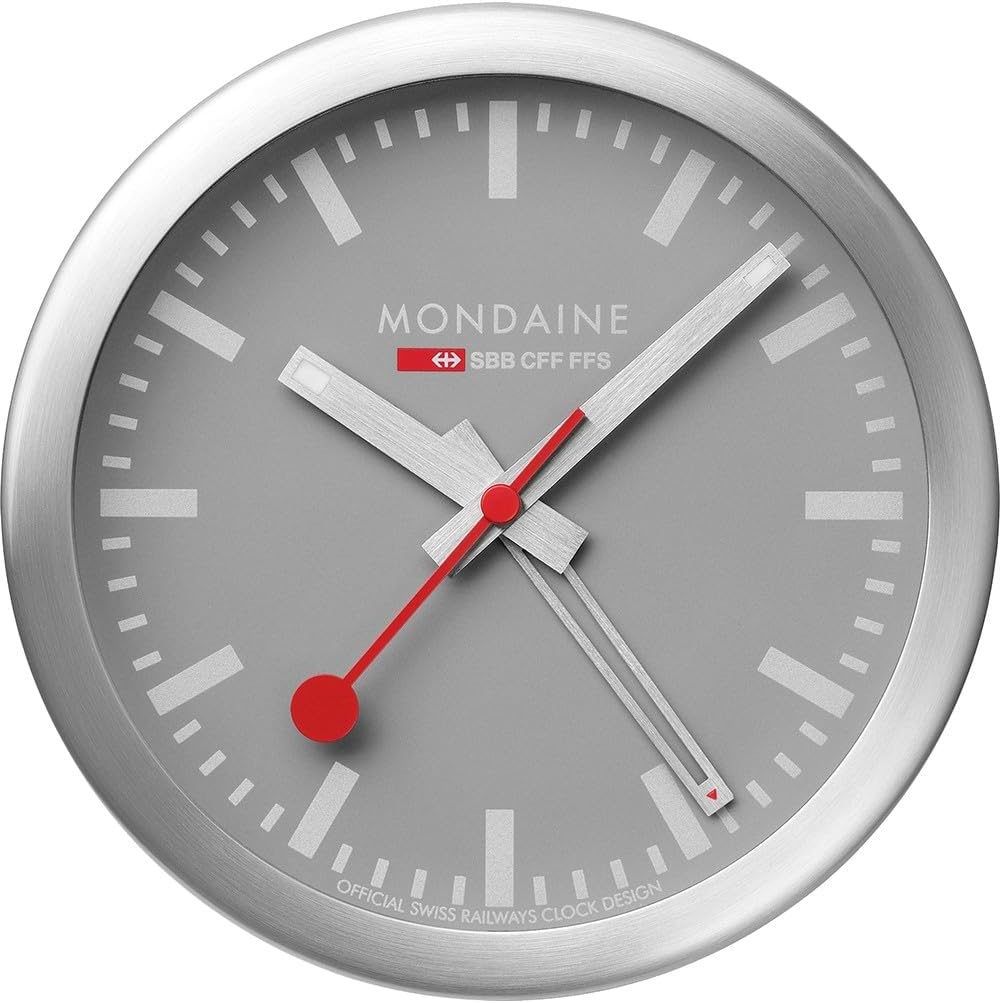
Figuur 1: Voorzijde view of the Mondaine A997MCAL86SBV Mini Wall Clock.

Figure 2: Dimensions of the Mondaine A997MCAL86SBV Mini Wall Clock, indicating a 4.92-inch diameter.
5. Gebruiksaanwijzing
5.1 Het alarm instellen
- Locate the alarm setting knob on the back of the clock (distinct from the time setting knob).
- Rotate this knob to move the alarm hand (often a smaller, separate hand or indicator) to your desired alarm time.
- Be mindful of AM/PM if your clock has a 12-hour display and the alarm mechanism distinguishes between them (though typically for simple analog alarms, it's a 12-hour cycle).
5.2 Alarm activeren/deactiveren
- Find the alarm ON/OFF switch or button on the back or side of the clock.
- Schuif de schakelaar naar de stand "AAN" om het alarm te activeren.
- When the alarm sounds, slide the switch to the "OFF" position to deactivate it. Some models may have a snooze button on top; press it to temporarily silence the alarm.
6. Onderhoud
6.1 Reinigen
- Wipe the clock's surface with a soft, dry, lint-free cloth.
- Gebruik geen schurende reinigingsmiddelen, oplosmiddelen of chemische sprays, aangezien deze de afwerking kunnen beschadigen.
- Voorkom dat er vocht in het uurwerk terechtkomt.
6.2 Batterij vervangen
- Replace the battery when the clock starts losing time or the alarm function weakens.
- Volg de stappen voor het installeren van de batterij zoals beschreven in paragraaf 4.1.
- Always use a fresh, high-quality battery of the specified type.
7. Probleemoplossing
| Probleem | Mogelijke oorzaak | Oplossing |
|---|---|---|
| De klok loopt niet of verliest tijd. | Dode of zwakke batterij. | Vervang de batterij door een nieuwe. |
| Alarm klinkt niet. | Alarm is niet geactiveerd of verkeerd ingesteld. | Ensure the alarm switch is "ON" and the alarm hand is set to the desired time. Check battery. |
| Clock hands are stuck. | Een obstructie of een probleem met het interne mechanisme. | Gently check for any visible obstructions. If none, contact customer support. Do not force the hands. |
| Loud ticking noise. | Normal operation for some analog movements. | This is often characteristic of analog clocks. If it's unusually loud, ensure the clock is on a stable surface. |
8. Specificaties
| Merk | Mondaine |
| Modelnummer | A997MCAL86SBV |
| Kleur | Grijs/Zilver |
| Weergavetype | Analoog |
| Speciale functie | Alarm |
| Productafmetingen | 12.5 cm (4.92"W x 4.92"H) |
| Energiebron | Op batterijen |
| Vorm | Ronde |
| Binnen-/buitengebruik | Binnen |
| Framemateriaal | Aluminium |
| Wijzerplaatkleur | Grijs |
| Montagetype | Wall Mount (also suitable for desk placement) |
| Artikelgewicht | 0.4 kilogram (14.1 ounces) |
| Batterijen vereist | Yes (1 Product Specific battery) |
| Batterijen inbegrepen | Nee |
9. Garantie en ondersteuning
9.1 Garantie-informatie
This Mondaine clock comes with a manufacturer's warranty. Please refer to the warranty card included with your purchase for specific terms, conditions, and duration. In cases where no specific guarantee is provided, standard consumer rights apply.
9.2 Klantenservice
For technical assistance, troubleshooting beyond this manual, or warranty claims, please contact Mondaine customer support.
- Webwebsite: www.mondaine.com
- E-mailadres: Raadpleeg de officiële webwebsite voor contactgegevens.
- Telefoon: Raadpleeg de officiële webwebsite voor contactgegevens.