
1. Overview
The SnapFresh 20V 4.0Ah Lithium-Ion Battery (Model BBT-DC40A) is designed to provide reliable power for your SnapFresh 20V cordless tools. This high-capacity battery offers extended runtime and features an integrated LED fuel gauge for convenient monitoring of the charge level. It is engineered for durability and includes multiple protection features to ensure safe operation and longevity.
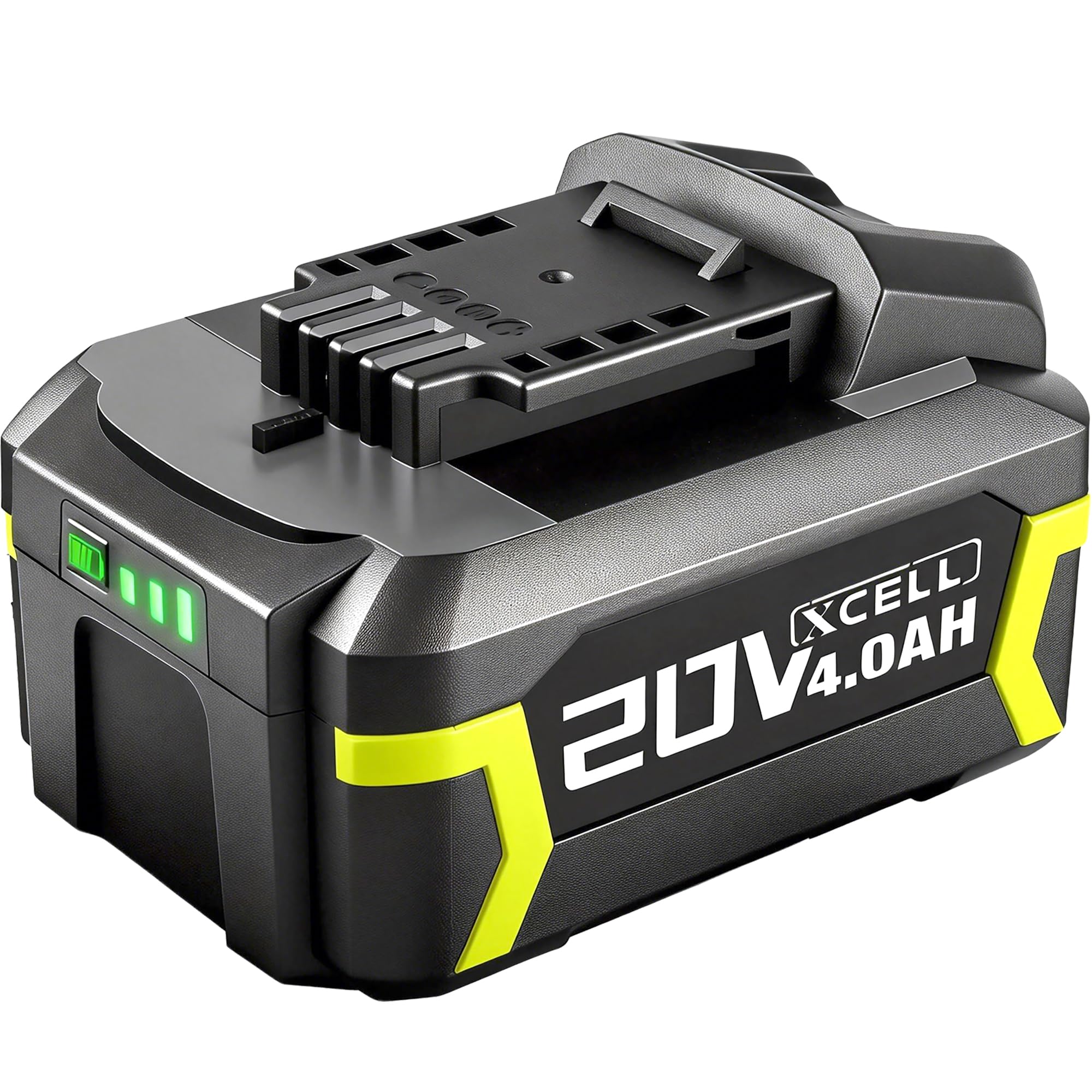
Figure 1: SnapFresh 20V 4.0Ah Lithium-Ion Battery (Model BBT-DC40A)
2. Veiligheidsinformatie
Lees en begrijp alle veiligheidswaarschuwingen en instructies voordat u deze batterij gebruikt. Het niet opvolgen van de waarschuwingen en instructies kan leiden tot een elektrische schok, brand en/of ernstig letsel.
- Verenigbaarheid: Deze batterij is ONLY compatible with SnapFresh 20V cordless tools and chargers. Do not attempt to use it with tools or chargers from other brands, as this may cause damage or injury.
- Opladen: Use only the specified SnapFresh 20V charger (e.g., BBT-XH20V, BBT-YFT20V) for this battery. Charging with an incompatible charger may create a risk of fire.
- Opslag: Store the battery away from metal objects like paper clips, coins, keys, nails, screws, or other small metal objects that can make a connection from one terminal to another. Shorting the battery terminals together may cause burns or a fire.
- Temperatuur: Do not expose the battery to extreme temperatures (above 50°C / 122°F or below -10°C / 14°F) or direct sunlight.
- Schade: Gebruik geen batterijpakket of apparaat dat beschadigd of aangepast is. Beschadigde of aangepaste batterijen kunnen onvoorspelbaar gedrag vertonen, wat kan leiden tot brand, explosie of risico op letsel.
- Beschikbaarheid: Do not dispose of batteries in fire or water. Always follow local regulations for battery recycling and disposal.
- Behandeling: Do not open, crush, heat above 100°C (212°F), or incinerate the battery.

Figure 2: SnapFresh 20V 4.0Ah Battery, compatible only with SnapFresh 20V tools and chargers.
3. Belangrijkste kenmerken
- Hoge capaciteit: 4.0Ah capacity provides extended runtime for various tasks, effectively doubling the capacity of two 2.0Ah batteries.
- LED Fuel Gauge: A 3-LED indicator system provides immediate feedback on the battery's state of charge, allowing you to monitor remaining power.

Figure 3: Battery with visible LED indicator for charge status.
- Snel opladen: Achieves full capacity in approximately 110 minutes when used with a compatible SnapFresh fast charger.
- Verbeterde bescherming: Built-in intelligent management system provides comprehensive protection against:
- Oververhittingsbeveiliging
- Overstroombeveiliging
- meer dan voltage Bescherming
- Kortsluitbeveiliging
- Over ontladingsbescherming
- Overbelastingsbeveiliging
- Duurzame constructie: Features premium 18650 cells and enhanced impact protection for increased durability and heat dissipation.
Video 1: Overview of the SnapFresh 20V Lithium-ion Battery features and compatibility with various tools.
4. Instellen en installeren
4.1 De batterij opladen
Before first use, fully charge the battery. Use only a compatible SnapFresh 20V charger.
- Connect the SnapFresh 20V charger to a standard power outlet.
- Align the battery with the charger's slot and slide it in until it clicks securely into place.
- Het indicatielampje van de oplader geeft de laadstatus weer. Raadpleeg de handleiding van uw oplader voor specifieke informatie over de verschillende lichtpatronen.
- Het volledig opladen duurt normaal gesproken ongeveer 110 minuten.
- Zodra deze volledig is opgeladen, verwijdert u de batterij uit de oplader.

Figure 4: SnapFresh 20V 4.0Ah Battery on a compatible SnapFresh charger (BBT-XH20V and BBT-YFT20V models shown).
4.2 De batterij in een gereedschap plaatsen
Ensure the tool is turned off before installing or removing the battery.
- Align the battery with the battery port on your SnapFresh 20V tool.
- Slide the battery into the tool until it clicks firmly into place. Ensure it is fully seated to prevent accidental dislodgement during operation.
- To remove the battery, press the release button (if present on your tool/battery) and slide the battery out.

Figure 5: Quick release mechanism for inserting and removing the battery from a SnapFresh tool.
5. Gebruiksaanwijzing
Once the battery is securely installed in a compatible SnapFresh 20V tool, operate the tool according to its specific instruction manual. Always monitor the battery's charge level using the LED indicator to avoid unexpected power loss during tasks.
- Laadniveau controleren: Press the button on the battery to illuminate the LED indicators.
- 3 LED's: 90-100% lading
- 2 LED's: 60-70% lading
- 1 LED: 30% charge (recharge soon)
- Optimale prestatie: For best results, allow the battery to cool down after heavy use before recharging.
Video 2: Demonstrates the SnapFresh 20V 4.0Ah Lithium-ion Battery in use with various SnapFresh tools, including a lawnmower, string trimmer, hedge trimmer, and leaf blower.
6. Onderhoud
- Schoonmaak: Keep the battery terminals clean and free of debris. Use a dry cloth to wipe any dust or dirt.
- Opslag: When not in use for extended periods, store the battery in a cool, dry place, away from direct sunlight and extreme temperatures. It is recommended to store the battery with a partial charge (around 50%) to prolong its lifespan.
- Vermijd diepe ontlading: Do not allow the battery to completely discharge. Recharge it when the LED indicator shows a low charge.
7. Probleemoplossing
| Probleem | Mogelijke oorzaak | Oplossing |
|---|---|---|
| Batterij laadt niet op |
|
|
| Short runtime / Rapid discharge |
|
|
| Battery LED indicator not working |
|
|
8. Specificaties
| Attribuut | Waarde |
|---|---|
| Merk | SnapFresh |
| Modelnummer | BBT-DC40A |
| Deeltage | 20 Volt |
| Batterijcapaciteit | 4.0 Amp Uren (4.0Ah) |
| Samenstelling van batterijcellen | Lithium-ion |
| Herbruikbaarheid | Oplaadbaar |
| Approx. Full Charge Time | 110 minutes (with compatible fast charger) |
| Gewicht | 450 gram |
| Verenigbaarheid | SnapFresh 20V cordless tools and chargers ONLY |
9. Garantie en ondersteuning
The SnapFresh 20V 4.0Ah Lithium-Ion Battery comes with a 1 jaar garantie vanaf de aankoopdatum. Deze garantie dekt defecten in materialen en vakmanschap bij normaal gebruik.
For warranty claims, technical support, or any questions regarding your SnapFresh product, please contact SnapFresh customer service. You can find contact information on the official SnapFresh webwebsite of via uw verkoper.
Please have your model number (BBT-DC40A) and purchase date available when contacting support.