
1. Inleiding
This manual provides instructions for the Dicfeos 30X/40X LED Illuminated Magnifying Glass, Model DIC030. This device features a foldable design, 32 integrated LED lights with multiple modes, and dual magnification capabilities (30X and 40X). It is designed for various close-up tasks such as reading, crafting, and detailed inspection, offering enhanced visibility through its clear optical lenses and adjustable lighting.
The magnifier can be powered by either USB or AAA batteries, providing flexibility for both indoor and outdoor use.
2. Productcomponenten
Familiarize yourself with the main components of your Dicfeos magnifying glass:
- Hoofdlens: Provides 30X magnification.
- Small Lens: Integrated within the handle, offers 40X magnification for extremely fine details.
- LED-verlichting: 32 bright LEDs surrounding the main lens, offering cold, warm, and mixed light modes.
- Power Button/Light Mode Switch: Controls the LED lights and cycles through modes.
- Batterijcompartiment: Located in the handle, for 3x AAA batteries.
- USB-voedingspoort: For external USB power supply.
- Foldable Stand/Handle: Allows for handheld use or conversion into a desktop stand.

Figure 1: Key Components of the Magnifying Glass
3. Instellen
3.1 Voedingsopties
Your magnifying glass can be powered in two ways:
- Batterijvermogen: Requires 3x AAA 1.5V batteries (not included).
- Usb vermogen: Connect the provided USB cable to any available USB port (e.g., computer, wall adapter). Note that USB power is for operation only and does not recharge batteries.
3.2 Batterijen plaatsen
- Zoek het klepje van het batterijcompartiment op het handvat.
- Schuif of wrik het deksel voorzichtig open.
- Plaats 3x AAA-batterijen en let op de juiste polariteit (+/-) zoals aangegeven in het batterijcompartiment.
- Plaats het deksel van het batterijcompartiment veilig terug.
3.3 Connecting USB Power
- Locate the USB power port on the side of the handle.
- Insert the small end of the USB cable into the magnifier's port.
- Connect the larger end of the USB cable to a compatible USB power source.

Figure 2: Battery and USB Power Connection
4. Gebruiksaanwijzing
4.1 Uitvouwen en positioneren
- To use as a handheld magnifier, simply hold the handle. The textured non-slip handle provides a secure grip.
- To use as a desktop stand magnifier, gently unfold the handle to form a stable base. Adjust the angle as needed for comfortable viewind.

Figure 3: Folding Design and Handle Use
4.2 Het gebruik van de LED-verlichting
- Press the power button located on the handle to turn on the LED lights.
- Press the button again to cycle through the three light modes: cold light, warm light, and mixed light.
- Press a fourth time to turn off the lights.

Figure 4: LED Light Modes
4.3 Using Magnification
- 30x vergroting: Use the large main lens for general reading and viewing. Hold the magnifier at an appropriate distance from the object to achieve clear focus.
- 40x vergroting: For extremely small details, use the smaller integrated lens located on the handle. This lens provides higher magnification for precision tasks.
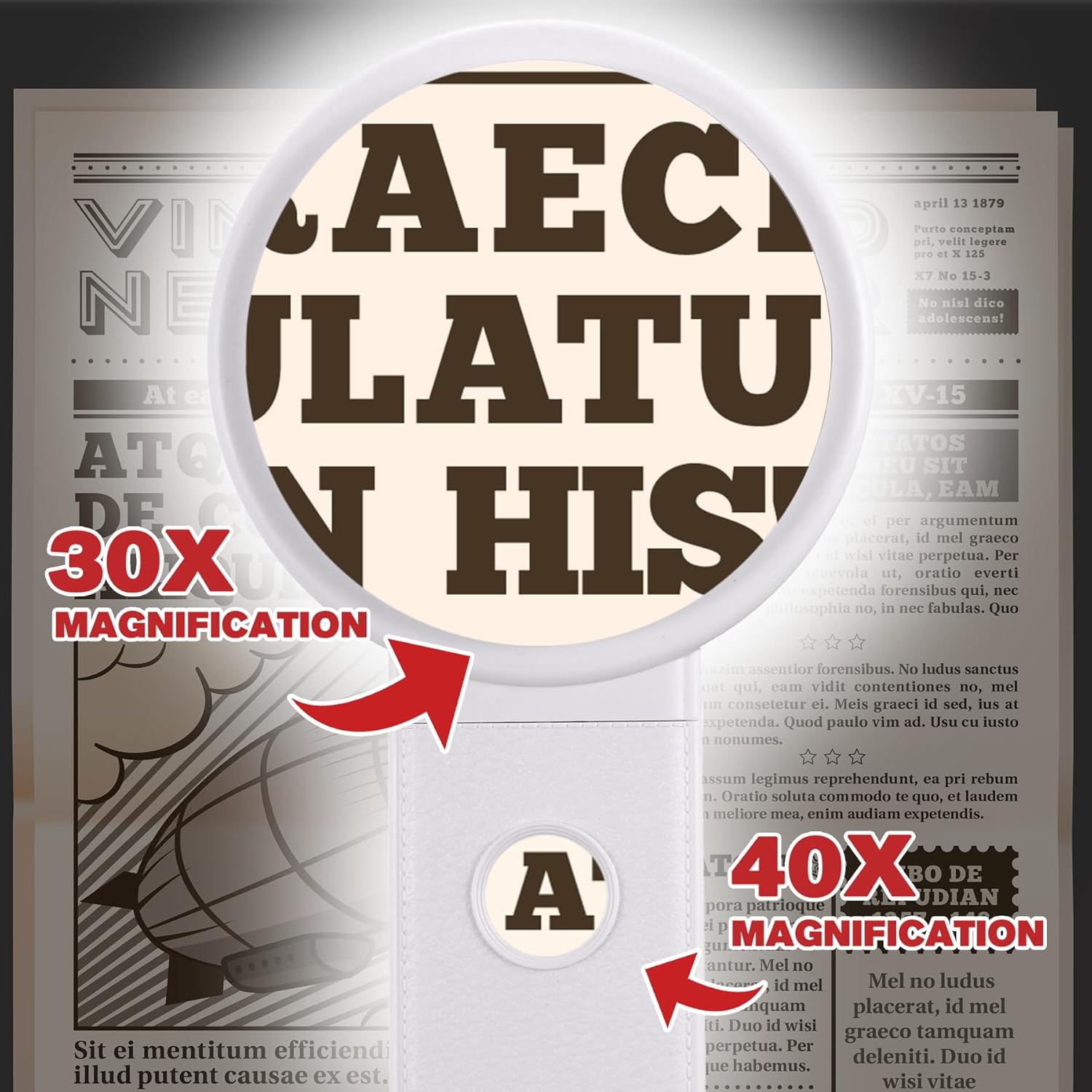
Figure 5: 30X and 40X Magnification in Use
5. Onderhoud
5.1 De lens reinigen
- Use a soft, lint-free cloth (e.g., microfiber cloth) to gently wipe the lens surfaces.
- Voor hardnekkige vlekken, lichtjes dampen the cloth with lens cleaning solution or water. Avoid harsh chemicals or abrasive materials.
- Ensure the lens is dry before storage or use.
5.2 Batterij vervangen
- When the LED lights dim or fail to turn on, it's time to replace the AAA batteries.
- Follow the instructions in Section 3.2 for safe battery replacement.
- Gooi gebruikte batterijen weg volgens de plaatselijke voorschriften.
5.3 Opslag
- Store the magnifying glass in a clean, dry place away from direct sunlight and extreme temperatures.
- Keep it away from sharp objects to prevent lens scratches.
- Verwijder de batterijen als u het apparaat voor langere tijd opbergt om lekkage te voorkomen.
6. Probleemoplossing
| Probleem | Mogelijke oorzaak | Oplossing |
|---|---|---|
| LED-lampjes gaan niet aan. | Batterijen zijn bijna leeg. USB-kabel niet goed aangesloten. Onjuiste polariteit van de batterij. |
Vervang de AAA-batterijen. Ensure USB cable is securely plugged into both the magnifier and power source. Controleer de richting van de batterij. |
| Magnified image is blurry or unclear. | Lens is vuil. Onjuist viewafstand. |
Maak de lens schoon met een zachte, pluisvrije doek. Adjust the distance between the lens and the object until the image is clear. |
| Magnifier feels unstable when used as a stand. | Handle not fully extended or locked into position. | Ensure the foldable handle is fully extended and positioned to create a stable base on a flat surface. |
7. Specificaties
| Functie | Detail |
|---|---|
| Merk | Dicfeos |
| Modelnummer | 030 DEC |
| Vergroting | 30X (Main Lens), 40X (Small Lens) |
| LED-verlichting | 32 LEDs (Cold, Warm, Mixed modes) |
| Energiebron | 3x AAA 1.5V Batteries (not included) or USB Power (non-rechargeable) |
| Lensmateriaal | Glas |
| Productafmetingen (L x B x H) | 20.07 x 9.4 x 0.1 cm (approximate, folded) |
| Artikelgewicht | 281 gram |
| Kleur | Wit |
8. Garantie en ondersteuning
Voor garantie-informatie of technische ondersteuning kunt u de productverpakking raadplegen of rechtstreeks contact opnemen met de fabrikant. Bewaar uw aankoopbewijs.
For further assistance, you may visit the Dicfeos official website of neem contact op met de klantenservice.