
TecTake 404377
TecTake® Metal Office Cabinet User Manual
Model: 404377
Merk: TecTake
Invoering
This user manual provides detailed instructions for the assembly, operation, and maintenance of your TecTake® 2-door metal office cabinet. Please read this manual thoroughly before beginning assembly or use to ensure proper installation and safe operation. Keep this manual for future reference.
Product voorbijview
The TecTake® metal office cabinet is designed for efficient organization and secure storage of documents and office supplies. It features a robust metal construction, two hinged doors, and multiple adjustable shelves to accommodate various items.

Het kabinet biedt ample internal space with adjustable shelves, ideal for storing various office items, including files and small safes.

Its elegant design allows the cabinet to seamlessly integrate into various office decors, providing both functionality and aesthetic appeal.
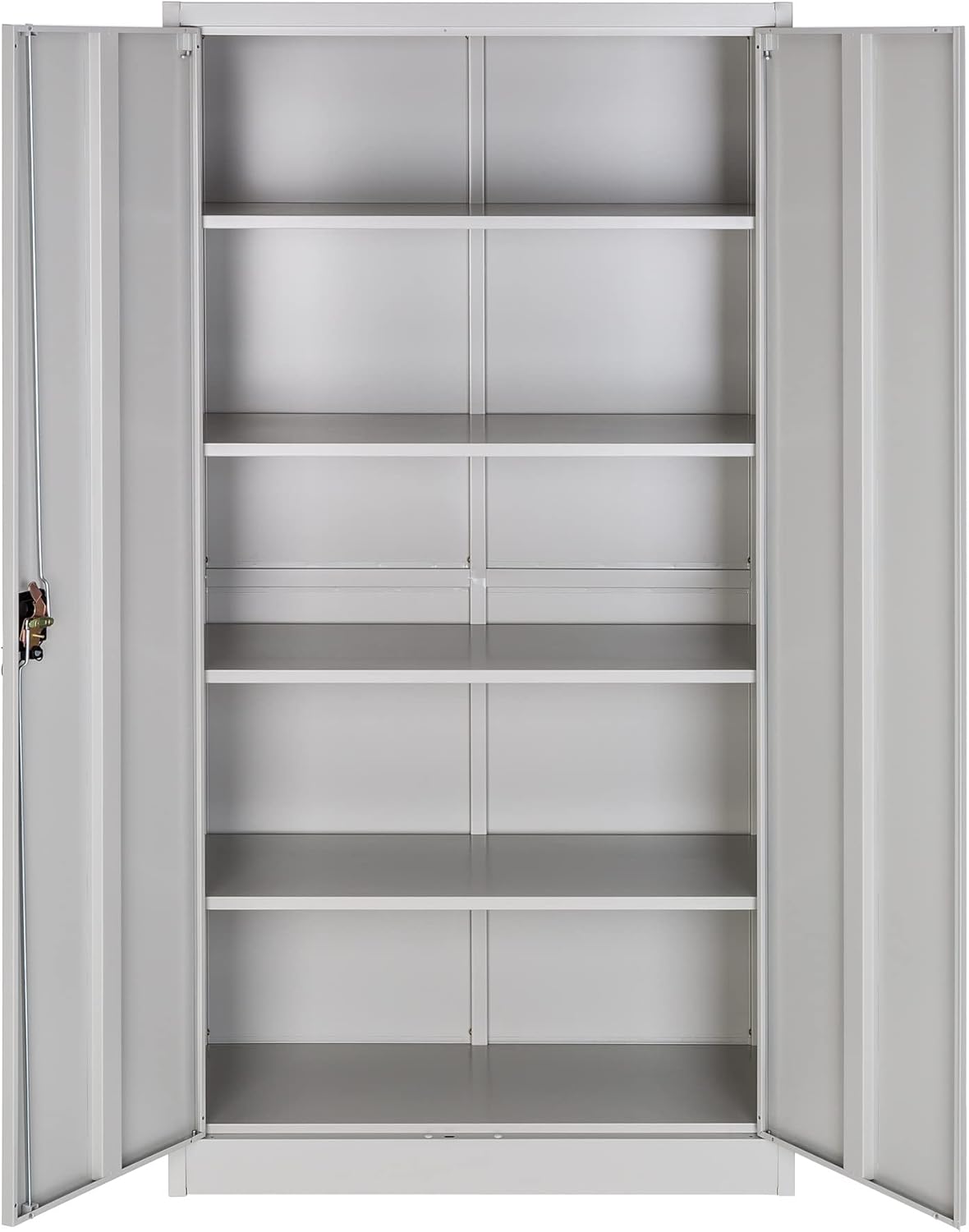
The cabinet features multiple empty shelves, demonstrating its versatile storage capacity before items are placed inside.

The cabinet's sleek, closed design ensures a tidy appearance in any office setting, concealing stored items.
Belangrijkste kenmerken:
- Exceptional Organization: Ample space for documents and supplies, robust structure, and high load capacity.
- Flexible Partitioning: Adjustable shelves for versatile internal space adaptation.
- Thoughtful System: Wide door opening angle for easy access and a central key lock for security.
- Duurzame constructie: Made of steel with a sober color that blends with any office decor.
- Eenvoudige montage en reiniging: Designed for straightforward setup and maintenance.
Componentenlijst
Before assembly, ensure all components are present and undamaged. Refer to the packaging list for a complete inventory. Typical components include:
- Kastpanelen (bovenkant, onderkant, zijkanten, achterkant)
- Scharnierende deuren
- Verstelbare planken
- Slotmechanisme en sleutels
- Assembly hardware (screws, bolts, nuts, shelf clips)
- Deurgrepen
Als er onderdelen ontbreken of beschadigd zijn, neem dan contact op met de klantenservice voordat u met de montage begint.
Opstelling en montage
Assembly typically requires two people and approximately one hour. Follow these steps carefully:
- Bereid het gebied voor: Choose a clean, flat, and spacious area for assembly. Lay down a blanket or cardboard to protect the cabinet panels from scratches.
- Monteer het frame: Attach the side panels to the bottom panel using the provided screws and bolts. Ensure all connections are secure.
- Installeer het achterpaneel: Slide or attach the back panel into the designated grooves or secure it with screws to the assembled frame.
- Bevestig het bovenpaneel: Bevestig het bovenpaneel aan de zij- en achterpanelen.
- Plankdragers installeren: Insert the shelf clips into the desired slots on the inner side panels. Ensure they are at the same height on both sides for level shelves.

Detail of the shelf support mechanism, showing how clips are inserted into the side panels to hold the shelves.
- Plaats planken: Plaats de verstelbare planken voorzichtig op de gemonteerde plankdragers.
- Deuren bevestigen: Mount the hinged doors to the cabinet frame using the provided hinges. Ensure the doors are aligned and swing freely.
- Slot en handgrepen installeren: Attach the door handles and the central lock mechanism. Test the lock with the provided keys to ensure it functions correctly.

Een gedetailleerde view of the central key lock, which provides security for the cabinet's contents.
- Laatste controle: Verify that all screws are tightened, the cabinet is stable, and the doors open and close smoothly.
For detailed visual instructions, refer to the assembly diagram included in your product packaging.
Gebruiksaanwijzing
De deuren openen en sluiten:
- To open, turn the key counter-clockwise to unlock, then pull the handle. The doors have a wide opening angle for full access.
- To close, push the doors firmly until they latch. Turn the key clockwise to lock the cabinet.
Planken aanpassen:
- Maak het schap dat u wilt verstellen leeg.
- Carefully lift the shelf and remove the four shelf clips from their current positions.
- Re-insert the shelf clips into the desired slots on the side panels, ensuring they are level.
- Plaats de plank terug op de klemmen.
Onderhoud
Schoonmaak:
Veeg de oppervlakken van de kast af met een zachte, damp cloth. For stubborn marks, a mild detergent can be used, followed by drying with a clean cloth. Avoid abrasive cleaners or solvents, as they may damage the finish.
Algemene zorg:
- Regularly check all screws and bolts for tightness and re-tighten if necessary to maintain stability.
- Do not overload shelves beyond their stated weight capacity (40 kg per shelf).
- Houd het slotmechanisme schoon en smeer het indien het stroef wordt.
Probleemoplossing
| Probleem | Mogelijke oorzaak | Oplossing |
|---|---|---|
| Deuren sluiten niet goed. | Misaligned hinges or uneven floor. | Check hinge alignment and adjust if needed. Ensure the cabinet is on a level surface. |
| De kast wiebelt. | Losse montageschroeven of een oneffen vloer. | Tighten all assembly screws. Use shims under the cabinet feet if the floor is uneven. |
| De sleutel draait niet in het slot. | Lock mechanism is stiff or obstructed. | Apply a small amount of graphite lubricant to the keyhole. Ensure no debris is blocking the mechanism. |
| De schappen staan niet waterpas. | Shelf clips are not inserted at the same height. | Remove the shelf and re-insert the shelf clips into corresponding slots on both sides. |
Specificaties
| Functie | Detail |
|---|---|
| Merk | TecTake |
| Model | 404377 |
| Kleur | Lichtgrijs |
| Algemene afmetingen (H x B x D) | 180 x 80 x 40 cm (ongeveer 70.9 x 31.5 x 15.7 inch) |
| Afmetingen van de plank (B x D) | 79.5 x 36 cm (ongeveer 31.3 x 14.2 inch) |
| Maximaal draagvermogen per plank | 40 kg (ongeveer 88 lbs) |
| Productgewicht | 39.3 kg (ongeveer 86.6 lbs) |
| Speciale kenmerken | Key lock, adjustable shelves |
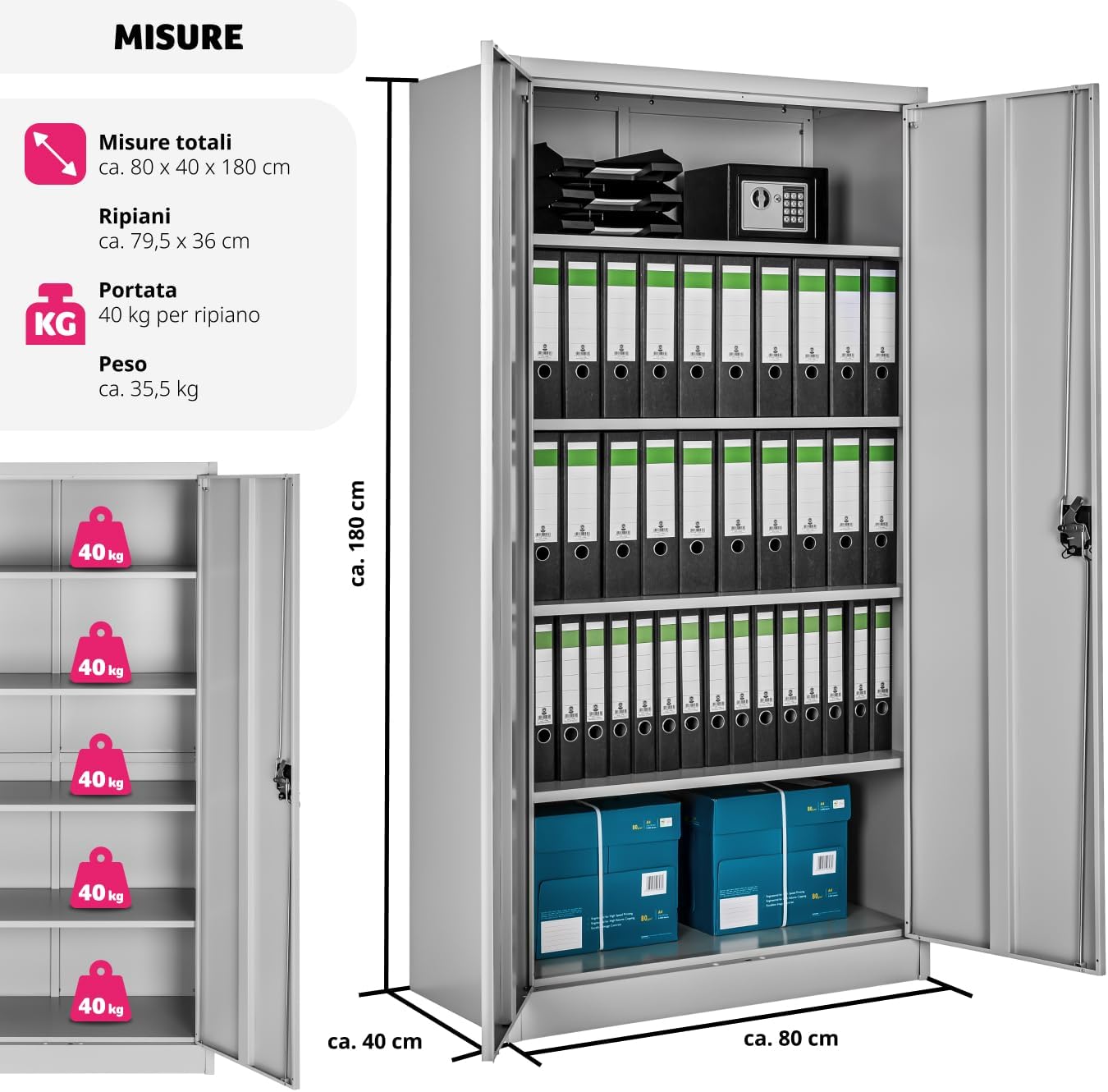
Visual representation of the cabinet's dimensions and individual shelf load capacity.
Garantie en ondersteuning
For warranty information, please refer to the documentation included with your purchase or visit the official TecTake website. For technical support, missing parts, or any inquiries, please contact TecTake customer service through their official channels.
Bewaar uw aankoopbewijs voor garantieclaims.
Ask a question about this manual
Ask about setup, troubleshooting, compatibility, parts, safety, or missing instructions. Manuals+ will review the question and use this page’s manual context to help answer it.