
1. Inleiding
This manual provides instructions for the PUSOKEI 1600DPI 2.4G Ergonomic Wireless Optical Mouse. This device is designed for comfortable use with computers and laptops, featuring a 2.4Ghz wireless connection and adjustable optical resolution.
Belangrijkste kenmerken zijn:
- Ergonomisch ontwerp voor comfortabel gebruik.
- 2.4Ghz wireless connectivity for a stable connection up to 10 meters.
- Adjustable optical resolution: 800, 1200, and 1600 DPI.
- Four buttons for versatile control.
- Intelligent circuit management for power efficiency.

Figure 1: PUSOKEI 2.4G Ergonomic Wireless Optical Mouse on a desk setup.

Figuur 2: Zijkant view of the mouse, showcasing het ergonomische ontwerp.
2. Inhoud van het pakket
Controleer het pakket op de volgende items:
- 1 x PUSOKEI Wireless Mouse
- 1 x USB-ontvanger
Note: 2 x AAA batteries are required and are not included in the package.
3. Installatiehandleiding
3.1 Batterijen plaatsen
- Zoek het batterijklepje aan de onderkant van de muis.
- Schuif of til het deksel voorzichtig op om het compartiment te openen.
- Insert two (2) AAA batteries, ensuring the correct polarity (+/-) as indicated inside the compartment.
- Plaats het batterijklepje terug totdat het goed vastklikt.

Afbeelding 3: Batterijcompartiment met verwijderde klep.
3.2 De USB-ontvanger aansluiten
- Locate the USB receiver, typically stored within the mouse's battery compartment or packaged separately.
- Sluit de USB-ontvanger aan op een beschikbare USB-poort van uw computer of laptop.
- Uw besturingssysteem zou de benodigde drivers automatisch moeten detecteren en installeren. Dit kan even duren.
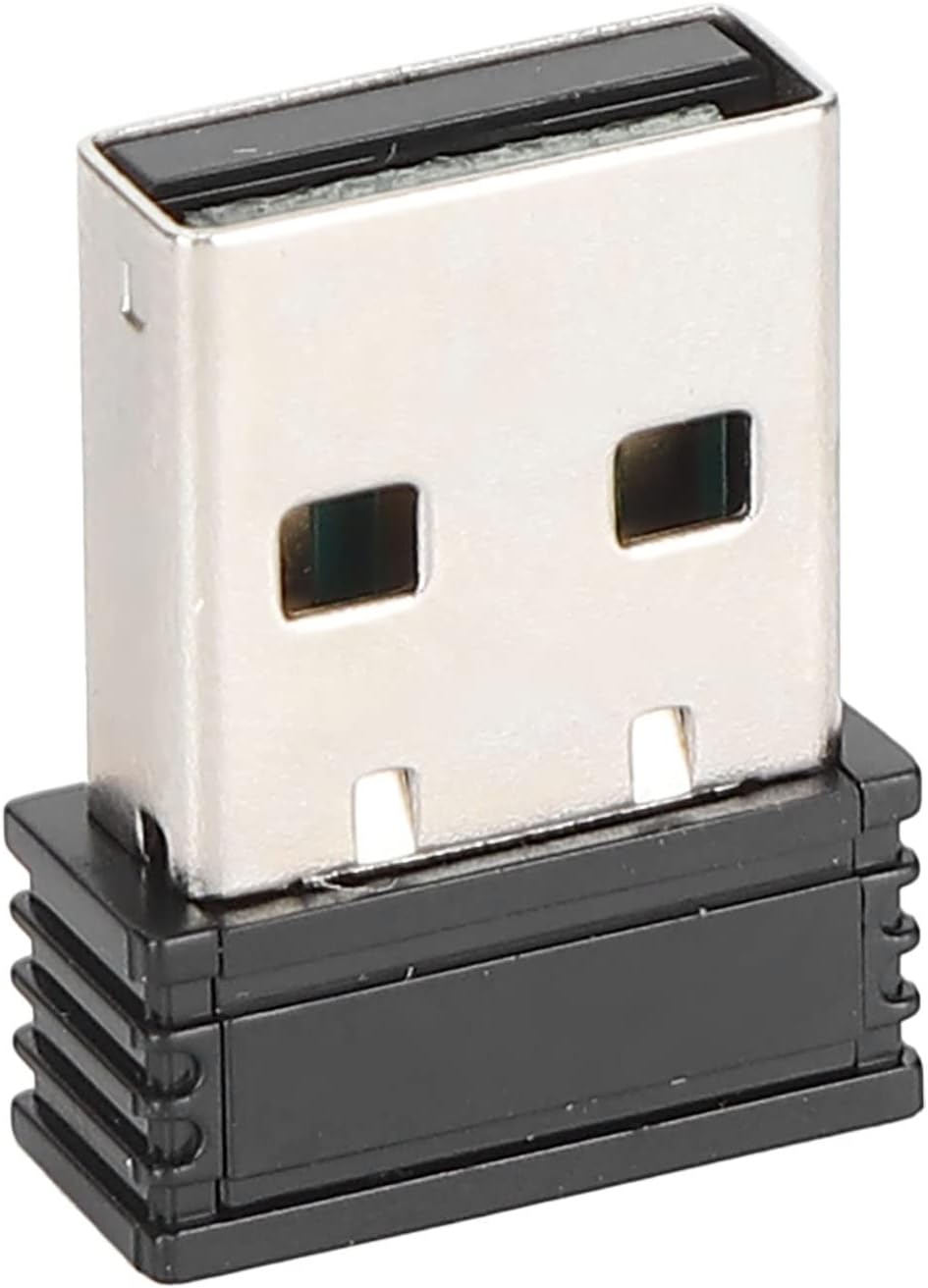
Figure 4: The compact USB receiver.
3.3 De muis inschakelen
After installing the batteries and connecting the USB receiver:
- Locate the ON/OFF switch on the underside of the mouse.
- Schuif de schakelaar naar de stand "AAN".
- The mouse should now be ready for use. Move the mouse to test its functionality.

Figure 5: Underside of the mouse with the ON/OFF switch.
4. Gebruiksaanwijzing
4.1 Basisfuncties
- Links klikken: Primaire selectie en activering.
- Klik met de rechtermuisknop: Accesses context menus.
- Muis wieltje: Bladert door documenten en web pagina's. Kan ook worden aangeklikt voor middelklikfunctionaliteit.
4.2 DPI (gevoeligheid) aanpassen
The mouse features an adjustable DPI setting, allowing you to change the cursor sensitivity to suit your preference or task. The available DPI settings are 800, 1200, and 1600 DPI.
- Locate the DPI button, usually positioned below the scroll wheel on the top of the mouse.
- Press the DPI button to cycle through the available sensitivity settings. Each press will switch to the next DPI level.
- Observe the cursor movement on your screen to determine the desired sensitivity.

Figure 6: DPI button for sensitivity adjustment.
4.3 Draadloos bereik
The mouse operates wirelessly up to a distance of approximately 10 meters (393.7 inches) from the USB receiver. Performance may vary depending on environmental factors and obstacles.
Video 1: Overview of the PUSOKEI 1600DPI 2.4G Ergonomic USB Mouse. This short video demonstrates the mouse's design and highlights its wireless functionality.
5. Onderhoud
5.1 Batterij vervangen
When the mouse performance degrades or it stops responding, it is likely time to replace the batteries. Follow the steps in Section 3.1 to replace the two (2) AAA batteries.
5.2 De muis schoonmaken
Om optimale prestaties en hygiëne te behouden:
- Gebruik een zachte, droge doek om de buitenkant van de muis af te vegen.
- Voor hardnekkig vuil, lichtjes dampReinig de doek met water of een milde reinigingsoplossing en veeg hem daarna direct droog.
- Gebruik geen agressieve chemicaliën of schuurmiddelen en dompel de muis niet onder in vloeistof.
- Periodically clean the optical sensor area on the underside of the mouse with a cotton swab to ensure accurate tracking.
6. Probleemoplossing
If you encounter issues with your PUSOKEI Wireless Mouse, please refer to the following common solutions:
| Probleem | Mogelijke oorzaak | Oplossing |
|---|---|---|
| Mouse not responding or intermittent connection | Low batteries, mouse is off, USB receiver disconnected, interference. | 1. Replace AAA batteries. 2. Ensure the ON/OFF switch is in the 'ON' position. 3. Re-insert the USB receiver into a different USB port. 4. Move the mouse closer to the receiver or away from other wireless devices. |
| De cursor beweegt onregelmatig of onnauwkeurig. | Dirty optical sensor, unsuitable surface, low DPI setting. | 1. Clean the optical sensor on the underside of the mouse. 2. Use the mouse on a clean, non-reflective surface or a mouse pad. 3. Press the DPI button to increase sensitivity. |
| USB receiver not recognized by computer | Driver issue, faulty USB port. | 1. Try plugging the USB receiver into a different USB port. 2. Restart your computer. 3. Ensure your operating system is up to date. |
7. Specificaties
| Functie | Detail |
|---|---|
| Merk | PUSOKEI |
| Modelnummer | PUSOKEIgmh839iocb1355-11 |
| Connectiviteitstechnologie | USB, Wireless (2.4Ghz) |
| Bewegingsdetectietechnologie | Optisch |
| Optische resolutie | 800-1200-1600 DPI |
| Aantal knoppen | 4 |
| Draadloze afstand | Ongeveer 10 m / 393.7 inch |
| Energiebron | Werkt op batterijen (2 x AAA, niet inbegrepen) |
| Compatibele apparaten | Laptop, pc |
| Besturingssysteem | Windows (Minimum Windows 7) |
| Materiaal | ABS |
| Handoriëntatie | Ambidexter |
8. Garantie en ondersteuning
Specific warranty information for this product is not provided in the available documentation. For warranty claims, technical support, or further assistance, please contact the retailer or manufacturer directly through their official support channels.