
1. Inleiding
Bedankt voor uw aankoopasing the Comix S360A Cross Cut Paper Shredder. This manual provides essential information for the safe and efficient operation, maintenance, and troubleshooting of your shredder. Please read these instructions carefully before use and retain them for future reference.
The Comix S360A is designed for secure disposal of sensitive documents, credit cards, and CDs. It features a cross-cut mechanism for enhanced security and includes a jam-proof system with reverse and forward functions to clear paper jams. An energy-saving mode ensures optimal efficiency during operation.
2. Belangrijke veiligheidsinstructies
WAARSCHUWING: Als u deze veiligheidsinstructies niet opvolgt, kan dit leiden tot brand, elektrische schokken of letsel.
- Houd kinderen en huisdieren uit de buurt van de hakselaar.
- Keep loose clothing, jewelry, hair, and ties away from the paper entry slot.
- Steek geen vingers of andere lichaamsdelen in de papierinvoeropening.
- Spuit geen ontvlambare producten of smeermiddelen in de papiervernietiger.
- Versnipper geen metalen voorwerpen, nat papier of zelfklevende etiketten.
- Haal de stekker van de papiervernietiger altijd uit het stopcontact wanneer u deze niet gebruikt of voordat u hem schoonmaakt.
- Gebruik de papiervernietiger niet als het netsnoer beschadigd is. Neem contact op met de klantenservice voor hulp.
- Zorg ervoor dat de papierversnipperaar op een stabiele, vlakke ondergrond staat.
- Overbelast de papiervernietiger niet, zolang de maximale capaciteit niet wordt overschreden.
3. Inhoud van het pakket
Controleer het pakket op de volgende items:
- Comix S360A Shredder Head
- Afvalbak (inhoud 13 liter)
- Gebruiksaanwijzing (dit document)
4. Instellen
- Pak de papiervernietiger uit: Haal alle onderdelen voorzichtig uit de verpakking.
- Place the Waste Bin: Position the waste bin on a flat, stable surface.
- Mount the Shredder Head: Carefully place the shredder head onto the top of the waste bin, ensuring it is securely seated. The shredder will not operate if the head is not correctly positioned.
- Sluit stroom aan: Sluit het netsnoer aan op een standaard stopcontact.
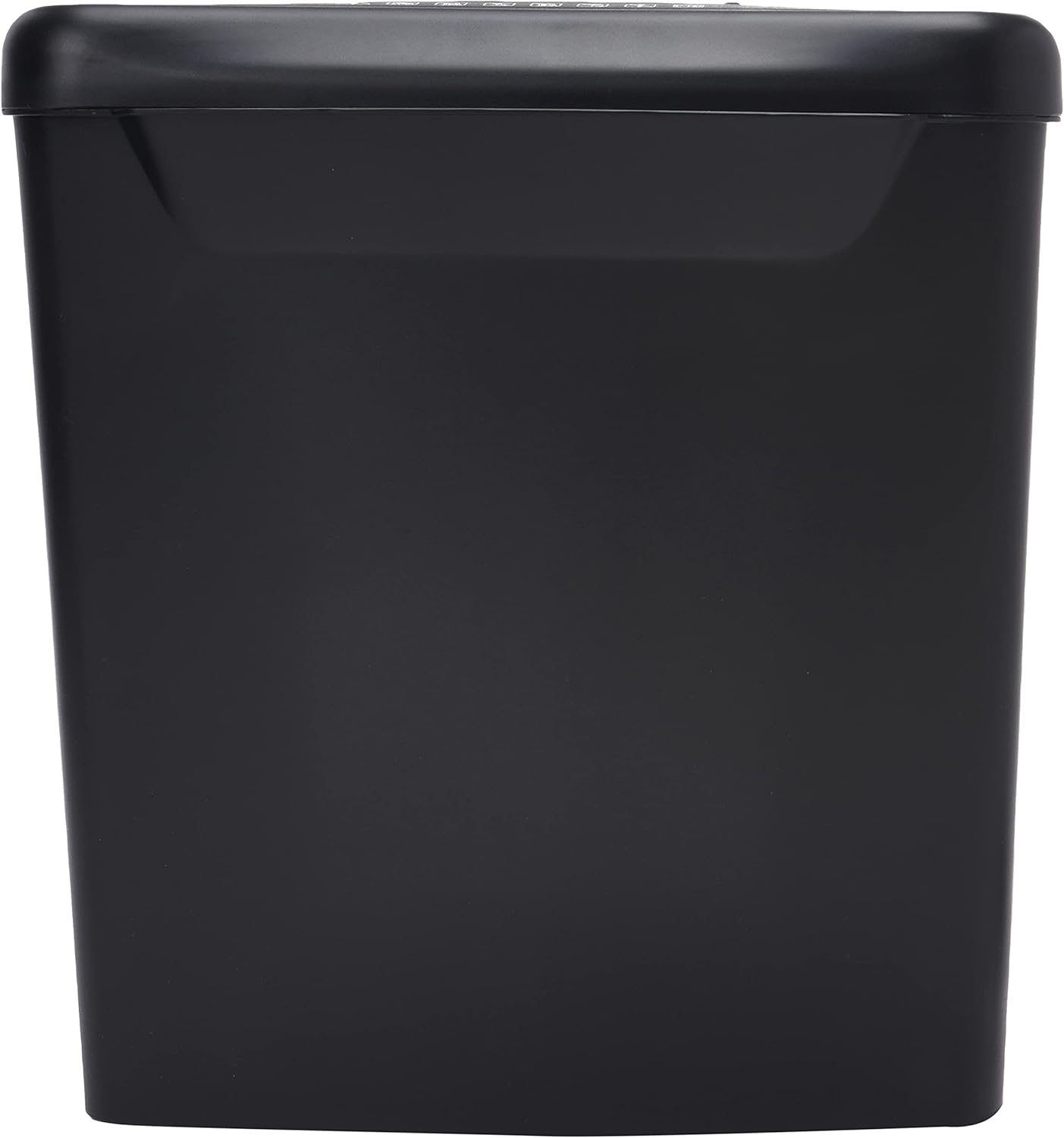
Afbeelding: Zijkant view of the Comix S360A shredder bin, showing its black exterior and compact design. The shredder head is not visible in this image.
5. Gebruiksaanwijzing
5.1 Bedieningsschakelaar
The shredder features a slide switch with three positions:
- AUTO: The shredder will automatically start when paper is inserted and stop when shredding is complete. This is the normal operating mode.
- OFF: The shredder is powered off. Always set the switch to OFF when emptying the bin or when the shredder is not in use.
- REV (Omgekeerd): This position reverses the shredder blades to help clear paper jams.

Afbeelding: Boven view of the shredder head, highlighting the paper entry slot, the three-position control switch (Rev, OFF, Auto), and various safety warning icons.
5.2 Documenten versnipperen
- Ensure the shredder head is securely placed on the waste bin.
- Steek de stekker in een stopcontact.
- Set the control switch to AUTO.
- Insert up to 8 sheets of 70gsm A4 paper into the paper entry slot. The shredder will start automatically.
- For credit cards or CDs, use the dedicated slot if available (refer to product specifications for capability).
- The shredder will stop automatically once the shredding process is complete.
5.3 inschakelduur
The Comix S360A has a continuous run time of 2 minuten, followed by a rest time of 40 minuten. Exceeding the run time may cause the shredder to overheat and automatically shut off. Allow the shredder to cool down for the specified rest time before resuming operation.
6. Onderhoud
6.1 De afvalbak legen
- Set the control switch to UIT.
- Haal de stekker van de papierversnipperaar uit het stopcontact.
- Til de versnipperkop van de afvalbak.
- Gooi het versnipperde papier weg.
- Plaats de versnipperingskop stevig terug op de afvalbak.
- Sluit de papiervernietiger weer aan op het stopcontact.
6.2 De messen van de papierversnipperaar oliën
Regular oiling of the shredder blades is recommended to maintain optimal performance and extend the life of your shredder. Use shredder oil specifically designed for paper shredders.
- Breng een dun lijntje papierversnipperaarolie aan over de papierinvoeropening.
- Set the control switch to AUTO.
- Insert a sheet of paper to distribute the oil evenly across the blades.
- Repeat this process periodically, especially after emptying a full waste bin or if the shredder's performance decreases.
6.3 Reinigen
Veeg de buitenkant van de papiervernietiger af met een zachte, droge doek. Gebruik geen schurende reinigingsmiddelen of oplosmiddelen. Zorg ervoor dat de papiervernietiger is losgekoppeld van het stroomnet voordat u hem schoonmaakt.
7. Probleemoplossing
| Probleem | Mogelijke oorzaak | Oplossing |
|---|---|---|
| Papiervernietiger start niet. |
|
|
| Papierstoring. |
|
|
| De papierversnipperaar stopt tijdens het gebruik. |
|
|
8. Specificaties
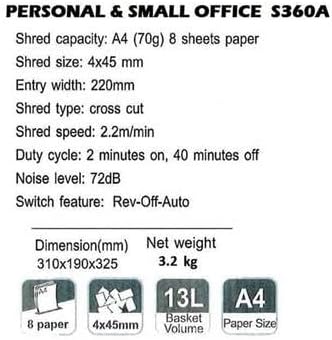
Image: Technical specifications sheet for the Comix S360A, detailing performance metrics and physical attributes.
- Model: S360A
- Soort versnippering: Kruis knippen
- Stukje Grootte: 4x45mm
- Shred Capacity (A4, 70g): 8 vellen
- Ingangsbreedte: 220mm
- Versnippersnelheid: 2.2 m/minuut
- Capaciteit afvalbak: 13 liter
- Inschakelduur: 2 minuten aan / 40 minuten uit
- Geluidsniveau: 72dB
- Switch Feature: Rev-Off-Auto
- Productafmetingen: 310 x 190 x 325 mm (L x B x H)
- Netto gewicht: 3.2 kg
- Speciale kenmerken: Energy Saving Mode, Jam Pro, Quiet Operation
9. Garantie en ondersteuning
For warranty information or technical support, please refer to the warranty card included with your product or contact Comix customer service through their official website or the retailer where the product was purchased. Please have your model number (S360A) and purchase date available when contacting support.