
1. Inleiding
This manual provides instructions for the installation, operation, and maintenance of your PUSOKEI USB Bluetooth 5.0 Adapter. This device enables Bluetooth connectivity for your computer, allowing wireless communication with various Bluetooth-enabled peripherals such as headphones, speakers, keyboards, mice, and more.

Figure 1: PUSOKEI USB Bluetooth 5.0 Adapter. This image highlights the adapter's compatibility with 32/64-bit Windows 10/8/7 and its compact design that does not obstruct adjacent USB ports.
2. Inhoud van het pakket
Controleer de inhoud van het pakket bij het openen. Als er artikelen ontbreken of beschadigd zijn, neem dan contact op met de klantenservice.
- 1 x PUSOKEI USB Bluetooth Adapter
- 1 x CD Disc (for driver installation)
- 1 x Gebruikershandleiding (dit document)
3. Installatie-instructies
3.1 Stuurprogramma-installatie
- Insert the CD Disc: Place the included CD disc into your computer's CD/DVD drive.
- Voer het installatieprogramma uit: Navigate to the CD drive in "My Computer" or "This PC" and run the setup file (e.g., "setup.exe" or "install.exe").
- Volg de instructies op het scherm: Follow the instructions provided by the installer to complete the driver installation. This may require administrator privileges.
- Restart Computer (if prompted): If prompted, restart your computer to ensure the drivers are correctly loaded.
- Alternative Driver Download: If your computer lacks a CD/DVD drive, drivers may be available for download from the official PUSOKEI support webplaats.
3.2 De adapter aansluiten
- Locate an Available USB Port: Identify an open USB 2.0 or 3.0 port on your computer.
- Plaats de adapter: Gently insert the PUSOKEI USB Bluetooth Adapter into the USB port. Ensure it is fully seated.

Figure 2: The USB Bluetooth adapter connected to a laptop. The adapter's compact size ensures it does not interfere with other ports.
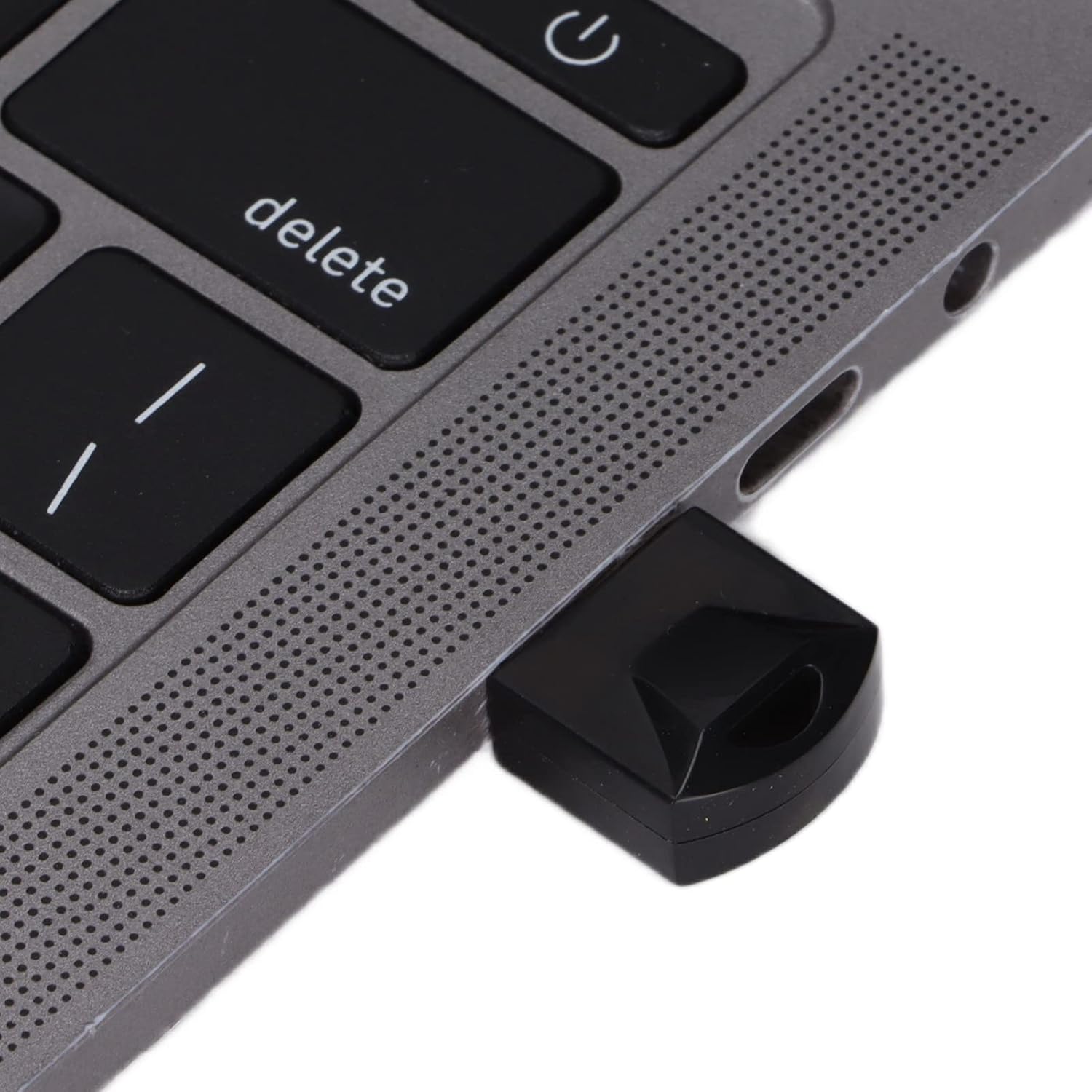
Figuur 3: Een close-up view of the PUSOKEI USB Bluetooth adapter securely inserted into a laptop's USB port.
Once connected, your operating system should recognize the adapter. You may see a Bluetooth icon appear in your system tray.
4. Gebruiksaanwijzing
4.1 Koppelen met Bluetooth-apparaten
- Enable Bluetooth on Your Computer: Ensure Bluetooth is turned on in your computer's settings. This is usually found in "Settings" > "Devices" > "Bluetooth & other devices" on Windows.
- Put Your Device in Pairing Mode: Refer to your Bluetooth device's manual to put it into pairing mode. This often involves holding a button until an indicator light flashes.
- Voeg een apparaat toe: On your computer, click "Add Bluetooth or other device" and select "Bluetooth".
- Selecteer uw apparaat: Je computer scant naar Bluetooth-apparaten in de buurt. Selecteer je apparaat uit de lijst zodra het verschijnt.
- Koppeling bevestigen: Follow any on-screen prompts to confirm pairing. This might involve entering a PIN (e.g., "0000" or "1234") if required by the device.

Figure 4: A user operating a laptop with the Bluetooth adapter, demonstrating active use for wireless connectivity.
4.2 Data Transfer and Audio Transmission
Once paired, you can use your Bluetooth devices as intended:
- Audio-apparaten: Select your paired Bluetooth headphones or speakers as the audio output device in your sound settings.
- Invoer apparaten: Paired Bluetooth keyboards and mice should function automatically.
- File Overdracht: Voor file transfer between your computer and a Bluetooth-enabled phone or tablet, use the "Send or receive files via Bluetooth" option in your computer's Bluetooth settings.
5. Specificaties
The PUSOKEI USB Bluetooth 5.0 Adapter features advanced technology for reliable wireless connectivity.
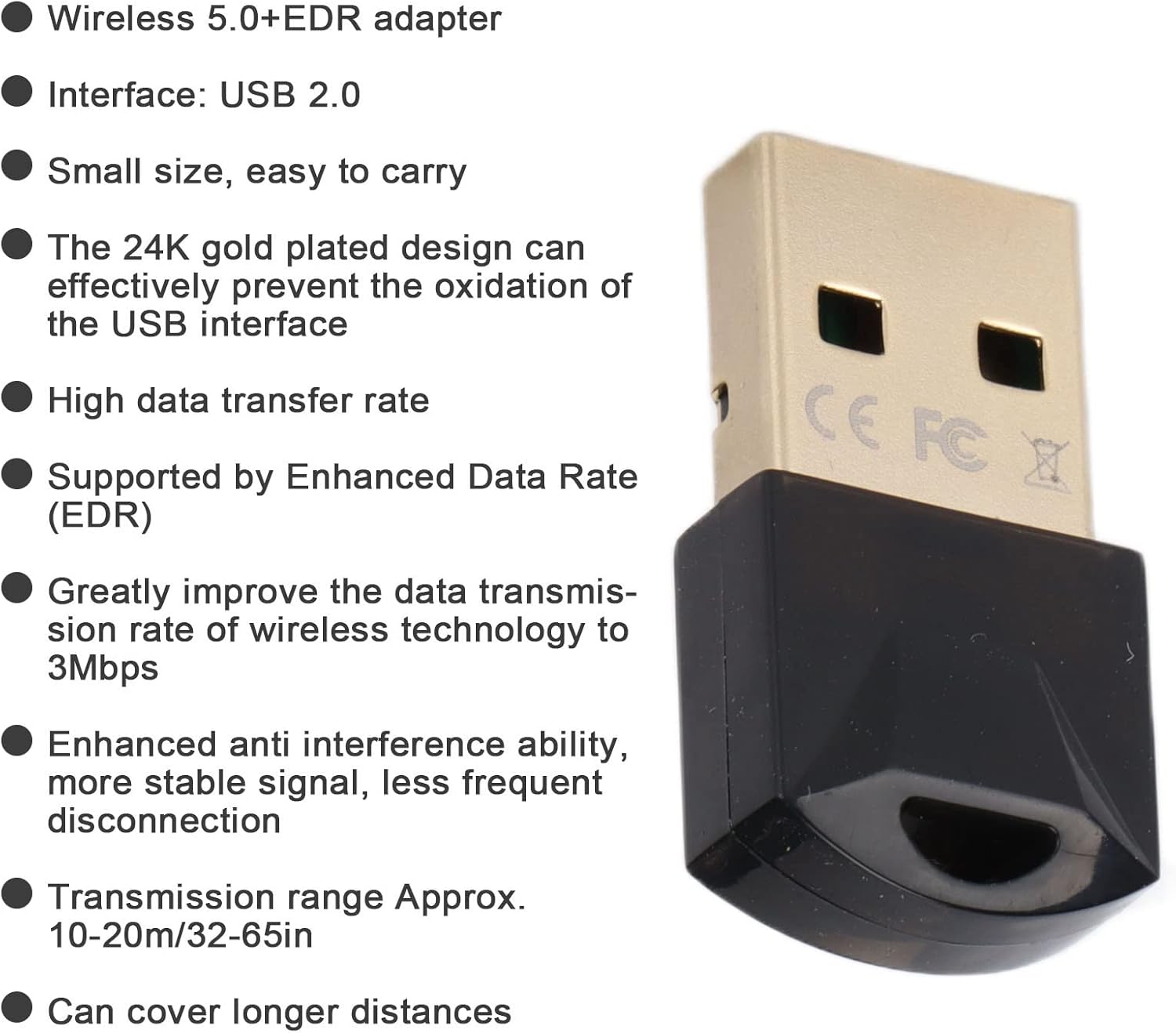
Figure 5: Key features and specifications of the PUSOKEI USB Bluetooth 5.0 adapter, including its gold-plated USB interface and EDR support.
| Functie | Beschrijving |
|---|---|
| Model | USB Bluetooth-adapter |
| Materiaal | ABS |
| Kleur | Zwart |
| Spaander | For Realtek 8761 |
| Interface | USB 2.0 |
| Bluetooth-versie | Bluetooth V5.0 + EDR |
| Gegevensoverdrachtssnelheid | Up to 3Mbps (with EDR) |
| Frequentieband | 2.400-2.480 GHz |
| Ontvangstbereik | Approx. 10-20m (32-65ft) in open environments |
| Ondersteuning voor besturingssysteem | Windows 7 / 8 / 10 / 2000 / 98 / Me / XP |
| Ondersteund niet | Windows Vista, Linux, OS X |
6. Probleemoplossing
| Probleem | Mogelijke oplossing |
|---|---|
| Adapter niet herkend |
|
| Kan niet koppelen met een apparaat |
|
| Poor connection or frequent disconnections |
|
7. Onderhoud
The PUSOKEI USB Bluetooth Adapter requires minimal maintenance to ensure optimal performance and longevity.
- Schoonmaak: Use a soft, dry cloth to wipe the adapter. Do not use liquid cleaners or solvents.
- Opslag: Wanneer u de adapter niet gebruikt, bewaar deze dan op een koele, droge plaats, uit de buurt van direct zonlicht en extreme temperaturen.
- Behandeling: Zorg ervoor dat u de adapter niet laat vallen en dat deze niet wordt blootgesteld aan sterke stoten.
- USB-poort: The 24K gold-plated USB interface is designed to resist oxidation. Avoid touching the gold contacts directly to prevent contamination.
8. Garantie en ondersteuning
For warranty information and technical support, please refer to the documentation included with your purchase or visit the official PUSOKEI webwebsite. Bewaar uw aankoopbewijs als aankoopbewijs voor garantieclaims.
For further assistance, please contact PUSOKEI customer service through their official channels.