
TERIOS TERIOS 5S
Gebruikershandleiding TERIOS draadloze controller
Model: TERIOS 5S (ASIN: B09KLR5DCZ)
Invoering
This user manual provides comprehensive instructions for the TERIOS Wireless Controller, designed for an enhanced gaming experience. This controller is compatible with PlayStation 4, PS4 Pro, and PS4 Slim consoles.

Afbeelding: Voorzijde view of the green TERIOS Wireless Controller, showcasing het ergonomische ontwerp en de knopindeling.
Wat zit er in de doos?
Controleer bij het openen van de verpakking of de volgende items aanwezig zijn:
- 1 x TERIOS draadloze controller
- 1 x USB-oplaadkabel
- 1 x Controller User Manual (this document)

Image: The TERIOS Wireless Controller, USB charging cable, and user manual laid out, representing the package contents.
Producteigenschappen
The TERIOS Wireless Controller is equipped with several features designed to enhance your gaming experience:
- Draadloze connectie: Connects wirelessly to your PS4 console via Bluetooth 4.2 for a stable connection up to 8 meters.
- Ingebouwde luidspreker en hoofdtelefoonaansluiting: Features an integrated speaker and a 3.5mm stereo headset jack for immersive audio.
- Multitouchpad: A central multitouch pad expands gaming possibilities and interaction.
- Share-knop: Allows for live-streaming and sharing gameplay moments without interrupting your session.
- Dubbele analoge sticks: Provides pinpoint accuracy and enhanced sensitivity for precise control.
- Double Shock Vibration: Integrated motors provide haptic feedback for an immersive gaming experience.
- Turbo Feature: Enables rapid-fire functionality for certain in-game actions.
- Oplaadbare batterij: Equipped with a 1000mAh lithium battery, offering 10-12 hours of continuous use on a single charge.
- Ergonomisch ontwerp: Conforms to the palm structure for comfortable extended gaming sessions.

Afbeelding: Close-up views highlighting the built-in speaker, share button, and multitouch pad functionalities of the controller.

Image: Visuals illustrating the Bluetooth 4.2 connection, ergonomic design for comfortable grip, and the placement of advanced gaming buttons.

Image: The controller with a visual emphasis on its dual analog sticks, indicating their role in providing a better gaming experience.
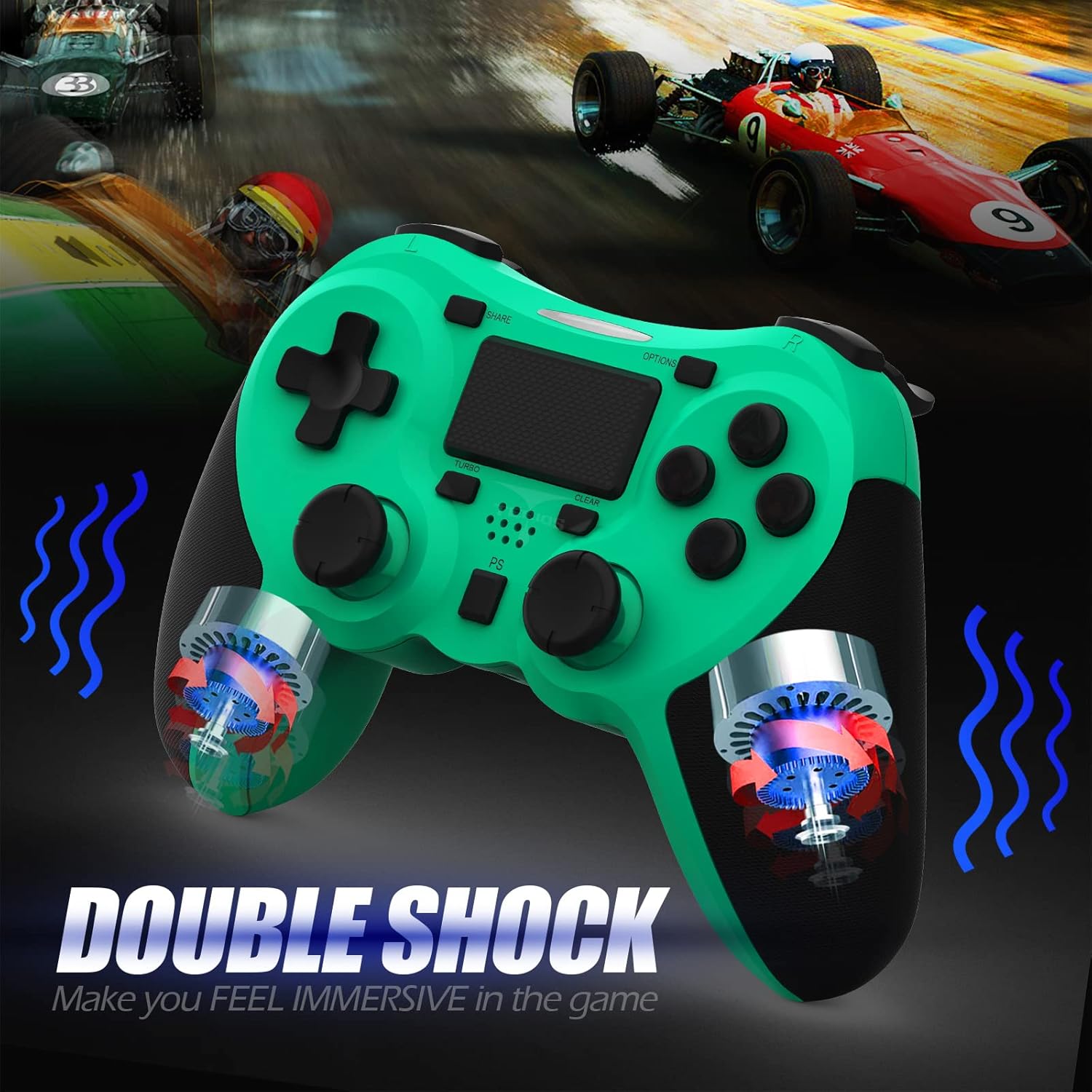
Afbeelding: Een interne view of the controller highlighting the double shock vibration motors, designed to provide immersive haptic feedback.
Installatiehandleiding
1. Eerste keer opladen
Before first use, fully charge the controller. Connect the supplied USB charging cable to the controller's micro USB port and the other end to a USB port on your PlayStation 4 console or a compatible USB wall adapter.
- Oplaadtijd: ongeveer 2-3 uur voor een volledige lading.
- Battery Life: Up to 10-12 hours of continuous gameplay.
- Stand-bytijd: maximaal 30 dagen.
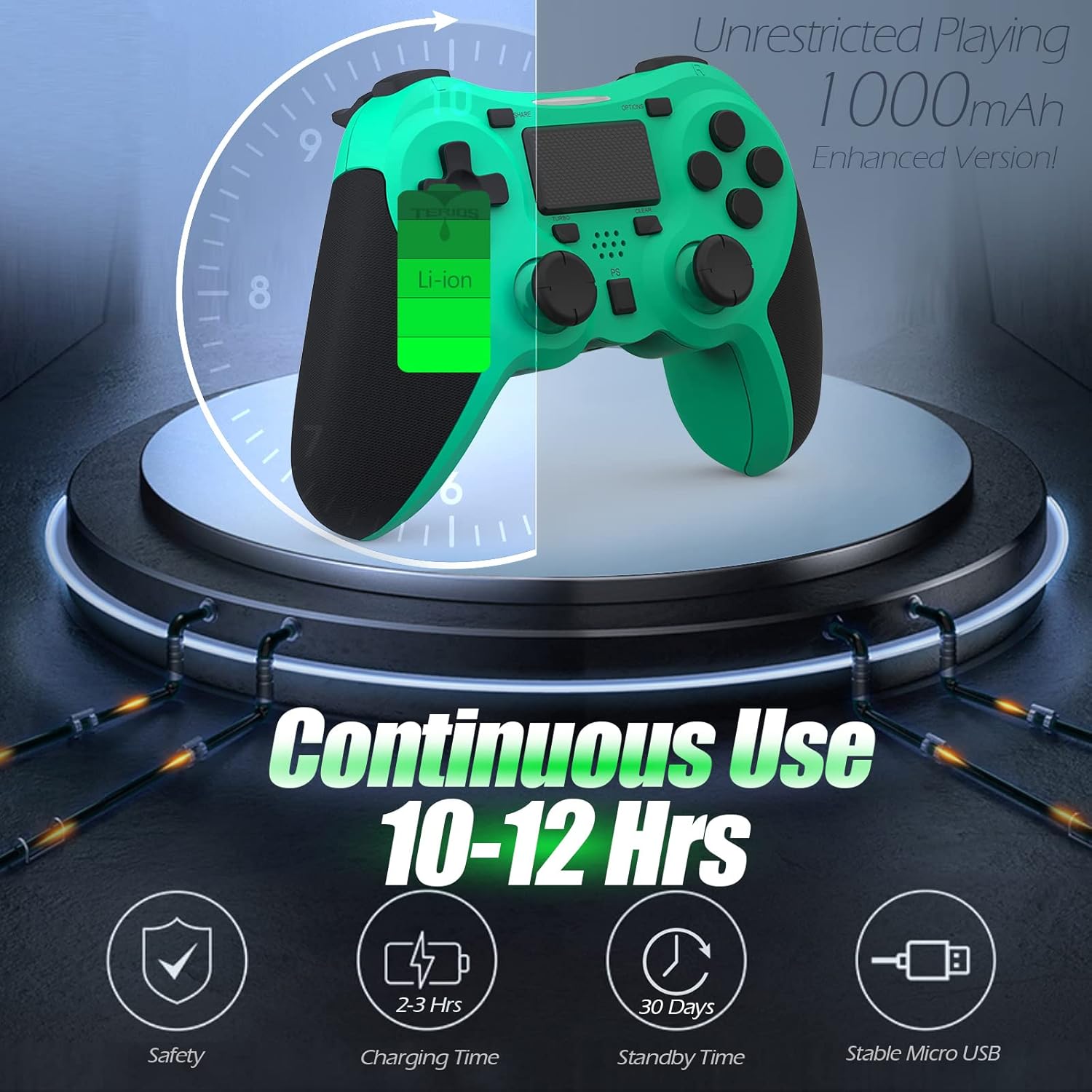
Image: A visual representation of the controller's 1000mAh battery, indicating 10-12 hours of continuous use, 2-3 hours charging time, and 30 days standby time.
2. Koppelen met PlayStation 4
Om de controller te koppelen aan uw PS4-console:
- Zorg ervoor dat je PS4-console is ingeschakeld.
- Sluit de controller met de USB-oplaadkabel aan op de PS4-console.
- Druk op de PS-knop (located in the center of the controller). The light bar on the controller will flash, then glow a solid color, indicating successful pairing.
- Nadat de koppeling tot stand is gebracht, kunt u de USB-kabel loskoppelen en draadloos afspelen.
Opmerking: If the controller does not pair, ensure it is charged and try connecting it to a different USB port on the console. For persistent issues, refer to the Troubleshooting section.
Gebruiksaanwijzing
Basisbedieningen
| Onderdeel | Functie |
|---|---|
| PS-knop | Powers on the controller, accesses the PS4 home screen, switches users, or turns off the console (long press). |
| DEEL-knop | Accesses the Share menu to capture screenshots, record video clips, or broadcast gameplay. |
| OPTIES-knop | Pauses games, accesses in-game menus, or confirms selections. |
| Richtingsknoppen (D-pad) | Navigates menus and provides directional input in games. |
| Actieknoppen (Driehoek, Cirkel, Kruis, Vierkant) | Performs in-game actions, confirms, or cancels selections. |
| Left/Right Sticks (L3/R3) | Controls character movement, camera, or other analog inputs. Pressing down on the sticks activates L3/R3 buttons. |
| L1/R1 Buttons | Trigger various in-game actions, often for aiming or secondary functions. |
| L2/R2-triggers | Analog triggers for actions like accelerating, braking, or firing weapons. |
| Multitouch Pad | Provides touch input for specific game interactions or navigation. |
| 3.5 mm koptelefoonaansluiting | Connects compatible headsets for game audio and voice chat. |
Speciale functies
Turbo-functie
The Turbo feature allows for rapid, continuous input of a button press, useful for actions like rapid firing in games.
- Houd de TURBO-knop (located below the touchpad).
- While holding TURBO, press the action button you wish to apply the rapid-fire function to (e.g., Square, Cross, Circle, Triangle, L1, R1, L2, R2).
- Release both buttons. The selected action button will now continuously register presses as long as it is held down.
- To disable Turbo for a specific button, repeat the process: hold TURBO and press the button again.
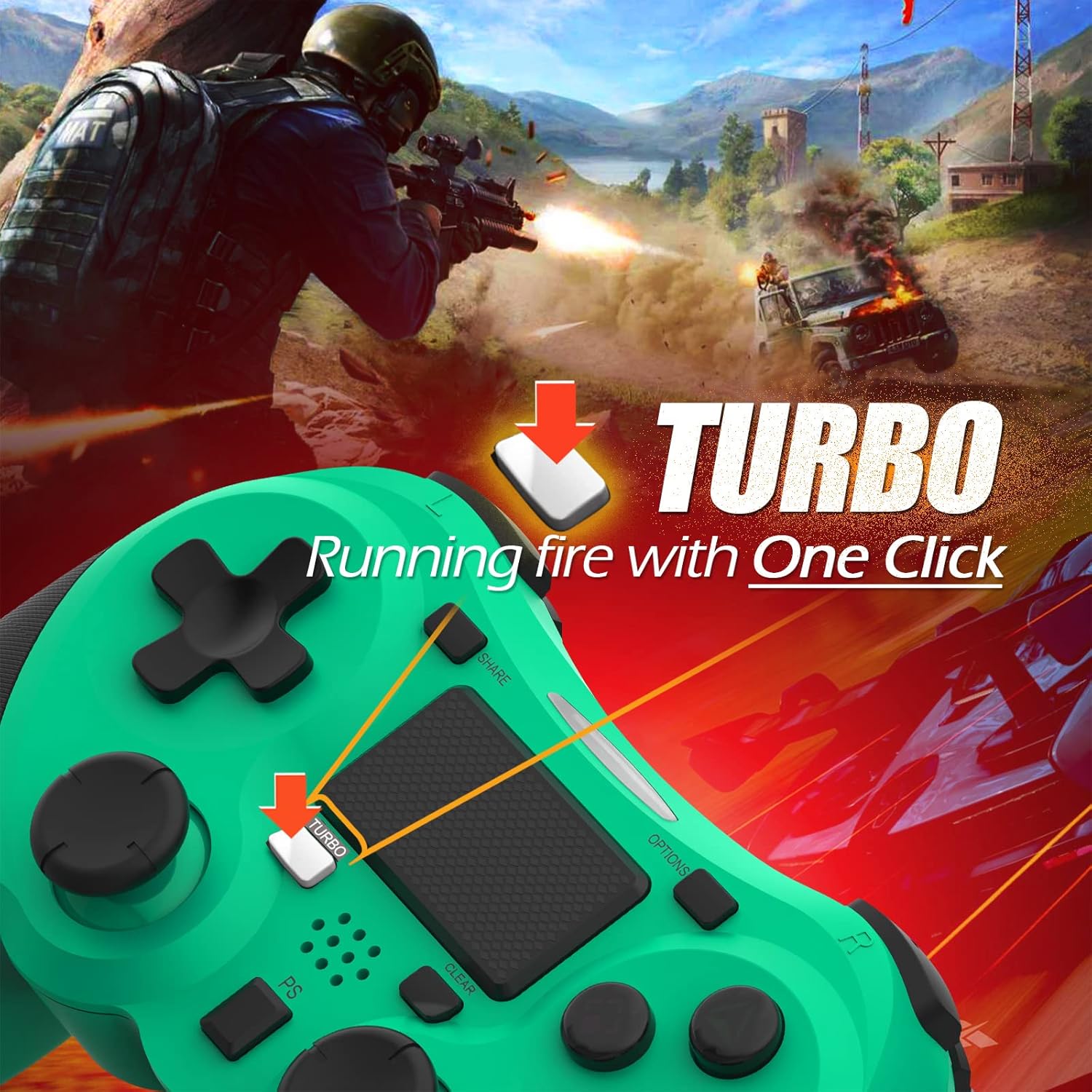
Image: A visual guide demonstrating how to activate the Turbo feature on the controller for rapid-fire actions.
Share Button Functionality
The SHARE button provides quick access to PS4's sharing features:
- Enkele druk: Opens the Share menu, allowing you to save a screenshot, save a video clip, or start a broadcast.
- Lang ingedrukt houden: Takes a screenshot directly.
- Dubbel pers: Start/stopt de video-opname.
Onderhoud
Proper maintenance ensures the longevity and optimal performance of your TERIOS Wireless Controller.
Schoonmaak
- Gebruik een zachte, droge doek om het oppervlak van de controller af te vegen.
- Voor hardnekkig vuil, lichtjes dampReinig de doek met water of een milde, niet-schurende reiniger. Vermijd overmatige vochtigheid.
- Do not use harsh chemicals, solvents, or abrasive materials, as these can damage the controller's finish and internal components.
Opslag
- Bewaar de controller op een koele, droge plaats, uit de buurt van direct zonlicht, extreme temperaturen en hoge luchtvochtigheid.
- Avoid placing heavy objects on the controller to prevent damage to buttons or analog sticks.
Batterijverzorging
- To preserve battery life, avoid fully discharging the controller frequently.
- Als u het apparaat voor langere tijd opbergt, laad de batterij dan voor opslag op tot ongeveer 50%.
- Recharge the controller at least once every three months if not in use to prevent deep discharge.
Probleemoplossing
If you encounter issues with your TERIOS Wireless Controller, please refer to the following common solutions:
De controller maakt geen verbinding/koppelt niet.
- Controleer de batterij: Ensure the controller is sufficiently charged. Connect it to the PS4 via USB cable to charge.
- Reparatie: Connect the controller to the PS4 with the USB cable and press the PS button to re-establish the connection.
- Controller resetten: Locate the small reset button hole on the underside of the controller (near the L2 button). Use a straightened paperclip or a similar thin object to press and hold the button for 3-5 seconds. This will reset the controller. After resetting, attempt to re-pair it with the PS4.
- Interferentie: Move closer to the PS4 console to rule out wireless interference.
Buttons or Sticks Unresponsive/Lagging
- Controller resetten: Perform a hard reset as described above.
- Schoon: Ensure no debris is lodged around the buttons or sticks. Clean the controller as per the Maintenance section.
- Firmware-installatie: Zorg ervoor dat de systeemsoftware van je PS4 up-to-date is.
Overmatige trillingen
- Controller resetten: A reset can often resolve unexpected vibration issues.
- Spelinstellingen: Check in-game settings for vibration intensity.
Specificaties
| Attribuut | Detail |
|---|---|
| Model | TERIOS 5S |
| ASIN | B09KLR5DCZ |
| Verenigbaarheid | PlayStation 4, PS4 Pro, PS4 Slim |
| Connectiviteit | Wireless (Bluetooth 4.2), USB |
| Batterijtype | Lithium-polymeer (1 inbegrepen) |
| Batterijcapaciteit | 1000mAh |
| Continue gebruikstijd | 10-12 uur |
| Oplaadtijd | 2-3 uur |
| Standby-tijd | Tot 30 dagen |
| Artikelgewicht | 10.8 ounces (ongeveer 306 gram) |
| Pakket afmetingen | 6.69 x 5.24 x 2.72 inch |
| Fabrikant | TERRIOS |
| Datum eerste beschikbaarheid | 28 oktober 2021 |
Garantie en ondersteuning
TERIOS stands behind the quality of its products. This controller comes with a 1 jaar garantie vanaf de aankoopdatum, met dekking voor fabricagefouten.
For customer support, technical assistance, or warranty claims, please contact TERIOS customer service through the platform where you purchased the product or visit the official TERIOS store page for contact information.
We are committed to providing premium customer support and ensuring your satisfaction with our products.
Ask a question about this manual
Ask about setup, troubleshooting, compatibility, parts, safety, or missing instructions. Manuals+ will review the question and use this page’s manual context to help answer it.