
Technical Pro TP2000BT
Technical Pro 2000 Watts Professional Mixer and Amplifier Gebruikershandleiding
Model: TP2000BT | Brand: Technical Pro
Invoering
This manual provides comprehensive instructions for the setup, operation, and maintenance of your Technical Pro 2000 Watts Professional Mixer and Amplifier, model TP2000BT. This unit is designed for versatile audio applications, including DJ, karaoke, and home theater systems, offering powerful amplification and multiple input options.
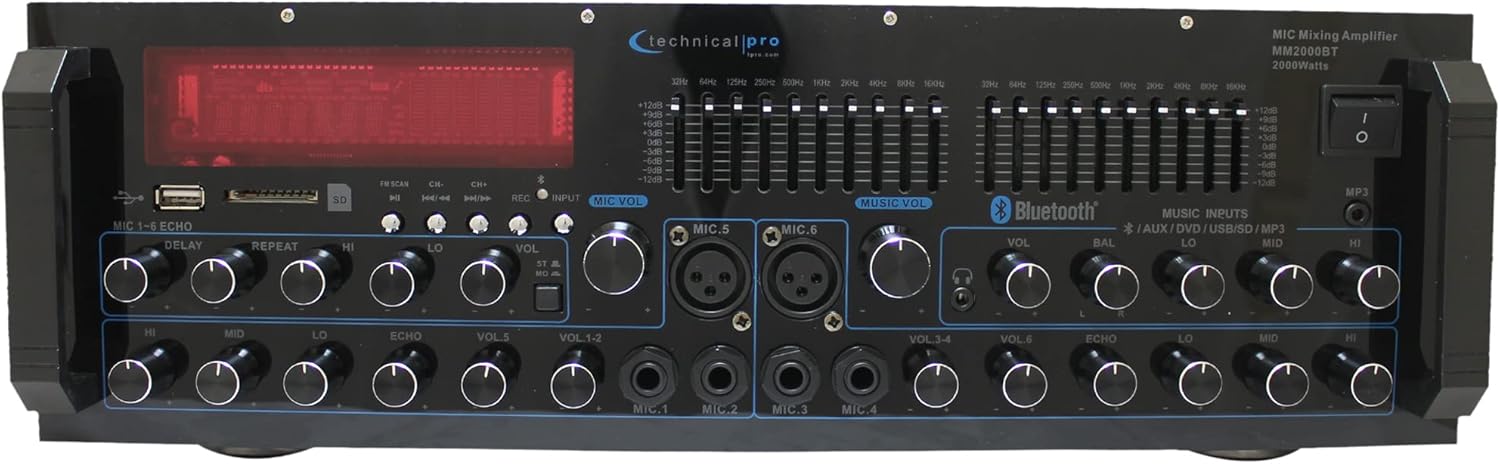
Afbeelding: Voorzijde view of the Technical Pro 2000 Watts Professional Mixer and Amplifier, showcasing its various controls and display.
Belangrijkste kenmerken
- 2000-Watt Peak Power: Delivers high power output suitable for multi-speaker setups with 2-8 ohms impedance.
- Meerdere ingangen: Supports FM/AM radio, MP3 audio playback, USB Flash Drive Reader, AUX 3.5mm input, 2 ¼” mic inputs, headphone jack, and RCA (L/R) output jacks for subwoofers.
- Bluetooth-connectiviteit: Seamless wireless music streaming from smartphones, tablets, laptops, and computers.
- EQ-bedieningselementen: Features dual 10-band graphic equalizers for precise audio adjustments.
- Bedieningselementen op het voorpaneel: Intuitive controls for independent audio source selection, microphone volume, echo control, bass, treble, and master volume. Includes LED backlight illumination with dimmer.
- 6 Microphone Inputs: Dedicated inputs for multiple microphones, ideal for karaoke and live performances.
- Dual Speaker Output: Connects to two sets of speakers (Channel A and Channel B) with 4-16 ohms impedance.

Image: A visual representation highlighting the amplifier's features such as 2000 watts peak power, various inputs (RCA, USB, SD Card, Bluetooth, MP3), outputs (Banana binding post, RCA Line Out, Headphones), Bluetooth compatibility range, and adjustment range.
Instellen
Uitpakken en eerste inspectie
Verwijder voorzichtig het amplifier from its packaging. Ensure all components are present:
- Technical Pro 2000 Watts Professional Mixer and Amplifier (Model TP2000BT)
- Stroomkabel
- Gebruikershandleiding (dit document)
- Afstandsbediening (indien meegeleverd)
Controleer het apparaat op eventuele transportschade. Neem bij constatering van schade direct contact op met uw winkelier.
Plaatsing
Plaats de amplifier on a stable, flat surface. Ensure adequate ventilation around the unit to prevent overheating. Do not obstruct the cooling fan located on the rear panel.

Afbeelding: Gedetailleerd view of the front and back panels, illustrating the layout of controls and connection ports.
Luidsprekers aansluiten
Connect your speakers to the "SPEAKER OUTPUT" terminals on the rear panel. The unit is designed to work with multi-speakers with 2-8 ohms impedance, and the speaker output terminals are specifically labeled for 4-16 ohms. Ensure correct polarity (+ to + and – to –) for optimal sound quality. The amplifier features dual speaker outputs (Channel A and Channel B).

Image: Close-up of the rear panel, highlighting the speaker output terminals and RCA input/output connections.
Audiobronnen aansluiten
De ampDe versterker biedt diverse ingangsmogelijkheden:
- RCA Inputs (DVD, AUX): Use RCA cables to connect external audio devices like DVD players, CD players, or other audio sources to the "INPUT" section on the rear panel.
- USB/SD-kaart: Insert a USB flash drive or SD card into the respective slots on the front panel for MP3/WAV/WMA playback.
- Bluetooth: For wireless audio streaming, refer to the "Bluetooth Operation" section.
- Microfoon ingangen: Connect up to six microphones using the ¼” (Mic 1-4) and XLR/¼” combo (Mic 5-6) inputs on the front panel.
- Koptelefoonuitgang: Connect headphones to the dedicated jack on the front panel.
Gebruiksaanwijzing
Aan/uit
Press the "POWER" button on the front panel to turn the unit on or off. The LED display will illuminate when the unit is powered on.
Bronselectie
Use the input selection buttons on the front panel (e.g., USB/SD, Bluetooth, AUX, DVD) to choose your desired audio source.
Volume- en toonregeling
- Meester volume: Past het totale uitvoervolume aan van de ampverliezer.
- Microfoonvolume: Individual volume controls for each microphone input (VOL 1-6).
- Bas/hoge tonen: Adjusts the low and high frequency response of the audio.
- Evenwicht: Hiermee wordt de balans tussen het linker- en rechterkanaal aangepast.
- Echo Controls (Delay, Repeat, Hi, Lo): Hiermee wordt het echo-effect voor microfooningangen aangepast.

Afbeelding: Gedetailleerd view of the front panel, highlighting the AUX inputs, bass and treble controls, and the digital display.
Bluetooth-werking
- Select "Bluetooth" as the input source using the front panel controls.
- Zoek op uw Bluetooth-apparaat (smartphone, tablet, enz.) naar beschikbare Bluetooth-apparaten.
- Select "Technical Pro" or "TP2000BT" from the list to pair.
- Na de koppeling kunt u draadloos audio streamen naar de ampverliezer.
USB/SD-kaart afspelen
Insert a USB flash drive or SD card (max 32GB) containing MP3, WAV, or WMA audio files into the corresponding slot on the front panel. The unit will automatically switch to USB/SD mode and begin playback. Use the navigation buttons (Play/Pause, Next, Previous) to control playback.
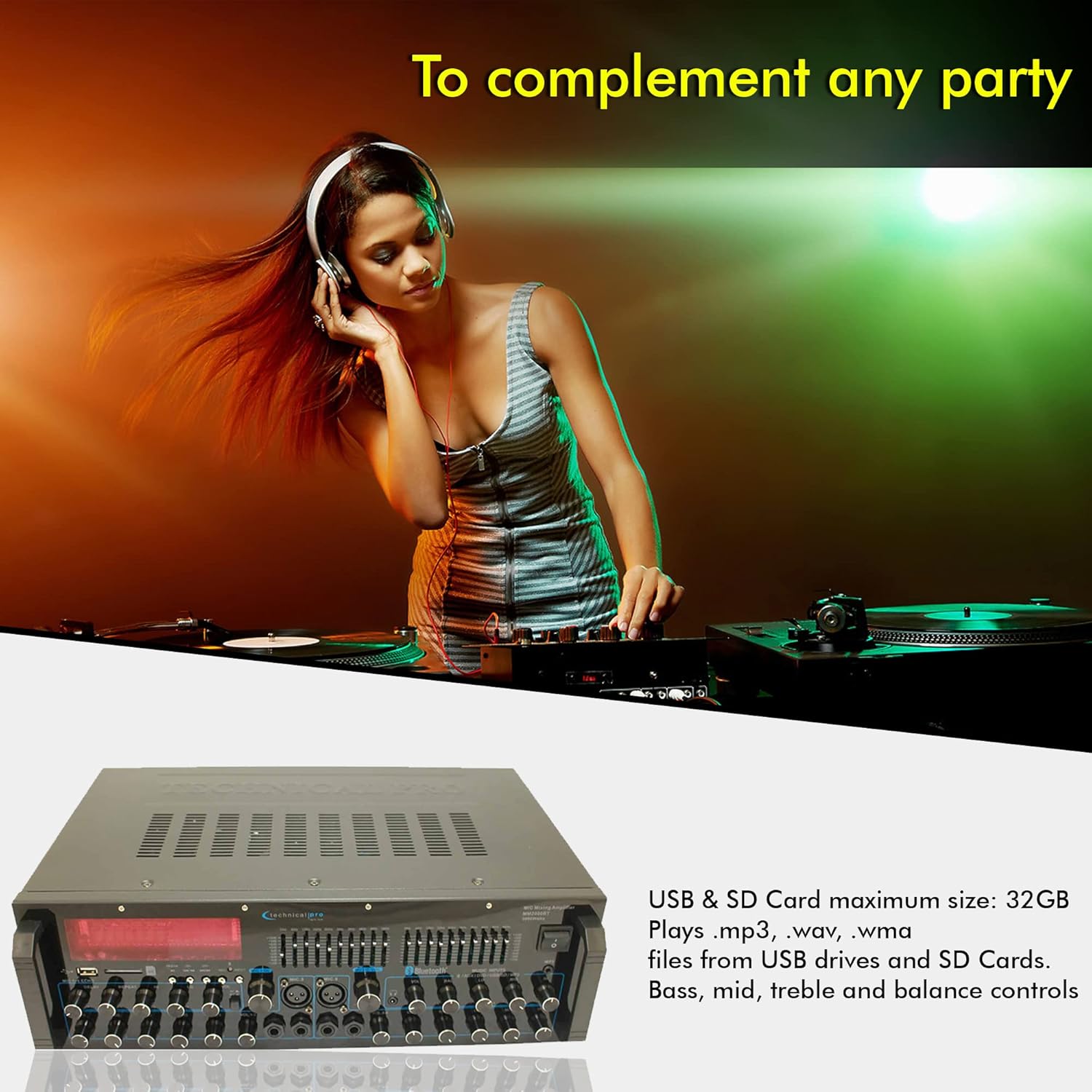
Afbeelding: De amplifier's front panel with USB and SD card slots highlighted, indicating support for MP3, WAV, WMA files and a maximum size of 32GB.
Equalizer-aanpassing
The dual 10-band graphic equalizers allow for precise frequency adjustments. Move the sliders up or down to boost or cut specific frequency ranges to tailor the sound to your preference and acoustic environment.
Video: An official product video demonstrating the features of the Technical Pro 2000 Watts Professional Mixer and Amplifier, including its dual 10-band EQs, various inputs, and dual speaker outputs.
Onderhoud
- Schoonmaak: Gebruik een zachte, droge doek om de buitenkant van het apparaat schoon te maken. Gebruik geen vloeibare reinigingsmiddelen of spuitbussen.
- Ventilatie: Zorg ervoor dat de ventilatieopeningen vrij zijn van stof en vuil om een goede luchtcirculatie te garanderen en oververhitting te voorkomen.
- Opslag: Als u het apparaat voor langere tijd opbergt, koppelt u het los van de stroom en bewaart u het op een koele, droge plaats, uit de buurt van direct zonlicht en extreme temperaturen.
Probleemoplossing
| Probleem | Mogelijke oorzaak | Oplossing |
|---|---|---|
| Geen stroom | Stroomkabel niet aangesloten; stopcontact defect; zekering van het apparaat doorgebrand. | Controleer de aansluiting van de stroomkabel; probeer een ander stopcontact; raadpleeg een gekwalificeerde technicus voor het vervangen van de zekering. |
| Geen geluidsuitvoer | Speakers not connected correctly; Volume too low; Incorrect input source selected; Mute function active. | Verify speaker connections and polarity; Increase master volume; Select the correct input source; Deactivate mute. |
| Bluetooth-koppeling mislukt | Device too far; Bluetooth not enabled on device; Amplifier staat niet in koppelingsmodus. | Plaats het apparaat dichter bij... amplifier; Enable Bluetooth on your device; Ensure amplifier is set to Bluetooth input. |
| Vervormd geluid | Input signal too high; Speaker impedance mismatch; EQ settings incorrect. | Reduce input source volume; Ensure speakers are 4-16 ohms; Adjust EQ settings. |
For issues not listed here, please contact Technical Pro customer support.
Specificaties
| Functie | Detail |
|---|---|
| Modelnummer | TP2000BT |
| Vermogensafgifte | 2000 watt piekvermogen |
| Aantal kanalen | 2 |
| Luidsprekerimpedantie | Supports 2-8 ohms speakers; Speaker output terminals designed for 4-16 ohms. |
| Connectiviteitstechnologie | Bluetooth, USB, SD Card, RCA, 3.5mm AUX |
| Microfooningangen | 6 (4 x 1/4", 2 x XLR/1/4" Combo) |
| Productafmetingen | 48.26 cm D x 25.4 cm B x 12.7 cm H |
| Artikelgewicht | 14.1 pond (6.4 kg) |
| Releasedatum | 11 maart 2025 |
| Fabrikant | Technisch Pro |

Afbeelding: Afmetingen van de amplifier, indicating its width, depth, and height.
Garantie en ondersteuning
This Technical Pro product is covered by a manufacturer's warranty. For specific warranty terms and conditions, please refer to the warranty card included with your product or visit the official Technical Pro website. Er zijn mogelijk ook uitgebreidere garantieplannen beschikbaar.
For technical support, troubleshooting assistance, or service inquiries, please contact Technical Pro customer service. Contact information can typically be found on the manufacturer's webwebsite of op de productverpakking.
U kunt ook de Technical Pro Store on Amazon voor meer informatie en productbronnen.