
Pigtronix GDR
Pigtronix Gamma Drive Overdrive Pedal
Gebruiksaanwijzing
Invoering
The Pigtronix Gamma Drive is a versatile overdrive pedal designed to deliver a wide range of tones, from subtle boosts to aggressive, all-out grind. Its intuitive controls allow musicians to sculpt their sound with precision, making it an essential tool for any guitarist seeking dynamic and expressive overdrive.

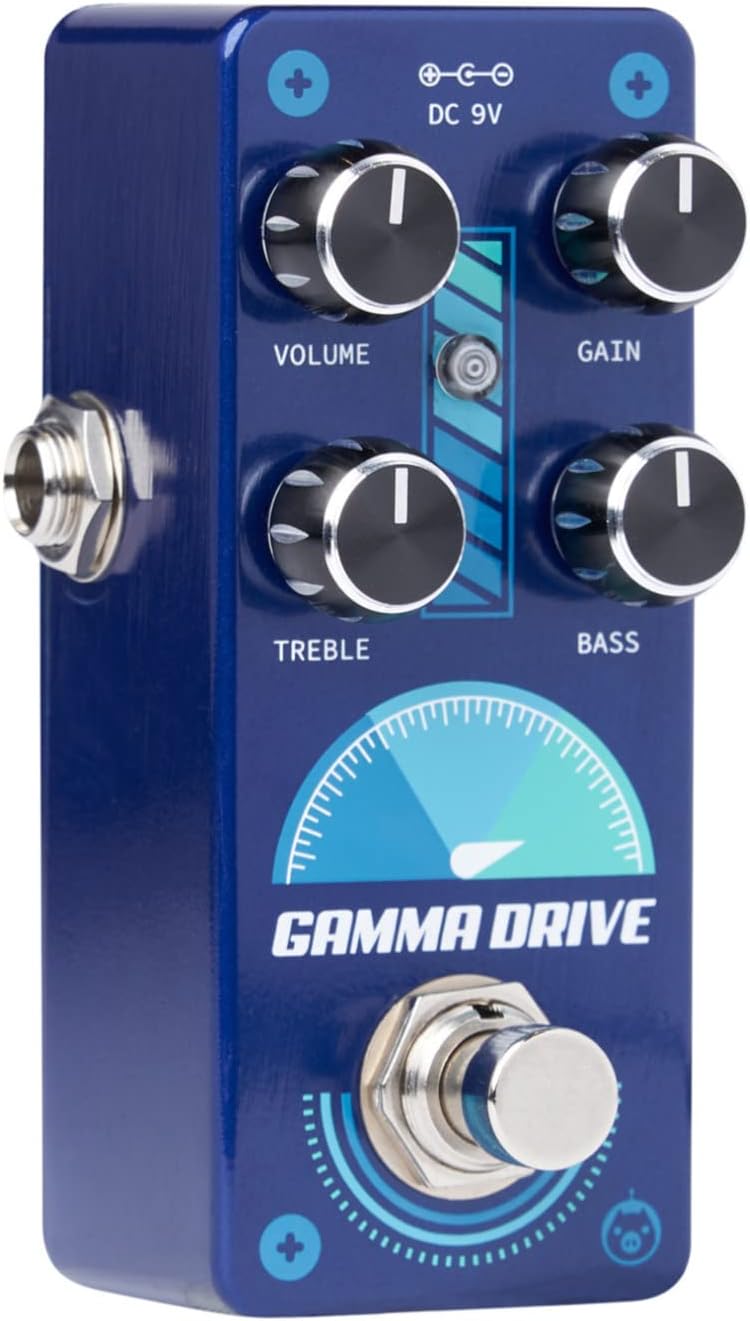
Figuur 1: Voorzijde view of the Pigtronix Gamma Drive Overdrive Pedal. This image displays the pedal's blue casing, the four control knobs (Volume, Gain, Treble, Bass), the footswitch, and the DC 9V power input label.
Belangrijkste kenmerken
- Overdrive Pedal with Treble Bass Controls
- Wide range of gain from subtle boost to heavy distortion
- Compact en duurzaam ontwerp
- True bypass switching for signal integrity
Inhoud van het pakket
Controleer bij het openen van de verpakking of de volgende items aanwezig zijn:
- Pigtronix Gamma Drive Overdrive Pedal
- Gebruiksaanwijzing (dit document)
- Verbindingskabel
Installatiehandleiding
Follow these steps to properly set up your Pigtronix Gamma Drive pedal:
1. Stroomaansluiting
Connect a standard 9V DC power supply (not included) to the "DC 9V" input jack on the top of the pedal. Ensure the power supply is center-negative and provides at least 10mA of current.
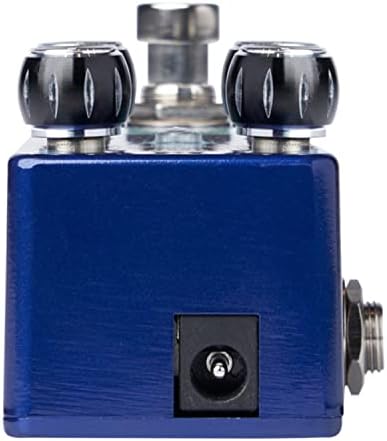
Figure 2: Close-up of the DC 9V power input jack located on the top side of the pedal.
2. Instrumentaansluiting
Sluit je instrument (bijvoorbeeld een gitaar) aan op de INPUT-aansluiting aan de rechterkant van het pedaal met een standaard 6,3 mm instrumentkabel.
3. AmpLifier-verbinding:
Sluit de OUTPUT-aansluiting aan de linkerkant van het pedaal aan op uw ampDe ingang van de versterker wordt aangesloten met een standaard 1/4-inch instrumentkabel.
Figuur 3: Schuin view illustrating the input jack (right side) and output jack (left side) for instrument and ampverhelderende verbindingen.
Bediening
The Pigtronix Gamma Drive features four primary control knobs and a footswitch for intuitive sound shaping.
Controles voorbijview
Figuur 4: Voorzijde view of the pedal showing the layout of the control knobs.
- VOLUME: Controls the overall output level of the pedal. Turn clockwise to increase the volume.
- VERDIENEN: Adjusts the amount of overdrive and distortion. Higher settings produce more saturated and aggressive tones.
- driedubbel: Shapes the high-frequency content of your tone. Turn clockwise for brighter sounds, counter-clockwise for warmer tones.
- BAS: Controls the low-frequency content. Turn clockwise to add more bass, counter-clockwise to reduce it.
De voetschakelaar gebruiken
The large footswitch at the bottom of the pedal engages or bypasses the effect. When the effect is active, the LED indicator above the footswitch will illuminate. When bypassed, your signal passes through the pedal unaffected (true bypass).
Onderhoud en verzorging
- Schoonmaak: Gebruik een zachte, droge doek om het oppervlak van het pedaal schoon te maken. Vermijd schurende reinigingsmiddelen of oplosmiddelen.
- Opslag: Bewaar het pedaal op een koele, droge plaats, uit de buurt van direct zonlicht en extreme temperaturen.
- Stroom: Always use a regulated 9V DC power supply with the correct polarity (center-negative) to prevent damage.
- Verbindingen: Ensure all cables are securely connected before use. Disconnect cables when not in use to prevent accidental damage.
Probleemoplossing
| Probleem | Mogelijke oorzaak | Oplossing |
|---|---|---|
| Geen geluid wanneer het pedaal wordt ingedrukt. | Incorrect cable connections; Power supply issue; Pedal not engaged. | Check all input/output cables; Ensure 9V DC power supply is connected and functional; Press footswitch to engage pedal (LED should light up). |
| Zwak of vervormd geluid. | Low power; Incorrect gain/volume settings. | Controleer voeding voltage and current; Adjust GAIN and VOLUME knobs to desired levels. |
| Ongewenst lawaai of gezoem. | Aardlus; defecte kabels; interferentie van andere elektronica. | Use isolated power supply; Try different cables; Move pedal away from power transformers or fluorescent lights. |
Technische specificaties
| Specificatie | Waarde |
|---|---|
| Artikelgewicht | 9 ons |
| Productafmetingen | 8.4 x 6.3 x 4.7 inch |
| Modelnummer | DDR |
| Kleur | Light Blue, Black |
| hardware Interface | HP-HSC |
| Signaalformaat | Analoog |
| Energiebron | Battery Powered (Note: Typically refers to ability to use battery, but 9V DC adapter is standard for pedals) |
| Deeltage | 9 Volt DC |
| Amptijdperk | 10 milliamps (minimum required) |
Garantie en ondersteuning
For detailed warranty information, product registration, and technical support, please visit the official Pigtronix webwebsite of neem contact op met hun klantenservice. Bewaar uw aankoopbewijs voor garantieclaims.
Officieel Webwebsite: www.pigtronix.com
Ask a question about this manual
Ask about setup, troubleshooting, compatibility, parts, safety, or missing instructions. Manuals+ will review the question and use this page’s manual context to help answer it.