
ANBERNIC RG351M
Gebruiksaanwijzing: ANBERNIC RG351M Retro Game Handheld Console
Model: RG351M
Invoering
The ANBERNIC RG351M is a portable retro game handheld console designed for an immersive gaming experience. Featuring a 3.5-inch IPS screen and powered by an RK3326 quad-core processor, it supports a wide range of classic game formats. This manual provides essential information for setting up, operating, maintaining, and troubleshooting your device.
Veiligheidsinformatie
- Stel het apparaat niet bloot aan extreme temperaturen, direct zonlicht of hoge luchtvochtigheid.
- Zorg ervoor dat u het apparaat niet laat vallen en blootstelt aan sterke schokken.
- Use only the provided USB charging cable and a compatible power adapter (maximum load 2A) for charging.
- Probeer het apparaat niet zelf te demonteren of te repareren. Laat dit over aan gekwalificeerd servicepersoneel.
- Houd het apparaat uit de buurt van water en andere vloeistoffen.
- Zorg voor voldoende ventilatie tijdens gebruik en opladen.
Inhoud van het pakket

Image: The ANBERNIC RG351M console, its retail packaging, and the included USB charging cable.
Controleer bij het uitpakken de inhoud van het pakket om er zeker van te zijn dat alle artikelen aanwezig zijn:
- 1 x RG351M Game Console
- 1 x USB-kabel
- 1 x Gebruikershandleiding (dit document)
- 1 x 64GB TF-kaart (met vooraf geïnstalleerde games)
Product voorbijview
Voorkant View

Afbeelding: Voorzijde view of the RG351M console, highlighting the 3.5-inch IPS screen, D-pad, dual analog joysticks, and action buttons (A, B, X, Y), along with SELECT and START buttons.
- 3.5-inch IPS-scherm: High-definition display voor heldere beelden.
- D-pad: Directional pad for navigation and game control.
- Analoge joysticks: Dual 3D rocker sticks for precise movement.
- Actieknoppen (A, B, X, Y): Standaard gaming-inputknoppen.
- SELECT-knop: Used for various in-game functions and menu navigation.
- Startknop: Used for pausing games, confirming selections, and menu navigation.
Boven en onder Views (Poorten en bedieningselementen)

Image: Top edge of the console, displaying the L1, L2, R1, R2 shoulder buttons, a Type-C OTG port, a 3.5mm earphone jack, and another Type-C port labeled OTG/DC for data transfer and charging.

Image: Bottom edge of the console, showing the TF card slot for expandable storage and the recessed Reset button.
- L1/L2/R1/R2-knoppen: Schouderknoppen voor extra bedieningselementen tijdens het spel.
- OTG 1 (Type-C): USB Type-C port for data transfer.
- 3.5 mm koptelefoonaansluiting: Voor het aansluiten van een hoofdtelefoon.
- OTG 2 (Type-C / Charging Port): USB Type-C port for data transfer and charging.
- TF-kaartsleuf: For inserting the game TF card (supports up to 256GB).
- Resetknop: A small, recessed button to restart the device if it becomes unresponsive.
- Sprekers: High-quality double horn stereo speakers.
Rug View

Afbeelding: Achterkant view of the RG351M console, displaying the ANBERNIC logo, model number (RG351M), and battery specifications (Li-Po 3500mAh).
Instellen
1. Eerste keer opladen
Before first use, fully charge the console. Connect the provided USB Type-C cable to the OTG 2 (charging) port on the top of the device and the other end to a compatible USB power adapter (not included, recommended 5V/1.3A to 2A). The charging indicator light will illuminate. A full charge typically takes about 4 hours.
2. De TF-kaart plaatsen
The console comes with a 64GB TF card pre-installed with games. If you need to remove or insert the TF card, gently push it into the TF card slot on the bottom of the device until it clicks into place. To remove, push it again until it springs out.
Gebruiksaanwijzing
Aan/uit
- Inschakelen: Press and hold the Power button (located on the left side) for a few seconds until the screen illuminates.
- Uitschakelen: Press and hold the Power button until a power-off menu appears on the screen. Select "Power Off" or "Shutdown". Alternatively, a quick press of the power button will put the device into sleep mode.
Navigeren door het systeem
The RG351M runs on an open-source Linux system. Use the D-pad or analog joysticks to navigate through menus and game lists. The 'A' button typically confirms selections, and the 'B' button typically goes back.
Spelletjes spelen
Select a game from the main menu. The console supports various game formats including PSP, N64, NDS, PS1, CPS1, CPS2, FBA, NEOGEO, GBA, GBC, GB, SFC, FC, MD, SMS, GG, MSX, PCE, WSC, and transplant games. Refer to specific emulator controls within the system for optimal gameplay.
Wi-Fi-connectiviteit

Image: The RG351M console showing a game in progress, with an overlay graphic indicating fast Wi-Fi connectivity (2.4GHz 802.11b/g/n).
The RG351M supports 2.4GHz Wi-Fi (802.11b/g/n) for online features, such as game updates or online multiplayer (where supported by the game/emulator).
- Navigate to the system settings menu.
- Selecteer 'Netwerk' of 'Wi-Fi-instellingen'.
- Schakel wifi in en selecteer het gewenste netwerk uit de lijst.
- Voer het wachtwoord in als daarom wordt gevraagd.
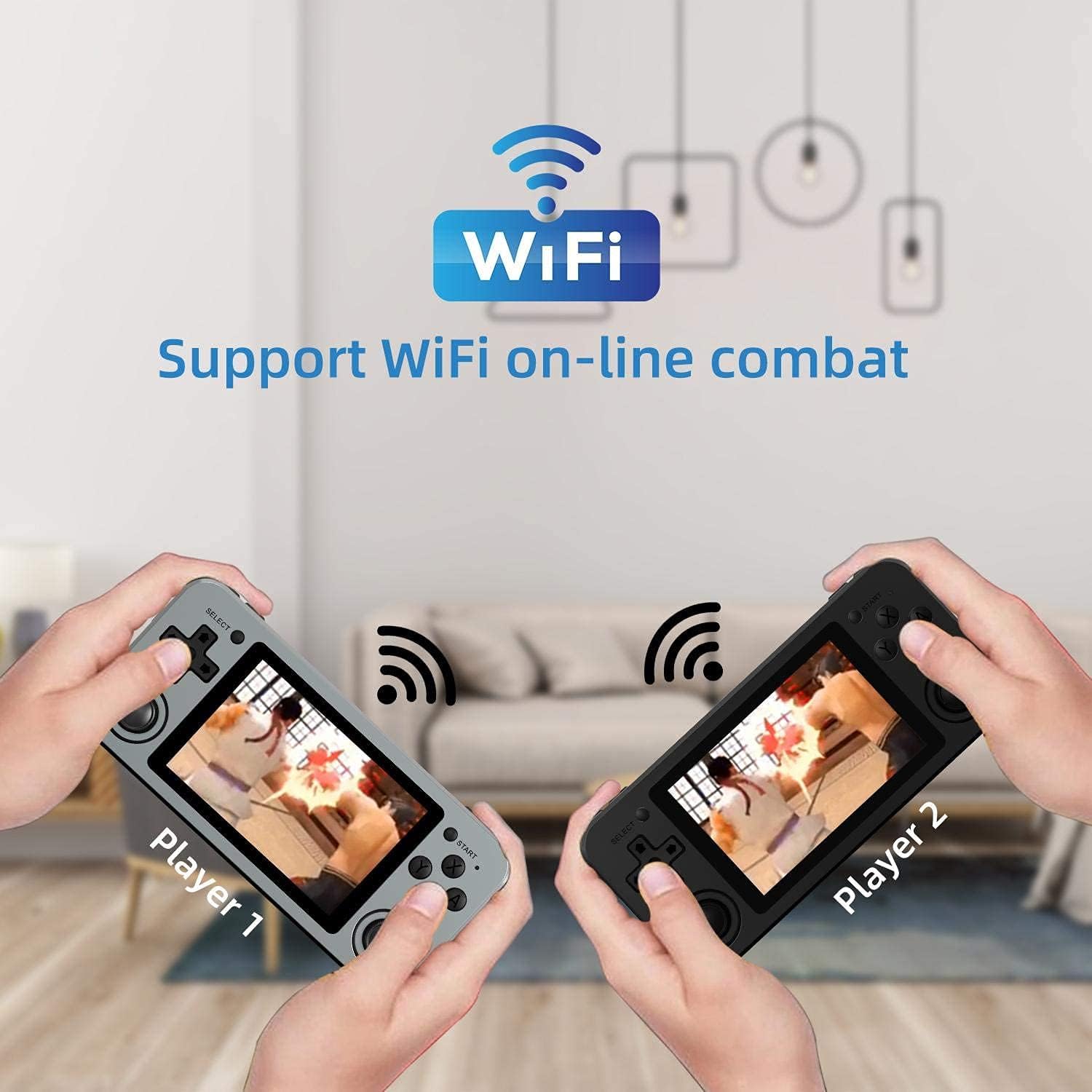
Image: Two RG351M consoles held by hands, illustrating the capability for Wi-Fi online combat between players.
Onderhoud
- Schoonmaak: Use a soft, dry cloth to clean the console's exterior. For the screen, use a microfiber cloth specifically designed for electronics. Do not use liquid cleaners directly on the screen.
- Opslag: When not in use for extended periods, store the console in a cool, dry place, away from direct sunlight.
- batterij zorg: Om de levensduur van de batterij te verlengen, moet u voorkomen dat de batterij vaak volledig leeg raakt. Laad het apparaat regelmatig op, ook als u het niet gebruikt, om de batterij in goede conditie te houden.
- Software-updates: Periodically check for system updates (if available through the open-source community) to ensure optimal performance and compatibility.
Probleemoplossing
| Probleem | Mogelijke oplossing |
|---|---|
| Apparaat gaat niet aan. | Zorg ervoor dat de batterij is opgeladen. Sluit de lader aan en wacht een paar minuten voordat u het apparaat opnieuw probeert in te schakelen. |
| Het scherm is vastgelopen of reageert niet. | Locate the recessed Reset button on the bottom of the device and press it gently with a thin, non-metallic object (e.g., a paperclip) to restart the console. |
| De spellen laden niet traag en draaien ook niet langzaam. | Ensure the TF card is properly inserted. Some games may require specific emulator settings or may be too demanding for the hardware. Check online communities for compatibility lists or optimization tips. |
| Geen geluid uit luidsprekers of koptelefoon. | Check the volume level using the volume buttons on the right side of the console. Ensure headphones are fully plugged in. Restart the device. |
| Problemen met de wifi-verbinding. | Ensure you are within range of a 2.4GHz Wi-Fi network. Double-check the Wi-Fi password. Restart the console and your Wi-Fi router. |
Specificaties
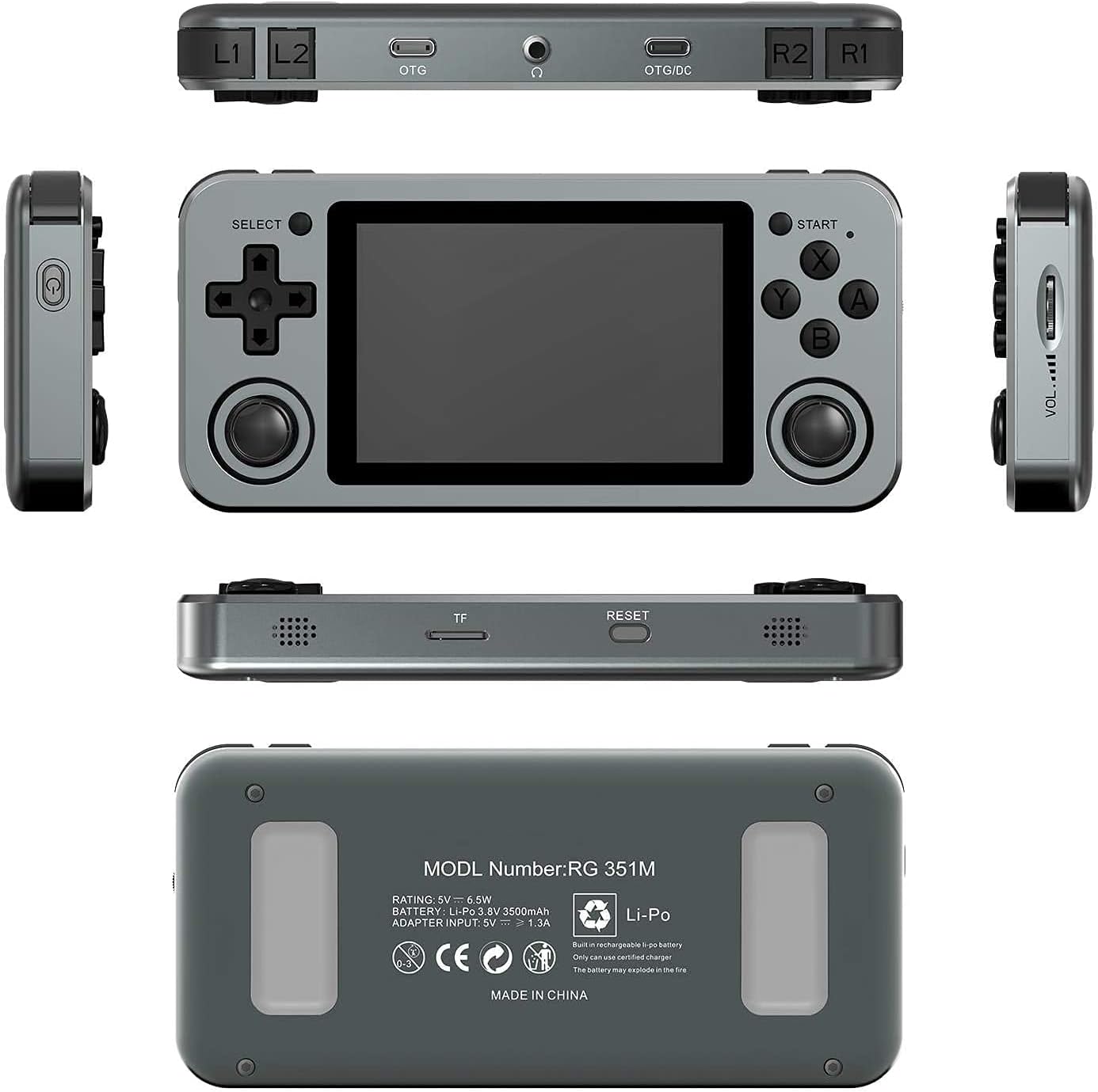
Image: A composite image showing the ANBERNIC RG351M from various angles, including front, top, bottom, sides, and back, providing a comprehensive view of its design and ports.
| Functie | Detail |
|---|---|
| Model | RG351M |
| CPU | RK3326 quad core 1.5 GHz |
| GPU | Mali-G31 MP2 |
| RAM | DDR3L 1GB |
| Geheugen | 64 GB (TF-kaart) |
| Scherm | 3.5 inch IPS, OCA full lamination, 320*480 resolution |
| Systeem | Open source Linux-systeem |
| Batterij | Li-polymer 3500 mAh, up to 8 hours battery life |
| Opladen | 1.3A charging, max 2A, USB Type-C, 4 hours full charge |
| TF-kaartondersteuning | Maximaal 256 GB |
| Interface | TF Card Slot, 3.5mm Earphone, OTG 1 (Type-C), OTG 2 (Type-C Data/Charging) |
| Afmetingen (console) | 15.2 cm (L) x 7.1 cm (B) x 1.8 cm (H) |
| Gewicht (console) | 0.19kg (approx. 6.7 oz) |
Garantie en ondersteuning
For warranty information and technical support, please refer to the retailer or the official ANBERNIC website. Keep your proof of purchase for warranty claims. This manual provides general guidance; specific software-related issues may require consulting community forums or official support channels.
Ask a question about this manual
Ask about setup, troubleshooting, compatibility, parts, safety, or missing instructions. Manuals+ will review the question and use this page’s manual context to help answer it.