
Invoering
This user manual provides detailed instructions for the setup, operation, maintenance, and troubleshooting of your iFFALCON 43K71 4K Ultra HD Smart Android LED TV. Please read this manual thoroughly before using the television and retain it for future reference.

Afbeelding: Voorzijde view of the iFFALCON 43K71 4K Ultra HD Smart Android LED TV, showcasindoor het slanke design en het levendige scherm.
Veiligheidsinformatie
Neem altijd de volgende veiligheidsmaatregelen in acht om brand, elektrische schokken of letsel te voorkomen:
- Stel de TV niet bloot aan regen of vocht.
- Zorg voor goede ventilatie. Blokkeer de ventilatieopeningen niet.
- Gebruik uitsluitend het netsnoer dat bij de tv is meegeleverd.
- Open de tv-kast niet. Laat alle onderhoudswerkzaamheden over aan gekwalificeerd personeel.
- Houd de televisie uit de buurt van direct zonlicht, warmtebronnen en sterke magnetische velden.
- Plaats de tv op een stabiele, vlakke ondergrond of bevestig hem stevig aan de muur.
Wat zit er in de doos?
Controleer bij het uitpakken of alle componenten aanwezig zijn:
- 1 x iFFALCON 43K71 LED TV
- 1 x Afstandsbediening (inclusief 2 AAA-batterijen)
- 2 x Table Stand components
- 1 x Gebruikershandleiding
- 1 x Garantiekaart
- 1 x audiokabel
Instellen
1. Fysieke installatie
You can install your TV using the included table stands or by wall-mounting (wall mount bracket sold separately).
Installatie van tafelstandaard:
- Leg de tv voorzichtig met het scherm naar beneden op een zachte, vlakke ondergrond om schade aan het scherm te voorkomen.
- Attach the two table stand components to the designated slots on the bottom of the TV using the provided screws. Ensure they are securely fastened.
- Zet de tv voorzichtig rechtop op een stabiele, vlakke ondergrond.
Installatie aan de muur:
For wall mounting, consult a professional installer. Ensure the wall mount bracket is compatible with the TV's VESA mounting pattern and can support the TV's weight (approximately 6.9 kg).

Afbeelding: Boven view of the iFFALCON 43K71 TV, showing its slim profile en bevestigingspunten voor de standaard.
2. Eerste keer inschakelen en netwerkverbinding
- Sluit het netsnoer aan op de televisie en vervolgens op een stopcontact.
- Druk op de aan/uit-knop op de tv of op de afstandsbediening om de tv in te schakelen.
- Volg de instructies op het scherm om de eerste installatie te voltooien, inclusief het selecteren van de taal, het land en de netwerkverbinding (Wi-Fi of Ethernet).
- Meld u aan met uw Google-account om toegang te krijgen tot de functies van Android TV en apps te downloaden.
De tv bedienen
Afstandsbediening
The supplied remote control allows you to navigate the TV's interface and access various functions.
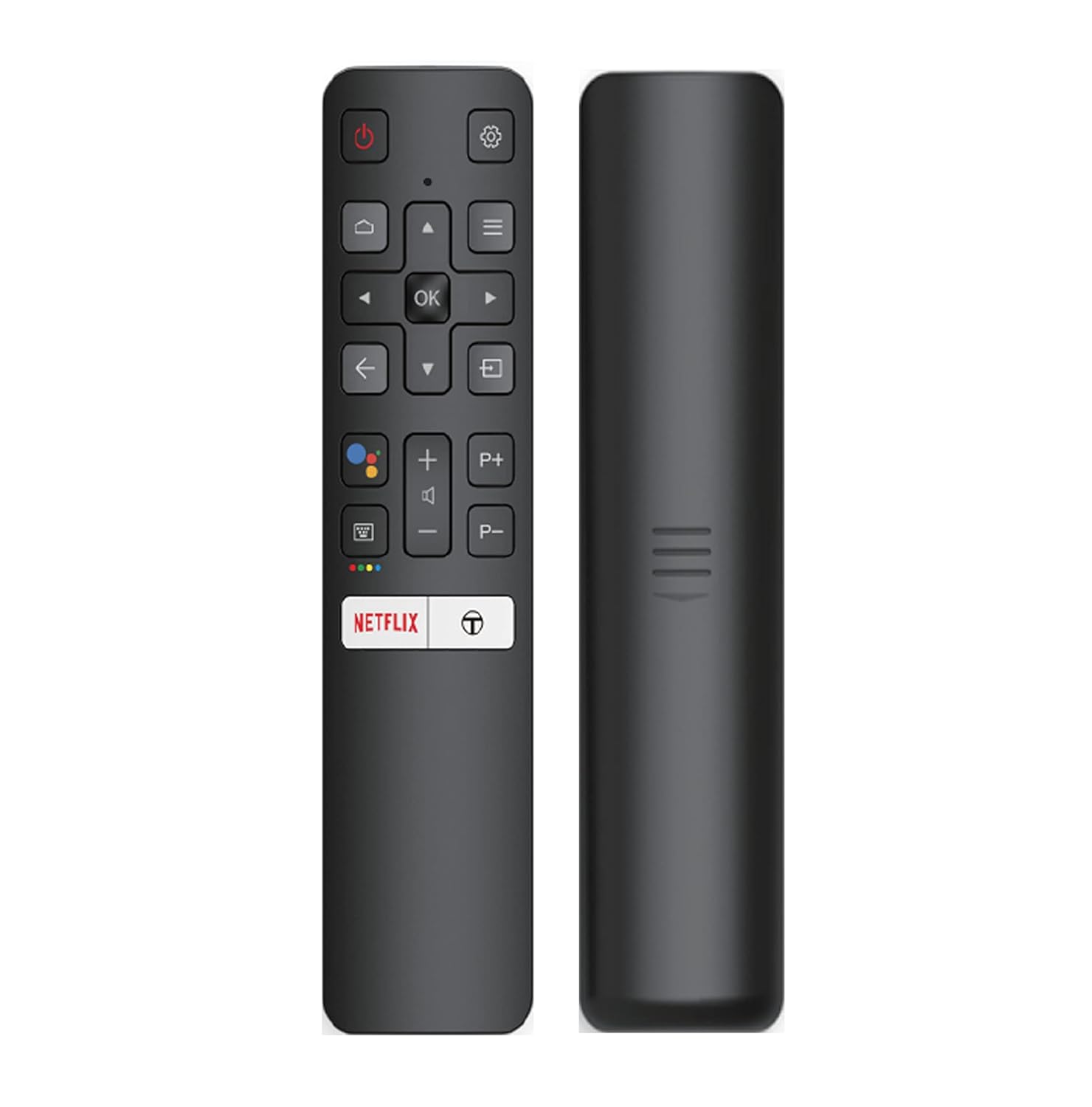
Image: The iFFALCON 43K71 remote control, featuring dedicated buttons for Netflix, Amazon Prime Video, Zee5, and Google Assistant.
De belangrijkste knoppen zijn:
- Stroom: Schakelt de televisie in/uit.
- Navigatie (Omhoog/Omlaag/Links/Rechts/OK): Navigeert door menu's en bevestigt selecties.
- Rug: Keert terug naar het vorige scherm.
- Thuis: Geeft toegang tot het startscherm van Android TV.
- Inhoud +/-: Past het volume aan.
- Kanaal P+/P-: Verandert kanalen.
- Google Assistent: Activeert spraakbesturing.
- Netflix, Prime Video, Zee5: Directe toegangsknoppen voor streamingdiensten.
Smart TV-functies (Android TV)
Your iFFALCON 43K71 TV runs on Android 9.0, providing access to a wide range of applications and smart functionalities.

Image: The Android TV home screen on the iFFALCON 43K71, displaying various streaming apps like Netflix, YouTube, and Prime Video.
- Toepassingen: Download and install apps from the Google Play Store, including Netflix, YouTube, Prime Video, Disney+Hotstar, and more.
- Handsfree stembediening: Use the built-in Google Assistant to control your TV, search for content, and manage smart home devices by speaking commands directly to the TV.
- Chromecast ingebouwd: Stream content vanaf je smartphone, tablet of computer rechtstreeks naar het tv-scherm.
- AI-IN: iFFALCON's AI-IN technology integrates with Google Assistant for enhanced smart home connectivity and personalized recommendations.
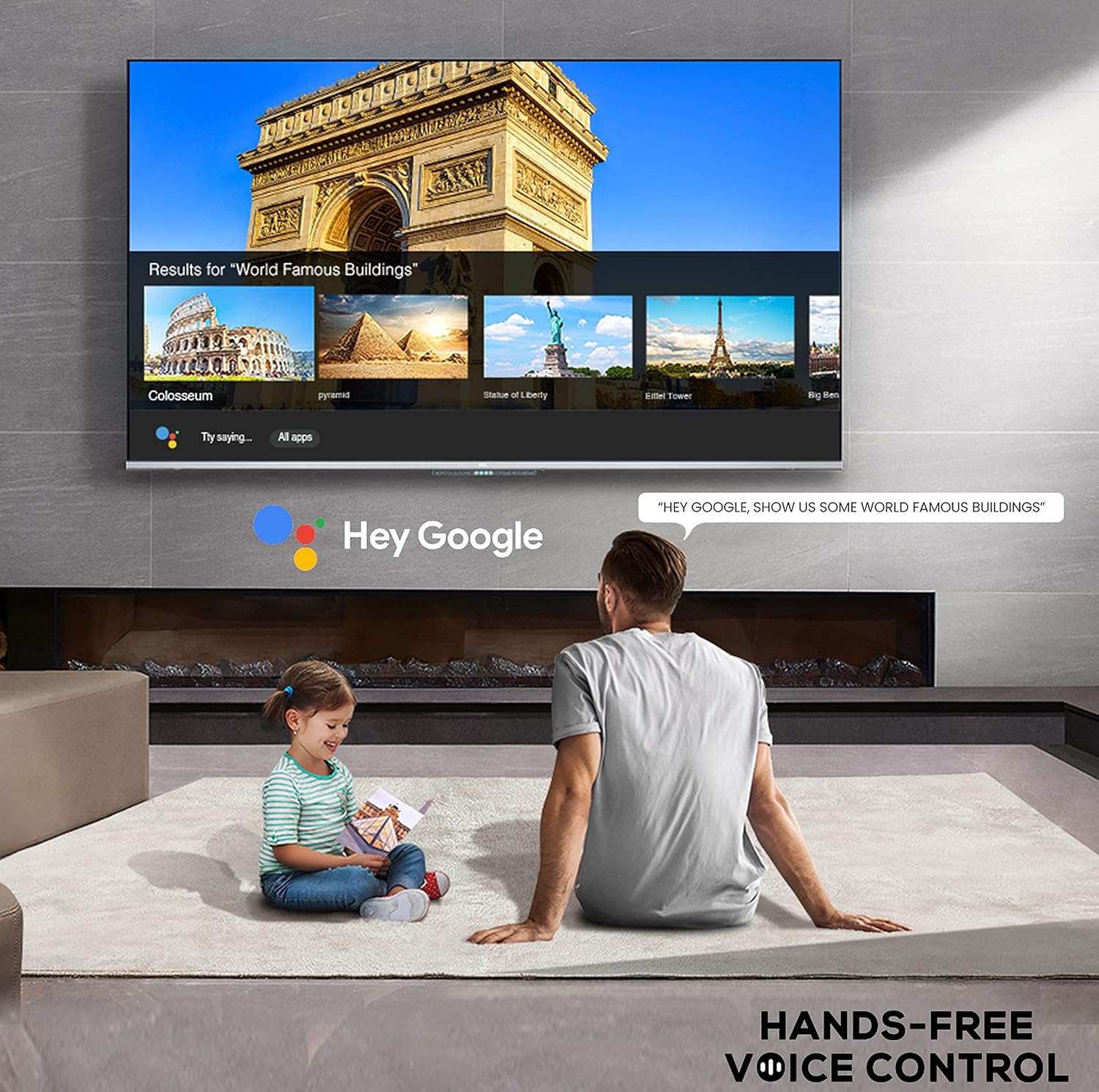
Image: A user interacting with the iFFALCON 43K71 using hands-free voice control, demonstrating the Google Assistant feature.
Connectiviteit
De televisie biedt verschillende aansluitingen voor externe apparaten:
- HDMI-poorten (2): Connect set-top boxes, Blu-ray players, gaming consoles, etc.
- USB-poort (1): Connect hard drives, USB flash drives for media playback.
- Bluetooth: Sluit draadloze hoofdtelefoons, soundbars of andere Bluetooth-accessoires aan.
- Wifi: Maak verbinding met uw draadloze thuisnetwerk voor internettoegang.
- Audio kabel: For external audio connections.
Beeld- en geluidsinstellingen
Pas de beeld- en geluidsinstellingen aan om uw viewervaring.
- Beeldmodi: Kies uit verschillende vooraf ingestelde beeldmodi (bijv. Standaard, Dynamisch, Film, Sport) of pas instellingen aan zoals helderheid, contrast, kleur en scherpte.
- 4K Ultra HD & HDR 10: Experience stunning detail and vibrant colors with 4K resolution and High Dynamic Range (HDR 10) support.
- Micro-verduistering: Enhances contrast by analyzing video content in hundreds of separate zones and adjusting brightness and darkness independently.
- Geluidsmodi: Kies uit vooraf ingestelde geluidsmodi (bijv. Standaard, Muziek, Film, Heldere Stem) of pas de equalizerinstellingen aan.
- Dolby-audio: Enjoy immersive audio with Dolby Audio processing, delivering rich, clear, and powerful sound from the 30 Watts speakers.
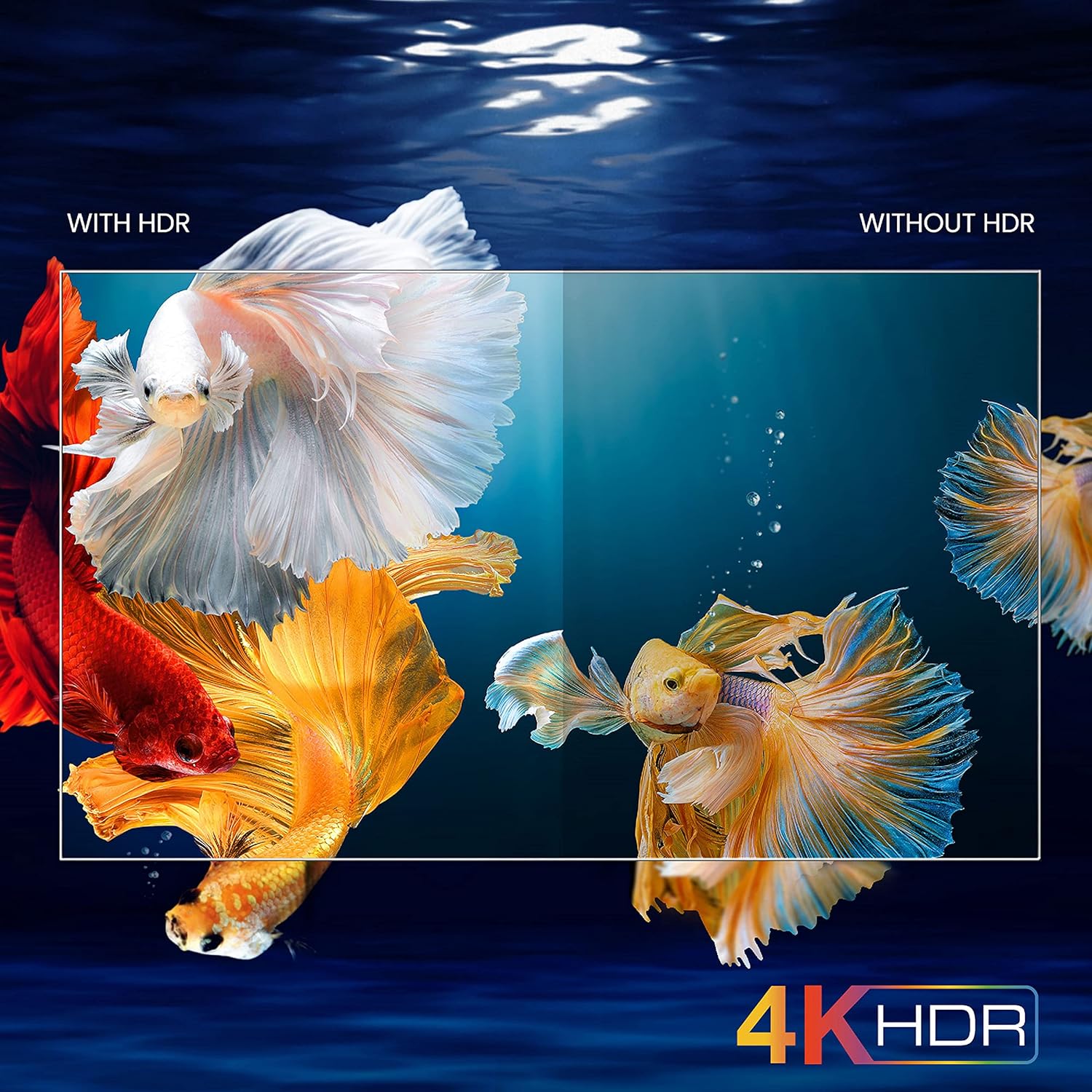
Image: A visual comparison demonstrating the enhanced color and contrast with 4K HDR enabled versus disabled on the iFFALCON 43K71 TV.
Onderhoud
Schoonmaak
- Haal altijd de stekker van de tv uit het stopcontact voordat u hem schoonmaakt.
- Gebruik een zachte, droge doek om het scherm en de behuizing schoon te vegen. Bij hardnekkige vlekken lichtjes afnemen.ampReinig de doek met water of een milde, niet-schurende schermreiniger.
- Gebruik geen alcohol, benzeen, verdunners of andere vluchtige stoffen.
Software-updates
The TV may receive software updates periodically to improve performance and add new features. Ensure your TV is connected to the internet to receive these updates automatically or check for them manually in the settings menu.
Probleemoplossing
If you encounter issues, refer to the following common solutions before contacting support:
| Probleem | Mogelijke oplossing |
|---|---|
| TV gaat niet aan. | Check if the power cord is securely plugged into the TV and the power outlet. Ensure the power outlet is working. Try pressing the power button on the TV itself. |
| Geen beeld, wel geluid. | Controleer de invoerbron. Zorg ervoor dat externe apparaten correct zijn aangesloten en ingeschakeld. Probeer de tv opnieuw op te starten. |
| Geen geluid, maar wel beeld. | Check the volume level and ensure the TV is not muted. Verify audio output settings. If using external speakers, check their connections and power. |
| Afstandsbediening werkt niet. | Vervang de batterijen (2 AAA). Zorg ervoor dat er geen obstakels zijn tussen de afstandsbediening en de IR-sensor van de tv. |
| Kan geen verbinding maken met wifi. | Check your router and modem. Restart them if necessary. Ensure you are entering the correct Wi-Fi password. Try moving the TV closer to the router or using an Ethernet cable. |
| Trage prestaties of app-crashes. | Close unused applications. Clear cache for problematic apps. Restart the TV. Consider a factory reset as a last resort (this will erase all data and settings). |
Specificaties
Key technical specifications for the iFFALCON 43K71 TV:
| Functie | Detail |
|---|---|
| Model | 43K71 |
| Schermgrootte | 43 cm (108 inch) |
| Oplossing | 4K Ultra HD (3840 x 2160 pixels) |
| Vernieuwingsfrequentie | 60Hz |
| Besturingssysteem | Androïde 9.0 |
| RAM | 2GB |
| Opslag | 16GB |
| Geluidsuitgang | 30 Watts (Dolby Audio Power Speakers) |
| HDMI-poorten | 2 |
| USB-poorten | 1 |
| Connectiviteit | Wi-Fi, Bluetooth |
| Afmetingen (LxBxH) | 96 x 4.1 x 55.8 cm (zonder standaard) |
| Artikelgewicht | 6.9 kg |

Image: Diagram showing the physical dimensions of the iFFALCON 43K71 TV in centimeters and inches.
Garantie
The iFFALCON 43K71 TV comes with a 1 jaar garantie provided by the manufacturer from the date of purchase. Please retain your purchase receipt for warranty claims. For detailed terms and conditions, refer to the included Warranty Card.
Steun
For further assistance, technical support, or service requests, please contact iFFALCON customer service. Contact details can typically be found on the manufacturer's official website of op de garantiekaart.
Product voorbijview Video
Video: Een korte voorbeschouwingview videoshowasing key features and visual enhancements of the iFFALCON 43K71 4K Ultra HD Smart Android LED TV, including 4K HDR, dynamic tone mapping, color enhancement, Android TV interface, and hands-free voice control.