
MAXXMEE Digital Hot Air Oven 18L
MAXXMEE Digitale Heteluchtoven 18L Gebruiksaanwijzing
Model: Digital Hot Air Oven 18L
Belangrijke veiligheidsinstructies
Please read this instruction manual carefully before using the MAXXMEE Digital Hot Air Oven. Keep this manual for future reference. Failure to follow these instructions may result in electric shock, fire, or serious injury.
- Haal de stekker van het apparaat altijd uit het stopcontact voordat u het schoonmaakt, onderhoudt of als u het niet gebruikt.
- Dompel het apparaat, het snoer of de stekker niet onder in water of een andere vloeistof.
- Dit apparaat is niet bedoeld voor gebruik door personen (inclusief kinderen) met verminderde fysieke, sensorische of mentale vermogens, of met een gebrek aan ervaring en kennis, tenzij zij onder toezicht staan of instructies hebben gekregen over het gebruik van het apparaat door een persoon die verantwoordelijk is voor hun veiligheid.
- Kinderen moeten onder toezicht staan om ervoor te zorgen dat ze niet met het apparaat spelen.
- Gebruik geen enkel apparaat waarvan het snoer of de stekker beschadigd is, of nadat het apparaat defect is geraakt of op enigerlei wijze beschadigd is.
- Place the appliance on a stable, heat-resistant surface, away from walls and other appliances to allow for proper ventilation.
- Do not cover the air inlet or outlet vents while the appliance is in operation.
- The exterior surfaces of the appliance may become hot during use. Use oven mitts when handling hot surfaces or accessories.
- Plaats niets bovenop het apparaat terwijl het in gebruik is.
- Gebruik uitsluitend door de fabrikant aanbevolen accessoires.
- Gebruik het apparaat niet voor andere doeleinden dan waarvoor het bedoeld is.
Product voorbijview
Meegeleverde componenten
The MAXXMEE Digital Hot Air Oven comes with the following accessories:
- Frituurmand
- Rotisserie spits
- Grillrek
- Bakplaat
- Lekbak

Image: The MAXXMEE Digital Hot Air Oven displayed with its complete set of accessories, including the frying basket, rotisserie spit, grill rack, baking tray, and drip tray.
Bedieningspaneel en display
The appliance features a digital control panel for easy operation, allowing precise temperature and time adjustments. It includes various preset functions for different cooking needs.

Afbeelding: Een gedetailleerde view of the oven's digital control panel, highlighting the display for time and temperature, along with the main control knob and function buttons.

Image: A visual representation of the different cooking function icons available on the oven's display, such as air frying, grilling, dehydrating, baking, warming, and fermenting.
Eerste installatie
- Uitpakken: Carefully remove the appliance and all accessories from the packaging. Remove any protective films or stickers.
- Reinigen voor het eerste gebruik: Veeg de buitenkant van de oven af met advertentieamp cloth. Wash all removable accessories (frying basket, rotisserie, grill rack, baking tray, drip tray) with warm soapy water, rinse thoroughly, and dry completely.
- Plaatsing: Place the oven on a stable, level, and heat-resistant surface. Ensure there is adequate space (at least 10 cm) around all sides of the oven for proper air circulation. Do not place it near flammable materials or under cabinets.
- Stroomaansluiting: Sluit het netsnoer aan op een geaard stopcontact.
Gebruiksaanwijzing
Basisbediening
- Aan/uit: Press the power button to turn the oven on or off. The digital display will illuminate.
- Functies selecteren: Use the control knob or dedicated function buttons to cycle through the available cooking modes (e.g., Air Fry, Roast, Bake, Dehydrate).
- Temperatuur en tijd aanpassen: Once a function is selected, use the control knob to adjust the cooking temperature and time. Press the knob to switch between temperature and time adjustment modes.
- Start pauze: Press the Start/Stop button to begin or pause the cooking process.
Kookfuncties
The MAXXMEE Digital Hot Air Oven offers versatile cooking options:
- Luchtfrituren: Ideal for crispy results with little to no oil. Use the frying basket for items like fries, chicken wings, or vegetables.
- Grillen/Braden: Perfect for meats, poultry, and larger items. The rotisserie spit can be used for whole chickens.
- Bakken: Suitable for pizzas, bread, cakes, and casseroles. Use the baking tray or grill rack as needed.
- uitdrogen: Low-temperature cooking for drying fruits, vegetables, or making jerky.
- Blijf warm: Houdt voedsel op serveertemperatuur na het koken.
- Fermenteren: Provides a controlled low-temperature environment for fermentation processes.

Image: French fries being air-fried in the oven, demonstrating the air circulation for even crisping.

Image: A whole chicken rotating on the rotisserie spit inside the oven, illustrating the roasting function.

Image: A pizza baking inside the oven, showcasing the baking capability.
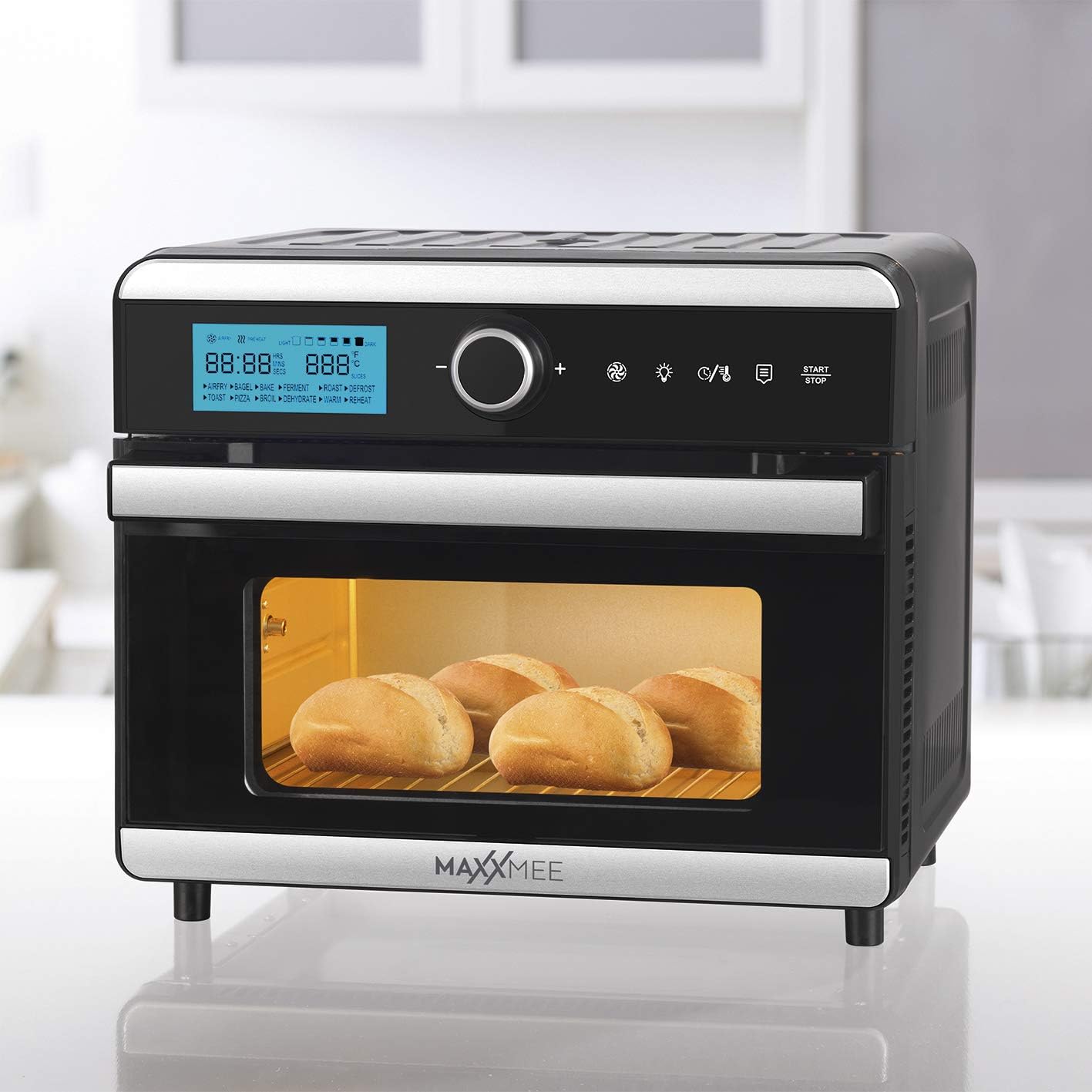
Image: Bread rolls baking inside the oven, demonstrating its use for bread.

Image: A casserole dish inside the oven, illustrating its use for baking larger dishes.

Image: Sliced oranges dehydrating on a rack within the oven.
Using the Timer and Keep Warm Function
The oven features a timer function for precise cooking durations and an automatic shut-off. The 4-hour keep warm function can be activated to maintain food temperature after cooking is complete.
Using the Included Accessories
- Frituurmand: Insert into the oven for air frying smaller items like fries, nuggets, or vegetables. Ensure it is securely placed on the designated rack level.
- Draaispit: For roasting whole chickens or larger cuts of meat. Secure the food onto the spit and insert it into the rotisserie sockets inside the oven. Activate the rotisserie function on the control panel.
- Grillrek: Use for grilling, baking, or to support other cookware. Can be placed at different height levels.
- Bakplaat: Ideal for baking cookies, pastries, or heating up food. Place it on the grill rack.
- Afdruiprek: Always place the drip tray at the very bottom of the oven to catch any oil, crumbs, or food drippings, making cleanup easier.
Verzorging en reiniging
Regelmatig reinigen zorgt voor optimale prestaties en verlengt de levensduur van uw apparaat.
- Altijd de stekker eruit: Haal voor het schoonmaken altijd de stekker van de oven uit het stopcontact en laat hem volledig afkoelen.
- Buitenreiniging: Veeg de buitenkant af met een zachte, damp lap. Gebruik geen schuurmiddelen of schuursponsjes.
- Interieurreiniging: Veeg de binnenmuren af met adamp Een doek en een mild reinigingsmiddel. Voor hardnekkige vlekken kunt u een niet-schurende spons gebruiken. Zorg ervoor dat de binnenkant droog is voor het volgende gebruik.
- Accessoires: Wash the frying basket, rotisserie spit, grill rack, baking tray, and drip tray in warm soapy water. Rinse thoroughly and dry completely. These accessories may also be dishwasher safe (check manufacturer's guidelines if available).
- Niet onderdompelen: Never immerse the main unit of the oven in water or any other liquid.
Gids voor probleemoplossing
| Probleem | Mogelijke oorzaak | Oplossing |
|---|---|---|
| Het apparaat gaat niet aan. | Niet aangesloten; stopcontact defect; aan/uit-knop niet ingedrukt. | Zorg ervoor dat het netsnoer goed in een werkend stopcontact zit. Druk de aan/uit-knop stevig in. Controleer de stroomonderbreker. |
| Het voedsel kookt niet gelijkmatig. | Overcrowding the oven; incorrect temperature/time settings; food not rotated. | Do not overcrowd the oven; cook in smaller batches if necessary. Adjust temperature and time according to recipe. For best results, turn or shake food halfway through cooking. |
| Er komt veel rook uit de oven. | Food residue or grease buildup; fatty foods cooking at high temperatures. | Unplug the oven and let it cool. Clean the interior and accessories thoroughly, especially the drip tray. Reduce cooking temperature for very fatty foods. |
| Het spit draait niet. | Spit not properly installed; food too heavy or unbalanced; rotisserie function not activated. | Ensure the rotisserie spit is correctly inserted into the drive sockets. Balance the food on the spit. Activate the rotisserie function on the control panel. |
Technische specificaties
| Merk: | MAXXMEE |
| Model: | Digital Hot Air Oven 18L |
| Kleur: | Black and Steel |
| Capaciteit: | 18 liter |
| Stroom: | 1550 Watt |
| Materiaal: | Roestvrij staal |
| Controletype: | Digitale besturing |
| Speciale kenmerken: | Timer, Keep Warm, Frying Basket, Rotisserie |
| Meegeleverde componenten: | Frying Basket, Rotisserie Spit, Grill Rack, Baking Tray, Drip Tray, Air Frying Functionality |
| Afmetingen (pakket): | 47.5x47x45.9cm |
| Artikelgewicht: | 12.1 kilogram |
Garantie en klantenondersteuning
For warranty information, service, or support, please refer to the warranty card included with your purchase or contact MAXXMEE customer service directly. Keep your proof of purchase for any warranty claims.
U kunt de contactgegevens doorgaans vinden op de officiële website van de fabrikant. webwebsite of via uw verkoper.
Ask a question about this manual
Ask about setup, troubleshooting, compatibility, parts, safety, or missing instructions. Manuals+ will review the question and use this page’s manual context to help answer it.