
WORKPRO W125051A
Gebruikershandleiding voor de WORKPRO 20V draadloze haakse slijperkit
Model: W125051A | Merk: WORKPRO
1. Inleiding en voorbijview
The WORKPRO 20V Cordless Angle Grinder Kit is a versatile and portable power tool designed for grinding, cutting, and polishing various materials. Its cordless design offers freedom of movement for both indoor and outdoor applications. Equipped with a powerful 20V 4.0Ah Lithium-Ion battery and a fast charger, this tool ensures stable and long-lasting performance. This manual provides essential information for safe and effective operation, maintenance, and troubleshooting to help you achieve optimal results.

Figure 1.1: Complete WORKPRO 20V Cordless Angle Grinder Kit.
2. Belangrijke veiligheidsinformatie
Lees en begrijp altijd alle veiligheidswaarschuwingen en -instructies voordat u dit elektrische gereedschap gebruikt. Het niet opvolgen van de waarschuwingen en instructies kan leiden tot een elektrische schok, brand en/of ernstig letsel.
2.1 Algemene veiligheid van elektrisch gereedschap
- Veiligheid werkgebied: Houd uw werkplek schoon en goed verlicht. Rommelige of donkere ruimtes zijn een risico op ongelukken. Gebruik geen elektrisch gereedschap in explosieve atmosferen, zoals in de buurt van ontvlambare vloeistoffen, gassen of stof.
- Elektrische veiligheid: Vermijd lichamelijk contact met geaarde oppervlakken (bijv. leidingen, radiatoren, fornuizen, koelkasten). Er bestaat een verhoogd risico op een elektrische schok als uw lichaam geaard is.
- Persoonlijke veiligheid: Always wear eye protection. Use hearing protection when operating the tool for extended periods. Wear appropriate clothing; avoid loose clothing or jewelry. Keep hair, clothing, and gloves away from moving parts.
- Gebruik en onderhoud van gereedschap: Forceer het elektrische gereedschap niet. Gebruik het juiste elektrische gereedschap voor uw toepassing. Het zal de klus beter en veiliger klaren met de snelheid waarvoor het is ontworpen. Koppel de accu los van het elektrische gereedschap voordat u aanpassingen uitvoert, accessoires verwisselt of het opbergt.
2.2 Specific Angle Grinder Safety
- Always use the guard provided with the tool. Ensure the guard is securely attached and positioned for maximum safety.
- Use only grinding wheels and cutting discs that are specifically designed for an angle grinder and are rated for the tool's maximum RPM.
- Bevestig het werkstuk. Gebruik clamps or a vise to hold the workpiece firmly. This frees both hands to operate the tool safely.
- Houd het gereedschap tijdens gebruik stevig met beide handen vast.
- Be aware of kickback. Kickback is a sudden reaction to a pinched or snagged rotating wheel. Always maintain proper footing and balance.
3. Inhoud van het pakket
Your WORKPRO 20V Cordless Angle Grinder Kit includes the following components:
- 1 x Cordless Angle Grinder
- 1 x 4.0 Ah lithium-ionbatterij
- 1 x snellader
- 1 x Rubberized 3-Position Anti-Slip Auxiliary Handle
- 1 x Grinding Wheel Protector
- 1 x Cutting Wheel Protector
- 5 x Metal Cutting Wheels (4-1/2”)
- 5 x Grinding Wheels (4-1/2”)
- 1 x Steeksleutel

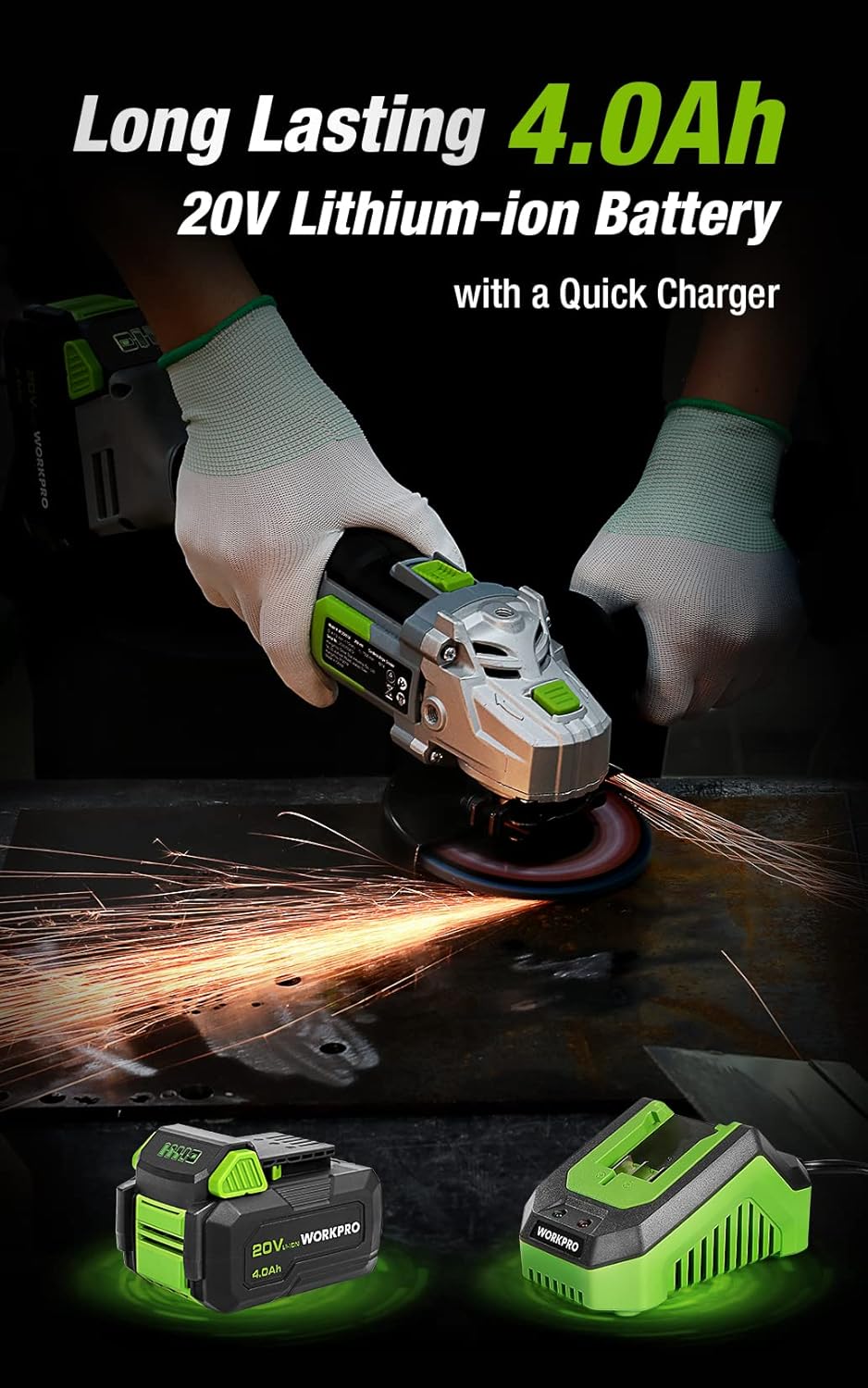
Figure 3.1: Included discs, guards, and spanner. Figure 3.2: 4.0Ah Lithium-Ion Battery and Fast Charger.
Video 3.1: Een overview of the WORKPRO 20V Cordless Angle Grinder Kit and its components.
4. Instellen
4.1 Het hulphandvat bevestigen
The auxiliary handle can be installed in three different positions (left, right, or top) to provide optimal comfort and control for various tasks and user preferences. Simply screw the handle into the desired threaded opening on the grinder head.

Figure 4.1: The 3-position anti-slip auxiliary handle for enhanced ergonomics.
4.2 Installing Wheel Guards
Select the appropriate wheel guard (grinding or cutting) for your task. The guards feature a quick-installation mechanism that does not require additional tools. Align the guard with the grinder head and snap it into place, ensuring it is securely fastened and positioned to deflect sparks and debris away from you.
4.3 Installing Grinding/Cutting Discs
- Ensure the battery is removed from the grinder.
- Houd de spindelvergrendelingsknop op de slijpkop ingedrukt.
- Plaats de binnenflens op de spindel.
- Position the desired grinding or cutting disc onto the spindle, ensuring it sits flush against the inner flange.
- Place the outer flange onto the spindle, on top of the disc.
- Use the provided spanner to tighten the outer flange clockwise until the disc is securely fastened. Release the spindle lock.
4.4 De batterij opladen
Before first use, fully charge the 4.0Ah Lithium-Ion battery. Connect the fast charger to a standard power outlet. Slide the battery pack onto the charger until it clicks into place. The charger's indicator light will show the charging status (e.g., red for charging, green for fully charged). Once fully charged, remove the battery from the charger.
Video 4.1: Demonstrates the quick installation of the guard and disc, and battery charging process.
5. Gebruiksaanwijzing
5.1 In-/uitschakelen
The angle grinder features an ergonomic two-step operational switch located in the center of the top for convenient access by both left- and right-handed users. To turn the tool ON, push the switch forward and then up. To turn the tool OFF, simply push the switch down.

Figure 5.1: The two-step operational switch for safe and convenient use.
5.2 Slijpbewerkingen
For grinding tasks, ensure the grinding wheel protector is installed and a grinding disc is securely attached. Hold the grinder firmly with both hands, maintaining a stable stance. Apply light, even pressure to the workpiece, allowing the 7500 RPM speed to do the work. Move the grinder smoothly across the surface to achieve desired results. The tool's lightweight design (3.5 pounds without battery) helps reduce hand pressure during extended use.


Figure 5.2: Grinding metal with the WORKPRO Angle Grinder, demonstrating sparks and stable operation.
5.3 Snijbewerkingen
When cutting, use the cutting wheel protector and a suitable cutting disc. Position the workpiece securely. Start the grinder before making contact with the material. Guide the disc through the material with steady, controlled movements. Avoid twisting or binding the disc, which can cause kickback. The tool's ergonomic design and rubberized grip provide a better user experience during cutting tasks.
Video 5.1: Demonstrates metal grinding and cutting, as well as PVC cutting, highlighting flexible use.
6. Onderhoud
Regular maintenance ensures the longevity and optimal performance of your WORKPRO Angle Grinder.
6.1 Reinigen
- Reinig het gereedschap na elk gebruik met een zachte, droge doek.
- Periodically clear dust and debris from the ventilation openings to ensure proper heat dissipation. The grinder features a stereo circulating heat dissipation system with multiple vents for more uniform heat dissipation.
- Gebruik geen water of chemische reinigingsmiddelen.

Figure 6.1: Stereo Circulating Heat Dissipation through multiple vents.
6.2 Batterijonderhoud
- Bewaar batterijen op een koele, droge plaats, uit de buurt van direct zonlicht en extreme temperaturen.
- Do not store fully discharged batteries for long periods. Recharge them periodically.
- Avoid exposing the battery to moisture or water.
6.3 Schijfinspectie en vervanging
- Inspect grinding and cutting discs before each use for cracks, chips, or excessive wear. Replace damaged or worn discs immediately.
- Always use the correct type and size of disc for your application.
7. Probleemoplossing
In dit gedeelte worden veelvoorkomende problemen met uw haakse slijper besproken.
| Probleem | Mogelijke oorzaak | Oplossing |
|---|---|---|
| Tool start niet | Batterij niet opgeladen Batterij niet goed geplaatst Schakelaar niet volledig ingeschakeld | Laad de batterij volledig op Zorg ervoor dat de batterij goed vastgeklikt zit. Push switch fully forward and up |
| Verminderde prestaties/snelheid | Lage batterijlading Oververhitting Versleten of verkeerde schijf | Batterij opladen Allow tool to cool down; clear vents Replace disc with appropriate type |
| Overmatige trillingen | Beschadigde of ongebalanceerde schijf Improperly installed disc/flanges | Vervang schijf Reinstall disc and flanges correctly, ensuring spindle lock is released |
8. Specificaties
Technical details for the WORKPRO 20V Cordless Angle Grinder Kit:
- Merk: WERKPRO
- Modelnummer: W125051A
- Energiebron: Op batterijen
- Batterijtype: 20V 4.0Ah lithium-ion
- Maximale rotatiesnelheid: 7500 toeren per minuut
- Schijfdiameter: 4-1/2 inch
- Materiaal: Aluminium (behuizing)
- Kleur: Groente
- Item Weight (without battery): 3.5 pond (ongeveer 1.59 kg)
- Productafmetingen: 13.58"L x 5.91"B x 7.48"H
- Fabrikant: HANZGHOU GREATSTAR INDUSTRIAL CO.LTD
- UPC-nummer: 820909764120
9. Garantie en ondersteuning
For detailed warranty information or technical support, please refer to the official user guide PDF provided with your product or visit the WORKPRO website. You can access the user guide hier.
Ask a question about this manual
Ask about setup, troubleshooting, compatibility, parts, safety, or missing instructions. Manuals+ will review the question and use this page’s manual context to help answer it.