
Invoering
This manual provides detailed instructions for the installation, operation, and maintenance of your Eogifee UC7083T Ceiling Fan Remote Control. This remote is designed as a replacement for original Hampton Bay UC7083T remotes and is compatible with various Hampton Bay and Harbor Breeze ceiling fans that utilize a receiver with matching dip switches. Please read this manual thoroughly before use to ensure proper function and safety.
Veiligheidsinformatie
- Ensure the ceiling fan's power is turned off at the circuit breaker before any installation or maintenance.
- This remote control is a transmitter only. It requires an existing compatible receiver within your ceiling fan.
- Stel de afstandsbediening niet bloot aan water of overmatig vocht.
- Houd batterijen buiten bereik van kinderen.
- Gooi gebruikte batterijen op een verantwoorde manier weg volgens de plaatselijke regelgeving.
Inhoud van het pakket
- 1 x Eogifee UC7083T Remote Control Transmitter
- 1 x muurbeugel
- 2 x Montageschroeven
Opmerking: A 12V "A23" battery is required and is not included in this package. This package does not include a receiver.

Image: The Eogifee UC7083T remote control, its retail packaging, the wall mount bracket, and two mounting screws.
Product voorbijview
Familiarize yourself with the buttons and features of your remote control.

Afbeelding: Voorzijde view of the Eogifee UC7083T remote control, showing the fan speed buttons (HI, MED, LOW), light control button, and OFF button.
- Lichtknop: Controls the ceiling fan light. Press to turn on/off. For incandescent bulbs, press and hold to dim.
- HI Button: Stelt de ventilatorsnelheid in op Hoog.
- MED Button: Stelt de ventilatorsnelheid in op Medium.
- LOW Button: Zet de ventilatorsnelheid op Laag.
- UIT-knop: Schakelt de plafondventilator uit.
- Indicatielampje: Illuminates when a button is pressed. If it stays on, the battery may be low.
Instellen
1. Batterij installatie
- Zoek het deksel van het batterijcompartiment aan de achterkant van de afstandsbediening.
- Press firmly below the arrow on the cover and slide it off.
- Insert one 12V "A23" battery, ensuring correct polarity (+/-).
- Plaats het batterijklepje terug.

Image: The back of the remote control with the battery compartment open, revealing the slot for a 12V "A23" battery and the four dip switches.
2. Setting the Dip Switches
The remote control and your ceiling fan's receiver must have matching dip switch settings to communicate. There are 16 possible code combinations.
- Identify Receiver Dip Switches: Locate the dip switches on your ceiling fan's receiver. This is typically found within the fan's canopy or motor housing. Note the current ON/OFF (or UP/DOWN) positions of these switches.
- Access Remote Dip Switches: With the battery cover removed from your Eogifee UC7083T remote, you will see four small switches (numbered 1-4) inside the battery compartment.
- Match Settings: Using a small screwdriver or a pen, slide the dip switches on the remote control to match the exact ON/OFF (or UP/DOWN) positions of the dip switches on your ceiling fan's receiver. All four switches must match.
- Plaats het batterijklepje terug op de afstandsbediening.
Belangrijke opmerking: Before setting the code, ensure your fan is operated in "HIGH speed" and the light is in the "ON" condition at the switch knob (if applicable) for optimal setup.

Image: The retail packaging for the Eogifee UC7083T remote control, displaying detailed instructions for setting the dip switches on both the transmitter and receiver.
3. Installatie aan de muur
The included wall mount bracket allows for convenient storage of your remote control.
- Kies een geschikte plek aan de muur, uit de buurt van direct zonlicht of warmtebronnen.
- Use the wall mount bracket as a template to mark the positions for the two mounting screws.
- Boor indien nodig proefgaten.
- Bevestig de muurbeugel aan de muur met behulp van de meegeleverde schroeven.
- Schuif de afstandsbediening in de daarvoor bestemde houder.

Image: The Eogifee UC7083T remote control shown alongside its wall mount bracket, illustrating how the remote fits into the bracket.
Gebruiksaanwijzing
Once the dip switches are matched and the battery is installed, your remote is ready for use.
- Ventilatorsnelheidsregeling:
- Pers HI for high fan speed.
- Pers MEDIUM voor gemiddelde ventilatorsnelheid.
- Pers LAAG for low fan speed.
- Pers UIT om de ventilator uit te schakelen.
- Lichtregeling:
- Druk op de Lichtknop om het licht aan of uit te schakelen.
- If using incandescent bulbs, press and hold the Lichtknop to dim or brighten the light. Release when the desired brightness is reached.
- Opmerking: If using LED bulbs, the light button will typically only control on/off functionality and may not support dimming, depending on the LED bulb and fan receiver capabilities.
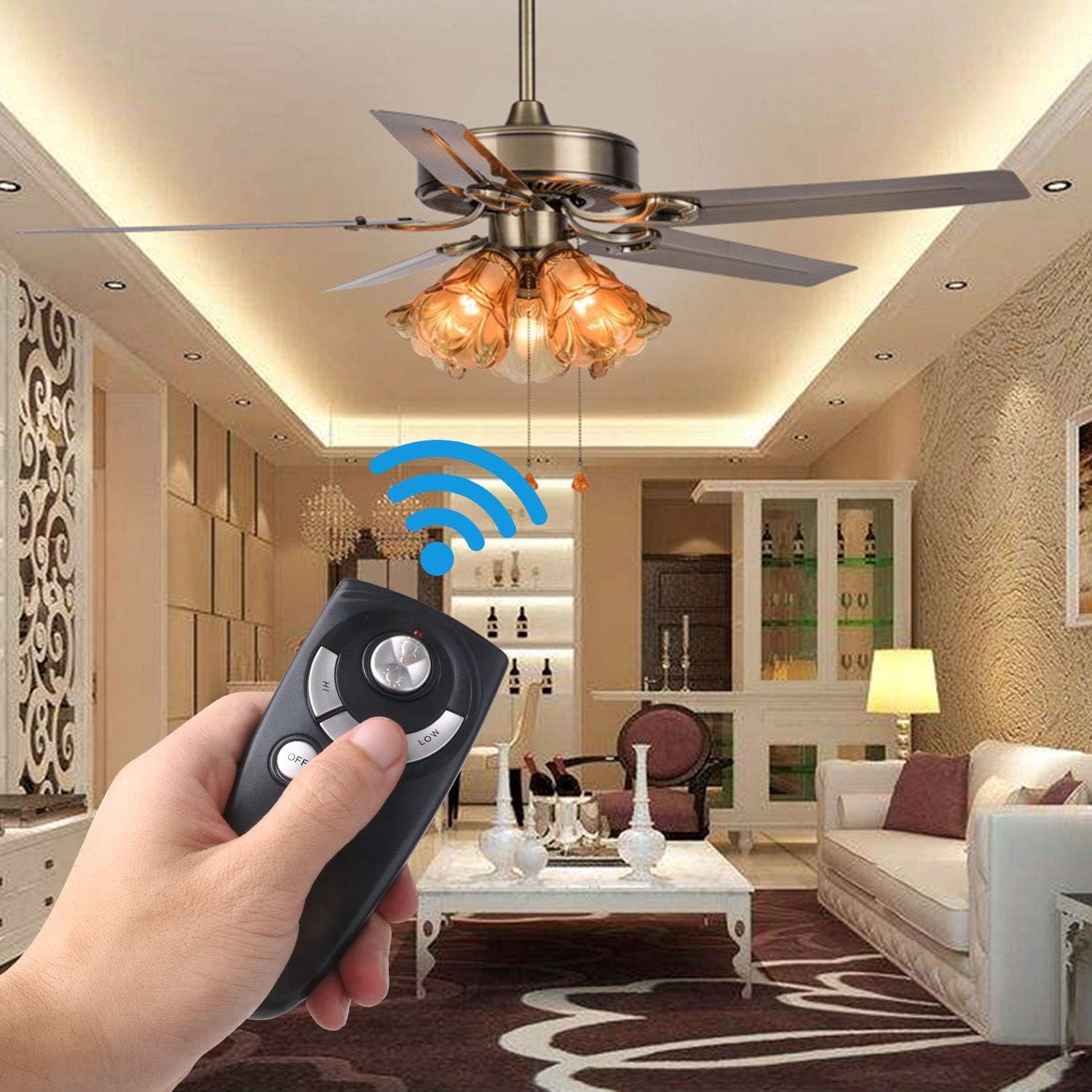
Image: A hand holding the Eogifee UC7083T remote control, with a ceiling fan and its lights visible in the background, illustrating the remote in active use.
Probleemoplossing
| Probleem | Mogelijke oorzaak | Oplossing |
|---|---|---|
| Remote does not control the fan/light. |
|
|
| Indicatorlampje blijft branden. | Batterij bijna leeg. | Replace the 12V "A23" battery. |
| Het licht dimt niet. |
|
|
| Fan does not reverse direction. | This remote does not have a reverse function. | The UC7083T remote control does not support fan reverse. This function is typically controlled by a switch on the fan motor housing itself. |
Specificaties
- Model: UC7083T
- Merk: Eogifee
- Energiebron: 1 x 12V "A23" battery (not included)
- Afmetingen: Ongeveer 4 x 2 x 0.01 inch (10.16 x 5.08 x 0.025 cm)
- Gewicht: Ongeveer 3.2 ounces (90.7 gram)
- Verenigbaarheid: Hampton Bay and Harbor Breeze ceiling fans with UC7083T compatible receivers.
- Functies: 3-speed fan control (High, Medium, Low), Light On/Off, Light Dimming (for incandescent bulbs).
Onderhoud
- Reinig de afstandsbediening met een zachte, droge doek. Gebruik geen schurende reinigingsmiddelen of oplosmiddelen.
- If the remote will not be used for an extended period, remove the battery to prevent leakage.
- Replace the battery when the indicator light stays on or when the remote's range decreases.
Garantie en ondersteuning
For warranty information or technical support, please refer to the seller's contact information or visit the Eogifee store on Amazon. Keep your purchase receipt for warranty claims.
Eogifee Store: Visit the Eogifee Store on Amazon