
1. Inleiding
The i-Star Portable DAB/DAB+/FM Radio offers a versatile listening experience with clear digital and analog radio reception. Designed for portability, it features a built-in rechargeable battery and a compact design, making it suitable for use at home or on the go. This manual provides essential information for setting up, operating, and maintaining your radio.

Figuur 1: Voorkant view of the i-Star Portable DAB/DAB+/FM Radio, highlighting its compact design and user interface.
2. Instellen
2.1 Uitpakken en eerste keer opladen
- Haal de radio en alle accessoires voorzichtig uit de verpakking.
- Connect the supplied USB charging cable to the radio's Micro USB port and to a compatible USB power adapter (not included) or a computer's USB port.
- Allow the radio to charge fully before first use. The charging indicator will typically change or turn off when charging is complete. A full charge provides up to 4 hours of playback.
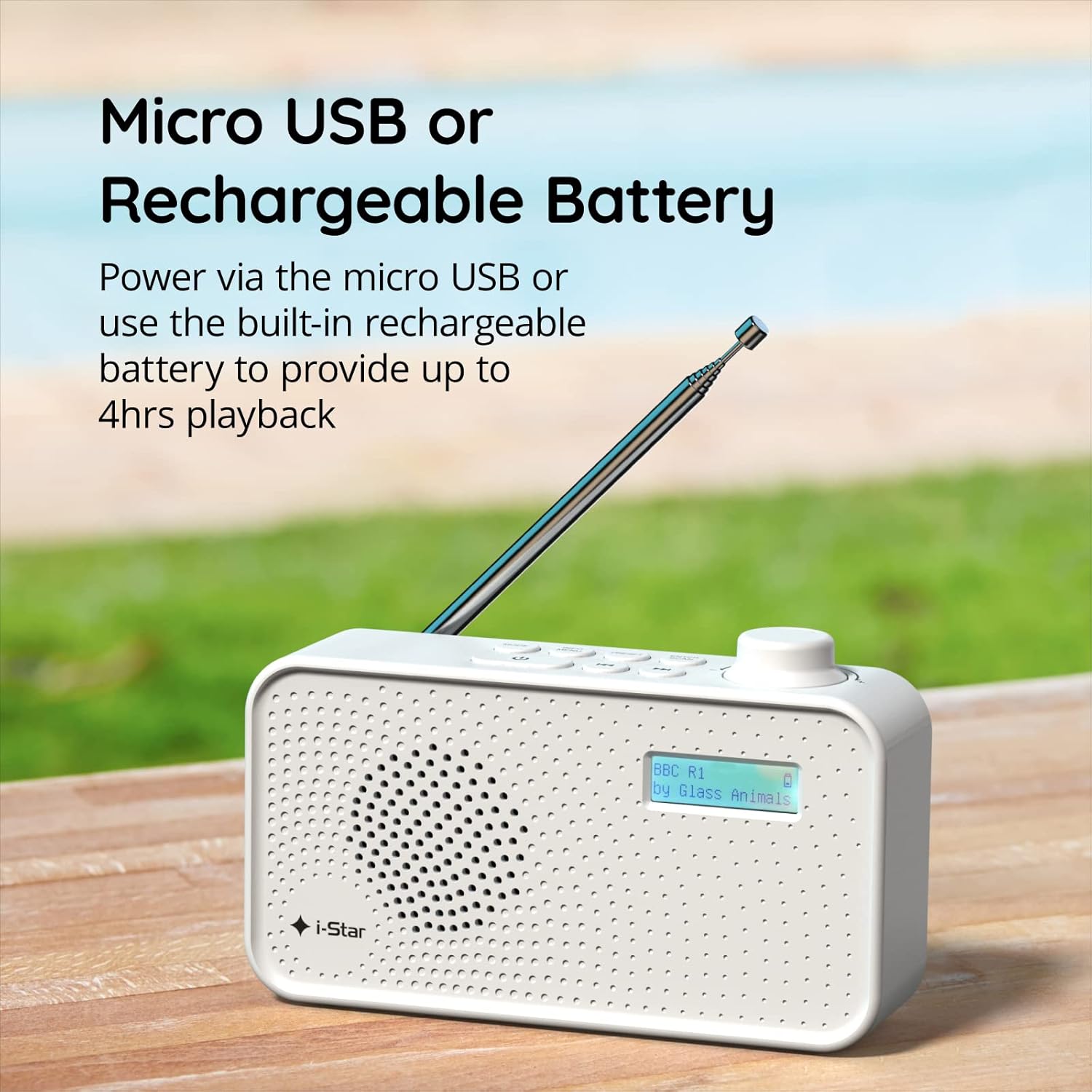
Figuur 2: The radio powered via Micro USB or its built-in rechargeable battery.
2.2 First Power On and Automatic Scan
- Trek de telescopische antenne volledig uit voor optimale ontvangst.
- Houd de STANDBY knop om de radio aan te zetten.
- Upon first power-on, the radio will automatically perform a scan for available DAB/DAB+ stations. This process may take a few minutes.
- Zodra de scan is voltooid, stemt de radio af op het eerst beschikbare station.
3. Gebruiksaanwijzing
3.1 Switching Between DAB/DAB+ and FM Modes
- Druk op de MODUS button repeatedly to switch between DAB/DAB+ and FM radio modes. The current mode will be displayed on the LCD screen.

Figuur 3: The radio supports DAB, DAB+, and FM for a wide range of listening options.
3.2 Afstemstations
- DAB/DAB+ modus: Gebruik de VOORINSTELLING or AFSTEMMING buttons (left/right arrows) to navigate through the list of available stations. Press ENTER/SCAN om een station te selecteren.
- FM-modus: Druk op de ENTER/SCAN button to automatically scan for the next available FM station. Alternatively, use the AFSTEMMING knoppen voor handmatige fijnafstelling.
3.3 Voorinstellingen opslaan en oproepen
- Stem af op uw gewenste zender.
- Houd de VOORINSTELLING Houd de knop ingedrukt totdat 'Preset Store' op het display verschijnt.
- Gebruik de AFSTEMMING knoppen om een voorkeuzenummer (1-60) te selecteren.
- Pers ENTER/SCAN om het station te bevestigen en op te slaan.
- Om een opgeslagen station op te roepen, drukt u kort op de VOORINSTELLING knop, gebruik dan de AFSTEMMING knoppen om het gewenste vooraf ingestelde nummer te selecteren en druk vervolgens op ENTER/SCAN.
3.4 Volumeregeling
- Draai de VOLUME knob (located on the right side) clockwise to increase volume and counter-clockwise to decrease volume.
3.5 Slaaptimerfunctie
- Om de slaaptimer te activeren, drukt u op de INFO/MENU button repeatedly until 'Sleep' appears.
- Gebruik de AFSTEMMING buttons to select the desired sleep duration (e.g., 15, 30, 45, 60, 90 minutes).
- Pers ENTER/SCAN to confirm. The radio will automatically turn off after the set time.

Figuur 4: The sleep timer feature allows the radio to automatically switch off after a set period.
3.6 Luisteren met een hoofdtelefoon
- Connect standard 3.5mm headphones (not included) to the headphone jack located on the side of the radio for private listening. The internal speaker will be muted automatically.

Figuur 5: Connect headphones for personal listening without disturbing others.
4. Onderhoud
4.1 Algemeen onderhoud
- Keep the radio away from direct sunlight, heat sources, and moisture.
- Laat de radio niet vallen en stel hem niet bloot aan harde stoten.
- Probeer de radio niet te demonteren; hierdoor vervalt de garantie.
4.2 Reinigen
- Veeg de buitenkant van de radio af met een zachte, droge doek.
- Gebruik geen schurende reinigingsmiddelen, was of oplosmiddelen, omdat deze de afwerking kunnen beschadigen.
5. Probleemoplossing
- Geen stroom: Ensure the radio is charged or connected to a power source via the USB cable. Check if the STANDBY button has been pressed.
- Geen geluid: Check the volume level. Ensure headphones are not connected if you intend to use the speaker.
- Poor Reception (DAB/DAB+ or FM): Fully extend the telescopic antenna. Try repositioning the radio. Perform a full scan for DAB/DAB+ stations. In FM mode, try manual tuning.
- Radio Freezes/Unresponsive: Turn the radio off and on again. If the issue persists, allow the battery to fully discharge and then recharge it.
6. Specificaties
| Functie | Specificatie |
|---|---|
| Merk | ik ster |
| Modelnummer | 90059PI |
| Kleur | Wit |
| Ondersteunde radiobanden | DAB, DAB+, FM |
| Tuningtechnologie | Digital (DAB/DAB+), Analog (FM) |
| Connectiviteit | USB (om op te laden), 3.5 mm koptelefoonaansluiting |
| Energiebron | Rechargeable Lithium-ion Battery (1200 mAh), USB Power |
| Levensduur van de batterij | Tot 4 uur (na één keer opladen) |
| Speciale kenmerken | Portable, Sleep Timer, 60 Station Presets |
| Meegeleverde componenten | USB Charging Cable, User Manual |
| Artikelgewicht | 440 gram |
7. Garantie en ondersteuning
This product is covered by a standard manufacturer's warranty. Please refer to the warranty card included in your packaging for specific terms and conditions. For technical support, troubleshooting assistance, or warranty claims, please contact your retailer or the i-Star customer service department. Contact details can typically be found on the product packaging or the official i-Star webplaats.