
Elo E931896
EloPOS 15" Point of Sale System User Manual
Model: E931896
1. Product voorbijview
The EloPOS System is a versatile point-of-sale solution designed for commercial environments. It features a 15-inch 4:3 touchscreen display, an Intel 8th generation i3 processor, and an integrated expansion hub for connecting various peripherals. This system is built for durability and continuous public use, making it suitable for traditional POS and self-service applications.
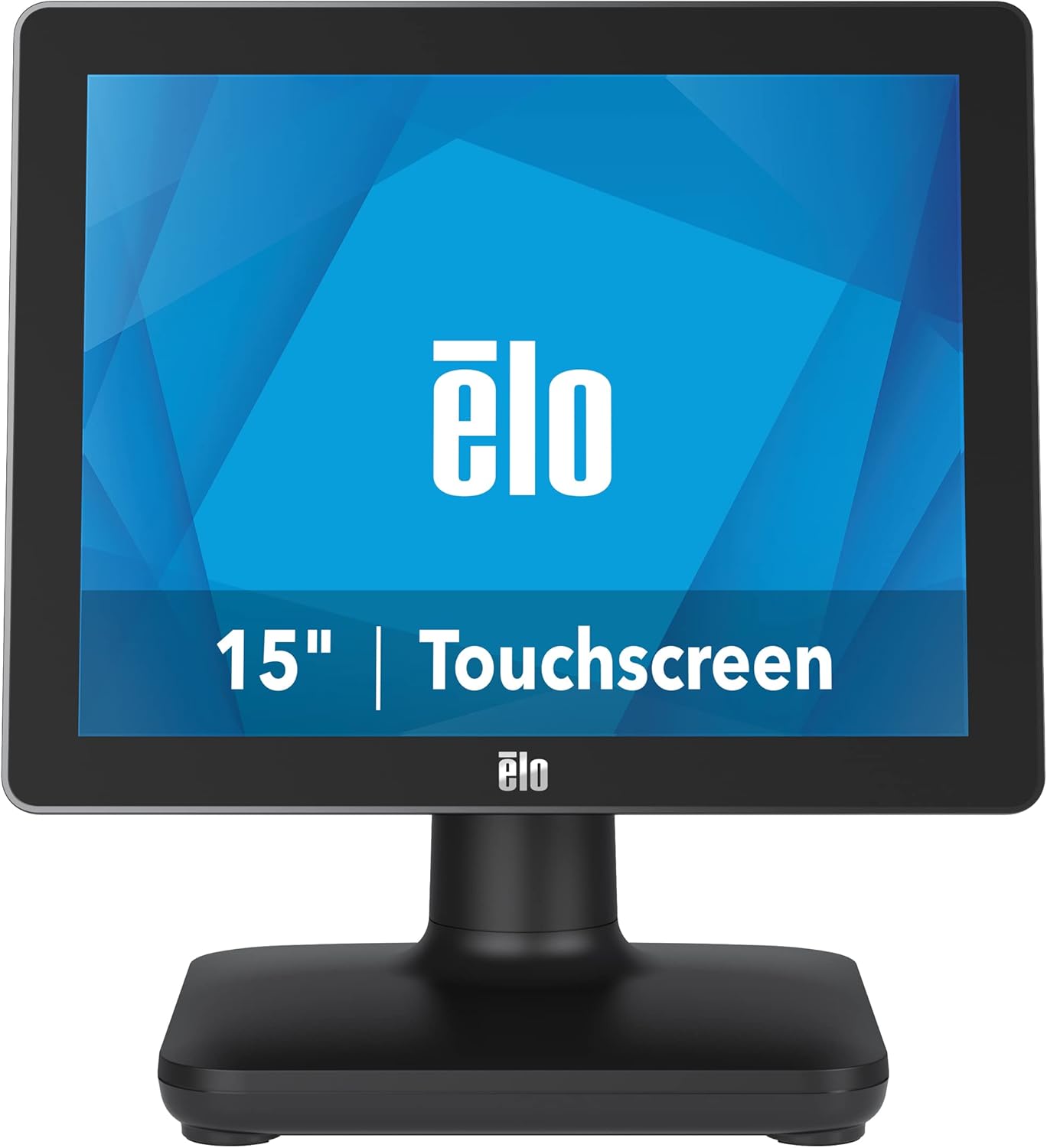
Figuur 1: Voorzijde view of the EloPOS System.
The system's robust design ensures reliability in demanding retail environments, providing a stable platform for your business operations.
2. Inhoud van het pakket
Verify that all items listed below are included in your EloPOS system package:
- EloPOS System Unit
- NA Power Cord
- EU-netsnoer
- Power Adapter - 180W
- Cable RJ-45 to DB-9
- Cable Cover Locking Screw
- Snelle installatiegids (QIG)
3. Belangrijkste kenmerken
The EloPOS System is equipped with several features designed to enhance its functionality and durability:
- Integrated Expansion Hub: The included stand features an integrated expansion hub, allowing connection of various POS peripherals such as cash drawers, printers, barcode scanners, and payment devices.
- Windows 10 Operating System: Utilizes the reliable performance and security of Intel 8th Generation processors, integrated Trusted Platform Modules, Intel vPro, and the Windows 10 operating system.
- Duurzaamheid van commerciële kwaliteit: Features a splash-proof housing and a rugged retail-hardened design, built to withstand adverse conditions common in commercial environments.
- USB-C-connectiviteit: Enables easy connection of a 1302L customer-facing display, providing touch, data, and power through a single cable (second display sold separately).
- Elo Edge Connect: Allows seamless attachment of up to four peripherals (sold separately) to the edge of the touchscreen, including fingerprint scanners, EMV readers, barcode scanners, or MSRs.
4. Installatiehandleiding
4.1. Uitpakken en plaatsen
Carefully remove the EloPOS system and all components from the packaging. Place the unit on a stable, flat surface, ensuring adequate ventilation around the device.
4.2. Stroom aansluiten
- Connect the 180W power adapter to the power input port on the back of the EloPOS system.
- Connect the appropriate power cord (NA or EU) to the power adapter.
- Sluit het netsnoer aan op een geaard stopcontact.
4.3. Randapparatuur aansluiten
The EloPOS system features an integrated expansion hub for connecting various peripherals. Refer to the image below for port locations.

Afbeelding 2: Achter view with connection hub.
- USB-poorten: Connect USB devices such as keyboards, mice, barcode scanners, or payment terminals to the available USB 2.0 or USB 3.0 ports.
- Ethernet-poort: Connect an Ethernet cable for network connectivity.
- Seriële poorten: Use the RJ-45 to DB-9 cable for connecting serial devices if required.
- USB-C-poort: For connecting compatible USB-C devices, including the Elo 1302L customer-facing display.
5. Bediening
5.1. In-/uitschakelen
To power on the system, press the power button, typically located on the side or back of the display unit. To power off, use the standard Windows shutdown procedure or press and hold the power button for a few seconds.
5.2. Het touchscreen gebruiken
The EloPOS system features a responsive touchscreen display. Use your finger or a compatible stylus for navigation and input. Ensure the screen is clean for optimal touch performance.
6. Onderhoud
Regular maintenance helps ensure the longevity and optimal performance of your EloPOS system:
- Het scherm schoonmaken: Gebruik lichtjes een zachte, pluisvrije doek dampMaak het scherm schoon met een niet-schurend, ammoniakvrij glasreinigingsmiddel. Spuit het reinigingsmiddel niet rechtstreeks op het scherm.
- Het schoonmaken van de Casing: Veeg de buitenkant afasing met een zachte, damp doek. Vermijd agressieve chemicaliën of schurende materialen.
- Ventilatie: Ensure that the ventilation openings on the system are not blocked to prevent overheating.
- Software-updates: Regularly check for and install operating system and driver updates to maintain system security and performance.
7. Probleemoplossing
This section provides solutions to common issues you might encounter with your EloPOS system.
| Probleem | Mogelijke oorzaak | Oplossing |
|---|---|---|
| Systeem wordt niet ingeschakeld. | Power cord not connected, power adapter faulty, power outlet issue. | Check power cord connections. Ensure power adapter is securely plugged in. Test the power outlet with another device. |
| Het touchscreen reageert niet. | Screen dirty, drivers not installed/corrupted, system frozen. | Clean the screen. Restart the system. Check device manager for touchscreen driver status. |
| Peripheral (e.g., printer) not detected. | Incorrect port, driver issue, peripheral not powered on. | Ensure peripheral is powered on and connected to the correct port. Install or update peripheral drivers. |
| Het systeem werkt traag. | Te veel applicaties tegelijk actief, onvoldoende RAM-geheugen, oververhitting. | Close unnecessary applications. Check system resources. Ensure proper ventilation. |
8. Technische specificaties
| Functie | Specificatie |
|---|---|
| Staande schermweergave | 15 inch |
| Schermresolutie | 1024x768 |
| Maximale schermresolutie | 1366x768 |
| Verwerker | 3.1 GHz core_i3 (Intel 8th Generation) |
| RAM | 4GB DDR4 |
| Harde schijf | 128 GB SSD |
| Grafische coprocessor | Intel HD-grafische kaart 520 |
| Besturingssysteem | Vensters 10 |
| Aantal USB 2.0-poorten | 2 |
| Aantal USB 3.0-poorten | 3 |
| Artikelmodelnummer | E931896 |
| Artikelgewicht | 11.6 pond |
| Productafmetingen (LxBxH) | 8.71 x 14.16 x 13.37 inch |
| Kleur | Zwart |
| Energiebron | AC |
| Deeltage | 240 Volt |
9. Garantie-informatie
The EloPOS System is backed by Elo's standard 3-year warranty. This warranty covers defects in materials and workmanship under normal use. For detailed terms and conditions, please refer to the official Elo warranty policy document or contact Elo customer support.
10. Ondersteuning en contact
For further assistance, technical support, or service inquiries, please visit the official Elo website or contact their customer support. You can find more information and resources at the Elo Store on Amazon.
Gerelateerde documenten - E931896
 |
Elo I-Series 5 Slate User Manual - ESY15I1E-C Comprehensive user manual for the Elo I-Series 5 Slate Android touchscreen computer, model ESY15I1E-C. Covers setup, features, system settings, camera operation, technical support, and regulatory information for Elo POS systems. |
 |
EloPOS Pack Bedienungsanleitung Zorg voor een goede klantenservice voor het EloPOS-pakket van Elo Touch Solutions. Enthält Anleitungen zur Installation, Bedienung, Fehlerbehebung, Sicherheit en behördlichen Konformität. |
 |
Snelstartgids voor EloPOS Z30 - Installatie en aansluitingen Stapsgewijze handleiding voor het installeren en aansluiten van het EloPOS Z30 kassasysteem. Inclusief details over de I/O-poorten en montage-instructies. |
 |
Installatie-instructies voor de 19.5-inch touchscreen-monitorkit Gedetailleerde installatie-instructies voor de Elo 19.5-inch touchscreen-monitorkit van SEL, inclusief componentenlijsten, stapsgewijze montage, specificaties en informatie over technische ondersteuning. |
 |
Elo IntelliTouch/SecureTouch touchscreen-handleiding Uitgebreide handleiding voor het installeren, integreren en oplossen van problemen met Elo IntelliTouch- en SecureTouch-touchscreentechnologieën. Behandelt componentinstallatie, technische specificaties en probleemoplossing voor diverse Elo-controllers. |
 |
Elo I-Series 3 Slate & EloPOS Z30 Gebruikershandleiding Gebruikershandleiding voor Elo I-Series 3 Slate met Intel® en EloPOS Z30 met Intel® touchscreencomputers, met gedetailleerde productspecificaties, installatie, bediening, veiligheidsrichtlijnen, technische ondersteuning en naleving van regelgeving. |
Ask a question about this manual
Ask about setup, troubleshooting, compatibility, parts, safety, or missing instructions. Manuals+ will review the question and use this page’s manual context to help answer it.