Invoering
Thank you for choosing the Orium 11304 Vibrating Alarm Clock. This device is designed to provide a reliable and effective alarm solution, particularly beneficial for individuals with hearing impairments or those who prefer a gentle, non-auditory wake-up. This manual provides detailed instructions for setup, operation, and maintenance to ensure optimal performance and longevity of your alarm clock.
Veiligheidsinformatie
- Lees alle instructies zorgvuldig door voordat u het apparaat gebruikt.
- Houd het apparaat uit de buurt van water en vocht.
- Stel het apparaat niet bloot aan extreme temperaturen of direct zonlicht.
- Gebruik uitsluitend de meegeleverde stroomadapter.
- Probeer het apparaat niet zelf te openen of te repareren. Laat alle onderhoudswerkzaamheden over aan gekwalificeerd personeel.
- Gooi batterijen op verantwoorde wijze weg, volgens de plaatselijke voorschriften.
Inhoud van het pakket
Controleer het pakket op de volgende items:
- Orium 11304 Digital Alarm Clock Unit
- Vibrerend kussen
- Stroomadapter
- CR2032-batterij (voorgeïnstalleerd als back-up)
- Gebruikershandleiding (dit document)

Image: The Orium 11304 alarm clock unit with its large digital display and the accompanying vibrating pad. This image illustrates the main components included in the package.
Producteigenschappen
- Dubbel alarmsysteem: Set two independent alarms (A1 and A2).
- Groot digitaal display: Clear, easy-to-read digits for time and alarm settings.
- Powerful Vibrating Pad: For silent, effective wake-up, ideal for heavy sleepers or individuals with hearing difficulties.
- Luid hoorbaar alarm: Up to 102 dB sound power for those who prefer an audible alarm.
- Instelbaar volume: Customize the alarm sound level.
- Adjustable Display Contrast: Optimize screen visibility.
- Netvoeding: Voor continu gebruik.
- Batterij backup: Requires 3 x LR03 (AAA) batteries (not included) for time and alarm settings retention during power outages. Includes 1 x CR2032 battery for internal clock memory.
- Compact ontwerp: Suitable for bedside tables or desks.
Instellen
- Uitpakken: Haal alle onderdelen voorzichtig uit de verpakking.
- Sluit stroom aan: Plug the power adapter into the DC input port on the back of the alarm clock, then plug the adapter into a standard wall outlet. The display will light up.
- Install Backup Batteries (Optional but Recommended): Open the battery compartment on the bottom of the unit. Insert 3 x LR03 (AAA) batteries (not included) according to the polarity markings. These batteries provide backup power for time and alarm settings in case of a power interruption. The CR2032 battery for internal clock memory is pre-installed.
- Connect Vibrating Pad: Plug the vibrating pad's cable into the designated port on the back of the alarm clock.
- Plaatsing: Place the alarm clock on a stable surface, such as a bedside table. Position the vibrating pad under your pillow or mattress for optimal effect.
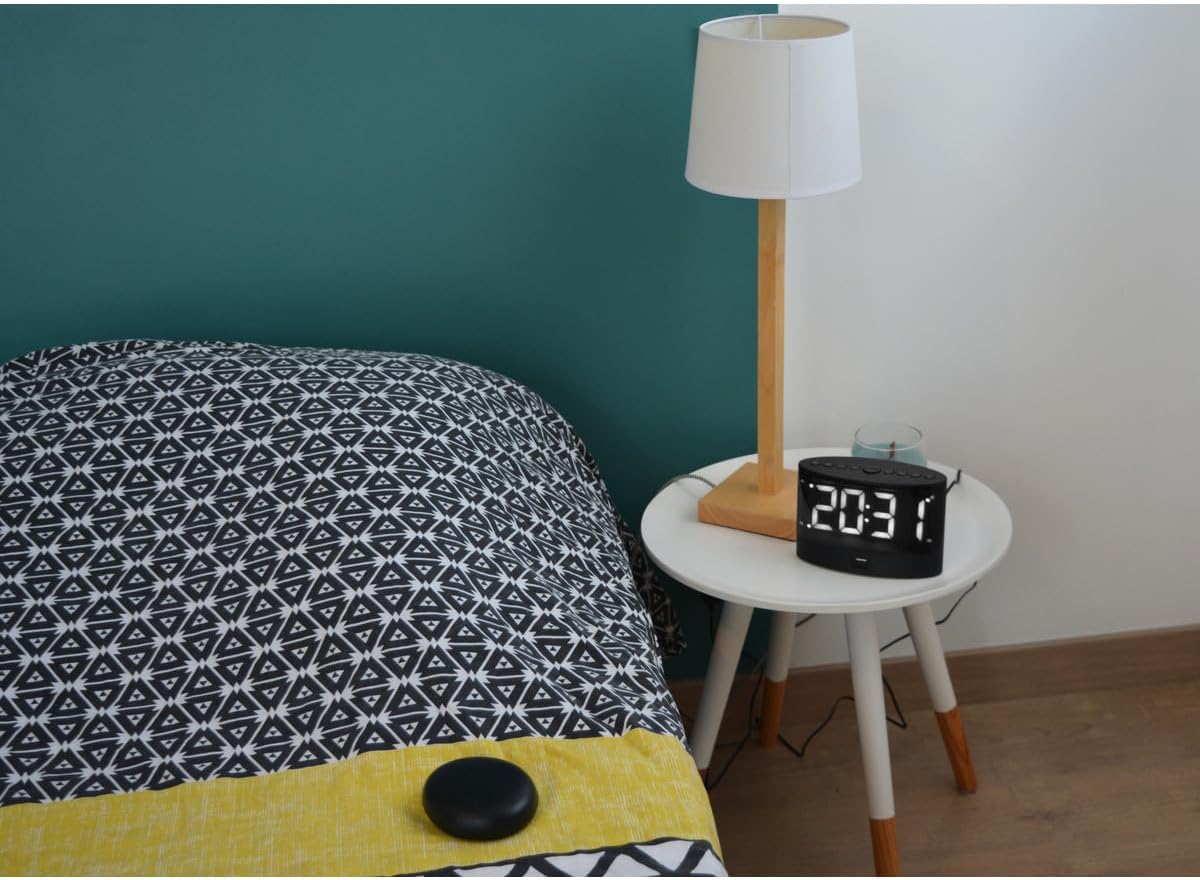
Image: The Orium 11304 alarm clock placed on a bedside table next to a lamp, demonstrating a typical setup. The vibrating pad is visible on the bed.
Gebruiksaanwijzing
De tijd instellen
- Press and hold the "TIME SET" button (usually located on the top or back).
- While holding "TIME SET", use the "HOUR" and "MINUTE" buttons to adjust the current time.
- Release "TIME SET" to confirm.
Setting Alarms (A1 and A2)
- Press the "ALARM 1" or "ALARM 2" button once to display the current alarm time.
- Press and hold the "ALARM 1" or "ALARM 2" button until the alarm time starts flashing.
- Gebruik de knoppen "UUR" en "MINUUT" om de gewenste alarmtijd in te stellen.
- Press the "ALARM 1" or "ALARM 2" button again to confirm and activate the alarm. An indicator (e.g., A1 or A2 icon) will appear on the display.
- To deactivate an alarm, press the corresponding "ALARM" button until the indicator disappears.
Adjusting Alarm Mode (Sound, Vibrate, Both)
The alarm clock typically offers different modes for waking up. Consult the icons on the device for specific button functions.
- Alleen trillingen: Ideal for silent wake-up.
- Alleen geluid: For a traditional audible alarm.
- Vibration + Sound: Combines both for maximum effectiveness.
Opmerking: The vibrating pad should be placed under your pillow or mattress for optimal effect.

Image: A person demonstrating the portability of the vibrating pad by placing it in a pocket, indicating it can be positioned discreetly for personal use.
Snooze-functie
When the alarm sounds or vibrates, press the "SNOOZE" button (usually a large button on top) to temporarily stop the alarm. The alarm will sound/vibrate again after a few minutes (typically 5-9 minutes).
Het alarm stoppen
To stop the alarm completely for the day, press any other button besides "SNOOZE" (e.g., "ALARM 1" or "ALARM 2" button, or a dedicated "ALARM OFF" button if available).
Schermcontrast aanpassen
Locate the "CONTRAST" button or dial (if available) on the unit. Adjust it to your preferred display brightness level.
Volume aanpassen
If using the audible alarm, locate the "VOLUME" button or dial. Adjust it to your desired sound level.
Onderhoud
- Schoonmaak: Wipe the alarm clock and vibrating pad with a soft, dry cloth. Do not use abrasive cleaners or solvents.
- Batterij vervangen: If the backup batteries (3 x LR03 AAA) are depleted, replace them promptly to ensure time and alarm settings are retained during power outages. The CR2032 battery for internal clock memory typically lasts for several years and does not require frequent replacement.
- Opslag: Als u het apparaat voor een langere periode opbergt, verwijder dan alle batterijen om lekkage te voorkomen.
Probleemoplossing
| Probleem | Mogelijke oorzaak | Oplossing |
|---|---|---|
| Display is leeg. | Geen stroomaansluiting of stroomuitvaltage. | Ensure the power adapter is securely plugged in. Check if backup batteries are installed and charged during a power outage. |
| Alarm klinkt/trilt niet. | Alarm not activated, incorrect mode, or volume too low. | Verify alarm is set and activated (A1/A2 icon visible). Check alarm mode (sound, vibrate, or both). Increase volume if using audible alarm. Ensure vibrating pad is connected. |
| Tijd-/alarminstellingen worden gereset na uitschakelingtage. | De back-upbatterijen zijn leeg of niet geïnstalleerd. | Install or replace the 3 x LR03 (AAA) backup batteries. |
| Vibrating pad is not working. | Pad not connected or faulty. | Ensure the vibrating pad cable is securely plugged into the alarm clock. Test with alarm. If still not working, contact support. |
Specificaties
- Model: Orium 11304
- Weergavetype: Digitaal
- Alarmtype: Dual (Audible, Vibration, or Both)
- Hoorbaar alarmvolume: Tot 102 dB
- Energiebron: Mains powered (AC adapter included)
- Back-up batterijen: 3 x LR03 (AAA) (not included) for time/alarm settings, 1 x CR2032 (included) for internal clock memory.
- Afmetingen: Approximately 6.5 cm (L) x 10 cm (H) (based on product info, assuming 6.5l x 10H centimètres refers to the main unit)
- Kleur: Zwart
- Gebruik: Binnen
Garantie en ondersteuning
The Orium 11304 Vibrating Alarm Clock comes with a standard manufacturer's warranty. For specific warranty details, please refer to the documentation provided with your purchase or contact your retailer. For technical support or inquiries, please contact Orium customer service through their official website or the contact information provided by your seller.