
VISION 861ZTS-GRN-MEX
Gebruikershandleiding voor het VISION sprekende analoge en digitale horloge
Model: 861ZTS-GRN-MEX
Invoering
Thank you for choosing the VISION Talking Analog and Digital Watch. This watch is designed to provide clear time announcements in Spanish, making it ideal for individuals with visual impairments, children, and the elderly. It features both an analog display for traditional time-telling and a digital display for precise readings, along with an alarm function.

Figuur 1: Voorzijde view of the VISION Talking Analog and Digital Watch.
Instellen
1. Uitpakken en eerste inspectie
Carefully remove the watch from its packaging. Inspect the watch for any visible damage. The watch comes with a battery pre-installed and is ready for initial setup.

Figure 2: The watch as it appears in its original clear plastic case.
2. Initial Time Setting (Digital)
The digital time needs to be set first. Refer to the 'Operating Instructions' section for detailed steps on setting the digital time using the 'MODE', 'HOUR', and 'MINUTE' buttons.
3. Initiële tijdinstelling (analoog)
The analog hands are set independently using the crown (small knob) on the side of the watch. Pull out the crown and rotate it to adjust the analog hands to match the digital time. Push the crown back in to secure the setting.
Gebruiksaanwijzing
Knopfuncties
- MODE-knop: Used to cycle through different modes (Time, Alarm Setting).
- TALKING Button: Press to hear the current time announced in Spanish.
- UUR-knop: Used to adjust the hour in setting modes.
- MINUUT-knop: Used to adjust the minute in setting modes.
- Kroon: Used to set the analog hands.
Telling Time
- Spraakbericht: Druk op de PRATEN button to hear the current time spoken aloud in Spanish.
- Digitaal beeld: The digital display shows the time in a 12-hour format (AM/PM).
- Analoge weergave: The traditional hands indicate the hour and minute.
Digitale tijd instellen
- Druk op de MODUS button repeatedly until the digital display shows the time setting mode (often indicated by flashing digits).
- Gebruik de UUR button to adjust the hour. Pay attention to AM/PM indicators.
- Gebruik de MINUUT knop om de minuten aan te passen.
- Druk op de MODUS Druk nogmaals op de knop om te bevestigen en de tijdinstelmodus te verlaten.
Alarm instellen
- Druk op de MODUS button until the alarm setting mode is displayed (often indicated by an alarm icon or 'AL').
- Gebruik de UUR knop om het gewenste alarmuur in te stellen.
- Gebruik de MINUUT Met deze knop kunt u het gewenste aantal alarmminuten instellen.
- Druk op de MODUS button to activate the alarm and exit the setting mode.
- To turn off a sounding alarm, press any button.
Onderhoud
Schoonmaak
Om uw horloge schoon te maken, veegt u het voorzichtig af met een zachte, droge doek. Voor hardnekkig vuil kunt u een iets drogere doek gebruiken.amp cloth can be used, but ensure no moisture enters the watch. Avoid using harsh chemicals or abrasive materials.
Batterij vervangen
The watch uses a Lithium-metal battery. When the voice announcement becomes faint or the digital display dims, it's time to replace the battery. It is recommended to have battery replacement performed by a qualified watch technician to ensure proper sealing and function.
Waterbestendigheid
This watch is marked as "WATER RESISTANT." This typically means it can withstand splashes, rain, or brief immersion in water, such as washing hands. It is niet suitable for swimming, showering, or diving. Prolonged exposure to water or submersion may cause damage.
Probleemoplossing
- No Voice Announcement:
- Controleer het batterijniveau. Vervang de batterij indien deze bijna leeg is.
- Ensure the TALKING button is pressed firmly.
- Het digitale display is blanco of zwak verlicht:
- Battery may be depleted. Replace the battery.
- De tijd is onnauwkeurig:
- Re-set the digital time following the instructions in the 'Operating Instructions' section.
- Ensure the analog hands are synchronized with the digital time by adjusting the crown.
- Low battery can affect timekeeping accuracy. Consider battery replacement.
- Alarm klinkt niet:
- Ensure the alarm is set correctly and activated.
- Controleer het batterijniveau.
Specificaties
| Functie | Beschrijving |
|---|---|
| Merk | VISIE |
| Model | 861ZTS-GRN-MEX |
| Dial Type | Analoog en digitaal |
| Beweging | Electronic Digital and Analog |
| Stemfunctie | Yes (Spanish) |
| Alarmfunctie | Ja |
| Materiaal van de behuizing | Plastic |
| Kastdiameter | 40 mm (1.57 inch) |
| Bandbreedte | 18 mm (0.71 inch) |
| Kastdikte | 16 mm (0.63 inch) |
| Batterijtype | 1 Lithiummetaal (inbegrepen) |
| Waterbestendigheid | Water Resistant (Splash/Rain proof, not for submersion) |
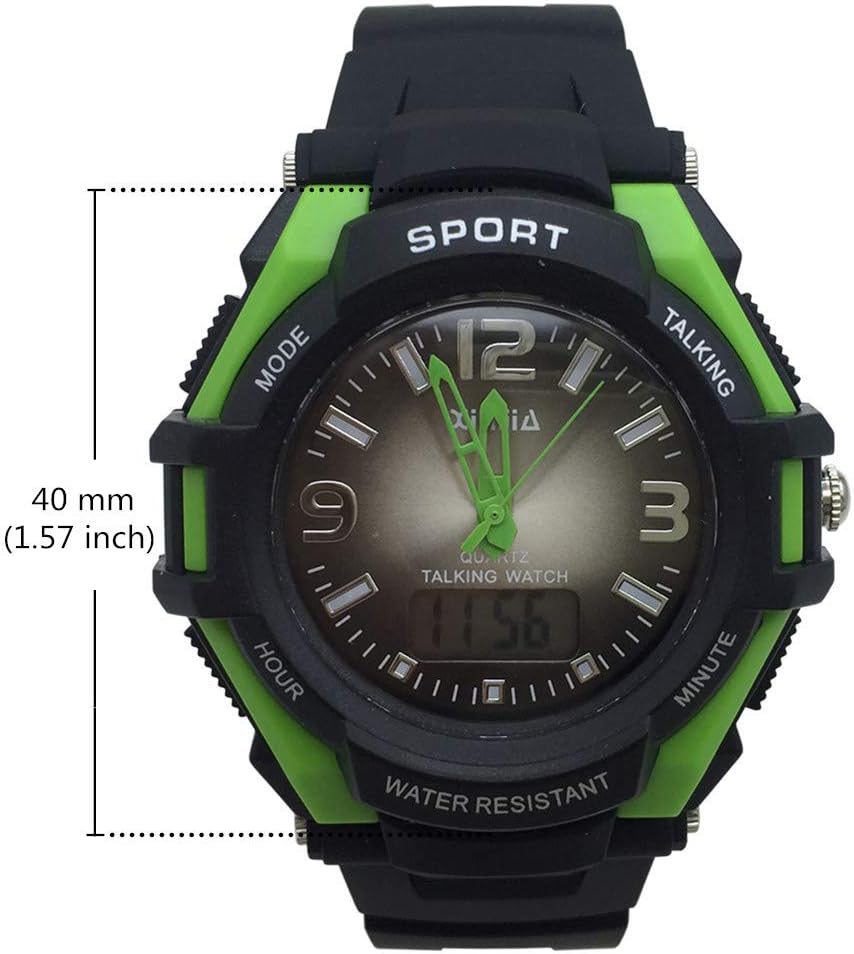
Figure 3: Watch face diameter measurement (40 mm).
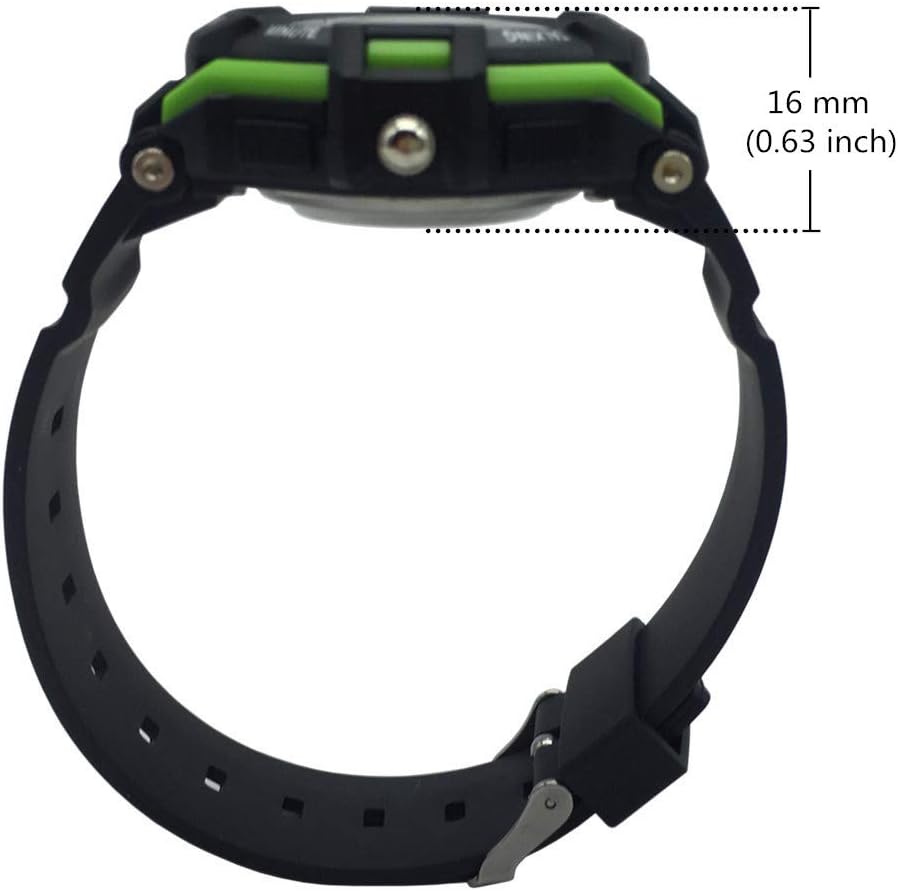
Figure 4: Watch case thickness measurement (16 mm).

Figure 5: Watch strap width measurement (18 mm).
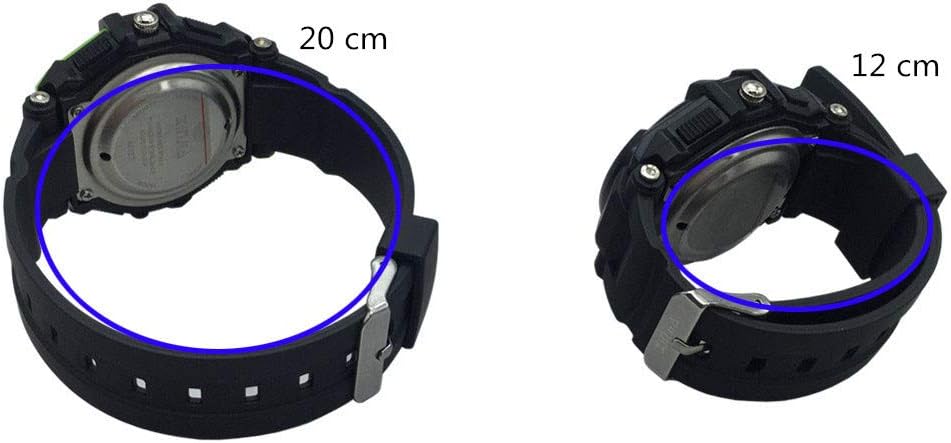
Afbeelding 6: Examples of wrist circumference fit (20 cm and 12 cm).
Garantie en ondersteuning
For warranty information or technical support, please refer to the documentation included with your purchase or contact the seller/manufacturer directly. Keep your proof of purchase for any warranty claims.
Ask a question about this manual
Ask about setup, troubleshooting, compatibility, parts, safety, or missing instructions. Manuals+ will review the question and use this page’s manual context to help answer it.