
Product voorbijview
The ThiEYE Carbox 6 is a high-definition dual dash camera system designed to record both the front and rear views of your vehicle. Featuring a 1080P Full HD front camera and a 720P waterproof rear camera, it provides comprehensive coverage for enhanced driving safety and incident recording. Its compact design and advanced features make it an essential accessory for any vehicle.

Image: ThiEYE Carbox 6 Dash Cam with its front camera unit and a smaller, waterproof rear camera.
Belangrijkste kenmerken:
- Opname met dubbele camera: 1080P Full HD front and 720P rear cameras for simultaneous recording.
- 3-inch IPS-scherm: Clear display for real-time viewafspelen en afspelen.
- 170° groothoeklens: Legt een breed scala aan onderwerpen vast view of the road ahead, minimizing blind spots.
- G-sensor en noodvergrendeling: Detecteert automatisch botsingen en vergrendelt footage om overschrijven te voorkomen.
- Loop-opname: Registreert continu door de oudste ontgrendelde gegevens te overschrijven. files.
- WDR/HDR-technologie: Enhances video clarity in varying light conditions, including low light and strong glare.
- Parkeerbewaking: Provides surveillance when the vehicle is parked (requires hardwiring or external power).

Image: Visual representation of the dash cam's key features, including video resolution, HDR, wide-angle view, G-sensor, screen size, loop recording, and parking monitor.
Wat zit er in de doos?
Controleer voordat u begint of alle componenten aanwezig zijn:

Image: All items included in the ThiEYE Carbox 6 Dash Cam package, neatly laid out.
- ThiEYE Carbox 6 Dash Cam (Front Unit)
- Zuignapbevestiging
- 3.5M Car Charger
- Plastic Crowbar (for cable routing)
- Gebruiksaanwijzing
- Achteruitrijcamera
- 6M Achteruitrijcamera Kabel
- 3M Glue for Rear Camera
- Rear Camera Screws
- Memory Card (included as per specifications)
Installatiehandleiding
1. Geheugenkaart plaatsen:
Before mounting, insert a Class 10 or higher MicroSD card (up to 64GB recommended) into the dash cam's memory card slot. Ensure the card is inserted correctly until it clicks into place.
2. Mount the Front Dash Cam:
- Maak het voorruitgedeelte schoon waar u de dashcam wilt monteren.
- Bevestig de zuignaphouder aan de dashcam.
- Druk de zuignap stevig tegen de voorruit, bij voorkeur achter de achterruit.view mirror, and lock the lever to secure it. Ensure the camera has a clear view van de weg.
3. Installeer de achtercamera:
- Identify a suitable location on your rear windshield for the rear camera. Clean the surface thoroughly.
- Use the provided 3M glue or screws to securely attach the rear camera.
- Connect the rear camera to the main dash cam unit using the 6M rear camera cable.
- Route the cable neatly along the vehicle's interior trim using the plastic crowbar to tuck it away.
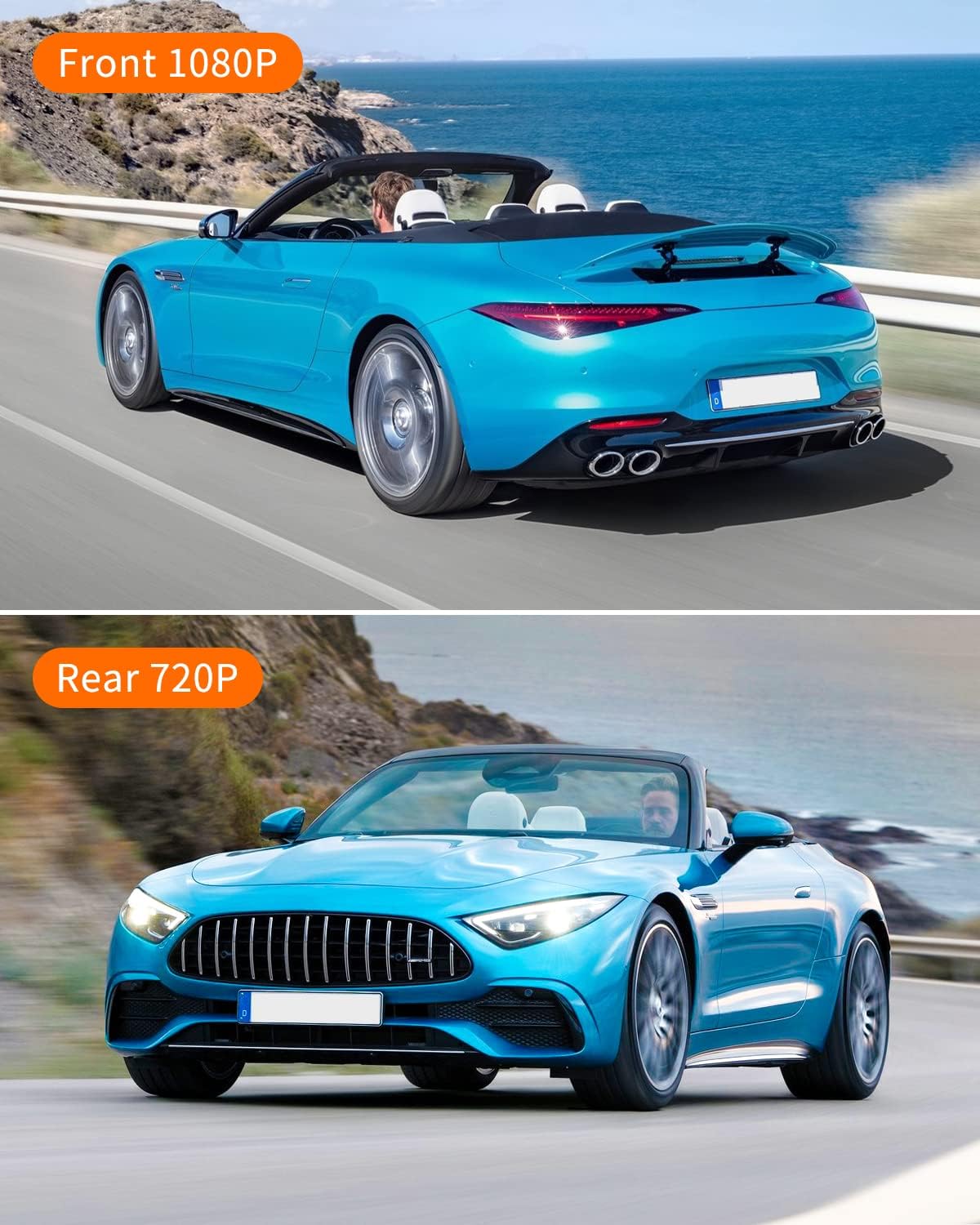
Image: Illustrates the difference in resolution between the front (1080P) and rear (720P) camera views.
4. Stroomaansluiting:
- Plug the 3.5M car charger into your vehicle's cigarette lighter socket.
- Connect the other end of the charger cable to the dash cam's power input port.
- Leg de stroomkabel netjes neer om te voorkomen dat deze uw zicht belemmert. view or driving controls.
De dashcam schakelt doorgaans automatisch in wanneer het contact van het voertuig wordt aangezet en begint dan met opnemen.
Gebruiksaanwijzing
Aan/uit:
The dash cam will automatically power on and off with your vehicle's ignition. To manually power on/off, press and hold the power button.
Opnamemodi:
- Normale opname: The camera starts recording automatically when powered on.
- Loop-opname: Video's worden opgenomen in segmenten (bijvoorbeeld 1, 3 of 5 minuten). Wanneer de geheugenkaart vol is, wordt de oudste ontgrendelde video verwijderd. files worden overschreven.
- G-sensor (noodvergrendeling): In the event of a sudden impact or collision, the built-in G-sensor will automatically detect the event and lock the current video segment, preventing it from being overwritten by loop recording. These fileDe bestanden worden in een aparte map opgeslagen.

Image: Depicts the G-Sensor emergency lock feature and the continuous nature of loop recording.
Parkeerbewaking:
When enabled, the dash cam can monitor your vehicle while parked. If a vibration or collision is detected, the camera will automatically power on and record a short video. For continuous 24/7 parking monitoring, the dash cam must be hardwired or connected to an external power source.

Image: Illustrates the 24/7 parking monitoring capability of the dash cam, highlighting its continuous surveillance.
Wide Dynamic Range (WDR)/High Dynamic Range (HDR):
This technology ensures optimal video quality in challenging lighting conditions, such as strong sunlight or low-light environments, by balancing exposure across the frame.

Image: Shows how HDR technology improves video clarity by balancing exposure in both low light and strong light scenarios.
Menunavigatie:
Use the buttons on the side of the dash cam to navigate through the menu options. You can adjust settings such as video resolution, loop recording duration, G-sensor sensitivity, date/time, and more.
Onderhoud
- Schoonmaak: Gebruik een zachte, droge doek om de cameralens en het scherm schoon te maken. Gebruik geen schurende reinigingsmiddelen of oplosmiddelen.
- Geheugenkaart: Regularly format your MicroSD card (at least once a month) within the dash cam's settings to ensure optimal performance and prevent data corruption. Back up any important footage vóór het formatteren.
- Firmware-updates: Check the official ThiEYE webwebsite voor beschikbare firmware-updates, zodat u zeker weet dat uw dashcam over de nieuwste functies en bugfixes beschikt.
Probleemoplossing
- Camera gaat niet aan:
- Ensure the car charger is securely plugged into both the dash cam and the vehicle's cigarette lighter. Check if the vehicle's power outlet is functioning. The dash cam requires continuous power from the car's ignition.
- Opname stopt of bevriest:
- Format the MicroSD card. Ensure you are using a high-speed (Class 10 or U1/U3) MicroSD card from a reputable brand. A faulty or slow card can cause recording issues. Replace the card if problems persist.
- Screen display is grainy or distorted:
- This could indicate a faulty unit or a software issue. Try resetting the device to factory settings via the menu. If the problem persists, contact customer support.
- Videokwaliteit is slecht:
- Ensure the protective film has been removed from the lens. Clean the lens regularly. Check the video resolution settings in the menu to ensure it's set to 1080P for the front camera and 720P for the rear. Ensure the windshield is clean.
- G-Sensor is too sensitive/not sensitive enough:
- Adjust the G-sensor sensitivity setting in the dash cam's menu. Lower sensitivity will reduce false triggers, while higher sensitivity will detect lighter impacts.
Specificaties
| Functie | Detail |
|---|---|
| Productafmetingen | 3.5 x 1.89 x 1.77 inch |
| Artikelgewicht | 10.6 ons |
| Modelnummer | Karton 6 |
| Resolutie van video-opname aan de voorzijde | 1080p volledige HD |
| Resolutie van video-opname aan de achterzijde | 720p |
| Veld van View | 170 graden (voorkant) |
| Schermgrootte | 3-inch IPS |
| Connectiviteitstechnologie | USB |
| Montagetype | Zuignap |
| Batterij | 1 lithium-ionbatterij (meegeleverd) |
| Kleur | Zwart |
Garantie en ondersteuning
ThiEYE offers a 12 maanden garantie for the Carbox 6 Dash Cam, covering manufacturing defects from the date of purchase. Additionally, a 30 dagen retourbeleid is beschikbaar.
For any inquiries, technical assistance, or warranty claims, please contact ThiEYE customer support. They provide 24/7 online service om u te helpen.
For more information and video tutorials, you may visit the official ThiEYE website or the product support page:
- Official ThiEYE Webwebsite: www.thieye.com
- Carbox 6 How-To Video: thieye.com/pages/carbox-6-how-to-video