
Invoering
This instruction manual provides essential information for the safe and effective use of your Otech replacement battery, specifically designed for the Sony MDR-RF855R wireless headset. Please read this manual thoroughly before installation and operation to ensure optimal performance and extend the lifespan of your battery.
Instellen en installeren
1. Batterij vervangen
Before replacing the battery, ensure your Sony MDR-RF855R wireless headset is powered off and disconnected from any charging source. Refer to your headset's original manual for specific instructions on opening the battery compartment. Carefully remove the old battery.
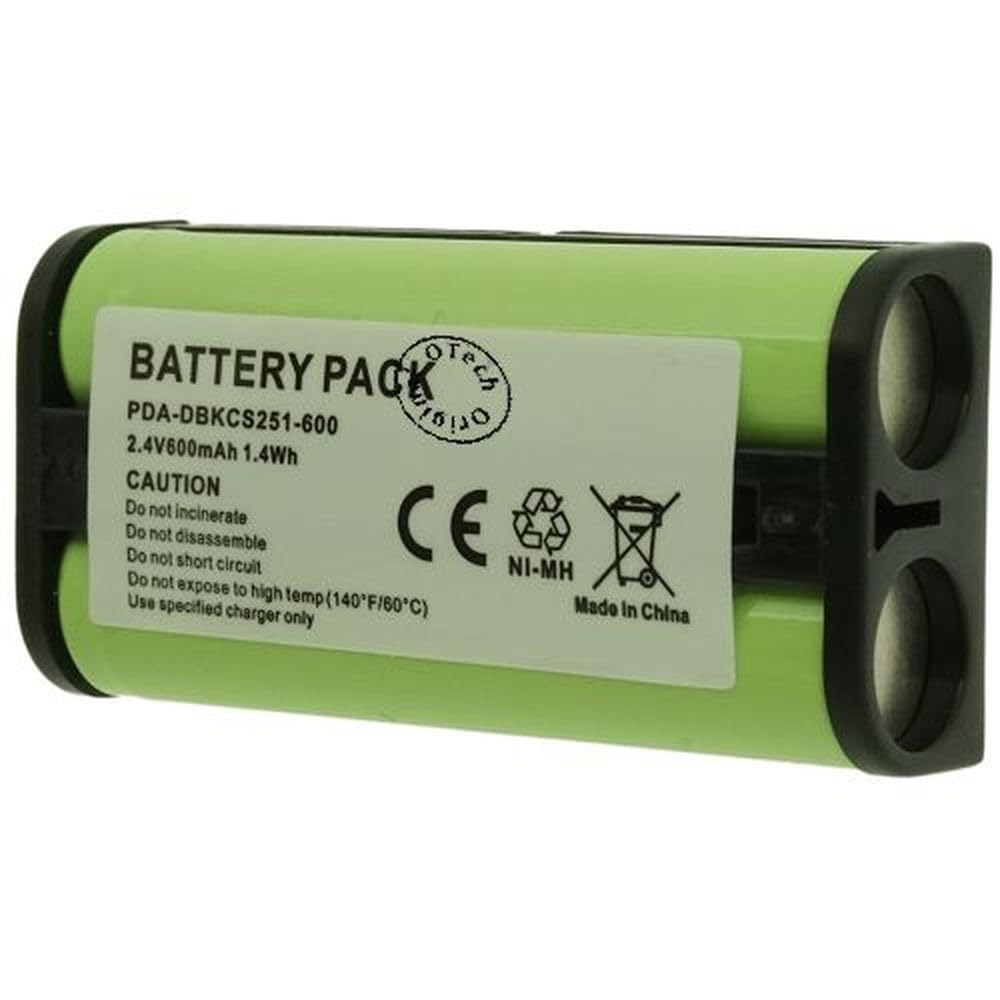
Image: Otech replacement battery for Sony MDR-RF855R wireless headset.
Insert the new Otech battery into the compartment, ensuring the polarity (+/-) matches the indicators inside the headset. Gently close the battery compartment until it is securely latched. Do not force the battery into place.
2. Eerste keer opladen
For the first use, fully charge the new battery. Connect your Sony MDR-RF855R headset to its charging base or cable. Allow the battery to charge uninterrupted until the charging indicator on your headset signals a full charge. This initial full charge helps to calibrate the battery for optimal performance.
Gebruiksrichtlijnen
Laadcycli
To maintain battery health, it is recommended to allow the battery to discharge significantly before recharging, but avoid complete depletion if possible. Regular partial discharges and recharges are generally acceptable for NiMH batteries. Avoid leaving the battery on the charger indefinitely after it has reached full capacity.
Optimale prestaties
The battery performs best at moderate room temperatures. Extreme cold or heat can affect battery capacity and lifespan. Ensure the headset and battery are not exposed to direct sunlight or high humidity during use or charging.
Onderhoud
Opslag
If the battery will not be used for an extended period, store it in a cool, dry place, ideally with a charge level of approximately 50%. Avoid storing fully charged or fully depleted batteries for long durations, as this can reduce their overall lifespan.
Schoonmaak
Keep the battery contacts clean and free from dust or debris. Use a dry, soft cloth to gently wipe the contacts if necessary. Do not use liquid cleaners or abrasive materials.
Probleemoplossing
Batterij laadt niet op
- Controleer verbindingen: Ensure the headset is properly seated on its charging base or the charging cable is securely connected.
- Controleer of de oplader werkt: Test the charger with another compatible device if possible, or check for any indicator lights on the charger.
- Controleer de batterijcontacten: Ensure the battery contacts in the headset and on the battery itself are clean and free from obstruction.
Short Operating Time
- Perform Full Charge Cycle: Fully discharge the battery and then fully recharge it to recalibrate its capacity. Repeat this process 2-3 times.
- Omgevingsfactoren: Operating the headset in very cold environments can temporarily reduce battery performance.
- Batterijleeftijd: All rechargeable batteries have a finite lifespan. If the battery is old and has undergone many charge cycles, its capacity may naturally decrease.
Specificaties
| Functie | Specificatie |
|---|---|
| Batterijtype | NiMH |
| Capaciteit | 600mAh |
| Deeltage | 2.4 Volt |
| Afmetingen (L x B x H) | 46x23x5mm |
| Oplaadbaarheid | Oplaadbaar |
| Verenigbaarheid | Sony MDR-RF855R Wireless Headset |
| Modelnummer | 2SNY01-13104087 |
| Beschermingsfuncties | Overbelastingsbeveiliging |
Garantie-informatie
This Otech replacement battery comes with a 2 jaar garantie from the date of purchase. This warranty covers manufacturing defects and ensures the product meets its stated specifications under normal use. It does not cover damage resulting from misuse, accidental damage, unauthorized modification, or normal wear and tear.
Steun
If you encounter any issues not covered in this manual or require further assistance, please contact your retailer or Otech customer support. Provide your product model number and purchase details when seeking support.