
1. Inleiding
This manual provides comprehensive instructions for the Microsoft Surface Laptop 3, Model VGY-00001. Designed for productivity and portability, this device features a 13.5-inch touchscreen, Intel Core i5 processor, 8GB RAM, and a 128GB Solid State Drive. Please read this manual thoroughly to ensure proper setup, operation, and maintenance of your device.
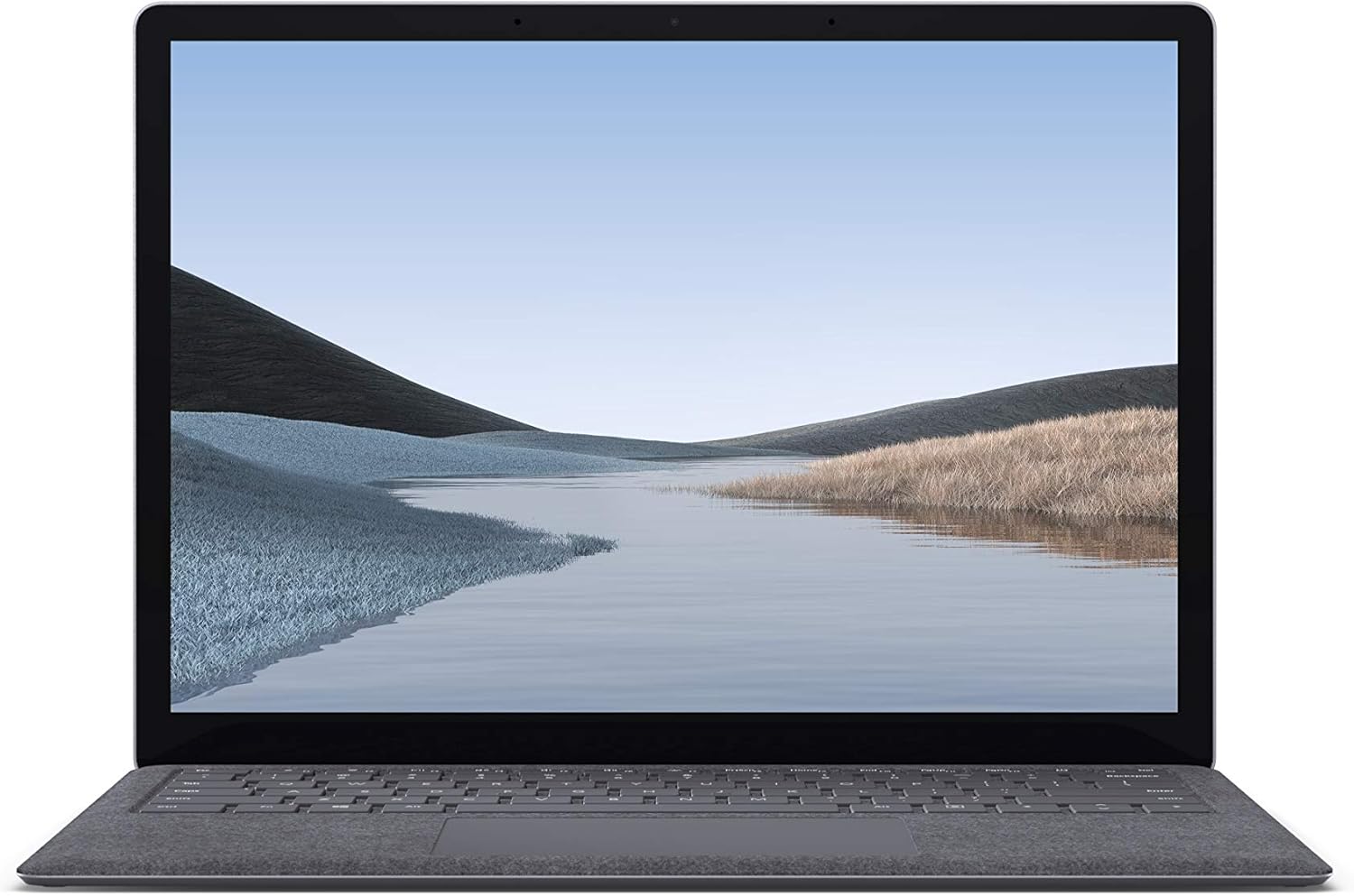
Afbeelding 1.1: Voorkant view of the Microsoft Surface Laptop 3 with its display active.
The Surface Laptop 3 offers a clean, elegant design, weighing approximately 2.79 pounds, making it easy to carry. It features improved speed and performance with its 10th Gen Intel Core processors, offering up to two times faster performance than previous models. Connectivity options include USB-C and USB-A ports for connecting to displays, docking stations, and accessories. The device provides up to 11.5 hours of battery life and supports fast charging, reaching up to 80% in about one hour.
2. Wat zit er in de doos?
Upon unboxing your Microsoft Surface Laptop 3, verify that all the following items are present:
- Microsoft Surface Laptop 3 (Model VGY-00001)
- Snelstartgids (QSG)
- Voeding (netadapter)
3. Instellen
3.1 Eerste inschakeling
- Sluit stroom aan: Plug the power supply into a wall outlet and connect the magnetic Surface Connect port to your laptop. The LED indicator on the connector will light up when properly connected.
- Inschakelen: Open het laptopscherm of druk op de aan/uit-knop op het toetsenbord.
- Windows installatie: Follow the on-screen instructions to complete the Windows 10 Home setup. This includes selecting your region, connecting to a Wi-Fi network, and creating a user account.
- Windows Hello: Configure Windows Hello for secure and fast login using facial recognition.
3.2 Randapparatuur aansluiten
Uw Surface Laptop 3 is voorzien van verschillende poorten voor het aansluiten van externe apparaten:
- USB-C-poort: For data transfer, video output, and charging compatible devices.
- USB-A-poort: For connecting traditional USB devices like mice, keyboards, and external storage.
- 3.5 mm koptelefoonaansluiting: Voor audio-uitvoer naar hoofdtelefoon of externe luidsprekers.
- Surface Connect-poort: For the power supply and compatible Surface docking stations.

Afbeelding 3.1: Zijkant view illustrating the available ports on the Surface Laptop 3.
4. Uw Surface Laptop bedienen 3
4.1 Scherm en touchscreen
The 13.5-inch PixelSense touchscreen display offers a resolution of 2256 x 1504 pixels. It supports multi-touch gestures and is compatible with the Surface Pen (sold separately) for writing and drawing directly on the screen.
4.2 Toetsenbord en touchpad
The full-size ergonomic keyboard features backlighting for comfortable typing in various lighting conditions. The large precision touchpad supports multi-finger gestures for navigation and control.
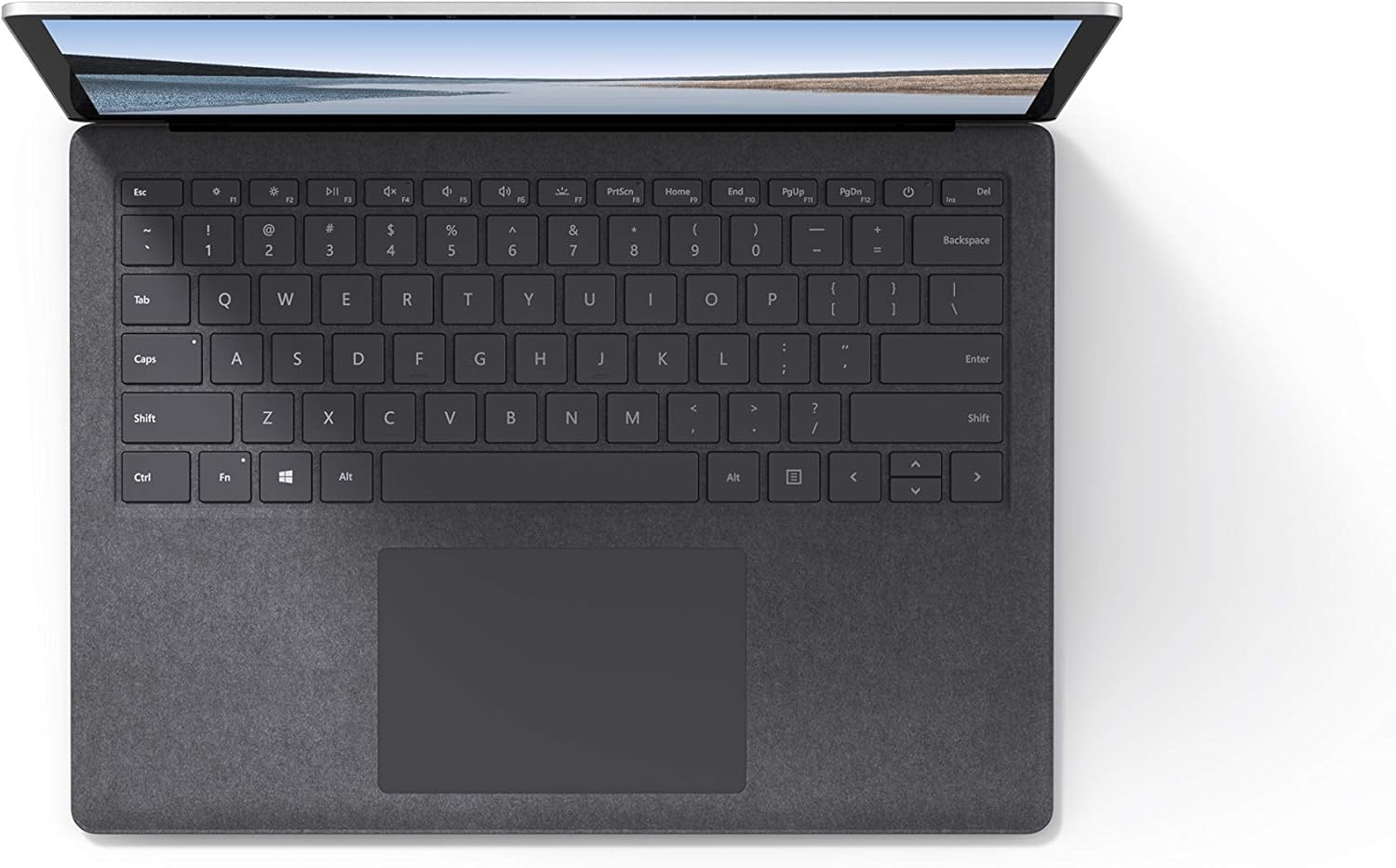
Afbeelding 4.1: Van boven naar beneden view van het toetsenbord- en touchpadgebied.
4.3 Audio en camera
The laptop is equipped with Omnisonic Speakers with Dolby Audio Premium for clear sound. Dual far-field Studio Mics enhance voice clarity for calls and recordings. A front-facing 720p HD camera supports video conferencing and Windows Hello facial authentication.
4.4 Draadloze connectiviteit
The Surface Laptop 3 supports Wi-Fi 6 (802.11ax) for fast and reliable internet access, and Bluetooth 5.0 for connecting wireless accessories.
Video 4.1: Officiële Microsoft-videopresentatieasing the Surface Laptop 3's features and design.
5. Onderhoud
5.1 Uw apparaat schoonmaken
- Gebruik een zachte, pluisvrije doek dampened with water or an approved screen cleaner to clean the display.
- Gebruik voor het toetsenbord en de behuizing een zachte, droge doek. Vermijd agressieve chemicaliën of schurende materialen.
- Houd de poorten vrij van stof en vuil.
5.2 Software-updates
Controleer regelmatig op Windows-updates en installeer deze om optimale prestaties, beveiliging en toegang tot de nieuwste functies te garanderen. Ga naar Instellingen > Bijwerken en beveiliging > Windows Update.
5.3 Batterijonderhoud
- Vermijd extreme temperaturen.
- Voor een optimale levensduur van de batterij is het belangrijk om te voorkomen dat de batterij constant volledig ontladen wordt (0%) of gedurende langere perioden op 100% opgeladen blijft.
- Gebruik alleen de meegeleverde voeding.
6. Probleemoplossing
6.1 Stroomproblemen
- Apparaat gaat niet aan: Ensure the power supply is securely connected and the outlet is functional. Try a forced shutdown by holding the power button for 30 seconds, then release and press again briefly to restart.
- Batterij laadt niet op: Verify the Surface Connect cable is properly attached. Check for any damage to the cable or port.
6.2 Prestatieproblemen
- Trage prestaties: Close unnecessary applications. Check Task Manager for resource-intensive processes. Ensure Windows is up to date.
- Oververhitting: Ensure ventilation vents are not blocked. Avoid using the laptop on soft surfaces that can obstruct airflow.
6.3 Connectiviteitsproblemen
- Wi-Fi maakt geen verbinding: Restart your router and the laptop. Check Wi-Fi settings and ensure the correct network is selected and password entered.
- Bluetooth-apparaat kan niet worden gekoppeld: Zorg ervoor dat het Bluetooth-apparaat in de koppelingsmodus staat en zich binnen bereik bevindt. Controleer de Bluetooth-instellingen op uw laptop.
7. Specificaties
| Functie | Detail |
|---|---|
| Merk | Microsoft |
| Modelnaam | Surface-laptop 3 |
| Modelnummer | VGY-00001 |
| Schermgrootte | 13.5 inch |
| Oplossing | 2256 x 1504 pixels |
| CPU-model | Intel Core i5 (10th Generation) |
| Processorsnelheid | 1.2 GHz (tot 3.7 GHz met Turbo Boost) |
| Geïnstalleerde RAM-geheugengrootte | 8 GB LPDDR4 |
| Grootte van de harde schijf | 128 GB SSD |
| Besturingssysteem | Windows 10 Home (Free Upgrade to Windows 11 when available) |
| Grafische coprocessor | Intel Iris Plus |
| Connectiviteitstechnologie | 1 x USB-C, 1 x USB-A, 3.5 mm headphone jack, 1 x Surface Connect port |
| Draadloze technologie | Wi-Fi 6 (802.11ax), Bluetooth 5.0 |
| Levensduur van de batterij | Tot 11.5 uur |
| Artikelgewicht | 2.79 pond |
| Dimensions (L x W x Thickness) | 8.8"L x 12.1"B x 0.57"D |
| Camera | Front-facing 720p HD camera with Windows Hello face authentication |
| Geluid | Omnisonic Speakers with Dolby Audio Premium, Dual far-field Studio Mics |
8. Garantie en ondersteuning
8.1 Productgarantie
The Microsoft Surface Laptop 3 (Model VGY-00001) comes with a 1 jaar beperkte fabrieksgarantieDeze garantie dekt materiaal- en fabricagefouten bij normaal gebruik. Raadpleeg voor de specifieke voorwaarden de garantiedocumentatie die bij uw product is meegeleverd of bezoek de officiële Microsoft-ondersteuningswebsite. webplaats.
8.2 Klantenservice
For technical assistance, troubleshooting, or warranty claims, please contact Microsoft Support. You can find contact information and additional resources on the official Microsoft Surface support website. Keep your proof of purchase and product serial number readily available when contacting support.
Online hulp: Bezoek support.microsoft.com/surface voor veelgestelde vragen, drivers en softwaredownloads.