
1. Inleiding
This manual provides detailed instructions for the operation and maintenance of your Microware EZCAP230 Cassette to MP3 Converter. This device allows you to convert your old cassette tapes into digital MP3 format, preserving your audio memories. It can function as a standalone converter or connect to a computer for conversion and playback.
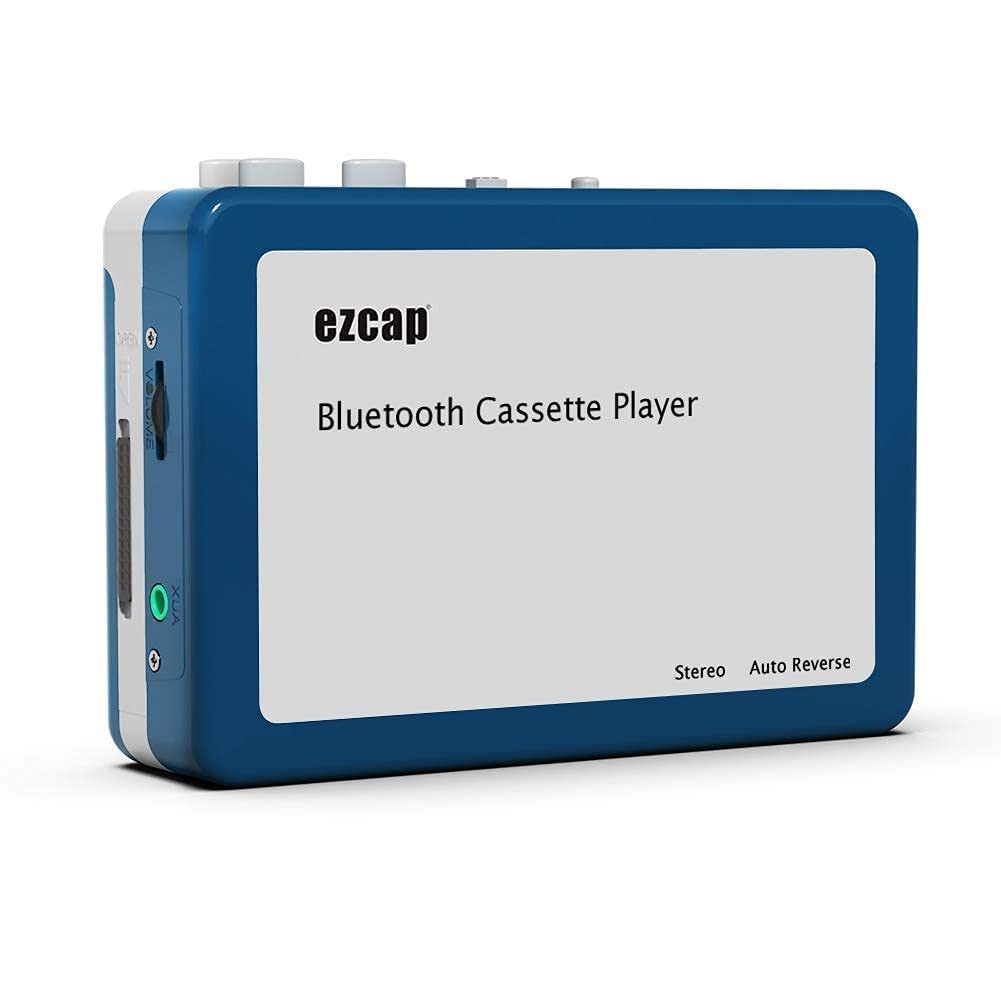
Image 1.1: The Microware EZCAP230 Cassette to MP3 Converter.
2. Product voorbijview
2.1 Belangrijkste kenmerken
- Converts cassette tapes to MP3 format.
- Standalone operation: No computer required for conversion.
- USB connectivity for power and data transfer.
- Playback function to check recorded music.
- Compact en draagbaar ontwerp.
- Supports FAT, FAT32, exFAT USB formats up to 64GB. NTFS format is not supported.
2.2 Pakketinhoud
- Microware EZCAP230 Cassette to MP3 Converter
- USB-kabel
- Oordopjes
- Gebruikershandleiding (dit document)

Image 2.1: The converter unit, USB cable, and earphones.
3. Instellen
3.1 Voeding
Het apparaat kan op twee manieren van stroom worden voorzien:
- Usb vermogen: Connect the provided USB cable to the device and a computer USB port or a 5V DC power adapter (not included).
- Batterijvermogen: Insert 2 x AA batteries (not included) into the battery compartment.
3.2 Een cassettebandje plaatsen
- Open het klepje van het cassettevak.
- Insert your cassette tape with the open side facing up.
- Close the cassette compartment cover securely.

Image 3.1: Proper insertion of a cassette tape.
3.3 Connecting Earphones/Speakers and USB Flash Drive
- Connect the earphones to the 3.5mm audio output jack for private listening.
- To save converted MP3 files, insert a USB flash drive into the USB port. The device supports FAT, FAT32, and exFAT formats up to 64GB.

Image 3.2: Connecting earphones and a USB flash drive to the converter.
4. Gebruiksaanwijzing
4.1 Standalone Cassette to MP3 Conversion
Follow these steps to convert your cassette tapes directly to MP3 format without a computer:
- Inschakelen: Ensure the device is powered via USB or batteries.
- Cassette plaatsen: Place a cassette tape into the compartment.
- USB-stick aansluiten: Insert a USB flash drive into the USB port. A green light will flash, indicating it's ready.
- Afspelen starten: Press the "Play" button on top of the device to begin playing the tape.
- Start opname: Press the "Record" button to start recording. The default mode is manual division. To divide tracks, press the "Record/Stop" button each time you want a new MP3 file.
- Stop met opnemen: Press the "Record" button again to stop recording. The MP3 files will be saved to your USB flash drive.

Image 4.1: Step-by-step guide for independent cassette to MP3 conversion.
4.2 Cassettebandjes afspelen
To use the device as a cassette player:
- Plaats een cassettebandje.
- Connect earphones or external speakers to the 3.5mm audio output jack.
- Press the "Play" button.
- Pas het volume aan met de volumeregelaar.
4.3 Aansluiten op een computer
The device can be connected to a computer via USB for power and to transfer recorded MP3 files. While the device primarily functions for standalone conversion, you can manage the converted fileop uw computer.
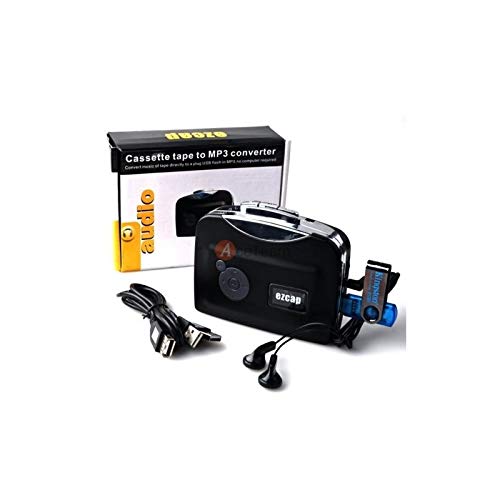
Image 4.2: The converter connected to a laptop, illustrating the digital conversion process.
4.4 Afspeelfunctie
The device includes a playback function to review the recorded MP3 files directly on the device. This allows you to verify the quality of your conversions.
Video 4.1: Een overview of the Microware Cassette to MP3 Converter's features and operation, demonstrating its ease of use for digitizing old tapes.
5. Onderhoud
- Houd het apparaat schoon en stofvrij. Gebruik een zachte, droge doek voor het reinigen.
- Stel het apparaat niet bloot aan extreme temperaturen, vochtigheid of direct zonlicht.
- Gebruik geen schurende reinigingsmiddelen of oplosmiddelen.
- Wanneer u het apparaat gedurende langere tijd niet gebruikt, verwijdert u de batterijen om lekkage te voorkomen.
6. Probleemoplossing
6.1 Geen stroom
- Check if the USB cable is securely connected to a power source.
- Als u batterijen gebruikt, zorg er dan voor dat ze correct zijn geplaatst en niet leeg zijn.
6.2 Poor Audio Quality During Playback/Recording
- Ensure the cassette tape is clean and in good condition.
- Check earphone connections.
- Clean the tape head and pinch rollers with a cotton swab lightly dampGemaakt met isopropylalcohol.
6.3 MP3 Files Not Saving to USB Drive
- Zorg ervoor dat de USB-stick correct is geplaatst.
- Verify that the USB drive is formatted to FAT, FAT32, or exFAT. NTFS is not supported.
- Controleer of de USB-stick voldoende vrije ruimte heeft.
7. Specificaties
| Functie | Specificatie |
|---|---|
| Merk | MICROWAREN |
| Model | EZCAP230 |
| Artikelgewicht | 150 gram |
| Pakket afmetingen | 14x10.01x5.99cm |
| Energiebron | USB Power (5V DC) or 2 x AA Batteries |
| USB Format Support | FAT, FAT32, exFAT (up to 64GB). NTFS not supported. |
8. Garantie en ondersteuning
For warranty information and technical support, please refer to the official MICROWARE webwebsite of neem contact op met uw verkoper. Bewaar uw aankoopbewijs als aankoopbewijs.
Fabrikant: MICROWAREN
Datum eerste beschikbaarheid: 24 september 2019
Voor verdere hulp kunt u terecht op de MICROWARE Store on Amazon.