
1. Inleiding
Bedankt voor uw aankoopasing the LUPO Digital Pocket Scale. This precision instrument is designed for accurate weighing of small items up to 200 grams with a 0.01 gram graduation. Its compact and portable design makes it ideal for various applications, including weighing jewelry, food ingredients, herbs, and other small objects. Please read this manual carefully to ensure proper operation and longevity of your scale.
Belangrijkste kenmerken:
- Maximale capaciteit: 200 g
- Afstuderen: 0.01g
- Multiple Weighing Units: g, gn, oz, ozt, ct, tl, dwt
- Durable Stainless Steel Platform
- LCD-display met achtergrondverlichting
- Tarra functie
- Automatische uitschakeling
- Indicator voor lage batterij
- Overbelastingsbeveiliging
2. Inhoud van het pakket
- 1 x LUPO 200g Digital Pocket Scale
- 2 x AAA-batterijen
- 1 x Gebruikershandleiding
3. Instellen
3.1 Batterij installatie
The scale requires 2 AAA batteries (included). To install or replace batteries:
- Open het klepje van het batterijcompartiment aan de onderkant van de weegschaal.
- Plaats de 2 AAA-batterijen en let daarbij op de juiste polariteit (+/-).
- Sluit het batterijklepje goed.
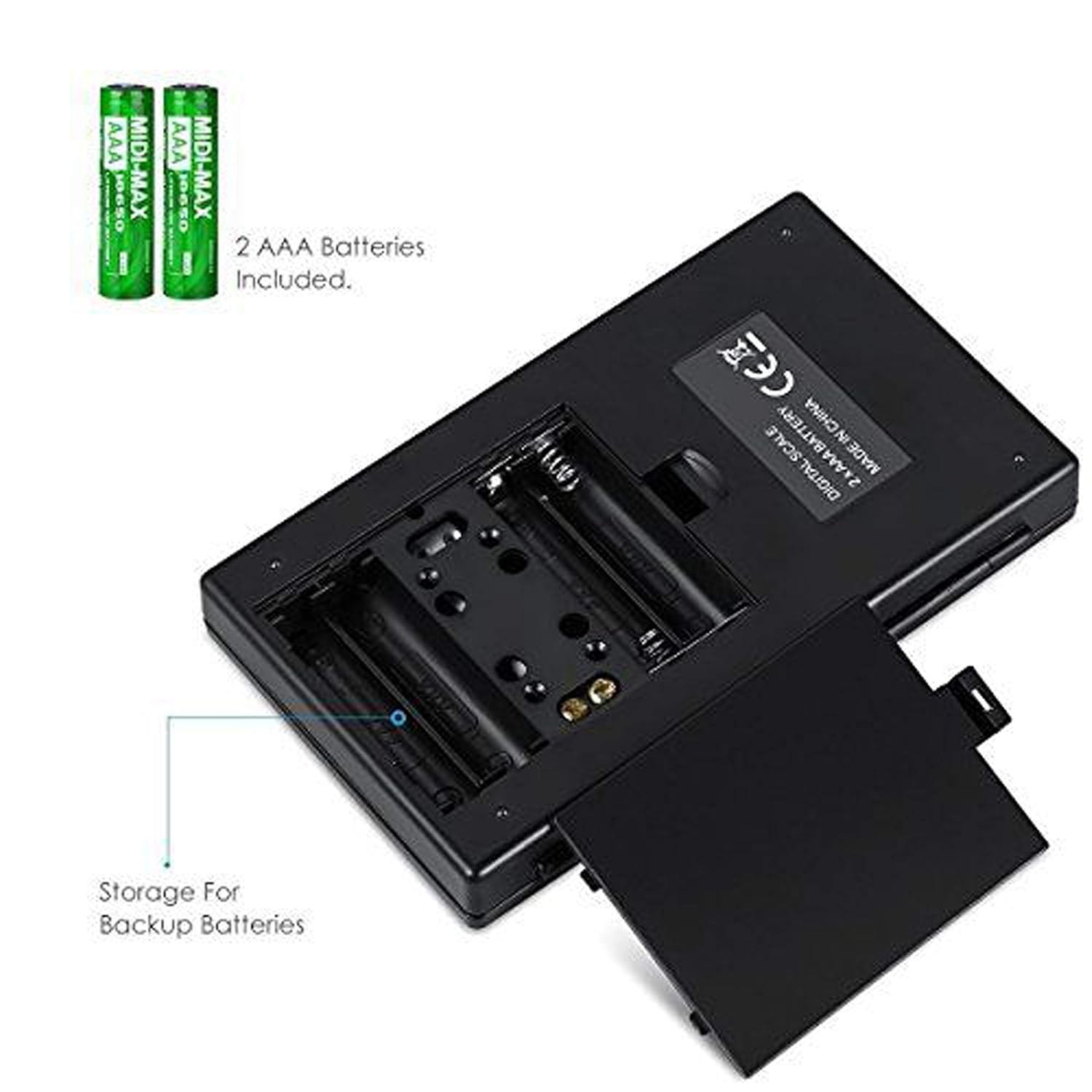
Afbeelding 3.1: Batterijcompartiment met AAA-batterijen.
3.2 Initiële plaatsing
For accurate readings, place the scale on a hard, flat, and stable horizontal surface. Avoid placing it on soft or uneven surfaces, or near sources of vibration or electromagnetic interference.
4. Bediening
4.1 Basiswegen
- Druk op de AAN/UIT knop om de weegschaal aan te zetten.
- Wait for the display to show "0.00" (or "0") before placing any items on the weighing platform.
- Gently place the item(s) you wish to weigh onto the center of the stainless steel weighing platform.
- Het gewicht wordt weergegeven op het LCD-scherm.

Figure 4.1: Quick start guide for basic weighing.
4.2 Eenheidsconversie
De weegschaal ondersteunt meerdere weegeenheden. Om de eenheid te wijzigen:
- With the scale turned on and displaying "0.00", press the MODUS herhaaldelijk op de knop drukken.
- The display will cycle through the available units: grams (g), grains (gn), ounces (oz), troy ounces (ozt), carats (ct), and pennyweights (dwt).
- Stop met drukken MODUS when your desired unit is displayed.
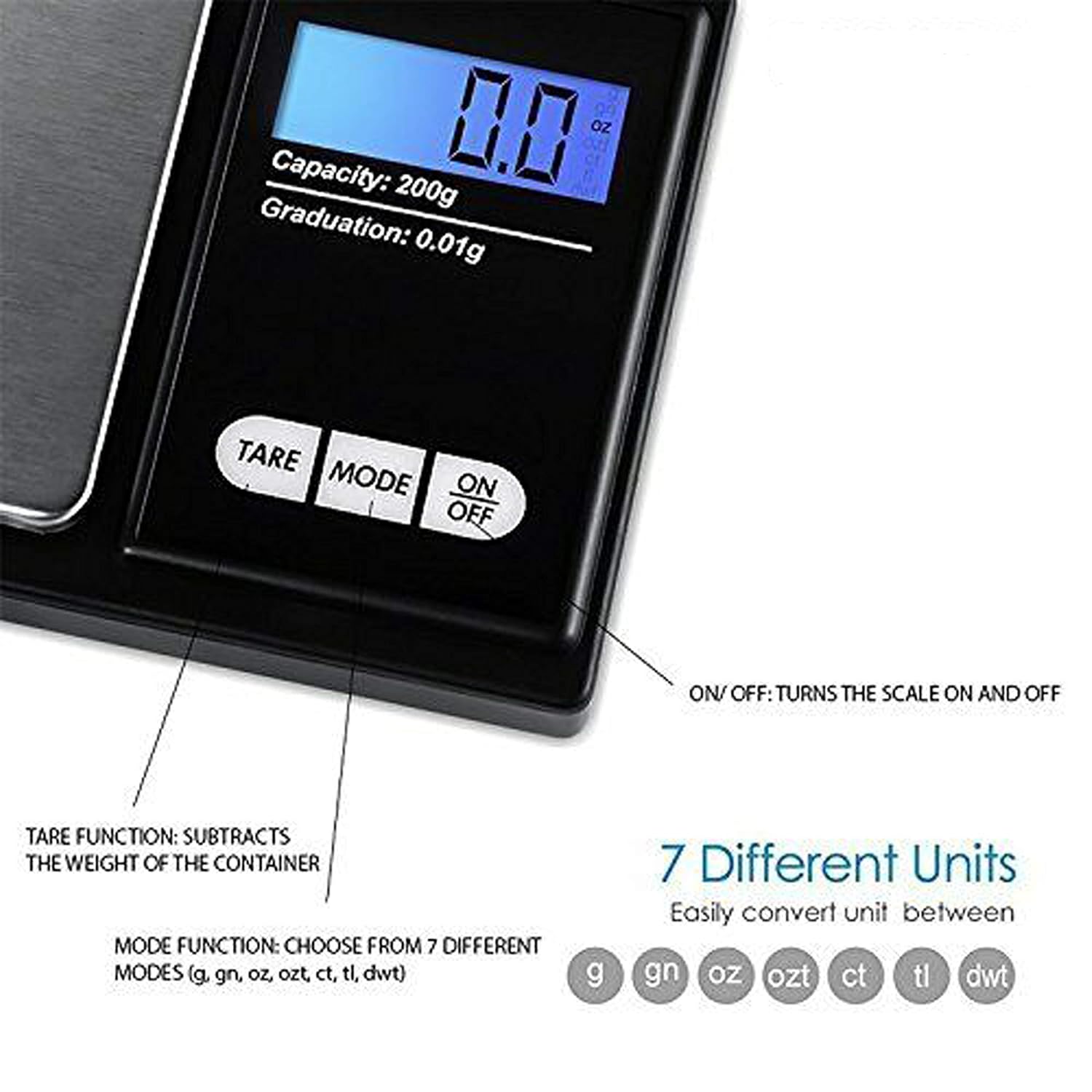
Figure 4.2: Available weighing units and button functions.
4.3 Tarrafunctie
Met de tarrafunctie kunt u het gewicht van een container aftrekken, zodat u alleen het nettogewicht van de inhoud meet.
- Plaats een lege container op het weegplatform.
- Druk op de TARRA knop. Het display wordt teruggezet naar "0.00".
- Now, place the item(s) you wish to weigh into the container. The display will show only the weight of the item(s).
5. Kalibratie
Calibration ensures the accuracy of your scale. It is recommended to calibrate the scale periodically or if you notice inconsistent readings. A 200g calibration weight is required (not included).
- Schakel de weegschaal in door op de knop te drukken AAN/UIT knop.
- Wait for the display to show "0.00".
- Houd de MODUS button until the display shows "CAL", then release the button.
- Druk op de MODUS button again. The display will show "CAL" followed by the required calibration weight (e.g., "200.00g").
- Place the exact 200g calibration weight onto the center of the weighing platform.
- The display will show "PASS" and then return to normal weighing mode.
- Remove the calibration weight. Calibration is complete.
Note: If you do not have a 200g calibration weight, you may need to acquire one separately for accurate calibration.
6. Onderhoud
6.1 Reinigen
Veeg de weegschaal schoon met een lichte damp cloth. Do not immerse the scale in water or use abrasive cleaners. Keep the weighing platform clean and free of debris.
6.2 Opslag
Store the scale in a clean, dry environment. If the scale will not be used for an extended period, it is recommended to remove the batteries to prevent leakage.
7. Probleemoplossing
If you encounter issues with your scale, consider the following:
- Onjuiste metingen:
- Zorg ervoor dat de weegschaal op een stabiele, vlakke ondergrond staat.
- Avoid placing the scale near strong radio frequency interference.
- Keep the scale away from high humidity, air currents (e.g., fans, open windows), and extreme temperatures.
- Minimize vibration during weighing.
- Perform a calibration (refer to Section 5).
- "Lo" or "Low Battery" Display: Vervang de AAA-batterijen.
- "O-Ld" or "Overload" Display: The item on the platform exceeds the maximum capacity of 200g. Remove the item immediately to prevent damage to the scale.
- Weegschaal gaat niet aan: Controleer de batterijinstallatie en zorg ervoor dat de batterijen niet leeg zijn.

Figure 7.1: Overload and Low Battery indicators.
8. Specificaties
| Functie | Detail |
|---|---|
| Merk | LUPO |
| Modelnummer | BHT2018376_200g_pock |
| Capaciteit | 0.05g tot 200g |
| Graduatie | 0.01 gram |
| Weegeenheden | g, gn, oz, ozt, ct, tl, dwt |
| Weergavetype | LCD met achtergrondverlichting |
| Energiebron | 2 x AAA-batterijen (meegeleverd) |
| Materiaal | Plastic, Stainless Steel Platform |
| Afmetingen (ongeveer) | 14.8 x 9 x 2.4 cm (Package); 5.0 x 3.0 x 0.8 inches (Scale) |
| Gewicht (ongeveer) | 140 gram (verpakking) |
| Speciale kenmerken | Backlit display, Auto-off, Tare function, Lightweight, Portable |
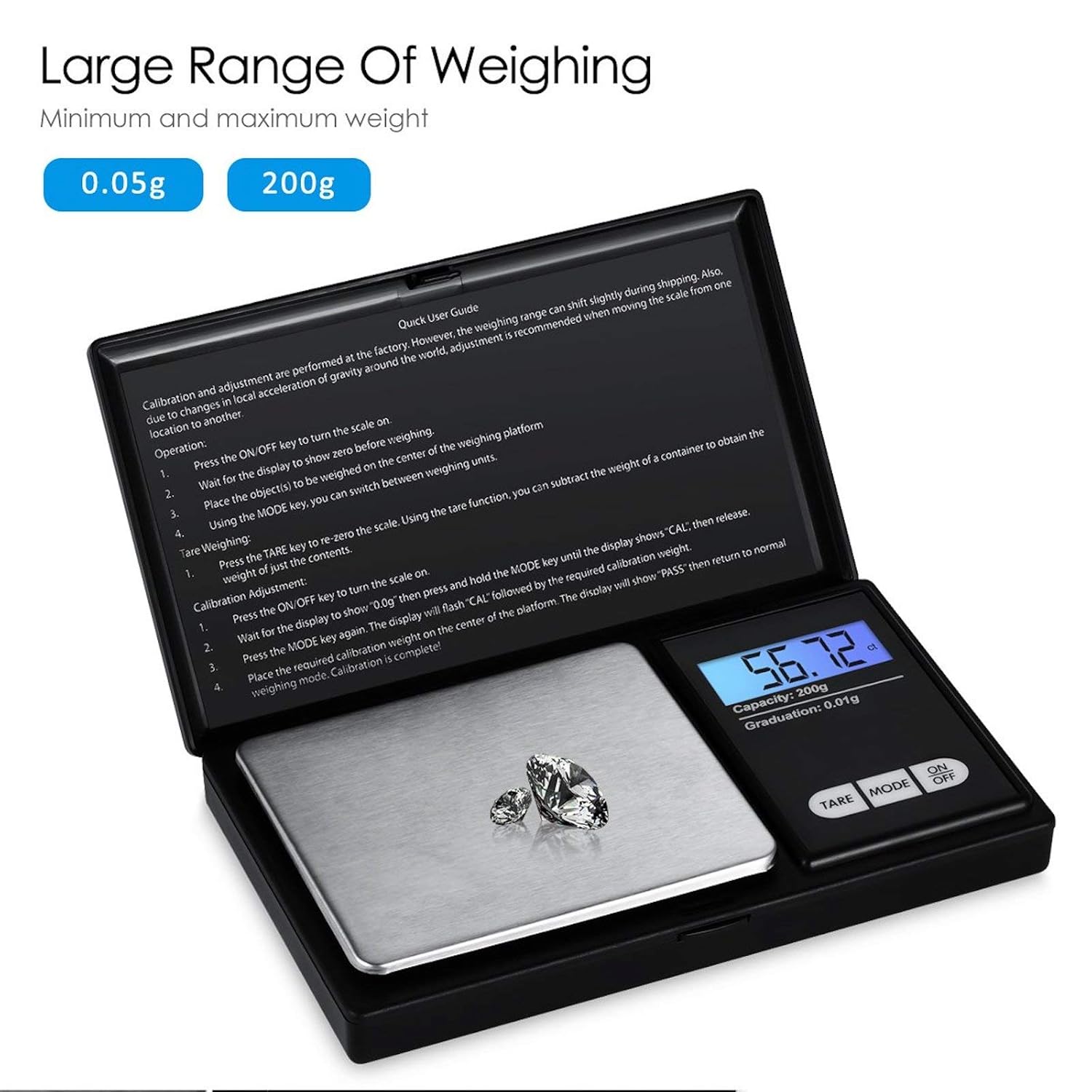
Figure 8.1: Weighing range of the scale.
9. Garantie en ondersteuning
Warranty information for this product is not explicitly specified in the provided details. For any support inquiries or warranty claims, please contact the retailer or manufacturer directly.