
Belangrijke veiligheidsinstructies
Bij het gebruik van elektrische apparaten dienen de volgende basisveiligheidsmaatregelen in acht te worden genomen:
- Lees alle instructies voordat u het apparaat gebruikt.
- Om het risico op brand, elektrische schokken of letsel te verminderen, mag u de oven niet gebruiken wanneer deze leeg is.
- Verwarm geen vloeistoffen of ander voedsel in afgesloten containers, aangezien deze kunnen ontploffen.
- Probeer deze oven niet te gebruiken met de deur open, aangezien de werking met een open deur kan leiden tot schadelijke blootstelling aan microgolfenergie.
- Dit product bevat chemicaliën waarvan de staat Californië weet dat ze kanker, geboorteafwijkingen of andere reproductieve schade kunnen veroorzaken.
Always ensure proper ventilation and placement as described in the setup section.
Product voorbijview
The Oster OGZD0701 Microwave Oven is a compact 0.7 cubic foot appliance designed for countertop use. It features 700 watts of power, 10 power levels, and 6 pre-set cooking menus for various food types. The LED display includes a kitchen timer, and a child safety lock is integrated for secure operation.
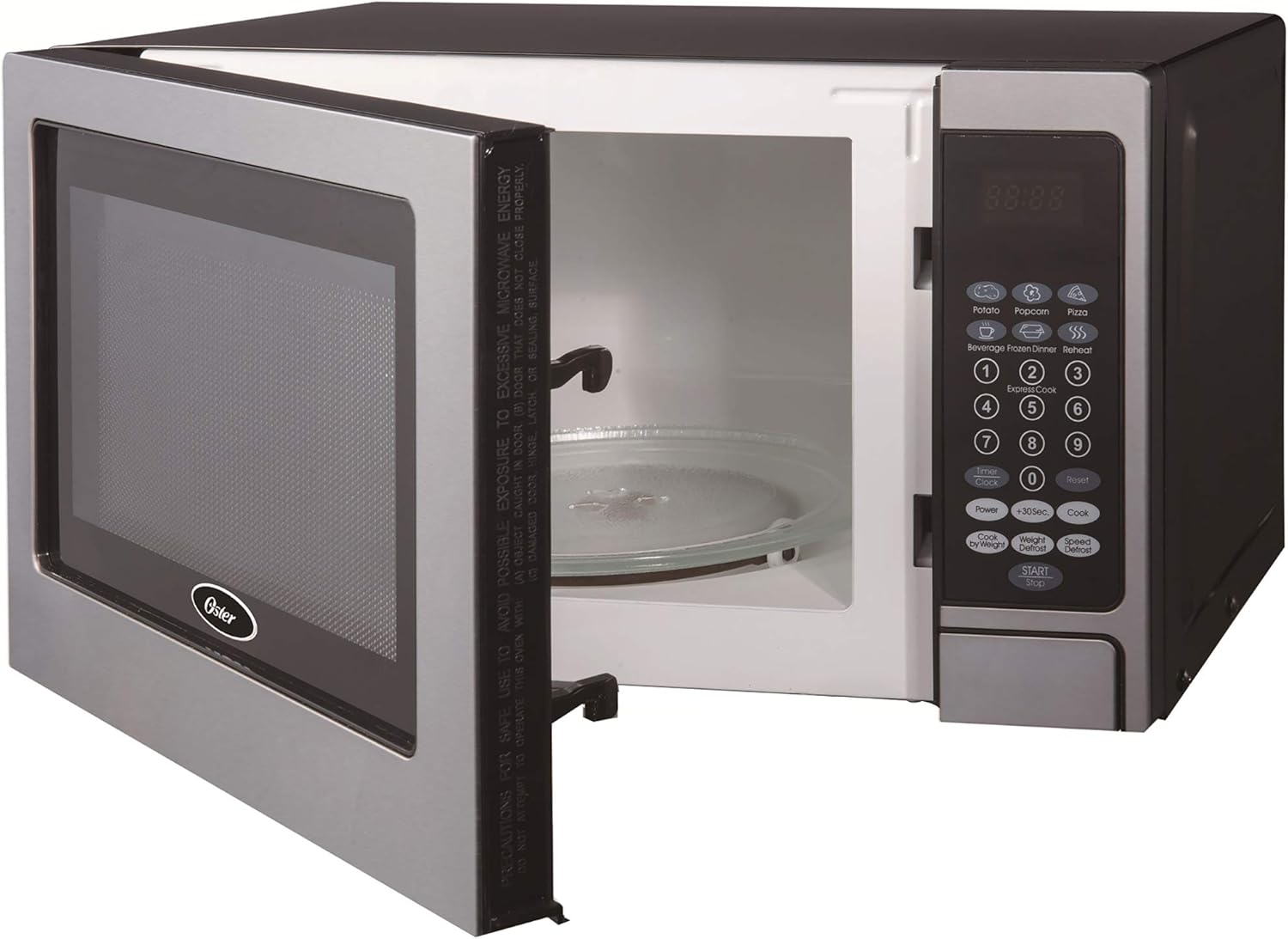
Voorkant view of the Oster OGZD0701 Microwave Oven with the door open, showing the interior cavity and control panel.
Componenten
- Ovenruimte: De binnenruimte waar voedsel wordt geplaatst om te worden verwarmd.
- Glazen draaischijf: A removable glass tray that rotates to ensure even cooking.
- Draaitafelring: Ondersteunt de glazen draaischijf en zorgt ervoor dat deze kan draaien.
- Configuratiescherm: Features an LED display, numeric keypad, and function buttons.
- Ovendeur: Uitgerust met een veiligheidsvergrendelingssysteem.
Instellen
Uitpakken
- Verwijder alle verpakkingsmaterialen van binnen en buiten de oven.
- Controleer de oven op schade, zoals deuken of een verkeerd uitgelijnde deur. Gebruik de oven niet als deze beschadigd is.
- Verwijder eventuele beschermfolie van het oppervlak van de kast.
Draaitafel montage

The turntable ring, which supports the glass tray and allows it to rotate.
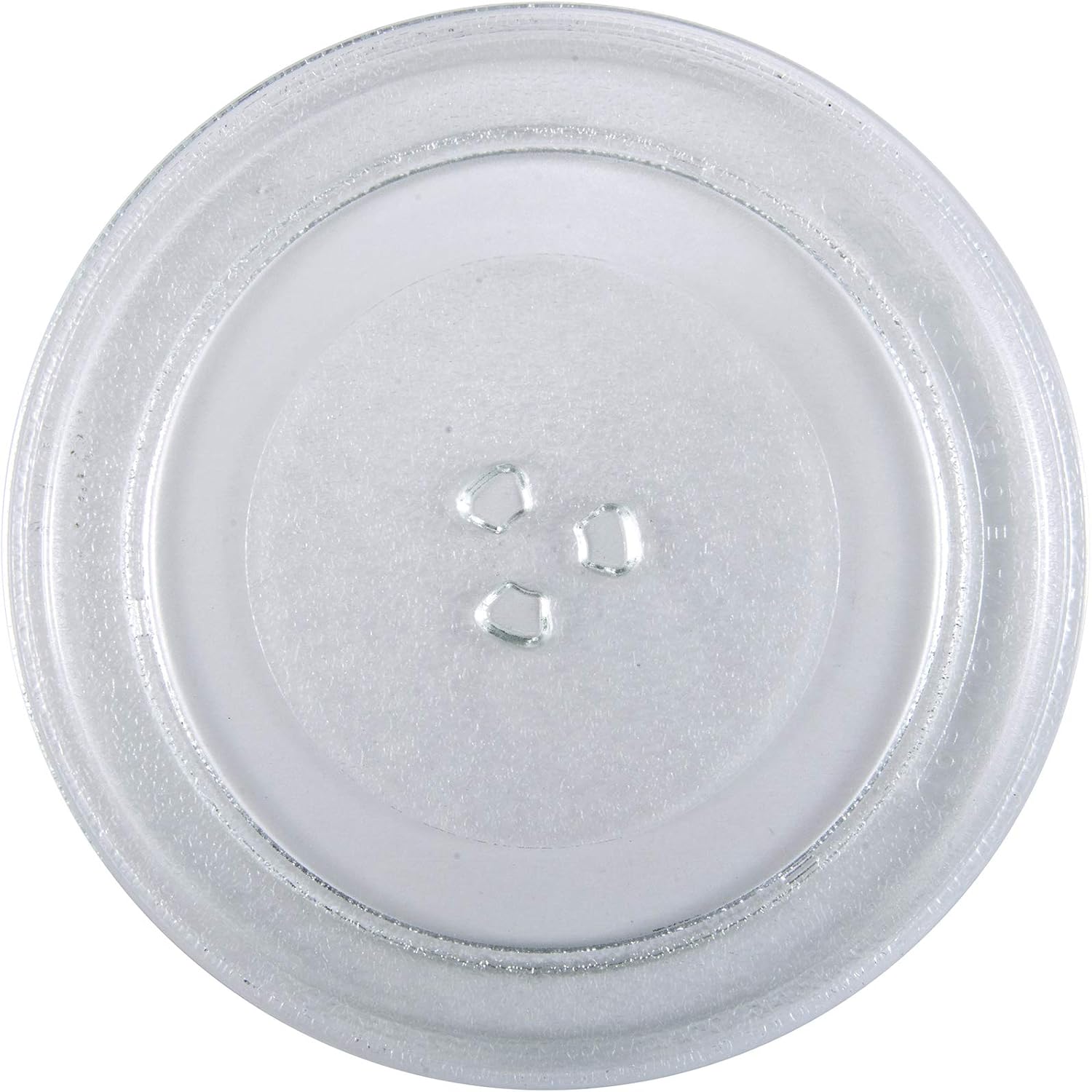
The removable glass turntable tray for even cooking.
- Place the turntable ring securely in the circular indentation on the oven floor.
- Position the glass turntable tray on top of the ring, ensuring it sits properly on the central hub.
Plaatsing
- Place the oven on a flat, stable surface that can support its weight and the heaviest food item likely to be cooked.
- Ensure at least 3 inches (7.5 cm) of clearance on the top, sides, and rear for proper ventilation.
- Blokkeer geen ventilatieopeningen.
- Houd de oven uit de buurt van warmtebronnen en sterke magnetische velden.
- Plug the oven into a dedicated 3-prong grounded outlet. Do not use extension cords.
Gebruiksaanwijzing
De klok instellen
Om de klok in te stellen:
- Press the 'CLOCK' button once.
- Gebruik het numerieke toetsenbord om de huidige tijd in te voeren (bijvoorbeeld 12:30 voor 12:30 PM).
- Druk nogmaals op de knop 'KLOK' om te bevestigen.
Basis koken in de magnetron
- Plaats het eten in een magnetronbestendige schaal op het glazen draaiplateau.
- Sluit de ovendeur goed.
- Voer de gewenste kooktijd in met behulp van het numerieke toetsenbord.
- Press the 'POWER' button to adjust power level if needed (default is 100%). Use the number pad to select a power level from 1 to 10.
- Druk op de 'START'-knop om te beginnen met koken.
Pre-set Cooking Menus
The oven includes 6 pre-set cooking menus for common foods:
- Popcorn
- Aardappel
- Pizza
- Drank
- Diepvriesmaaltijd
- Opwarmen
To use a pre-set menu:
- Zet het eten in de oven.
- Press the desired menu button (e.g., 'POPCORN').
- Press 'START' to begin. Some menus may require pressing the button multiple times to select weight or quantity.
Ontdooifuncties
The oven offers two defrost modes:
- Tijd Ontdooien: Press 'TIME DEFROST', enter the desired defrosting time, then press 'START'.
- Gewicht Ontdooien: Press 'WEIGHT DEFROST', enter the food's weight in pounds (e.g., 1.0 for 1 pound), then press 'START'. The oven will automatically calculate the defrosting time.
Child Lock Safety
To activate the child lock, press and hold the 'STOP/CANCEL' button for 3 seconds. The lock indicator will appear on the display. To deactivate, press and hold 'STOP/CANCEL' again for 3 seconds.
Onderhoud en reiniging
Algemene schoonmaak
- Haal altijd de stekker uit het stopcontact voordat u de oven schoonmaakt.
- Veeg de buitenkant af met adamp doek en milde zeep. Gebruik geen schurende schoonmaakmiddelen.
- Maak de binnenruimte schoon met adamp cloth after each use to prevent food buildup. For stubborn stains, place a bowl of water with lemon slices inside and microwave for a few minutes, then wipe clean.
- Reinig de deurrubbers en aangrenzende onderdelen zorgvuldig met adamp cloth to ensure proper door closure.
Onderhoud draaitafel
- De glazen draaischijf en de draaischijfring kunnen worden verwijderd voor reiniging.
- Was ze in warm zeepsop of in de vaatwasser.
- Zorg ervoor dat ze helemaal droog zijn voordat u ze terug in de oven zet.
Probleemoplossing
| Probleem | Mogelijke oorzaak | Oplossing |
|---|---|---|
| Oven start niet | Netsnoer niet aangesloten; Deur niet goed gesloten; Zekering doorgebrand of stroomonderbreker geactiveerd. | Zorg ervoor dat de stekker goed in het stopcontact zit. Sluit de deur goed. Controleer de zekering/stroomonderbreker van het huis. |
| Voedsel wordt niet verwarmd | Kooktijd/vermogen is onjuist. Deur is niet goed gesloten. | Stel de tijd/het vermogen in; zorg ervoor dat de deur goed gesloten is. |
| Draaitafel draait niet | Draaitafel niet goed geplaatst. Obstructie onder de draaitafel. | Re-seat glass tray and ring; Remove any debris. |
| Clock difficult to set | Unfamiliarity with control panel. | Refer to 'Setting the Clock' instructions in the Operating section. Practice the steps. |
| Start/Stop button unresponsive | Child lock activated; Internal malfunction. | Deactivate child lock (hold 'STOP/CANCEL' for 3 seconds). If issue persists, contact customer support. |
Specificaties
| Functie | Detail |
|---|---|
| Modelnaam | OGZD0701 |
| Merk | Oster |
| Capaciteit | 0.7 kubieke voet |
| Kleur | Roestvrij staal |
| Wattage | 700 Watt |
| Vermogensniveaus | 10 |
| Kookprogramma's | 6 |
| Controletype | Aanraakpad |
| Speciale kenmerken | Child Safety Lock, LED Display, Kitchen Timer |
| Installatietype | Aanrechtblad |
| Materiaal | Roestvrij staal |
| Ontdooisysteem type | Automatische ontdooiing |
Garantie en ondersteuning
Garantie-informatie
This Oster OGZD0701 Microwave Oven comes with a 1 jaar beperkte garantie from the date of purchase. This warranty covers defects in materials and workmanship under normal household use. It does not cover damage resulting from misuse, accident, alteration, or commercial use.
Bewaar uw aankoopbewijs voor garantieclaims.
Klantenservice
For technical assistance, warranty service, or to inquire about replacement parts, please contact Oster customer support. Refer to the contact information provided in your product packaging or visit the official Oster website voor de meest actuele ondersteuningsgegevens.
When contacting support, please have your model number (OGZD0701) and purchase date available.