
Invoering
This manual provides detailed instructions for the setup, operation, maintenance, and troubleshooting of your Pabobo Kid Sleep Alarm Clock, model KS0031. Please read this manual thoroughly before using the product to ensure proper function and safety.
The Pabobo Kid Sleep Alarm Clock is designed to help children learn to tell time and establish healthy sleep routines. It features both digital and analog time displays, a visual sleep/wake indicator, and customizable alarm sounds.
Veiligheidsinformatie
- Houd het apparaat uit de buurt van water en vocht.
- Niet blootstellen aan extreme temperaturen of direct zonlicht.
- Gebruik uitsluitend het aangegeven batterijtype. Let op de juiste polariteit bij het plaatsen van de batterijen.
- Houd batterijen buiten het bereik van kleine kinderen.
- Probeer het apparaat niet zelf te demonteren of te repareren. Neem contact op met de ondersteuning als er problemen optreden.
- Dit product is uitsluitend bedoeld voor gebruik binnenshuis.
Product voorbijview
The Pabobo Kid Sleep Alarm Clock combines an analog clock, a digital display, and a visual sleep/wake indicator to assist children in understanding time and sleep cycles.

Figuur 1: Voorkant view of the Pabobo Kid Sleep Alarm Clock.
Belangrijkste kenmerken:
- Dubbele tijdweergave: Features both an analog clock face and a digital time display for easy learning.
- Slaaptrainer: A visual indicator (sleeping child / awake child) helps children understand when it's time to sleep and when it's okay to wake up.
- Progressief alarm: Three selectable alarm sounds (chirping birds, cuckoo, train) that increase in volume.
- Snooze-functie: Press the large button on the top for a two-minute snooze and a temporary backlight.
- Nachtlampje: A mini night light emits a reassuring glow.
Instellen
1. Batterij installatie
The clock operates on one battery, which is included. To install or replace the battery:
- Zoek het batterijcompartiment aan de achterkant van de klok.
- Open het batterijklepje.
- Plaats de batterij en let daarbij op de juiste polariteit (+/-).
- Sluit het batterijklepje goed.

Figuur 2: Achterkant view met batterijvak en bedieningselementen.
2. De tijd instellen
To set the current time on your alarm clock:
- Use the time setting knob (usually located on the back) to adjust the analog hands to the correct time.
- The digital display will synchronize or can be set separately using dedicated buttons (refer to specific button labels on the back, e.g., "SET" buttons).
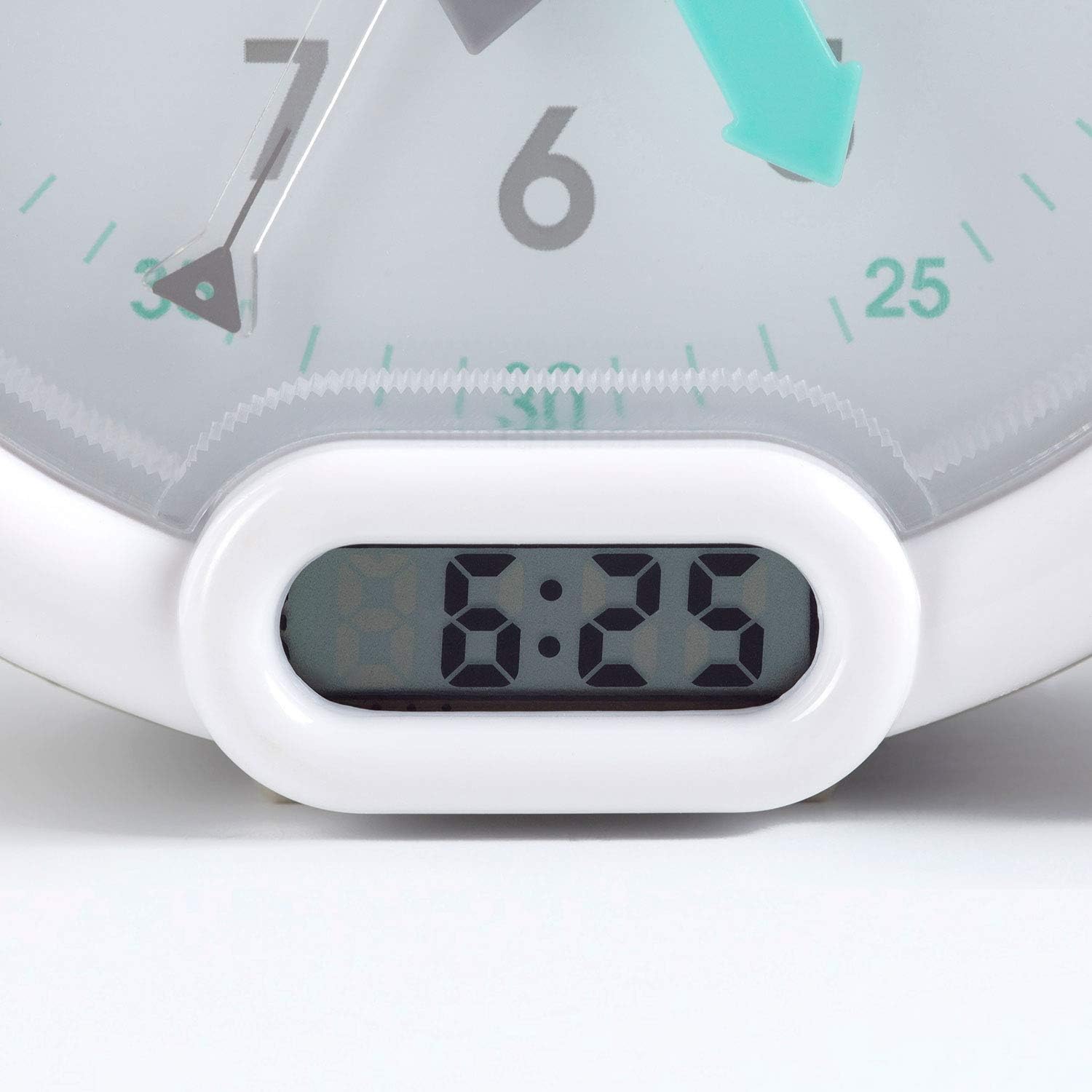
Figuur 3: Digitale tijdsweergave.
Gebruiksaanwijzing
1. Het alarm instellen
The alarm can be set to one of three sounds: chirping birds, cuckoo, or train. The alarm volume increases progressively.
- Locate the alarm setting controls on the back of the clock.
- Adjust the alarm time using the designated knob or buttons.
- Select your preferred alarm sound using the sound selection switch.
- Ensure the alarm is activated (ON position).
2. Using the Sleep Trainer
The sleep trainer feature visually indicates when it's time to sleep and when it's time to wake up.
- Sleeping Child Lit: When the image of the sleeping child is lit, it indicates that children should remain in bed and continue sleeping.
- Awake Child Lit: When the image of the awake child is lit, it signals that it is time to wake up.

Figuur 4: Sleep indicator (sleeping child).

Figuur 5: Awake indicator (awake child).
The sleep/wake times for this indicator are typically set independently from the alarm time, using specific controls on the back of the clock.
3. Snooze and Backlight Function
Press the large button on the top of the clock to activate the snooze function for two minutes. This button also provides a short glowing light, allowing the child to see the time during the night.

Figuur 6: Clock with backlight activated.
Onderhoud
- Schoonmaak: Veeg de klok af met een zachte, droge doek. Gebruik geen schuurmiddelen of oplosmiddelen.
- Batterij vervangen: Replace the battery when the display dims or the alarm function becomes unreliable. Dispose of used batteries responsibly.
- Opslag: If storing the clock for an extended period, remove the battery to prevent leakage.
Probleemoplossing
| Probleem | Mogelijke oorzaak | Oplossing |
|---|---|---|
| Clock not turning on / display blank. | Batterij is leeg of verkeerd geplaatst. | Check battery polarity. Replace battery. |
| Alarm klinkt niet. | Alarm not set or turned off. Low battery. | Ensure alarm is set and activated. Replace battery. |
| Sleep/wake indicator not changing. | Incorrect sleep/wake time settings. | Verify and adjust the sleep/wake indicator settings. |
| Clock makes clicking noise. | Mechanical movement noise (common for analog clocks). | This may be normal for the analog mechanism. If excessively loud or new, contact support. |
Specificaties
| Merk: | Pabobo |
| Modelnummer: | KS0031 |
| Kleur: | Grijs |
| Weergavetype: | Analoog, Digitaal |
| Productafmetingen: | 6.3"B x 5.12"H |
| Energiebron: | Battery Powered (1 battery included) |
| Materiaal: | Plastic |
| Montagetype: | Bureaubladbevestiging |
| Artikelgewicht: | 14.1 ounce (0.88 pond) |
| Speciale eigenschap: | Adjustable, Backlit, Sleep Trainer |
Garantie-informatie
This Pabobo Kid Sleep Alarm Clock comes with a Levenslange garantie. For details regarding warranty claims and coverage, please refer to the official Pabobo webwebsite of neem contact op met de klantenservice.
Klantenservice
If you encounter any issues or have questions not covered in this manual, please contact Pabobo customer support for assistance.
- Online hulp: Bezoek de officiële Pabobo-website. website voor veelgestelde vragen en contactmogelijkheden.
- E-mailadres: [Insert Pabobo Support Email Here, if available]
- Telefoon: [Insert Pabobo Support Phone Number Here, if available]
Please have your model number (KS0031) and purchase information ready when contacting support.