
1. Inleiding
The SANYO VPC-CG20 is a compact, high-definition camcorder and 10-megapixel digital camera designed for capturing both video and still images. This device features Full HD 1080i video recording at 60 frames per second, a 10-megapixel still image sensor, and a 5x optical zoom lens. It includes a 2.7-inch wide LCD monitor for easy framing and playback, along with optical image stabilization for clearer footage and photos. This manual provides essential information for setting up, operating, and maintaining your VPC-CG20 camcorder.
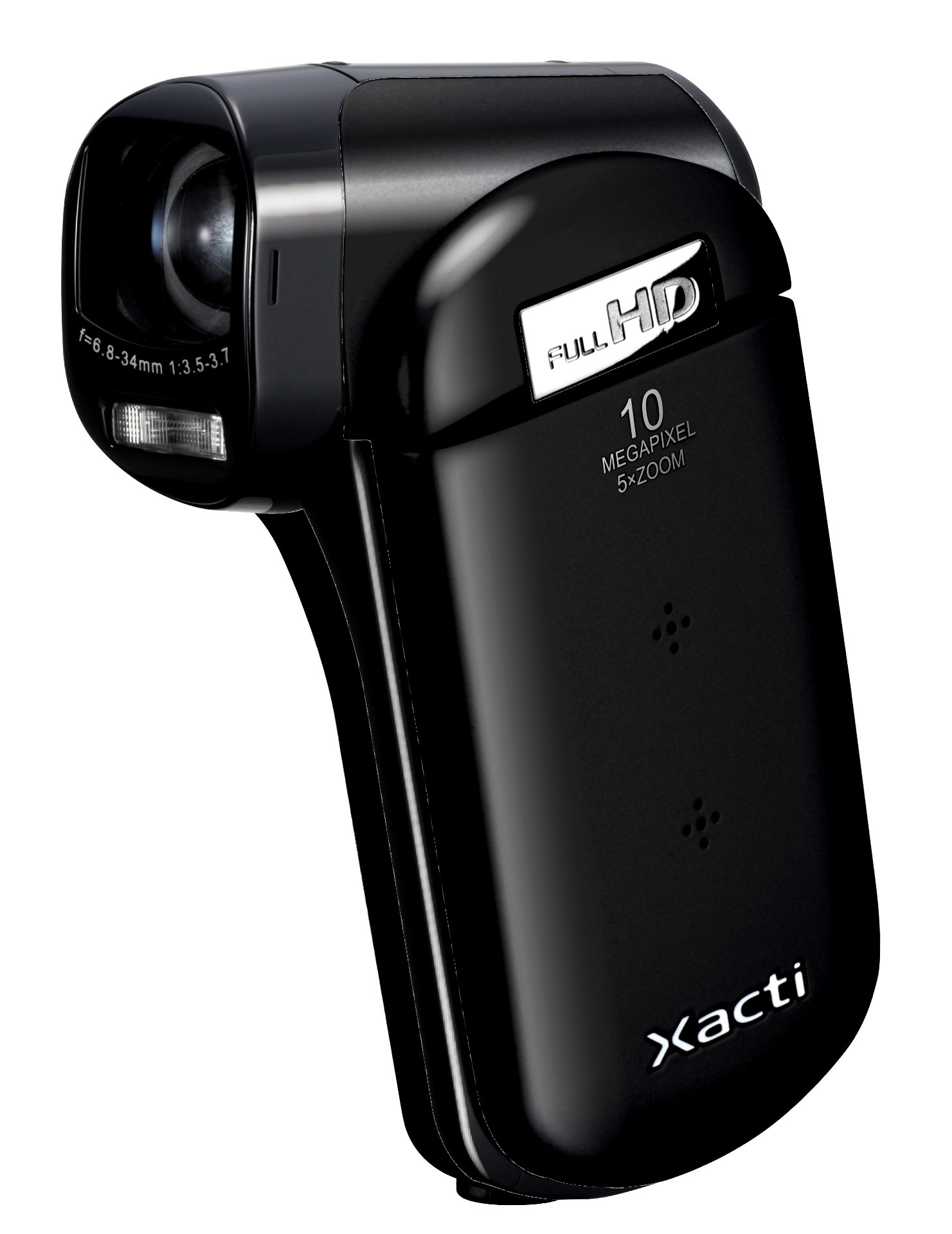
Afbeelding 1.1: Voorkant view of the SANYO VPC-CG20 High Definition Camcorder.
2. Inhoud van het pakket
Controleer of de volgende items in uw productpakket zitten:
- SANYO VPC-CG20 Camcorder
- Oplaadbare batterij
- Wisselstroomadapter / oplader
- USB-kabel
- AV-kabel
- Polsbandje
- Gebruikershandleiding (dit document)
3. Onderdelen en bedieningselementen
Maak uzelf vertrouwd met de verschillende onderdelen en bedieningselementen van uw camcorder.
3.1. Voorzijde View
The front of the camcorder features the lens, flash, and microphone.
3.2. Achterkant View
The rear panel typically includes the record button and power indicator.
3.3. Zijkant View (LCD Monitor Open)
When the 2.7-inch LCD monitor is open, you will find navigation buttons, menu access, and the zoom lever. The USB and AV ports are also located on the side, often beneath a protective cover.
3.4. Onderkant View
The bottom of the camcorder houses the battery compartment and the SD card slot.
4. Instellen
4.1. De batterij opladen
- Insert the rechargeable battery into the camcorder's battery compartment, ensuring correct orientation.
- Connect the AC adapter to the camcorder's power input.
- Plug the AC adapter into a wall outlet. The charging indicator light will illuminate.
- Charge the battery until the indicator light changes or turns off, signaling a full charge.
4.2. Inserting an SD Memory Card
The VPC-CG20 uses SD memory cards for storage.
- Open the SD card slot cover, usually located on the bottom or side of the camcorder.
- Plaats de SD-kaart met de metalen contactpunten in de juiste richting (zie het diagram bij de sleuf). Duw de kaart erin tot u een klik hoort.
- Sluit het klepje van het SD-kaartslot goed af.
Opmerking: Ensure the SD card is not locked (write-protected) before insertion.
5. De camcorder bedienen
5.1. In-/uitschakelen
- To power on, open the LCD monitor. The camcorder will typically power on automatically.
- To power off, close the LCD monitor.
5.2. Video opnemen
The VPC-CG20 records Full HD 1080i video (1920 x 1080) at 60 frames per second in H.264/MPEG-4 format.
- Ensure the camcorder is in video recording mode (check the mode switch or menu).
- Frame your shot using the 2.7-inch LCD monitor.
- Druk op de Dossier button to start recording. The record indicator will light up.
- Druk op de Dossier knop nogmaals om de opname te stoppen.
5.3. Foto's maken
The camcorder can capture 10-megapixel still images in JPEG format.
- Switch the camcorder to still image mode.
- Compose your shot on the LCD monitor.
- Druk op de Sluiter button halfway to focus, then press fully to take the picture.
5.4. Using Zoom
Use the zoom lever to adjust the 5x optical zoom. Push the lever towards 'T' for telephoto (zoom in) and 'W' for wide-angle (zoom out).
5.5. Beeldstabilisatie
The VPC-CG20 features optical image stabilization to reduce blur from camera shake during both video recording and photo capture. This feature is typically active by default.
5.6. Afspelen
- Zet de camcorder in de afspeelmodus.
- Use the navigation buttons to select the desired video or photo.
- Druk op de Toneelstuk knop naar view videos or display photos.
5.7. Verbinding maken met een computer
Overdragen files, connect the camcorder to your computer using the supplied USB cable. The camcorder will appear as a removable storage device, allowing you to copy files.
6. Onderhoud
6.1. De camcorder schoonmaken
- Gebruik een zachte, droge doek om de behuizing van de camcorder schoon te maken.
- Gebruik voor de lens en het lcd-scherm een speciaal reinigingsdoekje en -vloeistof voor lenzen. Vermijd schurende materialen.
- Do not use organic solvents such as alcohol or thinner.
6.2. Opslag
Bewaar de camcorder op een koele, droge plaats, uit de buurt van direct zonlicht en extreme temperaturen. Verwijder de batterij als u de camcorder voor langere tijd opbergt.
7. Probleemoplossing
| Probleem | Oplossing |
|---|---|
| Camcorder gaat niet aan. | Ensure the battery is charged and correctly inserted. Try charging the battery. |
| Kan geen video opnemen/foto's maken. | Check if an SD card is inserted and has sufficient free space. Ensure the SD card is not write-protected. |
| Slechte beeld-/videokwaliteit. | Clean the lens. Ensure adequate lighting. Check shooting mode settings. |
| De computer herkent de camcorder niet. | Ensure the USB cable is securely connected. Try a different USB port or cable. Restart both camcorder and computer. |
8. Specificaties
| Functie | Detail |
|---|---|
| Modelnaam | VPC-CG20 |
| Resolutie video-opname | 1080p (Full HD 1920 x 1080, 60i) |
| Effectieve stilstaande resolutie | 10 MP |
| Optische zoom | 5x |
| Beeldstabilisatie | Optisch |
| Schermgrootte | 2.7 inch |
| Flash-geheugentype | SD (SDHC compatible) |
| Video-opname-indeling | H.264, MPEG-4 |
| Ondersteund beeldformaat | JPEG |
| Connectiviteitstechnologie | USB |
| Focustype | Automatische focus |
| Opnamemodi | Gezichtsdetectie |
| Artikelgewicht | 0.35 pond (ongeveer 159 gram) |
9. Garantie en ondersteuning
For information regarding the product warranty, please refer to the warranty card included in your original packaging or visit the official SANYO support website. For technical assistance, troubleshooting beyond this manual, or service inquiries, please contact SANYO customer support through their official channels.
Bewaar uw aankoopbewijs voor garantieclaims.