
1. Inleiding
This manual provides instructions for the safe and effective use of your Canon PowerShot A640 digital camera. The PowerShot A640 is a 10-megapixel camera featuring a 4x optical zoom lens and a 2.5-inch vari-angle LCD screen, designed for versatile photography.

Afbeelding 1: Rechtsvoor view of the Canon PowerShot A640 digital camera.
2. Wat zit er in de doos?
Verify that all the following items are included with your Canon PowerShot A640:
- PowerShot A640 camerabody
- AA-alkalinebatterijen (x4)
- MultiMediaCard (32MB)
- Polsband (WS-200)
- CD-ROM met digitale camera-oplossing
- USB-interfacekabel (IFC-400PCU)
- AV-kabel (AVC-DC300)
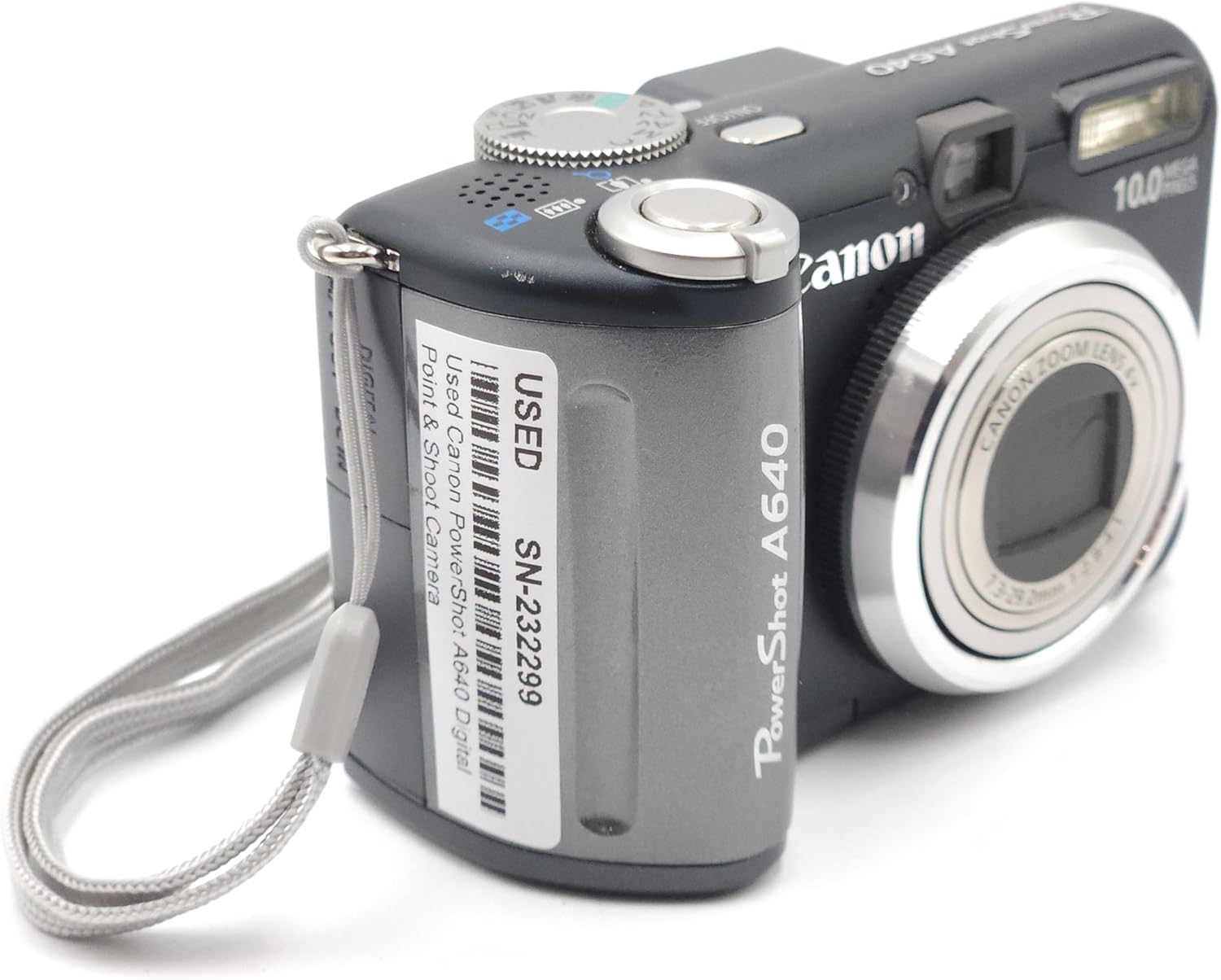
Image 2: Canon PowerShot A640 camera shown with accompanying user manuals.
3. Instellen
3.1. Batterijen plaatsen
- Open het batterijklepje aan de zijkant van de camera.
- Insert four AA-size alkaline batteries, ensuring correct polarity (+/-) as indicated inside the compartment.
- Sluit het batterijklepje goed.
3.2. Een geheugenkaart plaatsen
- Open het klepje van de geheugenkaartsleuf.
- Insert the MultiMediaCard (or an SD card) into the slot until it clicks into place. Ensure the card is facing the correct direction.
- Sluit het klepje van de geheugenkaartsleuf.
3.3. Oorspronkelijke instellingen
Bij het eerste inschakelen kan de camera u vragen de datum, tijd en taal in te stellen. Volg de instructies op het scherm om deze basisinstellingen te configureren.
4. De camera bedienen
4.1. Aan/uit
Druk op de AAN/UIT knop bovenop de camera om de camera in of uit te schakelen.

Afbeelding 3: Boven-voor view of the Canon PowerShot A640, highlighting the power button and mode dial.
4.2. Opnamemodi
Draai aan de modusknop bovenop de camera om de gewenste opnamemodus te selecteren:
- Programma (P): De camera stelt automatisch het diafragma en de sluitertijd in.
- Shutter Priority (Tv): Jij bepaalt de sluitertijd, de camera bepaalt het diafragma.
- Aperture Priority (Av): Jij bepaalt het diafragma, de camera bepaalt de sluitertijd.
- Handmatig (M): U stelt zowel het diafragma als de sluitertijd in.
- Scènemodi: Pre-set modes for specific situations (e.g., Portrait, Landscape, Night Scene).
4.3. Foto's maken
- Select a shooting mode.
- Frame your shot using the 2.5-inch vari-angle LCD screen or the optical viewvinder.
- Druk de ontspanknop halverwege in om scherp te stellen. De camera bevestigt de scherpstelling.
- Druk de ontspanknop volledig in om de foto te maken.
4.4. Zoomfunctie
Use the zoom lever around the shutter button to adjust the focal length. The camera features a 4x optical zoom. For additional magnification without image quality loss at smaller resolutions, utilize the Safety Zoom feature. The Digital Teleconverter provides a constant digital zoom (1.4x/2.3x).
4.5. Focussen
The camera uses a 9-point AiAF (Artificial Intelligence Autofocus) system to automatically select focus points. For manual control, use FlexiZone AF/AE to select a specific focus point within the frame.
4.6. ISO-gevoeligheid
Adjust the ISO setting to control the camera's sensitivity to light. Options include Auto, 80, 100, 200, 400, and 800. Higher ISO values allow for shooting in lower light conditions but may introduce more image noise.
4.7. LCD Screen and Display
The 2.5-inch vari-angle LCD screen can be rotated for flexible viewing angles. During shooting, you can enable a Grid Line display for composition assistance or a 3:2 ratio overlay to visualize standard print sizes.
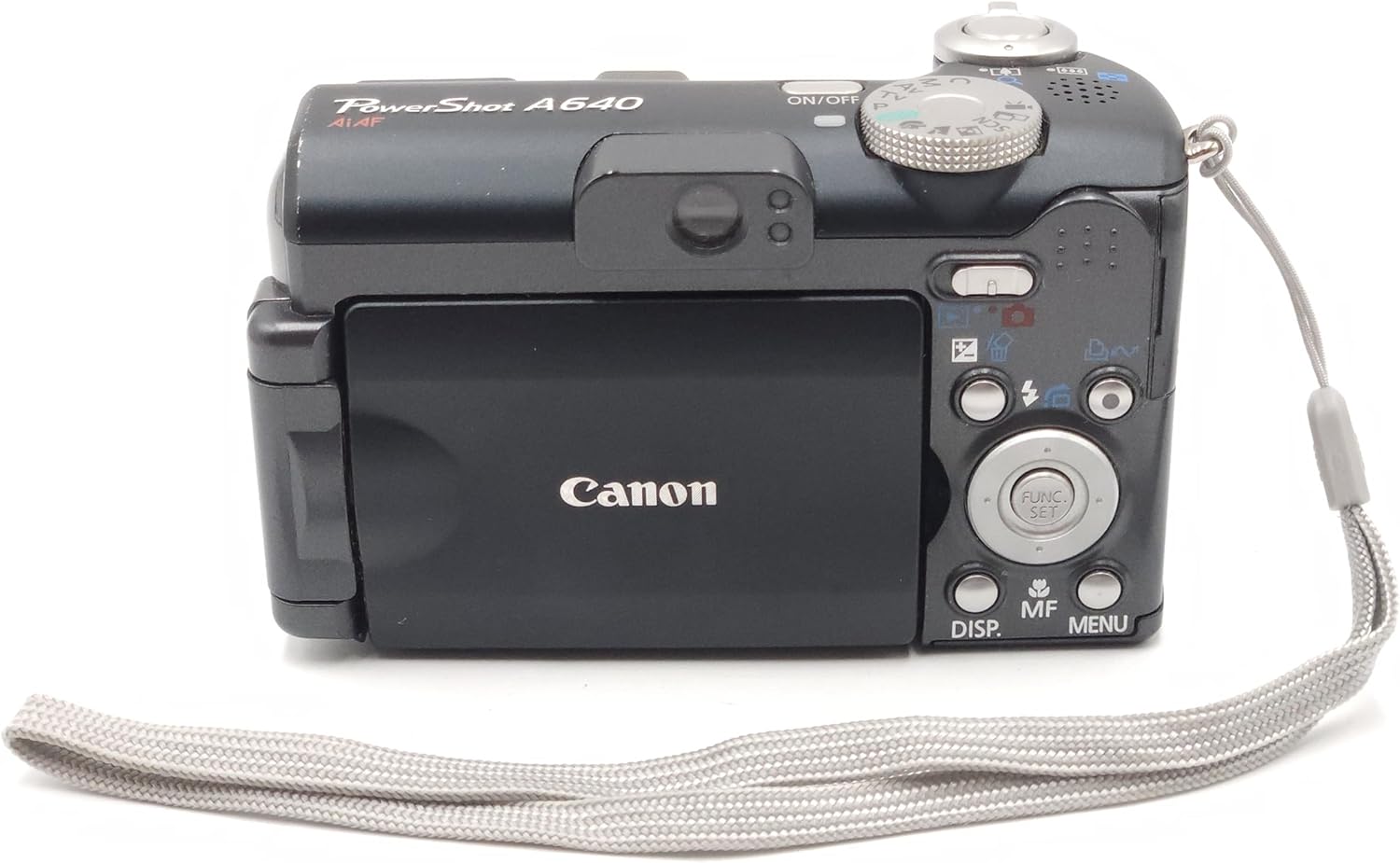
Afbeelding 4: Achterkant view of the Canon PowerShot A640, showing the vari-angle LCD and navigation controls.
4.8. Flash-gebruik
The camera has a built-in flash. You can select various flash modes (e.g., Auto, Fill-in, Red-eye Reduction). Second Curtain Sync is available for creative flash exposures, such as capturing light trails.
4.9. Video-opname
The PowerShot A640 can record VGA (640 x 480) quality movies at 30 frames per second (fps) with sound. Video recording will automatically stop when the file size reaches 1GB, which is approximately 9 minutes at 640x480/30fps. For longer recordings, consider lower resolutions or frame rates.
4.10. Afspelen en opnieuw afspelenview
Druk op de Afspelen knop om opnieuw teview captured images and videos. During playback, an overexposure warning feature can highlight areas that are too bright.
4.11. My Colors
Apply artistic photo effects in-camera using the My Colors feature, either during or after shooting.
4.12. Printing and Downloading
Gebruik de Afdrukken/Delen button for direct printing to compatible Canon printers or for easy downloading of images to a computer via the USB interface cable.
5. Onderhoud
- Het schoonmaken van de camerabehuizing: Gebruik een zachte, droge doek om de camerabehuizing af te vegen. Bij hardnekkig vuil lichtjes afnemen.ampen de doek met water.
- De lens reinigen: Gebruik een lensborstel of een zachte, pluisvrije doek die speciaal is ontworpen voor cameralenzen. Raak het lensoppervlak niet met uw vingers aan.
- batterij zorg: Remove batteries when the camera will not be used for an extended period. Store batteries in a cool, dry place.
- Opslag: Bewaar de camera op een droge, goed geventileerde plaats, uit de buurt van direct zonlicht en extreme temperaturen.
6. Probleemoplossing
- Camera gaat niet aan: Zorg ervoor dat de batterijen correct geplaatst en volledig opgeladen zijn. Probeer nieuwe batterijen.
- Afbeeldingen zijn wazig: Check focus settings. Ensure sufficient lighting. Use a higher ISO or flash if necessary. Hold the camera steady or use a tripod.
- Geheugenkaartfout: Reinsert the memory card. Ensure the card is not locked. Format the card (this will erase all data).
- De video-opname stopt onverwacht: Video recording is limited to 1GB per file. This is a design specification, not a malfunction.
- Cannot transfer large video files via USB: Als video files exceed 1GB, they may not transfer correctly via the camera's USB connection. Remove the SD card and use an external card reader for transfer.
- High-pitched squeal in video audio: This may indicate an internal issue. If persistent, contact Canon support.
- Difficulty with close-up focus: The camera's autofocus may struggle at very close distances. Try moving the subject slightly further away and using the optical zoom. Manual focus is digital and may not provide the desired precision for extreme close-ups.
- Settings reset after power-off: The camera's power save feature may reset certain settings. For persistent settings, use the Custom mode if available, or re-apply settings after powering on.
7. Specificaties
| Functie | Specificatie |
|---|---|
| Merk | Canon |
| Modelnaam | Canon PowerShot A640 |
| Effectieve stilstaande resolutie | 10 Megapixels |
| Optische zoom | 4x |
| Schermgrootte | 2.5 inch (kantelbaar LCD-scherm) |
| Beeldstabilisatie | Optisch |
| ISO-bereik | Auto, 80, 100, 200, 400, 800 |
| Min. sluitertijd | 15 seconden |
| Maximale sluitertijd | 1/2500 seconden |
| Resolutie video-opname | SD VGA 480p (640 x 480) |
| Video-opname-indeling | MPEG-4 |
| File Formaat | JPEG, RAW |
| Energiebron | 4 AA-batterijen |
| Artikelafmetingen (L x B x H) | 4.29 x 1.93 x 2.6 inch |
| Artikelgewicht | 1.9 ons |
8. Garantie en ondersteuning
For warranty information and technical support, please refer to the documentation included with your product or visit the official Canon support webwebsite. Bewaar uw aankoopbewijs voor garantieclaims.